
Streamlit component for displaying KPI's

Project description
Test it Live !

streamlit-kpi
Streamlit component for displaying KPIs, easy layout to fit all your needs !
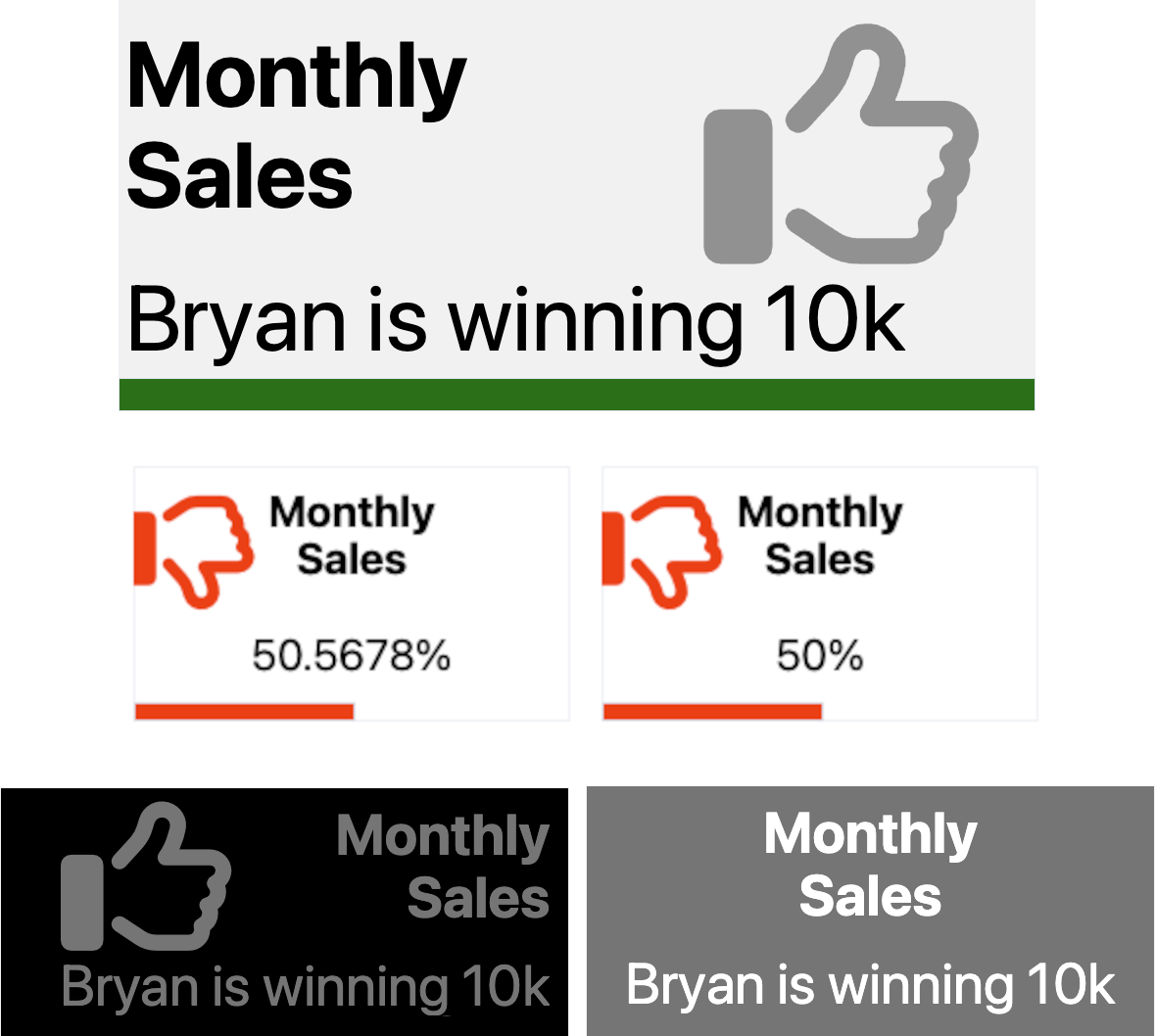
Installation instructions
pip install streamlit-kpi
Usage instructions
import streamlit as st
from streamlit_kpi import streamlit_kpi

streamlit_kpi(key="first_kpi",height='200',title='Monthly Sales',value=25000,icon='fa-solid fa-globe',progressValue=100,unit='K€')

   """
    Parameters:

    key: Optional str, default is '', the streamlit component key, higly recommended
    title: Mandatory str, the title...
    value: Mandatory str or int or float, the value...
    icon: Optional str, default is 'fa-solid fa-globe', any Font Awesome class (v6.3). See https://fontawesome.com/search?o=r&m=free
    icon: Optional str, default is '', the value unit appended after the value
    textAlign: Optional str, default is 'left', title and value alignement
    backgroundColor: Optional str, default is '#f3f3f3', widget background color can be str like blue, orange, transparent... or HEX color
    titleColor: Optional str, default is 'dark', title font color, can be str like blue, orange... or HEX color
    valueColor: Optional str, default is 'dark', value font color, can be str like blue, orange... or HEX color
    progressColor: Optional str, default is 'green', progress color, can be str like blue, orange... or HEX color
    iconColor: Optional str, default is 'black', icon font color, can be str like blue, orange... or HEX color
    animate: Optional bool, default is True, activate or not the animation
    animateDuration: Optional int, default is 2000, the animation duration in milliseconds
    progressValue: Optional int, default is 100, the progress bar completion, from 0 to 100
    iconOpacity: Optional int, default is 50, the opacity of the icon, from 0 to 100, 0 is invisible
    iconTop: Optional int, default is 24, the icon position from the top, from 0 to 100
    iconLeft: Optional int, default is 91, the icon position from the left, from 0 to 100
    showProgress: Optional bool, default is True, show or hide the progress bar
    showIcon: Optional bool, default is True, show or hide the icon
    height: Optional int, default is 250, the height of the whole widget

    """
Release history Release notifications | RSS feed


Download files
Download the file for your platform. If you're not sure which to choose, learn more about installing packages.
Source Distribution
streamlit-kpi-0.0.33.tar.gz
(8.1 kB
view details)
Built Distribution
Filter files by name, interpreter, ABI, and platform.
If you're not sure about the file name format, learn more about wheel file names.
Copy a direct link to the current filters
File details
Details for the file streamlit-kpi-0.0.33.tar.gz.
File metadata
- Download URL: streamlit-kpi-0.0.33.tar.gz
- Upload date:
- Size: 8.1 kB
- Tags: Source
- Uploaded using Trusted Publishing? No
- Uploaded via: twine/4.0.2 CPython/3.11.3
File hashes
| Algorithm | Hash digest | |
|---|---|---|
| SHA256 |
2e5205cf375418c34a1586a9dbe99333bc3dddd6b009e81d863c8a0aff1be62a
|
|
| MD5 |
b3a3c005d213af54c7954a2f1b05449b
|
|
| BLAKE2b-256 |
89fb50361b266cfcadd3bbb331ef71b10b99d981613ff45a7c6c7372cd6c9daa
|
File details
Details for the file streamlit_kpi-0.0.33-py3-none-any.whl.
File metadata
- Download URL: streamlit_kpi-0.0.33-py3-none-any.whl
- Upload date:
- Size: 9.2 kB
- Tags: Python 3
- Uploaded using Trusted Publishing? No
- Uploaded via: twine/4.0.2 CPython/3.11.3
File hashes
| Algorithm | Hash digest | |
|---|---|---|
| SHA256 |
43939ca65514cdccc4890192eac4682e8ac6694a0bcd104e65f8f34be653d6c7
|
|
| MD5 |
3f87bd8671ea8c8db797a06e8131b217
|
|
| BLAKE2b-256 |
14ecfe8e2aa3329dce1caee0ecfc2d23f97bab3305333d582feb8e74990c7cd2
|






