
String-based Pauli algebraic manipulations

Project description






bib-optimizer
Oh, sure, because who doesn't love manually cleaning up messy .bib files? bib_optimizer.py heroically steps in to remove those lazy, unused citations and reorder the survivors exactly as they appear in the .tex file—because, clearly, chaos is the default setting for bibliographies.
In layman's terms, it automates bibliography management by:
- removing unused citations,
- reordering the remaining ones to match their order of appearance in the
.texfile.
Input Files:
main.tex– The LaTeX source file.ref.bib– The original bibliography file.
These input files will remain unchanged.
Output File:
ref_opt.bib– A placeholder filename for the newly generated, cleaned, and ordered bibliography file.
Installation
It can be installed with pip, ideally by using a virtual environment. Open up a terminal and install the package and the dependencies with:
pip install bib_optimizer
or
python -m pip install bib_optimizer
🐍 This requires Python 3.8 or newer versions
Steps to Clean Your Bibliography
-
Prepare the input files (e.g., by downloading them from Overleaf).
-
Run the command to generate a new
.bibfile (for example, you may name itref_opt.bib):bibopt main.tex ref.bib ref_opt.bib -
Use the Cleaned Bibliography
Replaceref.bibwithref_opt.bibin your LaTeX project.
Test
You may test the installation using the sample input files (sample_main.tex and sample_ref.bib) located in the test folder.
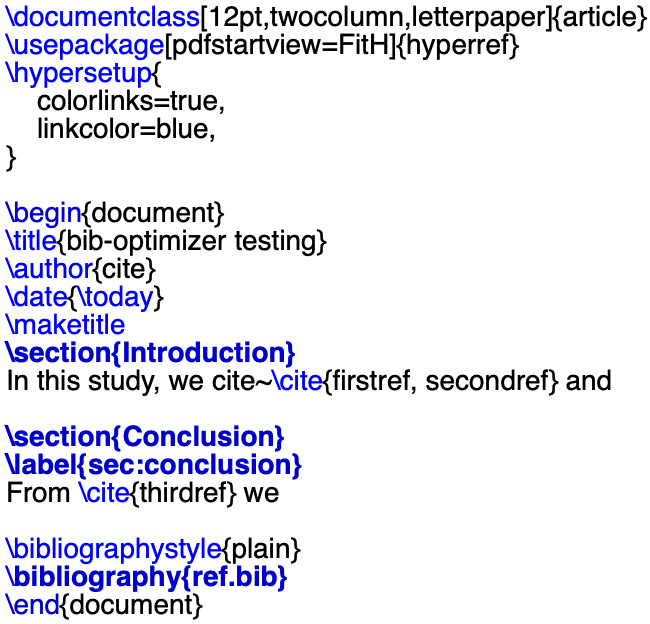
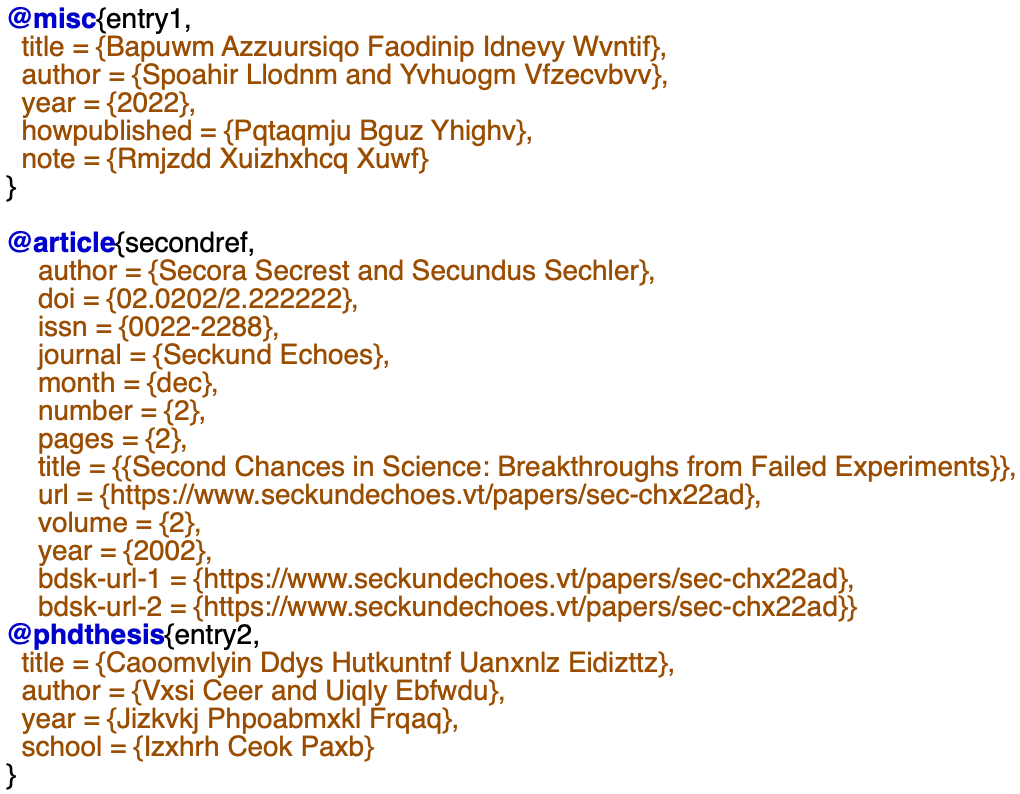
sample_main.tex and sample_ref.bib
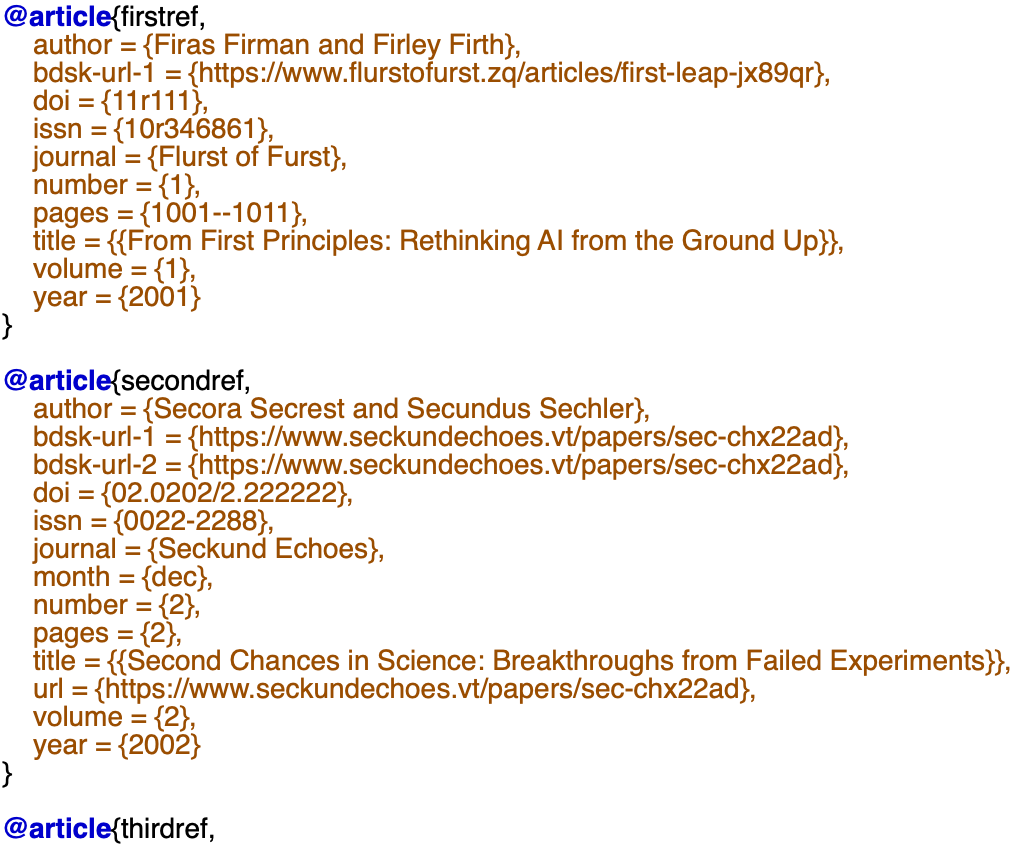
A sample ref_opt.bib after running bibopt sample_main.tex sample_ref.bib ref_opt.bib
♥ Lastly executed on Python 3.10 on 2025-04-16.


Download files
Download the file for your platform. If you're not sure which to choose, learn more about installing packages.
Source Distribution
Built Distribution
Filter files by name, interpreter, ABI, and platform.
If you're not sure about the file name format, learn more about wheel file names.
Copy a direct link to the current filters
File details
Details for the file stringebraic-0.0.3.tar.gz.
File metadata
- Download URL: stringebraic-0.0.3.tar.gz
- Upload date:
- Size: 5.2 kB
- Tags: Source
- Uploaded using Trusted Publishing? No
- Uploaded via: twine/6.0.1 CPython/3.9.19
File hashes
| Algorithm | Hash digest | |
|---|---|---|
| SHA256 |
eda90d22bfbce15698266dcf5357070711df1c9a2ba3cd6820fdf342bf523107
|
|
| MD5 |
5f42d0f22cfb44d7603dabe4c92b35c0
|
|
| BLAKE2b-256 |
b08a915d4645464851ac7796eeda1cd447e52b45bb4d566314b608c04454c340
|
File details
Details for the file stringebraic-0.0.3-py3-none-any.whl.
File metadata
- Download URL: stringebraic-0.0.3-py3-none-any.whl
- Upload date:
- Size: 5.8 kB
- Tags: Python 3
- Uploaded using Trusted Publishing? No
- Uploaded via: twine/6.0.1 CPython/3.9.19
File hashes
| Algorithm | Hash digest | |
|---|---|---|
| SHA256 |
500b9816f6d1ca8c4f975b78fa0597fc652c523173c787932c0ddb87cb7dbe89
|
|
| MD5 |
9324c2af60663b3e34e4df521e39036d
|
|
| BLAKE2b-256 |
d1656cb13b2f0a35d576f368163ac51b600b60eb05d3cea522b1e3853f3eaf52
|






