
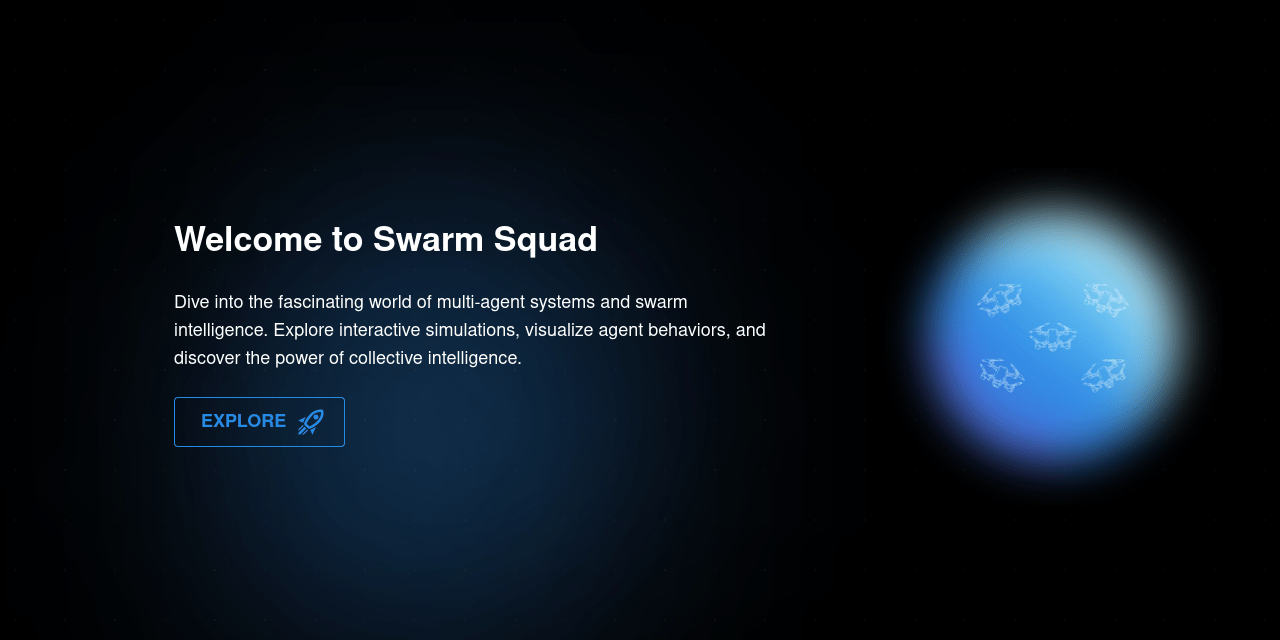
Swarm Squad - Episode II: The Digital Dialogue
A continuation of our journey into real-time communication with enhanced features and user management.
#Chat Room #Real-Time Communication #Ollama LLMs
#Next.js #WebSocket
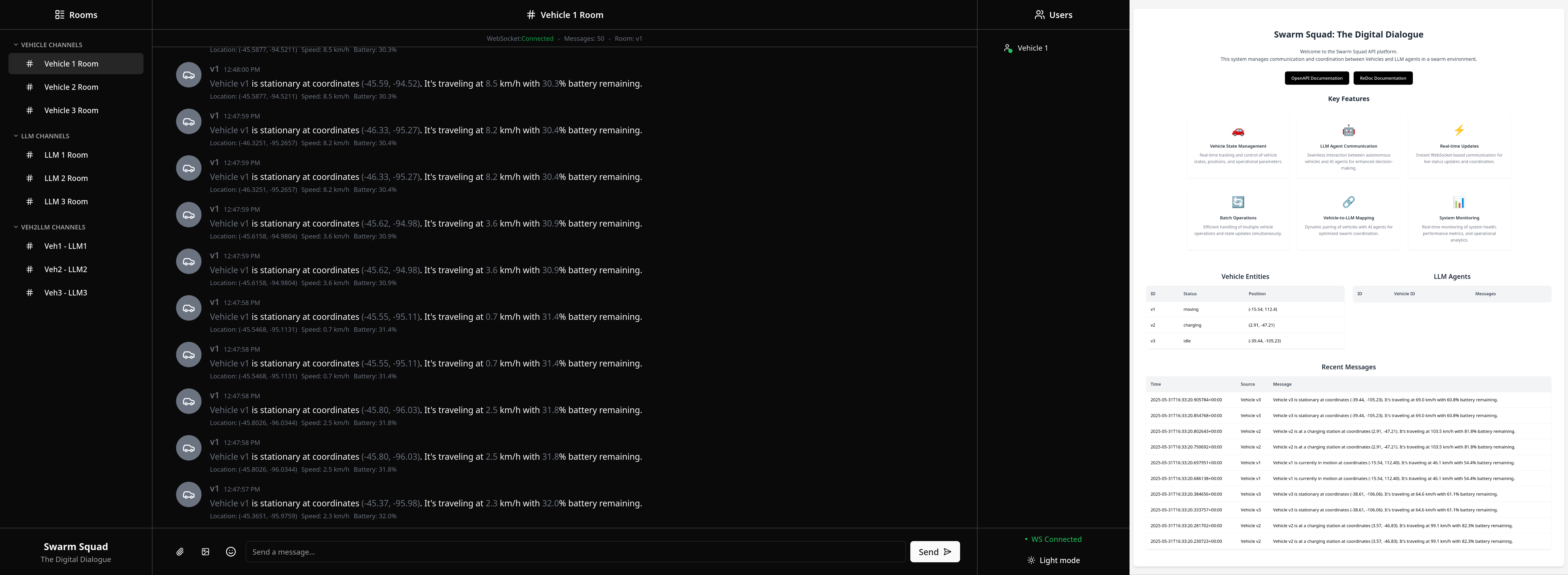
🚀 Getting Started
It is recommended to use uv to create a virtual environment and install the following package.
uv pip install swarm-squad-ep2
To run the application, simply type:
swarm-squad-ep2
# or
swarm-squad-ep2 --help
🎮 CLI Commands
The CLI provides several commands to manage the vehicle simulation:
# Launch both backend (fastapi) and frontend (webui)
swarm-squad-ep2 launch

# Run vehicle simulation (creates real-time data)
swarm-squad-ep2 sim

# Run matplotlib visualization (requires simulation to be running)
swarm-squad-ep2 sim visualize

# Run WebSocket test client (monitor communication)
swarm-squad-ep2 sim test
🛠️ Development Installation
-
Clone the repository and navigate to project folder:
git clone https://github.com/Sang-Buster/Swarm-Squad-Ep2
cd Swarm-Squad-Ep2
-
Install uv first:
# macOS/Linux
curl -LsSf https://astral.sh/uv/install.sh | sh
# Windows
powershell -c "irm https://astral.sh/uv/install.ps1 | iex"
-
Install the required packages: Option 1 (recommended): Synchronizes environment with dependencies in pyproject.toml and uv.lock
uv sync
source .venv/bin/activate # .venv\Scripts\activate for Windows
Option 2 (manual): Manual editable installation without referencing lockfile
uv venv --python 3.10 # Create virtual environment
source .venv/bin/activate # .venv\Scripts\activate for Windows
uv pip install -e .
👨💻 Development Setup
-
Install git hooks:
pre-commit install --install-hooks
These hooks perform different checks at various stages:
commit-msg: Ensures commit messages follow the conventional formatpre-commit: Runs Ruff linting and formatting checks before each commitpre-push: Performs final validation before pushing to remote
-
Code Linting & Formatting:
ruff check --fix
ruff check --select I --fix
ruff format
-
Run the application:
uv run src/swarm_squad_ep2/main.py
📁 File Tree
📂Swarm-Squad-Ep2
 ┣ 📂lib
 ┃ ┣ 📄banner.png
 ┃ ┗ 📄screenshot.png
 ┣ 📂src
 ┃ ┗ 📦swarm_squad_ep2
 ┃ ┃ ┣ 📂api
 ┃ ┃ ┃ ┣ 📂routers
 ┃ ┃ ┃ ┃ ┣ 📄batch.py
 ┃ ┃ ┃ ┃ ┣ 📄llms.py
 ┃ ┃ ┃ ┃ ┣ 📄realtime.py
 ┃ ┃ ┃ ┃ ┣ 📄veh2llm.py
 ┃ ┃ ┃ ┃ ┗ 📄vehicles.py
 ┃ ┃ ┃ ┣ 📂static
 ┃ ┃ ┃ ┃ ┗ 📄favicon.ico
 ┃ ┃ ┃ ┣ 📂templates
 ┃ ┃ ┃ ┃ ┗ 📄index.html
 ┃ ┃ ┃ ┣ 📄database.py
 ┃ ┃ ┃ ┣ 📄main.py
 ┃ ┃ ┃ ┣ 📄models.py
 ┃ ┃ ┃ ┣ 📄utils.py
 ┃ ┃ ┃ ┗ 📄vehicle_sim.db
 ┃ ┃ ┣ 📂cli
 ┃ ┃ ┃ ┣ 📄build.py
 ┃ ┃ ┃ ┣ 📄fastapi.py
 ┃ ┃ ┃ ┣ 📄install.py
 ┃ ┃ ┃ ┣ 📄launch.py
 ┃ ┃ ┃ ┣ 📄sim.py
 ┃ ┃ ┃ ┣ 📄utils.py
 ┃ ┃ ┃ ┗ 📄webui.py
 ┃ ┃ ┣ 📂scripts
 ┃ ┃ ┃ ┣ 📂utils
 ┃ ┃ ┃ ┃ ┣ 📄client.py
 ┃ ┃ ┃ ┃ ┗ 📄message_templates.py
 ┃ ┃ ┃ ┣ 📄run_simulation.py
 ┃ ┃ ┃ ┣ 📄simulator.py
 ┃ ┃ ┃ ┣ 📄test_client.py
 ┃ ┃ ┃ ┗ 📄visualize_simulation.py
 ┃ ┃ ┣ 📂web
 ┃ ┃ ┃ ┣ 📂app
 ┃ ┃ ┃ ┃ ┣ 📄globals.css
 ┃ ┃ ┃ ┃ ┣ 📄layout.tsx
 ┃ ┃ ┃ ┃ ┗ 📄page.tsx
 ┃ ┃ ┃ ┣ 📂components
 ┃ ┃ ┃ ┃ ┣ 📂ui
 ┃ ┃ ┃ ┃ ┣ 📄category-header.tsx
 ┃ ┃ ┃ ┃ ┣ 📄chat.tsx
 ┃ ┃ ┃ ┃ ┣ 📄emoji-picker.tsx
 ┃ ┃ ┃ ┃ ┣ 📄message-input.tsx
 ┃ ┃ ┃ ┃ ┣ 📄sidebar.tsx
 ┃ ┃ ┃ ┃ ┣ 📄theme-provider.tsx
 ┃ ┃ ┃ ┃ ┗ 📄theme-toggle.tsx
 ┃ ┃ ┃ ┣ 📂hooks
 ┃ ┃ ┃ ┃ ┣ 📄use-mobile.tsx
 ┃ ┃ ┃ ┃ ┣ 📄use-toast.ts
 ┃ ┃ ┃ ┃ ┗ 📄use-websocket.ts
 ┃ ┃ ┃ ┣ 📂lib
 ┃ ┃ ┃ ┃ ┣ 📄api.ts
 ┃ ┃ ┃ ┃ ┣ 📄mock-data.ts
 ┃ ┃ ┃ ┃ ┗ 📄utils.ts
 ┃ ┃ ┃ ┣ 📂pages
 ┃ ┃ ┃ ┣ 📂public
 ┃ ┃ ┃ ┃ ┗ 📄favicon.ico
 ┃ ┃ ┃ ┣ 📄.eslintrc.json
 ┃ ┃ ┃ ┣ 📄.prettierignore
 ┃ ┃ ┃ ┣ 📄components.json
 ┃ ┃ ┃ ┣ 📄next.config.mjs
 ┃ ┃ ┃ ┣ 📄package.json
 ┃ ┃ ┃ ┣ 📄pnpm-lock.yaml
 ┃ ┃ ┃ ┣ 📄postcss.config.mjs
 ┃ ┃ ┃ ┣ 📄tailwind.config.ts
 ┃ ┃ ┃ ┗ 📄tsconfig.json
 ┃ ┃ ┗ 📄main.py
 ┣ 📄.gitignore
 ┣ 📄.pre-commit-config.yaml
 ┣ 📄.python-version
 ┣ 📄LICENSE
 ┣ 📄README.md
 ┣ 📄pyproject.toml
 ┗ 📄uv.lock
1 maintainer

Metadata
1 maintainer
Release files for swarm-squad-ep2 0.1.6
For a detailed explanation of source distributions (sdists) and built distributions (wheels), please see the package formats documentation.
Source distribution (sdist)
| File | Size | Uploaded | |
|---|---|---|---|
| swarm_squad_ep2-0.1.6.tar.gz | 3.1 MB | Details |
Built distribution (wheel)
| File | Interpreter | ABI | Platform | Reset |
|---|---|---|---|---|
| swarm_squad_ep2-0.1.6-py3-none-any.whl | Python 3 | none | any | Details |
Total release size: 4.7 MB
Release files / swarm_squad_ep2-0.1.6.tar.gz
| Download URL | swarm_squad_ep2-0.1.6.tar.gz |
|---|---|
| Size | 3.1 MB |
| Tags | Source |
|
SHA-256 checksum How to use checksums |
d6029862ad70e097f93d488025448cd62a9ae6079a720dc85ba025990ce68650
|
|
BLAKE2b-256 checksum How to use checksums |
46a8fed58bf6b8d71a28ca7691e5516eadc743afeeb81f9b0151196d39c98965
|
| Upload date | |
|
Uploaded using Trusted Publishing? What is trusted publishing? |
No |
| Uploaded via |
uv/0.8.5
|
Release files / swarm_squad_ep2-0.1.6-py3-none-any.whl
| Download URL | swarm_squad_ep2-0.1.6-py3-none-any.whl |
|---|---|
| Size | 1.6 MB |
| Tags | Python 3 |
|
SHA-256 checksum How to use checksums |
59249fa19a6eaa7dcc2086081fd8a2841497381c842bca8a33c450454d694dfa
|
|
BLAKE2b-256 checksum How to use checksums |
4e7019e204c2e1b608e1651735c84ef9b96941e11f191016b0792879b638e64d
|
| Upload date | |
|
Uploaded using Trusted Publishing? What is trusted publishing? |
No |
| Uploaded via |
uv/0.8.5
|














