
Swarm Squad Ep2: The Digital Dialogue

Project description
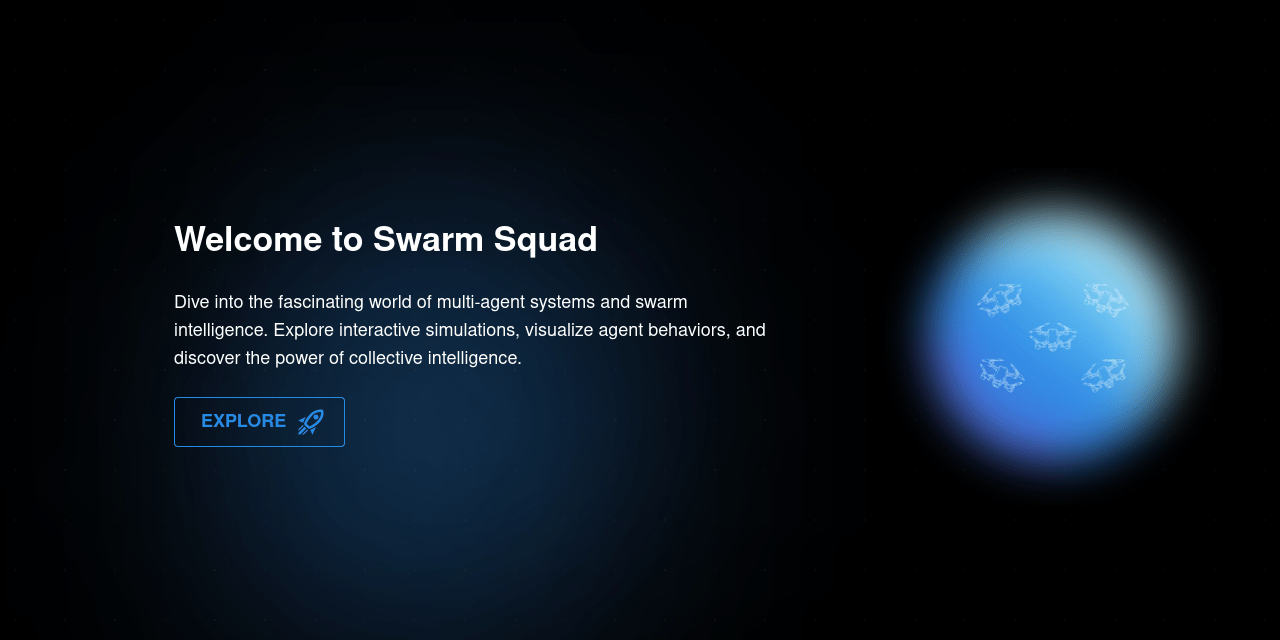
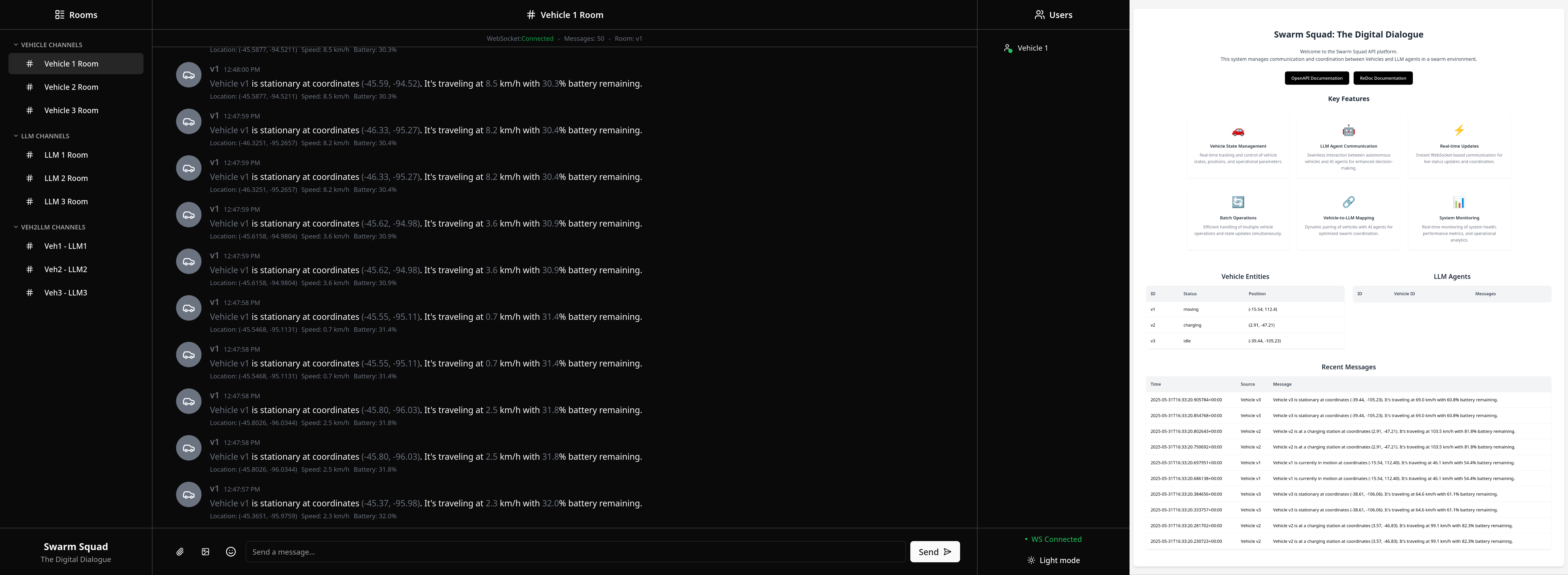
Swarm Squad - Episode II: The Digital Dialogue
A continuation of our journey into real-time communication with enhanced features and user management.
#Chat Room #Real-Time Communication #Ollama LLMs
#Next.js #WebSocket
🚀 Getting Started
It is recommended to use uv to create a virtual environment and install the following package.
uv pip install swarm-squad-ep2
To run the application, simply type:
swarm-squad-ep2
# or
swarm-squad-ep2 --help
🎮 CLI Commands
The CLI provides several commands to manage the vehicle simulation:
# Launch both backend (fastapi) and frontend (webui)
swarm-squad-ep2 launch

# Run vehicle simulation (creates real-time data)
swarm-squad-ep2 setup

# Run matplotlib visualization (requires simulation to be running)
swarm-squad-ep2 setup visualize

# Run WebSocket test client (monitor communication)
swarm-squad-ep2 setup test
🛠️ Development Installation
-
Clone the repository and navigate to project folder:
git clone https://github.com/Sang-Buster/Swarm-Squad-Ep2
cd Swarm-Squad-Ep2
-
Install uv first:
# macOS/Linux
curl -LsSf https://astral.sh/uv/install.sh | sh
# Windows
powershell -c "irm https://astral.sh/uv/install.ps1 | iex"
-
Install the required packages: Option 1 (recommended): Synchronizes environment with dependencies in pyproject.toml and uv.lock
uv sync
source .venv/bin/activate # .venv\Scripts\activate for Windows
Option 2 (manual): Manual editable installation without referencing lockfile
uv venv --python 3.10 # Create virtual environment
source .venv/bin/activate # .venv\Scripts\activate for Windows
uv pip install -e .
👨💻 Development Setup
-
Install git hooks:
pre-commit install --install-hooks
These hooks perform different checks at various stages:
commit-msg: Ensures commit messages follow the conventional formatpre-commit: Runs Ruff linting and formatting checks before each commitpre-push: Performs final validation before pushing to remote
-
Code Linting & Formatting:
ruff check --fix
ruff check --select I --fix
ruff format
-
Run the application:
uv run src/swarm_squad_ep2/main.py
📁 File Tree
📂Swarm-Squad-Ep2
 ┣ 📂lib
 ┃ ┣ 📄banner.png
 ┃ ┗ 📄screenshot.png
 ┣ 📂src
 ┃ ┗ 📦swarm_squad_ep2
 ┃ ┃ ┣ 📂api
 ┃ ┃ ┃ ┣ 📂routers
 ┃ ┃ ┃ ┃ ┣ 📄batch.py
 ┃ ┃ ┃ ┃ ┣ 📄llms.py
 ┃ ┃ ┃ ┃ ┣ 📄realtime.py
 ┃ ┃ ┃ ┃ ┣ 📄veh2llm.py
 ┃ ┃ ┃ ┃ ┗ 📄vehicles.py
 ┃ ┃ ┃ ┣ 📂static
 ┃ ┃ ┃ ┃ ┗ 📄favicon.ico
 ┃ ┃ ┃ ┣ 📂templates
 ┃ ┃ ┃ ┃ ┗ 📄index.html
 ┃ ┃ ┃ ┣ 📄database.py
 ┃ ┃ ┃ ┣ 📄main.py
 ┃ ┃ ┃ ┣ 📄models.py
 ┃ ┃ ┃ ┣ 📄utils.py
 ┃ ┃ ┃ ┗ 📄vehicle_sim.db
 ┃ ┃ ┣ 📂cli
 ┃ ┃ ┃ ┣ 📄build.py
 ┃ ┃ ┃ ┣ 📄fastapi.py
 ┃ ┃ ┃ ┣ 📄install.py
 ┃ ┃ ┃ ┣ 📄launch.py
 ┃ ┃ ┃ ┣ 📄setup.py
 ┃ ┃ ┃ ┣ 📄utils.py
 ┃ ┃ ┃ ┗ 📄webui.py
 ┃ ┃ ┣ 📂scripts
 ┃ ┃ ┃ ┣ 📂utils
 ┃ ┃ ┃ ┃ ┣ 📄client.py
 ┃ ┃ ┃ ┃ ┗ 📄message_templates.py
 ┃ ┃ ┃ ┣ 📄run_simulation.py
 ┃ ┃ ┃ ┣ 📄simulator.py
 ┃ ┃ ┃ ┣ 📄test_client.py
 ┃ ┃ ┃ ┗ 📄visualize_simulation.py
 ┃ ┃ ┣ 📂web
 ┃ ┃ ┃ ┣ 📂app
 ┃ ┃ ┃ ┃ ┣ 📄globals.css
 ┃ ┃ ┃ ┃ ┣ 📄layout.tsx
 ┃ ┃ ┃ ┃ ┗ 📄page.tsx
 ┃ ┃ ┃ ┣ 📂components
 ┃ ┃ ┃ ┃ ┣ 📂ui
 ┃ ┃ ┃ ┃ ┣ 📄category-header.tsx
 ┃ ┃ ┃ ┃ ┣ 📄chat.tsx
 ┃ ┃ ┃ ┃ ┣ 📄emoji-picker.tsx
 ┃ ┃ ┃ ┃ ┣ 📄message-input.tsx
 ┃ ┃ ┃ ┃ ┣ 📄sidebar.tsx
 ┃ ┃ ┃ ┃ ┣ 📄theme-provider.tsx
 ┃ ┃ ┃ ┃ ┗ 📄theme-toggle.tsx
 ┃ ┃ ┃ ┣ 📂hooks
 ┃ ┃ ┃ ┃ ┣ 📄use-mobile.tsx
 ┃ ┃ ┃ ┃ ┣ 📄use-toast.ts
 ┃ ┃ ┃ ┃ ┗ 📄use-websocket.ts
 ┃ ┃ ┃ ┣ 📂lib
 ┃ ┃ ┃ ┃ ┣ 📄api.ts
 ┃ ┃ ┃ ┃ ┣ 📄mock-data.ts
 ┃ ┃ ┃ ┃ ┗ 📄utils.ts
 ┃ ┃ ┃ ┣ 📂pages
 ┃ ┃ ┃ ┣ 📂public
 ┃ ┃ ┃ ┃ ┗ 📄favicon.ico
 ┃ ┃ ┃ ┣ 📄.eslintrc.json
 ┃ ┃ ┃ ┣ 📄.prettierignore
 ┃ ┃ ┃ ┣ 📄components.json
 ┃ ┃ ┃ ┣ 📄next.config.mjs
 ┃ ┃ ┃ ┣ 📄package.json
 ┃ ┃ ┃ ┣ 📄pnpm-lock.yaml
 ┃ ┃ ┃ ┣ 📄postcss.config.mjs
 ┃ ┃ ┃ ┣ 📄tailwind.config.ts
 ┃ ┃ ┃ ┗ 📄tsconfig.json
 ┃ ┃ ┗ 📄main.py
 ┣ 📄.gitignore
 ┣ 📄.pre-commit-config.yaml
 ┣ 📄.python-version
 ┣ 📄LICENSE
 ┣ 📄README.md
 ┣ 📄pyproject.toml
 ┗ 📄uv.lock
Release history Release notifications | RSS feed


Download files
Download the file for your platform. If you're not sure which to choose, learn more about installing packages.
Source Distribution
Built Distribution
Filter files by name, interpreter, ABI, and platform.
If you're not sure about the file name format, learn more about wheel file names.
Copy a direct link to the current filters
File details
Details for the file swarm_squad_ep2-0.1.5.tar.gz.
File metadata
- Download URL: swarm_squad_ep2-0.1.5.tar.gz
- Upload date:
- Size: 3.1 MB
- Tags: Source
- Uploaded using Trusted Publishing? No
- Uploaded via: uv/0.7.3
File hashes
| Algorithm | Hash digest | |
|---|---|---|
| SHA256 |
d348198f0899c7fae0b5a2933431170bc9ccfab2eaaf9c0434694ad0ce746e4b
|
|
| MD5 |
a74fbc3935ffb992e88f0ffddbb3c9cc
|
|
| BLAKE2b-256 |
668ebcc3f23f4ef1d396d347616845089db6064ee87aa62898584a3a5dd72521
|
File details
Details for the file swarm_squad_ep2-0.1.5-py3-none-any.whl.
File metadata
- Download URL: swarm_squad_ep2-0.1.5-py3-none-any.whl
- Upload date:
- Size: 1.7 MB
- Tags: Python 3
- Uploaded using Trusted Publishing? No
- Uploaded via: uv/0.7.3
File hashes
| Algorithm | Hash digest | |
|---|---|---|
| SHA256 |
5c66c11e03f15b0e943c80b97b131a16767f823479bdc29fad464aa4c8068628
|
|
| MD5 |
d2d806bc694fc4c5a818d193017e8dbe
|
|
| BLAKE2b-256 |
31c62468d4d05dea0fdc1e2926f87ab556be9da6031b4a2388e697af5f241b26
|






