
tdnpathviz
tdnpathviz is a Python package that provides a set of convenient functions to generate various types of visualizations directly within a Teradata Vantage database. It leverages the in-database capabilities of Teradata Vantage including path analysis and in-database plotting (TD_PLOT) for Teradata SQLE 17.20 and later versions.
Installation
Install the package via pip:
pip install tdnpathviz
Usage
Here are the available functions in the Vantage Visualizer package:
plot_first_main_paths()create_all_pathes_views()scatter_plot()pair_plot()plot_correlation_heatmap()plotcurves()plotcurvescluster()plot_with_background_image()npath_widget()
Example: Plotting First Main Paths
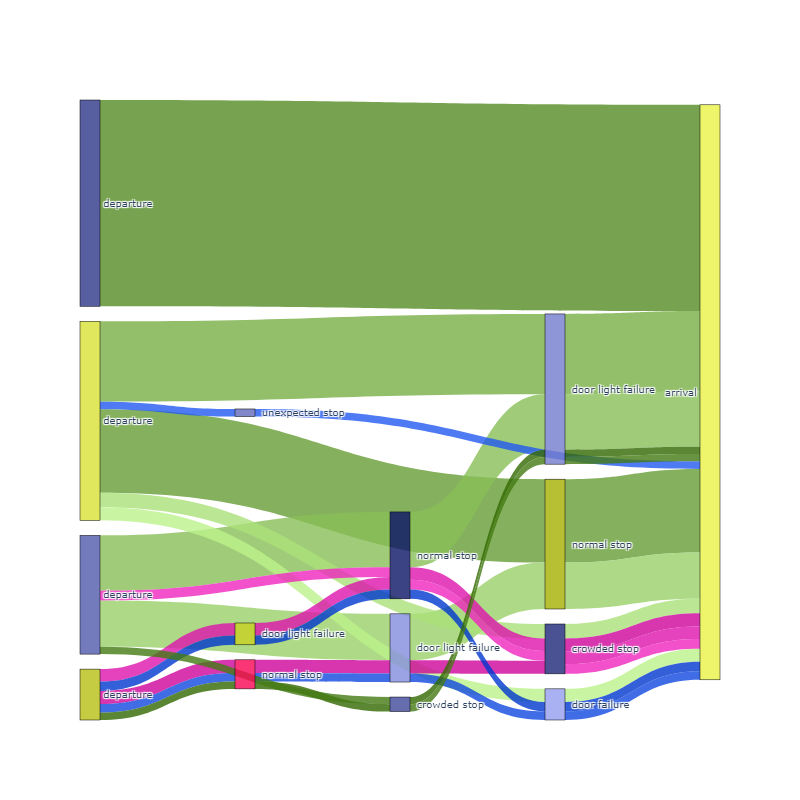
Here is an example of how to use the plot_first_main_paths() function:
from tdnpathviz.visualizations import plot_first_main_paths

# Assume 'myPathAnalysis' is your DataFrame which contains path analysis data

plot_first_main_paths(
    myPathAnalysis=myPathAnalysis,
    path_column='your_path_column',
    id_column='your_id_column',
    nb_paths=15,
    print_query=False,
    font_size=10,
    width=1200,
    height=800,
    weight_column = 'your_weight_column',
    weight_agg = 'count',
    justify='left'
)
Example: Correlation Heatmap
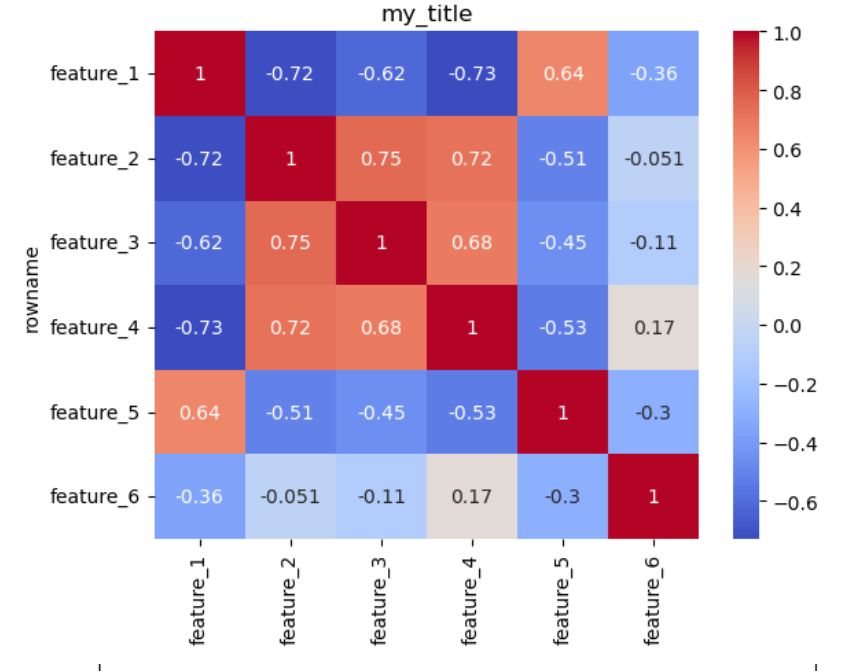
Here is an example of how to use the plot_correlation_heatmap() function to create a correlation heatmap:
from tdnpathviz.visualizations import plot_correlation_heatmap

# Assume 'tddf' is your teradata DataFrame
plot_correlation_heatmap(tddf)

# You can pass additional parameters, e.g., ax for specific matplotlib axis, no_plot if you don't want to display the plot,
# or a title for your plot.
# plot_correlation_heatmap(tddf, ax=your_matplotlib_axis, no_plot=True, title="My Correlation Heatmap")
Example: Scatter Plot
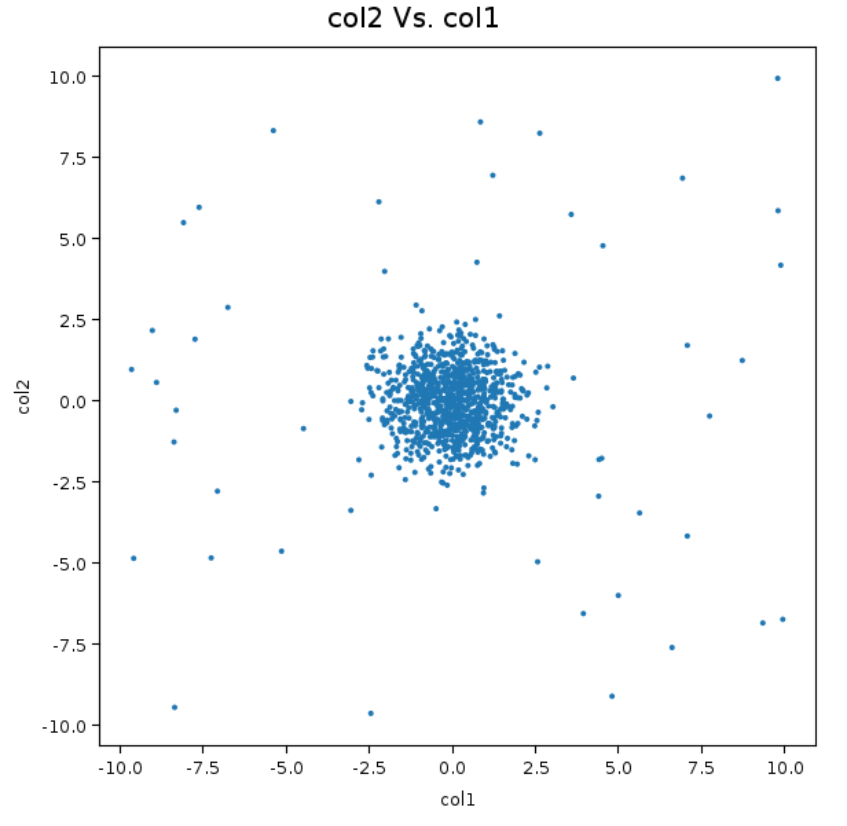
Here is an example of how to use the scatter_plot() function:
from tdnpathviz.visualizations import scatter_plot

# Assume 'tddf' is your teradata DataFrame

scatter_plot(
    tddf=tddf,
    x_col='col1',
    y_col='col2'
)
Example: NPath Widget
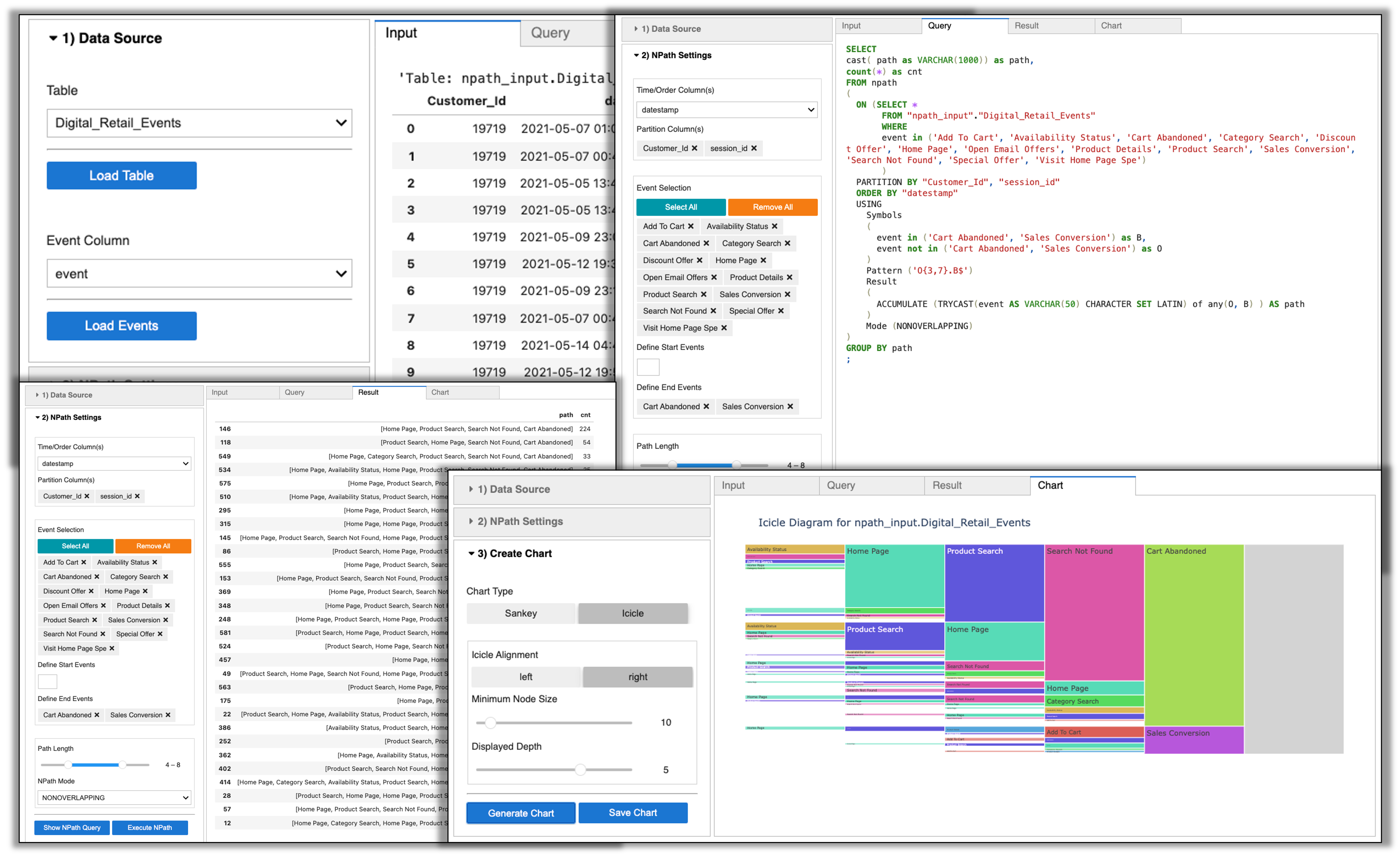
Here is an example of how to use the npath_widget() function:
from tdnpathviz import npath_widget

# Assume 'mydb' is your Database with tables or views with event data
npath_widget(database="mydb")
1 maintainer

Metadata
1 maintainer
Release files for tdnpathviz 0.1.3.3
For a detailed explanation of source distributions (sdists) and built distributions (wheels), please see the package formats documentation.
Built distribution (wheel)
| File | Interpreter | ABI | Platform | Reset |
|---|---|---|---|---|
| tdnpathviz-0.1.3.3-py3-none-any.whl | Python 3 | none | any | Details |
Release files / tdnpathviz-0.1.3.3-py3-none-any.whl
| Download URL | tdnpathviz-0.1.3.3-py3-none-any.whl |
|---|---|
| Size | 417.7 kB |
| Tags | Python 3 |
|
SHA-256 checksum How to use checksums |
6aae03e12988dbe06d41bdaa3cb87379497e30e9b2bcc95af0b0ddf660276acb
|
|
BLAKE2b-256 checksum How to use checksums |
3726500af000bf5dc9e3ac8a87407f1a3858dac9bf0b5116df798f536b9bb241
|
| Upload date | |
|
Uploaded using Trusted Publishing? What is trusted publishing? |
No |
| Uploaded via |
twine/6.2.0 CPython/3.13.14
|














