
🚀 Telize
Build reproducible, structured AI workflows with YAML and run them from your terminal, combining LLMs, shell, Python, and more—fully under your control.
Telize is a low-code framework for building agent-style pipelines: chain shell commands, file I/O, LLM calls, Python functions, and nested flows in a single workflow file. Configuration is validated before execution, and the CLI shows live progress as each step completes.
CI · Python 3.12+ · License
🧭 Table of contents
- ✨ Features
- 🧩 Requirements
- 📦 Installation
- ⚡ Quick start
- 🚀 Motivation
- ⚙️ How it works
- 📚 Workflow reference
- 🧪 Examples
- 💻 CLI
- 🛠️ Development
- 🤝 Contributing
- 📄 License
✨ Features
- YAML workflows — one file defines
config, namedmodels, flows, and steps - Composable steps —
input,chat,llm,shell,python,flow, andyamlactions - Jinja templating — wire step outputs together with
{{ steps.name.output }}, and reuse constants via{{ vars.name }} - Conditional steps — skip a step with
when: "{{ ... }}"(Jinja boolean expression) - Loops and sub-flows — add
loopto any step to iterate it over split lists; call nested flows withuses: flow - Validated upfront — Pydantic models catch schema errors before any step runs
- Rich CLI output — progress, step panels, and errors in the terminal
- Repeat runs — optional
config.repeatruns the full workflow N times (0means once) - Cron scheduling — optional
config.cronreruns the entrypoint on a standard five-field schedule - OpenAI-compatible LLMs — official OpenAI API or local Ollama via the same client
🧩 Requirements
- Python 3.12+
- LLM endpoint for
uses: llmsteps — OpenAI or Ollama; setapi_urlon each model profile (defaulthttp://localhost:11434) - Optional: uv for fast local development
📦 Installation
pip install telize
From source:
git clone https://github.com/telize-ai/telize.git
cd telize
uv sync
uv pip install -e .
Check the install:
telize --version
⚡ Quick start
Scaffold a starter project (no LLM)
Create a minimal workflow you can run immediately — shell plus Python, no API keys or local models:
telize --init my_flow
telize -f my_flow.yaml
This writes my_flow.yaml, a project README.md, and a scripts/ directory with a sample process.py helper. Telize resolves scripts.* imports from the workflow file's directory.
LLM quick start
1. For local models, start Ollama and pull a model:
ollama pull qwen3.5:4b # or any model id you set under models.*.model
For OpenAI Cloud, set OPENAI_API_KEY and point a model profile at the API, for example api_url: https://api.openai.com/v1.
2. Create hello.yaml:
config:
  entrypoint: main

models:
  default:
    provider: openai
    model: qwen3.5:4b
    api_url: http://localhost:11434

flows:
  main:
    steps:
      - name: greet
        uses: llm
        model: default
        prompt: Say hello in one friendly sentence.
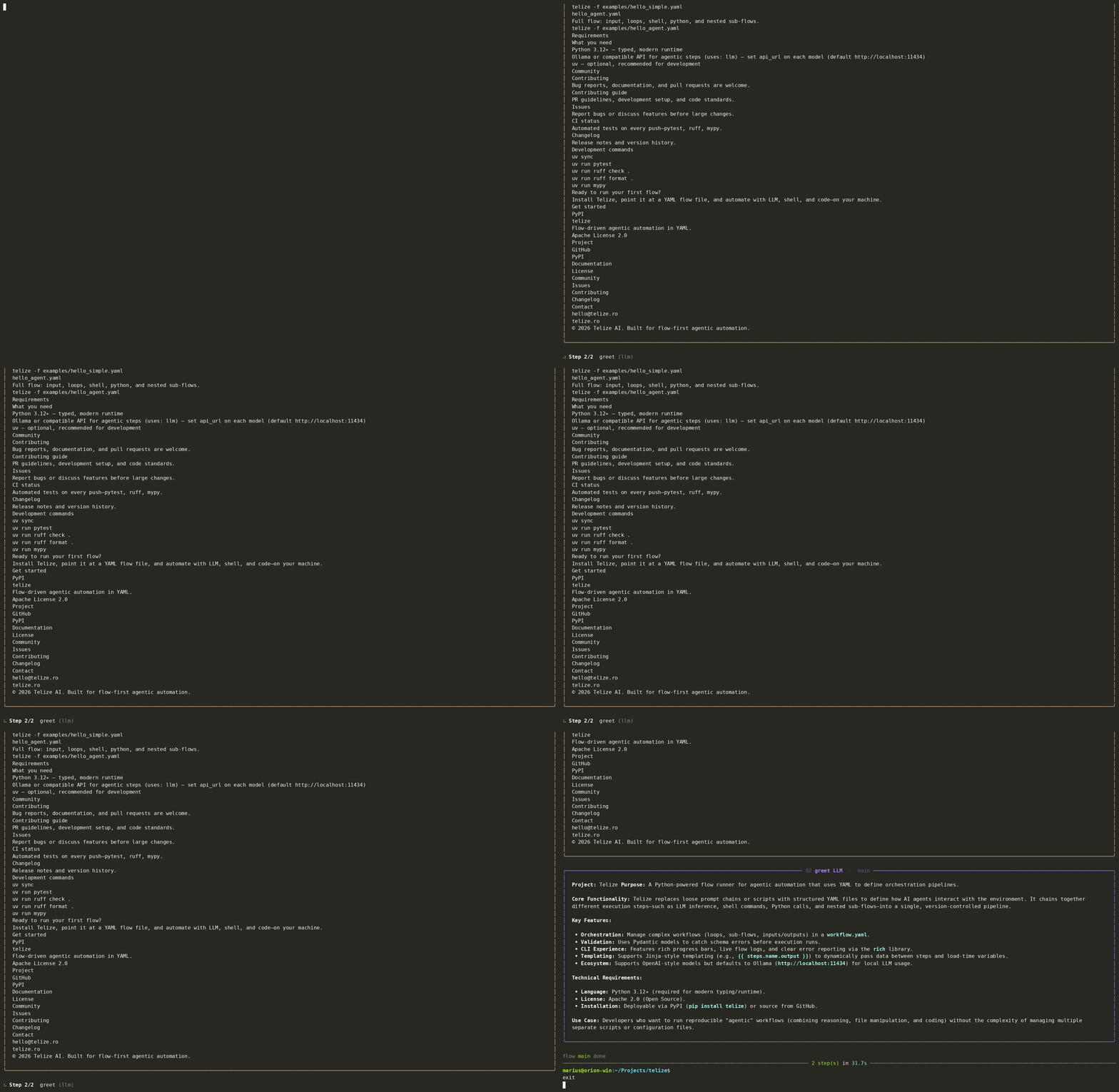
3. Run it:
telize -f hello.yaml
Validate the file without executing steps:
telize -f hello.yaml --validate-only
Run the bundled examples:
telize -f examples/minimal_llm.yaml
telize -f examples/spec_reference.yaml --validate-only
🚀 Motivation
Telize addresses a massive pain point in the current AI engineering landscape:
✨ unpredictability and unnecessary complexity.
Many popular frameworks force developers to write complex, nested Python code (LangChain, CrewAI, AutoGen) just to string together a few API calls, a bash script, and an LLM prompt.
This results in heavy, hard-to-maintain codebases that frequently break when APIs change.
Telize essentially acts as the “GitHub Actions or Ansible for AI.”
By treating LLMs as just another step in a standard automation pipeline, it brings sanity back to the engineering process.
🧠 Why it works
- Deterministic Structure + Non-Deterministic AI:
It keeps the overall architecture rigid and predictable (YAML), while allowing the AI to handle the fuzzy, creative tasks (text generation, summarization) within strict boundaries. - Upfront Validation:
Running LLM pipelines can be expensive and time-consuming; catching a syntax or configuration error before wasting API credits is a huge win. - Low Friction:
Local-first by default (Ollama-ready) and zero-code setup means a developer can prototype an agentic workflow in 5 minutes without dealing with dependency hell.
👥 Who may choose Telize over Classic Agents?
- DevOps and System Administrators:
People who already love Ansible, Docker Compose, or CI/CD pipelines may want to gravitate toward Telize or similar sollutions.
They don't want an AI Agent guessing how to deploy code; they want a script that runs a test, summarizes the failure using an LLM, and posts it to Slack. - Enterprise & Production Environments:
Companies hate unpredictability. Classic agents are too risky for production because they can behave wildly.
Telize provides guardrails. You know exactly what the workflow is going to do because you mapped out the steps. - Data Pipelines:
For ETL (Extract, Transform, Load) tasks where text needs to be scraped, cleaned by an LLM, and saved to a database, a YAML flow is infinitely better than a multi-agent swarm.
⚠️ Where Telize Might Struggle (The Limitations)
While it is great for structured automation, it isn’t a silver bullet:
- Dynamic Decision Making:
If a task requires an AI to dynamically look at a problem, decide it needs to create 3 new files, write code, test it, and self-correct on the fly, Telize’s static YAML structure will feel too restrictive. - Complex State Management:
For highly conversational applications (like a customer support chatbot that needs to maintain a complex state over days), a linear flow runner isn't the right tool.
⚙️ How it works
- Telize loads your YAML and validates it against typed Pydantic models.
- The flow named in
config.entrypointruns first. - Each step executes through a registered action (
input,chat,llm,shell, …);llmsteps resolve theirmodel:profile from the top-levelmodelsmap. - Later steps can reference earlier outputs via Jinja templates.
- When
config.repeatis greater than 0, Telize reruns the full workflow that many times (0or omitted: once). - When
config.cronis set, Telize reruns the entrypoint after each run finishes, waiting until the next scheduled time. - The CLI prints progress and results as the workflow runs.
📚 Workflow reference
🧱 Top-level structure
| Key | Description |
|---|---|
config |
Global settings: entrypoint (which flow runs first), optional repeat / cron |
models |
Named LLM/embedding profiles; referenced by model: on llm and text_search steps |
vars |
Optional workflow constants; referenced in templates as {{ vars.<name> }} |
flows |
Named flows; config.entrypoint must match one of these keys |
⚙️ config
| Field | Description |
|---|---|
entrypoint |
Name of the flow to run when the file is executed |
repeat |
How many times to run the full workflow. Default 0: run once. With repeat: 3, the entrypoint (and any flows it reaches) runs 3 times. When cron is also set, each scheduled tick runs this many times (0 still means once per tick) |
cron |
Optional cron schedule (five-field syntax, e.g. 0 * * * * for hourly). Omitted or null: run once. When set, the workflow reruns on the schedule after each run finishes |
Example — run the workflow three times:
config:
  entrypoint: main
  repeat: 3
Example — run every hour:
config:
  entrypoint: main
  cron: "0 * * * *"
🤖 models
Each key under models is a profile name (for example default, creative). LLM steps pick a profile with model: <name>.
| Field | Required | Description |
|---|---|---|
provider |
no (default openai) |
Registered provider id |
model |
yes | Model id passed to the provider (e.g. qwen3.5:4b, gpt-4o-mini) |
temperature |
no | Sampling temperature (0–2) |
api_url |
no (default http://localhost:11434) |
OpenAI-compatible API base URL (/v1 is appended automatically) |
api_key |
no | API key; use {{ env.OPENAI_API_KEY }} or rely on the OPENAI_API_KEY env var |
system_prompt |
no | System message for steps using this profile (Jinja at runtime) |
thinking |
no (default true) |
Enable reasoning/thinking for capable models; set false to disable |
Example — multiple profiles:
models:
  factual:
    model: qwen3.5:4b
    temperature: 0.2
    api_url: http://localhost:11434
    system_prompt: Be concise and factual.

  creative:
    model: qwen3.5:4b
    temperature: 1.0
    api_url: http://localhost:11434
    system_prompt: Be witty but brief.
Load-time env in api_url (see examples/env_config.yaml):
models:
  default:
    model: qwen3.5:4b
    api_url: http://{{ env.OLLAMA_HOST }}:11434
📌 vars
Optional workflow-level constants. Values can be strings, numbers, booleans, lists, or nested maps. Reference them anywhere Jinja is supported as {{ vars.<name> }}.
vars:
  hosts: "192.168.0.1, 192.168.0.2"
  retry: true

flows:
  main:
    steps:
      - name: ping_each
        uses: shell
        loop:
          items: "{{ vars.hosts }}"
          split_by: ","
        run: ping -c 1 {{ item }}
Pure {{ env.VAR }} expressions inside vars are expanded at load time, same as in models.
🌊 Flow
| Field | Description |
|---|---|
steps |
List of steps (unique name per flow), executed in order |
Every step also supports:
| Field | Description |
|---|---|
name |
Unique id within the flow; referenced as {{ steps.<name>.output }} |
output_to |
Optional path (relative to the workflow file); raw step output is written when the step finishes |
loop |
Optional; run the step once per item (items split by split_by, default `\n< |
when |
Optional Jinja condition; the step runs only when it evaluates to true (e.g. {{ 'keyword' in steps.prior.output }}). Skipped steps record empty output and steps.<name>.skipped is true. |
🪜 Steps (uses)
uses |
Description |
|---|---|
input |
Read a file or a directory (with glob include; optional separator when joining directory files, default `\n< |
chat |
Pause the workflow and prompt the user in the terminal; optional message (supports templates); reply is {{ steps.<name>.output }} |
llm |
Send a prompt using a named model from models |
shell |
Run run commands; optional envs (supports templates) |
python |
Call call (module.function) with args |
flow |
Run another flow via run |
yaml |
Run an external workflow from file (own config, models, and flows); optional input map passed to the child as {{ input.key }} |
text_search |
Semantic search over a path directory with ChromaDB (in-process); uses an embedding model, search query, and optional RAG tuning fields |
text_search (RAG)
Indexes files under path into an in-process ChromaDB store at .cache/<step_name>.db (next to the workflow YAML). Rebuilds the index when ttl expires or when source files change.
| Field | Default | Description |
|---|---|---|
path |
— | Directory to index (relative to the workflow file) |
model |
— | Local embedding model from models (provider: local) |
search |
— | Search query (Jinja-templated) |
ttl |
3600 |
Seconds before the index is rebuilt |
include |
* |
Glob pattern for files within path |
top_k |
5 |
Maximum number of chunks to return |
min_score |
— | Optional minimum cosine similarity (0–1) |
chunk_size |
1000 |
Target max characters per semantic chunk |
chunk_overlap |
200 |
Character overlap between chunks |
semantic_threshold |
0.5 |
Break chunks when consecutive sentence similarity drops below this |
Example:
models:
  my_rag_model_embeddings:
    provider: local
    model: sentence-transformers/all-MiniLM-L6-v2

- name: search_local
  uses: text_search
  path: data/files
  ttl: 3600
  model: my_rag_model_embeddings
  search: "project X"
Embedding models use provider: local and run in-process via fastembed (ONNX). Any supported HuggingFace model id works; the default sentence-transformers/all-MiniLM-L6-v2 is small and fast. The model is cached after the first download.
See examples/text_search.yaml.
🧩 Templating
Telize uses Jinja2 in step fields.
| When | What you can use |
|---|---|
| Load time | {{ env.VAR }} — expanded when the file is parsed |
| Runtime | {{ vars.<name> }}, {{ steps.<name>.output }}, {{ steps.<name>.skipped }}, {{ models.<name>.model }}, {{ input.<key> }}, {{ item }} (inside loops) |
Workflow input is provided when invoking Telize from the shell (--input, --input-file, --input-stdin) or by a parent yaml step's input map when running a nested workflow.
With --input-stdin or --input-file, input may be a YAML/JSON mapping ({"name": "Ada"} → {{ input.name }}) or plain text (echo Hello or a .txt file → {{ input.text }}).
For interactive prompts mid-workflow, use uses: chat instead of --input-stdin. The chat step shows a styled prompt in the terminal and exposes the user's reply as step output. Press Ctrl+C or Ctrl+D to exit cleanly.
Example — ask the user, then call an LLM:
- name: user_chat
  uses: chat
  message: What would you like help with today?

- name: respond
  uses: llm
  model: default
  prompt: |
    The user said:
    {{ steps.user_chat.output }}

    Reply briefly and helpfully.
Example — chain a shell step into an LLM step:
- name: fetch_data
  uses: shell
  run: cat ./data.txt

- name: summarize
  uses: llm
  model: default
  prompt: |
    Summarize this:
    {{ steps.fetch_data.output }}
Example — run a step only when a prior output matches:
- name: classify
  uses: shell
  run: echo "status=ready keyword=ship-it"

- name: on_match
  uses: shell
  when: "{{ 'keyword=ship-it' in steps.classify.output }}"
  run: echo "matched"

- name: on_miss
  uses: shell
  when: "{{ 'keyword=hold' not in steps.classify.output }}"
  run: echo "also runs when hold is absent"
🧪 Examples
| File | What it demonstrates |
|---|---|
examples/spec_reference.yaml |
Full specification reference (all step types and fields) |
examples/minimal_llm.yaml |
Smallest runnable LLM workflow |
examples/shell_to_llm.yaml |
Shell → LLM with {{ steps.*.output }} |
examples/read_file.yaml |
uses: input — single file |
examples/read_directory.yaml |
uses: input — directory glob |
examples/chat_input.yaml |
uses: chat — interactive user prompt → LLM |
examples/llm_save_output.yaml |
output_to — persist step output to disk |
examples/llm_loop.yaml |
loop — split output and iterate |
examples/when_condition.yaml |
when — skip steps with Jinja conditions |
examples/vars_loop.yaml |
Top-level vars with {{ vars.* }} in a loop |
examples/call_subflow.yaml |
uses: flow — sub-flow in the same file |
examples/nested_workflow.yaml |
uses: yaml — external workflow + input |
examples/python_step.yaml |
uses: python — call a Python function |
examples/text_search.yaml |
uses: text_search — semantic RAG search over local files |
examples/multi_model.yaml |
Multiple named models profiles |
examples/shell_with_env.yaml |
Shell envs and load-time {{ env.* }} |
examples/env_config.yaml |
{{ env.VAR }} in the models section at load time |
💻 CLI
usage: telize [-h] [--version] [-f FILE] [--validate-only]
              [--input KEY=VALUE] [--input-file FILE] [--input-stdin]
              [--init FLOW_NAME]

options:
  -h, --help            show help
  --version             show version
  -f, --file FILE       path to workflow YAML
  --validate-only       parse and validate without running steps
  --input KEY=VALUE     workflow input (repeatable)
  --input-file FILE     workflow input from a file
  --input-stdin         read workflow input from stdin
  --init FLOW_NAME      create a starter workflow and scripts/ in the current directory
telize --init <flow_name> scaffolds <flow_name>.yaml, a project README.md, and scripts/process.py. The generated flow chains two shell steps around a Python function — useful for trying Telize before configuring LLMs.
🛠️ Development
uv sync
uv run pytest
uv run ruff check .
uv run ruff format .
uv run mypy
See CONTRIBUTING.md for pull request guidelines and CHANGELOG.md for release notes.
🤝 Contributing
Contributions are welcome — bug reports, docs, and pull requests. Please read CONTRIBUTING.md and open an issue before large changes.
📄 License
Apache License 2.0 — see LICENSE.
1 maintainer

Metadata
1 maintainer
Release files for telize 0.4.0
For a detailed explanation of source distributions (sdists) and built distributions (wheels), please see the package formats documentation.
Source distribution (sdist)
| File | Size | Uploaded | |
|---|---|---|---|
| telize-0.4.0.tar.gz | 594.6 kB | Details |
Built distribution (wheel)
| File | Interpreter | ABI | Platform | Reset |
|---|---|---|---|---|
| telize-0.4.0-py3-none-any.whl | Python 3 | none | any | Details |
Total release size: 648.3 kB
Release files / telize-0.4.0.tar.gz
| Download URL | telize-0.4.0.tar.gz |
|---|---|
| Size | 594.6 kB |
| Tags | Source |
|
SHA-256 checksum How to use checksums |
ef2eaf3819093965a70fd1b07177898ae96055e1f8c8d10d7163f1f23411aaf7
|
|
BLAKE2b-256 checksum How to use checksums |
320364a8df86dda082fbee33ad7469db52059a87a74decae5588b2a6e90dfa35
|
| Upload date | |
|
Uploaded using Trusted Publishing? What is trusted publishing? |
Yes |
| Uploaded via |
twine/6.1.0 CPython/3.13.12
|
Provenance
Provenance describes where a file came from. On PyPI, provenance is shared via attestations, which provide a verifiable record of the build or publishing details. View details, limitations and caveats.


PyPI Publish Attestation
PyPI verified that this artifact, at this checksum, originated from the publisher listed below.
Signed by GitHub Actions, verified by PyPI on Jul 18, 2026.
Transparency logRelease files / telize-0.4.0-py3-none-any.whl
| Download URL | telize-0.4.0-py3-none-any.whl |
|---|---|
| Size | 53.7 kB |
| Tags | Python 3 |
|
SHA-256 checksum How to use checksums |
0ba8fb652351bf3aaa2bc19bfb11ab2c136224b7bc412ed243297b15327a6c72
|
|
BLAKE2b-256 checksum How to use checksums |
835e2d50c36f28c6509045b808e2da942f1b4967b65daf351079bab353127c4b
|
| Upload date | |
|
Uploaded using Trusted Publishing? What is trusted publishing? |
Yes |
| Uploaded via |
twine/6.1.0 CPython/3.13.12
|
Provenance
Provenance describes where a file came from. On PyPI, provenance is shared via attestations, which provide a verifiable record of the build or publishing details. View details, limitations and caveats.
PyPI Publish Attestation
PyPI verified that this artifact, at this checksum, originated from the publisher listed below.
Signed by GitHub Actions, verified by PyPI on Jul 18, 2026.
Transparency log













