
tensorlens

Project description
TensorLens
demo in seconds with uvx tensorlens if you have uv installed.
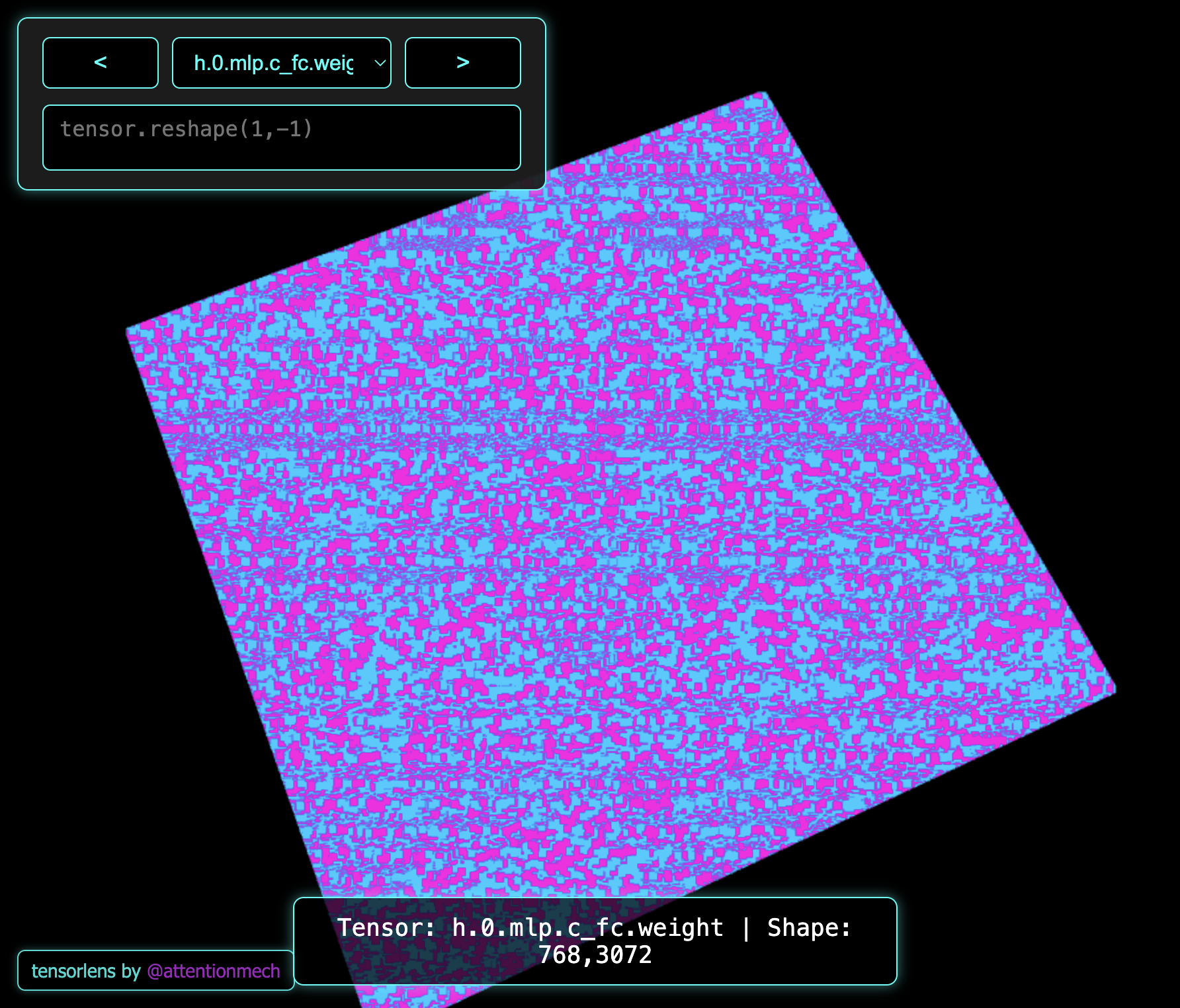
TensorLens is a minimalistic Python library to trace and visualise tensors. It also provides an interactive viewer for inspecting these tensors. Currently supporting only 1D,2D and 3D tensors.
Installation
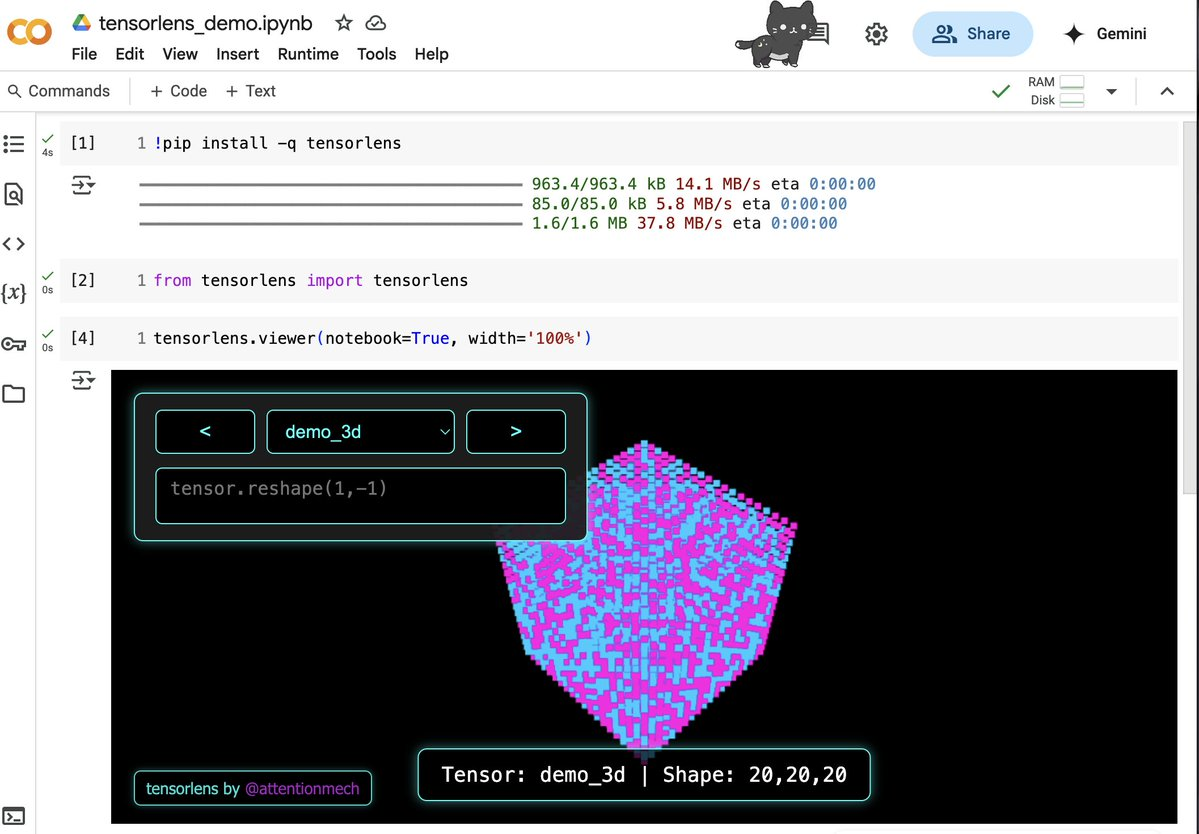
try in colab in 3 lines:

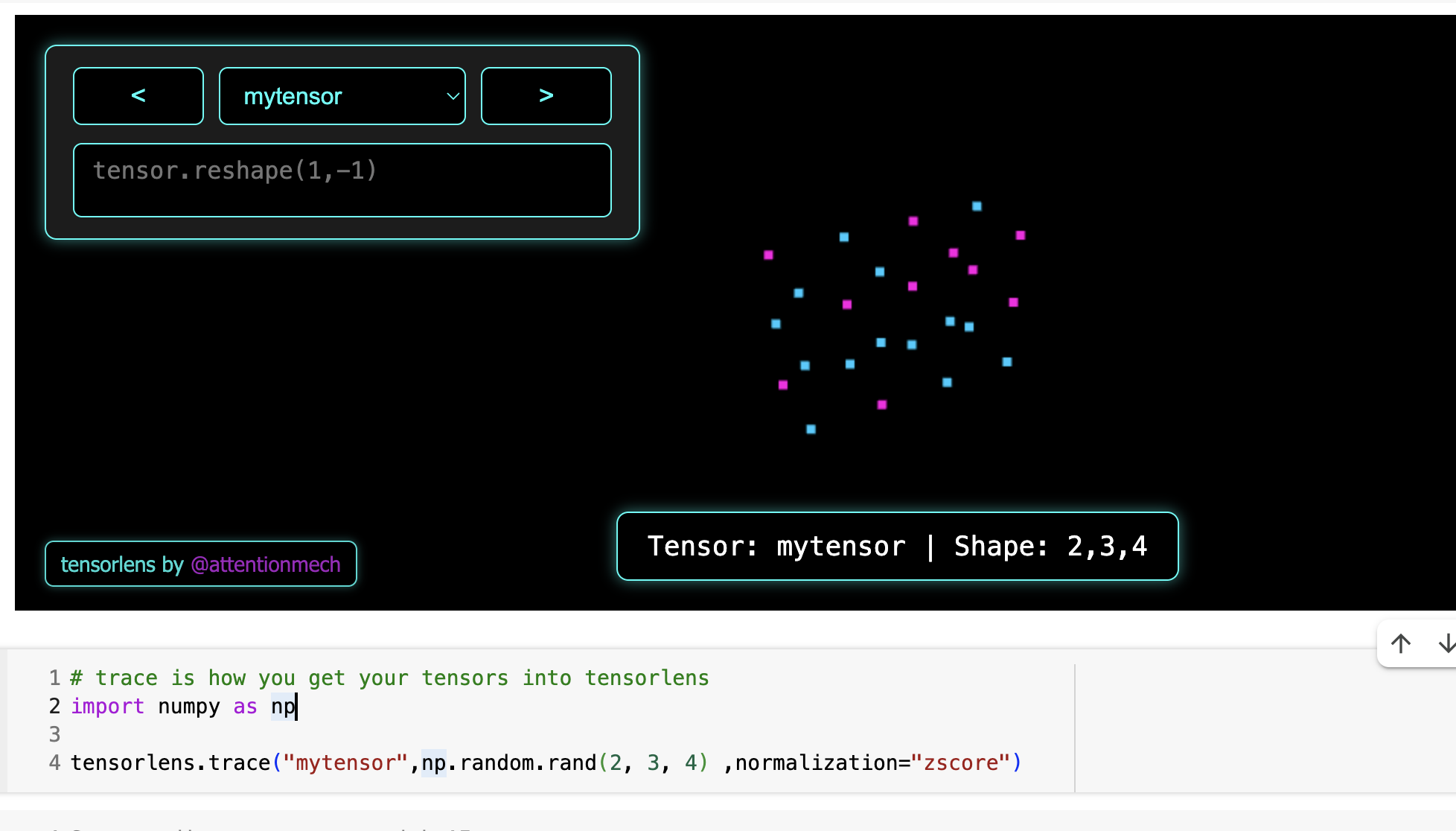
Source of data is backend, hence you can change params like normalisation strategy and they will reflect immediately:
Install TensorLens from PyPI:
pip install tensorlens
For a quick demo
uv run --with tensorlens tensorlens
Demos with LLMs
Have done some demos with models and they can be run via my other script repo smolbox (or you can just use the code directly).
Usage
It can be used to visualise and manipulate tensors using UI. for example this code visualises GPT2 state dict tensors
import torch
import numpy as np
from transformers import GPT2Model, GPT2Config
from tensorlens.tensorlens import trace, viewer

[trace(key, tensor.detach().cpu().numpy()) for key, tensor in GPT2Model.from_pretrained('gpt2-large').state_dict().items()]

viewer(height='100%')
you can run the above code via uv like this uv run --with torch,transformers,tensorlens demo.py where demo.py is file where you pasted this example.
If you are superlazy, you can run this recipe via my other project smolbox
uv run --with git+https://github.com/attentionmech/smolbox smolbox inspect/tensorlens_weights
Trace Operator
The core operation of TensorLens is the trace function.
import numpy as np
from tensorlens.tensorlens import trace

# Example: Tracing a 2D tensor
tensor = np.random.randint(-100, 100, size=(10, 10))
trace("my_tensor", tensor)
Parameters:
key: A unique string identifier for the tensor.tensor: The tensor to trace (must be a NumPy array).normalize_range: Tuple specifying the range for clipping (default:(-1.0, 1.0)).normalization: Defines the normalization strategy:"clip": Clips values within the specified range."minmax": Scales values between [-128, 127] based on tensor's min and max."zscore": Normalizes based on z-score and clips outliers."none": No normalization (assumes the tensor is already in the desired range).
Viewer
The library includes a web-based viewer for exploring your tensors. You can run a local server or view the tensors in Jupyter/Colab notebooks.
from tensorlens.tensorlens import viewer

# Start the viewer server
viewer(host="127.0.0.1", port=8000, notebook=True)
IMPORTANT NOTE: in viewer there is option to execute some numpy operations too. Although I have done some basic checks, but running code received from UI in python is not considered safe, so ensure you are running this in secure trusted network. Will introduce a flag to disable that feature in next release.
Command-Line Interface
Options:
--debug: Run in debug server mode.--notebook: Run in notebook/Colab mode.--workers: Number of server workers.--host: Host to bind.--port: Port to bind.--downsample_threshold: Points threshold after which downsampling occurs (default 1M).
Example
from tensorlens import trace, viewer
import numpy as np

# Trace a few tensors
trace("demo_1d", np.random.randint(-100, 100, size=30))
trace("demo_2d", np.random.randint(-100, 100, size=(20, 20)))
trace("demo_3d", np.random.randint(-100, 100, size=(20, 20, 20)))

# Start the viewer server
viewer(port=8080, debug=True)


Download files
Download the file for your platform. If you're not sure which to choose, learn more about installing packages.
Source Distribution
Built Distribution
Filter files by name, interpreter, ABI, and platform.
If you're not sure about the file name format, learn more about wheel file names.
Copy a direct link to the current filters
File details
Details for the file tensorlens-0.0.2.tar.gz.
File metadata
- Download URL: tensorlens-0.0.2.tar.gz
- Upload date:
- Size: 962.2 kB
- Tags: Source
- Uploaded using Trusted Publishing? No
- Uploaded via: twine/6.1.0 CPython/3.12.7
File hashes
| Algorithm | Hash digest | |
|---|---|---|
| SHA256 |
aff966c102591aa309b3c3f74e12e93a6e34bad71aec42aabf92d673b00dcb34
|
|
| MD5 |
aa91f3c92bec290cb56eae35fb3cb4c7
|
|
| BLAKE2b-256 |
ec9b8371210cf836e73edc99892caf277647881306422ba08883370b4c86fede
|
File details
Details for the file tensorlens-0.0.2-py3-none-any.whl.
File metadata
- Download URL: tensorlens-0.0.2-py3-none-any.whl
- Upload date:
- Size: 965.7 kB
- Tags: Python 3
- Uploaded using Trusted Publishing? No
- Uploaded via: twine/6.1.0 CPython/3.12.7
File hashes
| Algorithm | Hash digest | |
|---|---|---|
| SHA256 |
a5ebf24a831cec012d0782fe3278af99050d9a3b229d72f1c286bbccd4f7a6e3
|
|
| MD5 |
dc7bdb27bbe7a3b57c5674eb93b51c2e
|
|
| BLAKE2b-256 |
062ea68fe657b9a4522835875c0e6559e7204159ec63dc9f1c917eef56e94f10
|






