
A multi-application marking menu and UI framework for Maya, 3ds Max, and Blender.

Project description



Tentacle: A Python3/qtpy Marking Menu
Tentacle is a Python/qtpy marking menu runtime for DCC applications, built on top of uitk.
It currently ships a full slot ecosystem for Maya (tested with Maya 2025), with wrapper entry points for Blender and 3ds Max.
Design
Tentacle runs on top of uitk, which provides:
- Dynamic
.uiloading viaSwitchboard - Convention-based slot binding (
widget_name -> slot method) - The marking-menu engine (
MarkingMenu) and gesture path overlay (Overlay)
Example
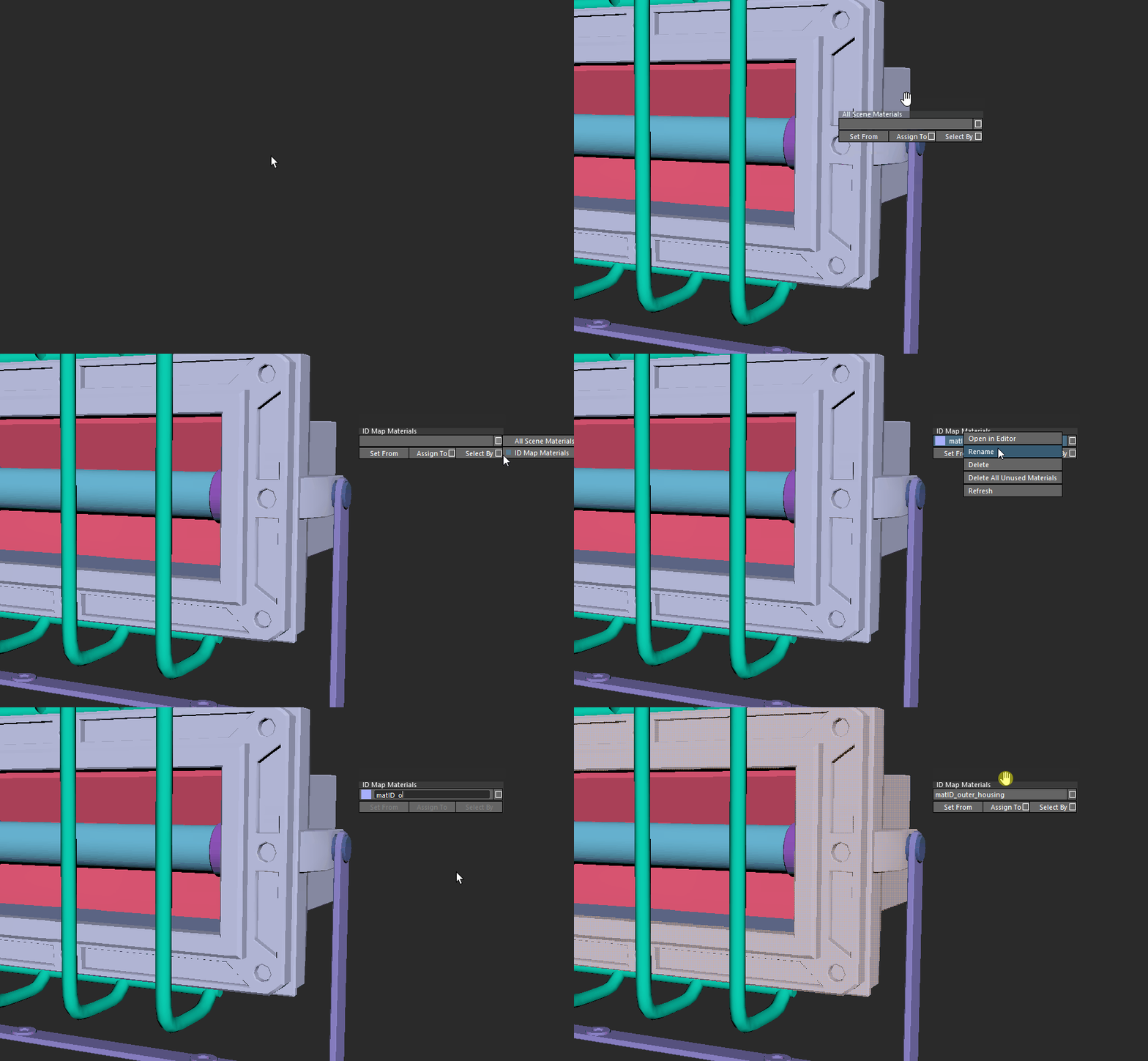
The following example demonstrates re-opening the last scene, renaming a material, and selecting geometry by that material.
Structure
Current architecture overview:
flowchart TD
    A["TclMaya<br/>(tentacle/tcl_maya.py)"] --> B["MarkingMenu<br/>(uitk)"]
    B --> C["Switchboard<br/>(uitk)"]
    C --> D["UI Files<br/>(tentacle/ui/*.ui)"]
    C --> E["Slots<br/>(tentacle/slots/maya/*.py)"]
    B --> F["Overlay<br/>(uitk/widgets/marking_menu/overlay.py)"]
    A --> G["MayaUiHandler<br/>(mayatk)"]
| Module | Description |
|---|---|
| tentacle/tcl_maya.py | Maya entry point and default key/button bindings for the marking menu. |
| tentacle/slots | Slot classes containing command logic (Maya-focused). |
| tentacle/ui | Dynamic .ui definitions for start menus and submenus. |
| uitk/widgets/marking_menu/_marking_menu.py | Core marking menu engine (input state, transitions, window handling). |
| uitk/widgets/marking_menu/overlay.py | Gesture/path overlay used for submenu path continuity and drawing. |
Installation
Tentacle can be installed either using pip directly in the command line or by downloading and running mayapy package manager in Windows.
Installation via pip
Install via pip in a command line window using:
path/to/mayapy.exe -m pip install tentacletk
Installation Using Mayapy Package Manager
Alternatively, you can use the mayapy package manager for a streamlined installation process.
Download the mayapy package manager from here. (Give your Maya version. Hit 1 to install package. The package name is tentacletk)
Usage
To launch the marking menu:
For Maya, add the following to your userSetup.py:
import pymel.core as pm

def start_tentacle():
    from tentacle import TclMaya
    TclMaya(key_show='Key_F12')  # Use Qt key names, e.g. Key_F12

pm.evalDeferred(start_tentacle)
Menu Wiring (How It Works)
Tentacle uses naming conventions between UI widgets and slot methods:
- UI file names determine menu identity (example:
materials.ui,main#startmenu.ui) - Widget object names map to methods in the matching slots class
b005->def b005(...)cmb002->def cmb002(...)- Optional setup hooks:
def cmb002_init(widget)
- "Info" buttons (
i*) route byaccessibleNameto submenu UIs
This wiring is handled by uitk Switchboard + MarkingMenu.
Platform Support
- Maya: full menu and slot coverage
- Blender: wrapper class exists (
TclBlender), no equivalent slot suite in this repo - 3ds Max: wrapper class exists (
TclMax), no equivalent slot suite in this repo
Release history Release notifications | RSS feed


Download files
Download the file for your platform. If you're not sure which to choose, learn more about installing packages.
Source Distributions
Built Distribution
Filter files by name, interpreter, ABI, and platform.
If you're not sure about the file name format, learn more about wheel file names.
Copy a direct link to the current filters
File details
Details for the file tentacletk-0.10.70-py3-none-any.whl.
File metadata
- Download URL: tentacletk-0.10.70-py3-none-any.whl
- Upload date:
- Size: 240.6 kB
- Tags: Python 3
- Uploaded using Trusted Publishing? No
- Uploaded via: twine/6.2.0 CPython/3.11.15
File hashes
| Algorithm | Hash digest | |
|---|---|---|
| SHA256 |
aa5d456ad05c468622ef1e2db5ddb94bfa09116cc9aee506855ba3ae845e689f
|
|
| MD5 |
48ff2cbe8600b224830591be74ef13fe
|
|
| BLAKE2b-256 |
465d1e7e18bc6f331aca6a8ccf005c6df667a7a159d880a314351877d86e99d3
|






