
A multi-application marking menu and UI framework for Maya, 3ds Max, and Blender.

Project description



Tentacle: A Python3/qtpy Marking Menu
Tentacle is a Python3/qtpy marking menu implemented using Qt's QStackedWidget. It is designed for use with Maya, 3ds Max, Blender, and any other DCC app that supports qtpy. In it's current implementation, it only has slots set up for Maya 2025.
Design
Tentacle runs on top of uitk, a qtpy dynamic UI loader, which allows for the creation of fully-featured UI with less time and code.
Example
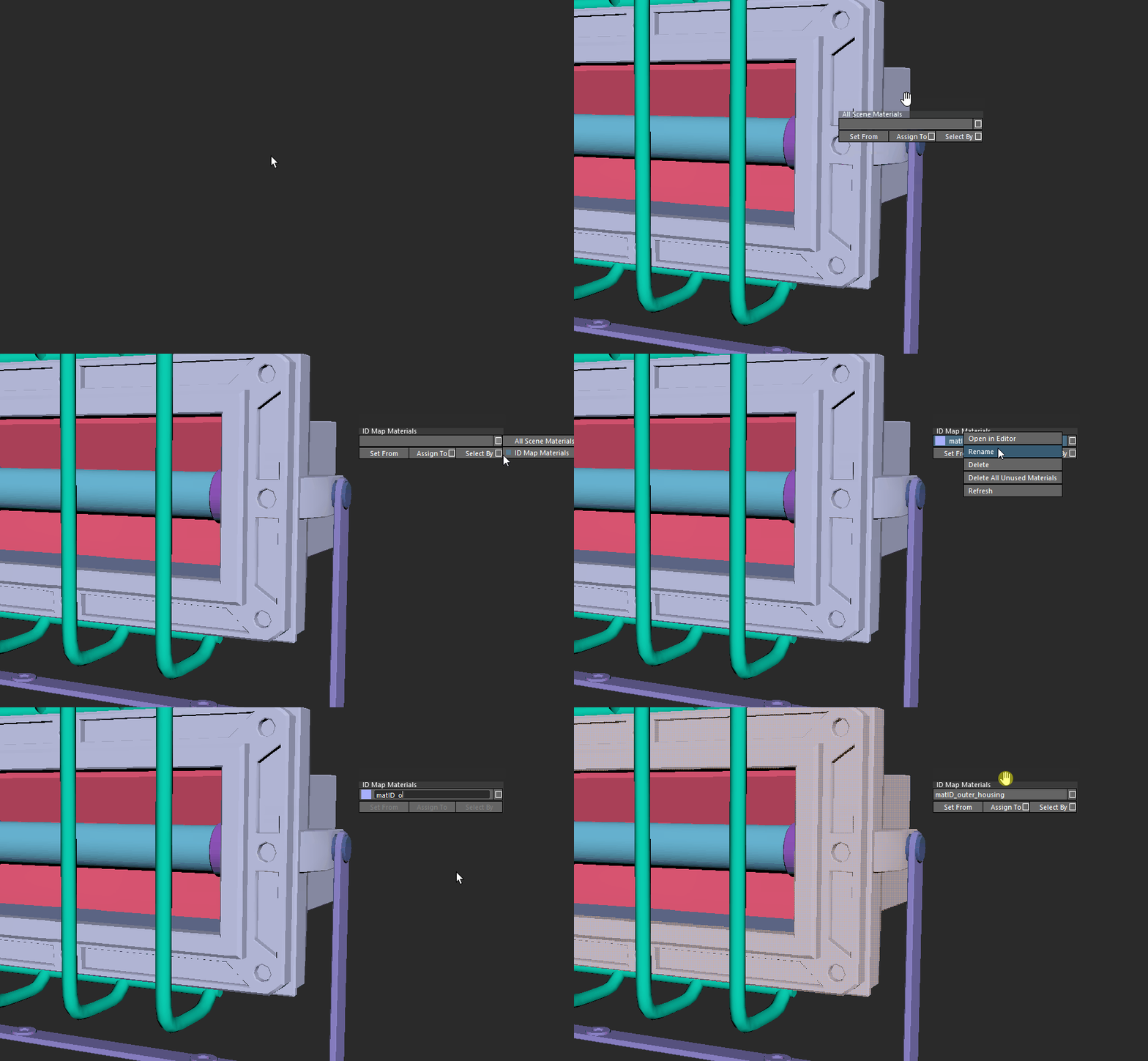
The following example demonstrates re-opening the last scene, renaming a material, and selecting geometry by that material.
Structure
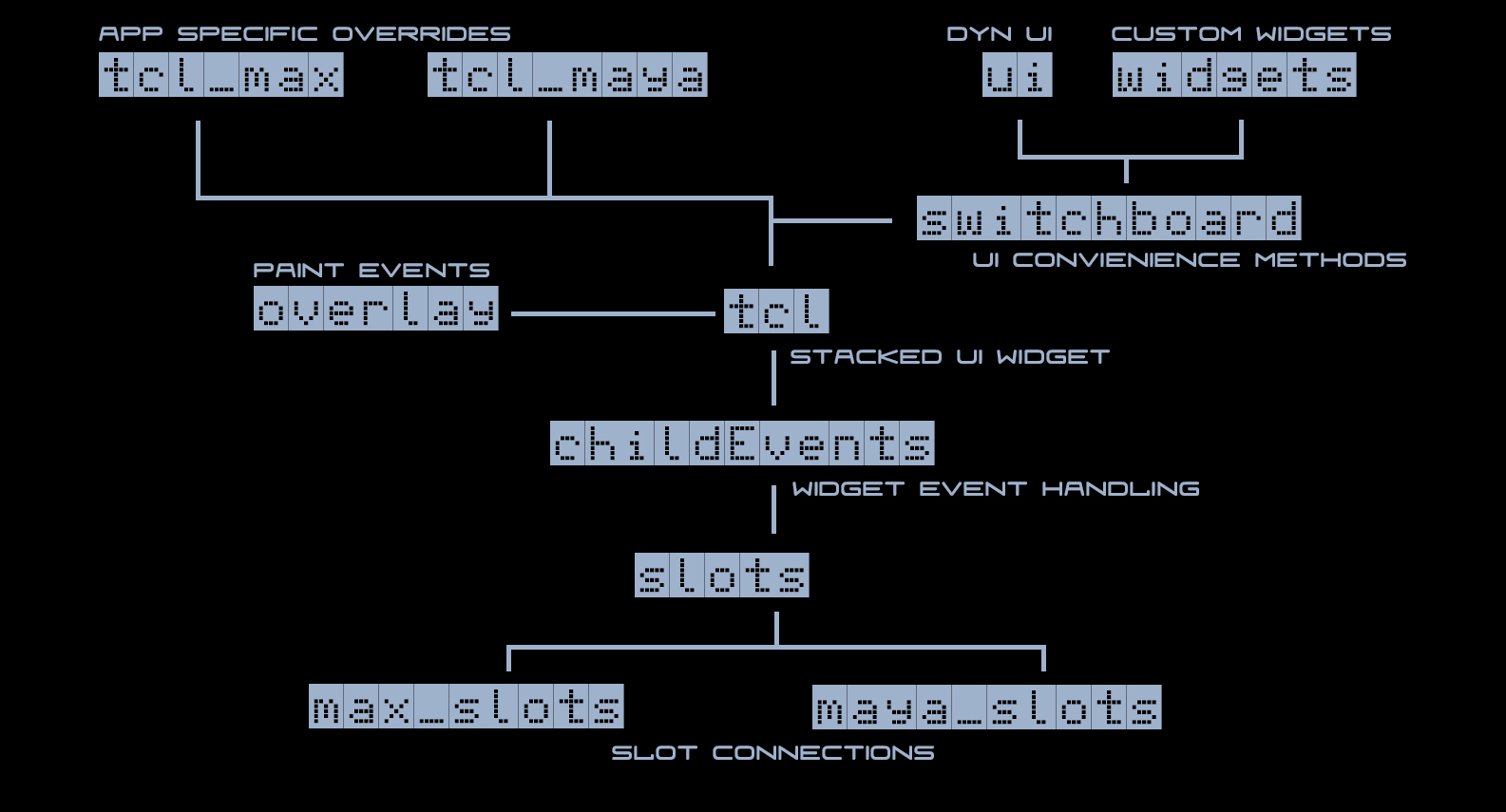
The structure of the project is as follows:
| Module | Description |
|---|---|
| tcl | Handles main GUI construction for the marking menu. |
| overlay | Tracks cursor position and UI hierarchy to generate paint events that overlay its parent widget. |
| ui | Location of the dynamic UI files. |
| slots | Location of the various slot modules. |
Installation
Tentacle can be installed either using pip directly in the command line or by downloading and running mayapy package manager in Windows.
Installation via pip
Install via pip in a command line window using:
path/to/mayapy.exe -m pip install tentacletk
Installation Using Mayapy Package Manager
Alternatively, you can use the mayapy package manager for a streamlined installation process.
Download the mayapy package manager from here. (Give your Maya version. Hit 1 to install package. The package name is tentacletk)
Usage
To launch the marking menu:
For Maya, add the following to your userSetup.py:
import pymel.core as pm

def start_tentacle():
    from tentacle.tcl_maya import TclMaya
    TclMaya(key_show='F12') # Change 'F12' to match your chosen hotkey.

pm.evalDeferred(start_tentacle)
Release history Release notifications | RSS feed


Download files
Download the file for your platform. If you're not sure which to choose, learn more about installing packages.
Source Distributions
Built Distribution
Filter files by name, interpreter, ABI, and platform.
If you're not sure about the file name format, learn more about wheel file names.
Copy a direct link to the current filters
File details
Details for the file tentacletk-0.9.76-py3-none-any.whl.
File metadata
- Download URL: tentacletk-0.9.76-py3-none-any.whl
- Upload date:
- Size: 238.8 kB
- Tags: Python 3
- Uploaded using Trusted Publishing? No
- Uploaded via: twine/6.2.0 CPython/3.11.14
File hashes
| Algorithm | Hash digest | |
|---|---|---|
| SHA256 |
d4f366b270d4a2e6eb184c8b14258c1a68b6f3d36c490a80f1d23735aafd6d1e
|
|
| MD5 |
5735cc1eb7e790eacb75ceb49a65dc53
|
|
| BLAKE2b-256 |
883c0301993dde3a066ba15d164529bff9f7a0be7da93a82d8a383a133edd0d8
|






