
🎯 TermBoard
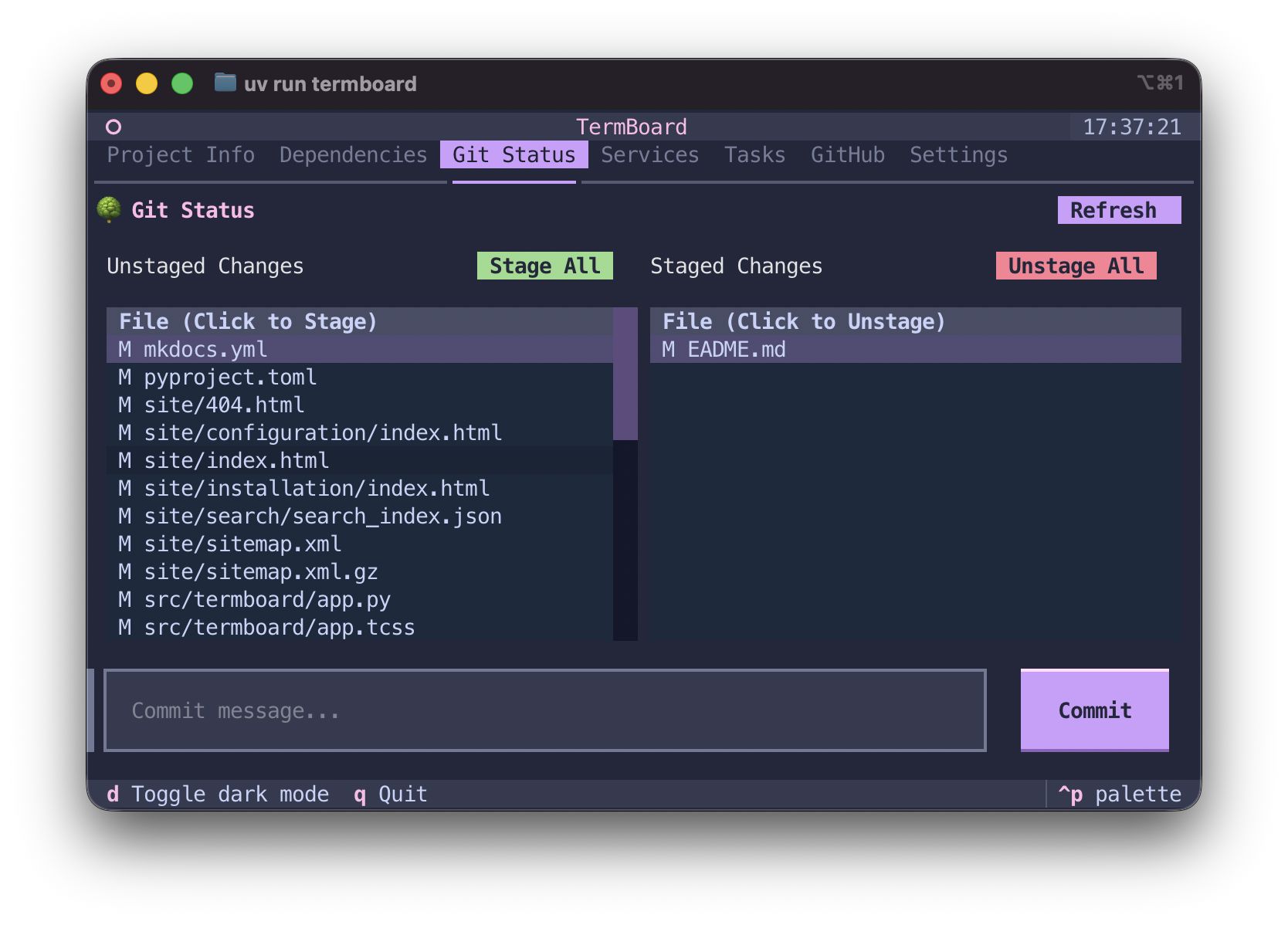
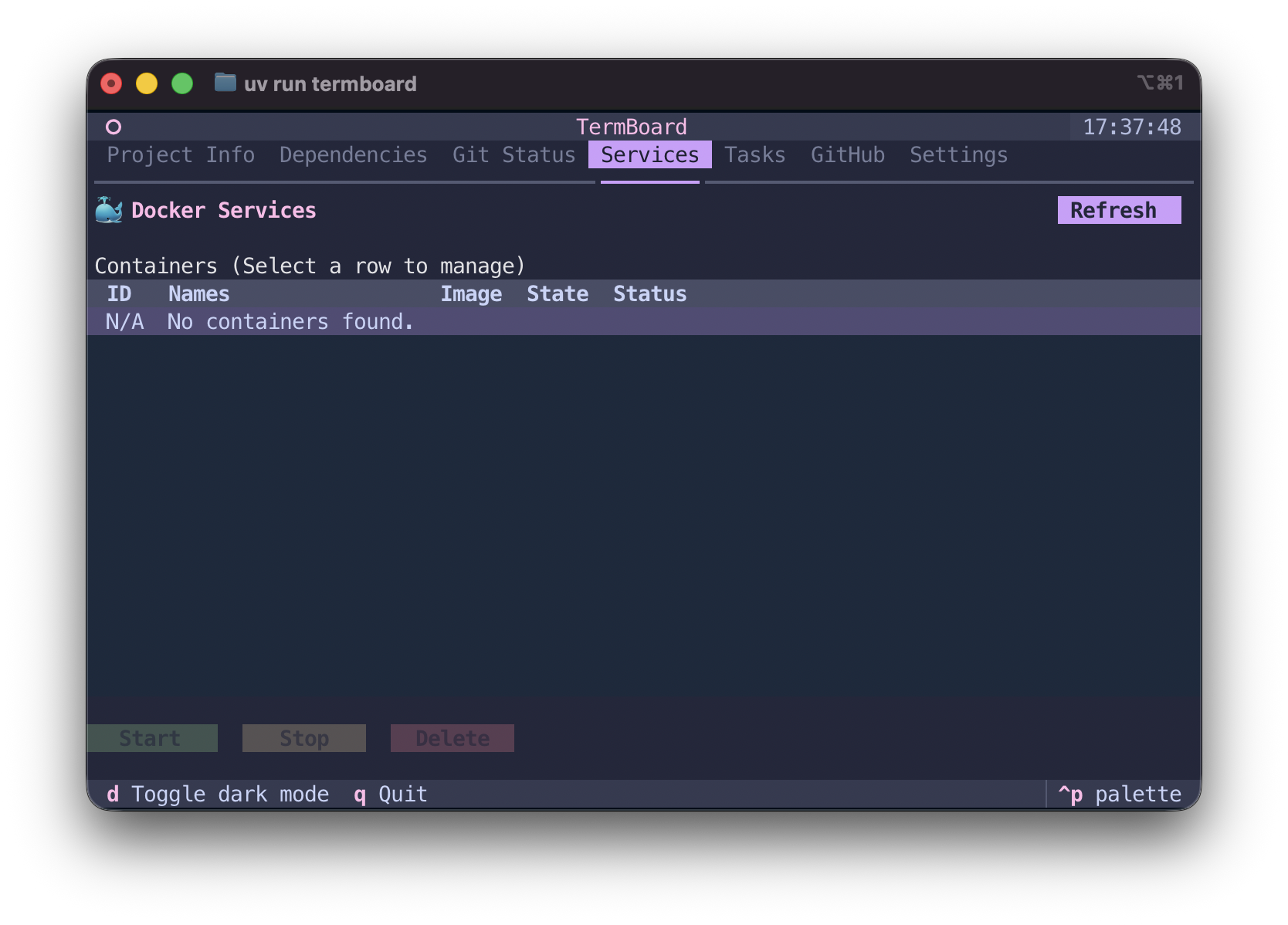
A beautiful, interactive terminal dashboard for Python projects, environments, and tasks.
The Problem: "Why not just use a script?"
As developers, we often write Makefiles or bash scripts (like test.sh or lint.sh) to manage our project workflows. While scripts work, they have severe limitations:
- Context Switching: You have to remember the exact command or script name, type it out, and watch it vomit hundreds of lines of output into your terminal, erasing your history.
- Environment Hell: Did you remember to activate your virtual environment? Are you using
uv,poetry, orconda? Running the wrong script in the wrong environment is a daily frustration. - Discoverability: New developers joining your project don't know what scripts exist or what they do.
The Solution: TermBoard
TermBoard replaces your scripts with a persistent, interactive Terminal UI (TUI).
- 🧠 Smart Environment Detection: TermBoard automatically detects if you are using
uv,poetry,pipenv, or a standard.venv, and executes your tasks in the correct environment—no manual activation required. - ⚡ Asynchronous Streaming: Tasks run asynchronously in the background. Their output is streamed directly into a beautiful, scrollable Rich Log window without freezing the UI or polluting your terminal history.
- 🛠️ Fully Customizable: Define custom tasks in a
termboard.tomlfile. Your team can clone the repo, runtermboard, and instantly have a UI with clickable buttons for deploying, testing, and building.
Features
- Project Info: Instantly see your project's version, python requirements, and virtual environment status.
- Dependency Viewer: A clean data table of all your project's dependencies parsed directly from
pyproject.toml. - Dynamic Tasks Engine: Clickable buttons for your workflows (e.g.,
pytest,ruff) that execute asynchronously. - In-App Settings: Override environment variables, add new custom tasks, and save configurations globally without leaving the terminal.
Installation
TermBoard is designed to be installed globally on your machine so you can run it inside any Python project.
Using uv (Recommended):
uv tool install termboard
Using pipx:
pipx install termboard
Quick Start
Navigate to any Python project directory and simply type:
termboard
(If you don't have any custom tasks defined, TermBoard will automatically provide defaults for testing and linting).
1 maintainer

Download files
Download the file for your platform. If you're not sure which to choose, learn more about installing packages.
Source Distribution
Built Distribution
Filter files by name, interpreter, ABI, and platform.
If you're not sure about the file name format, learn more about wheel file names.
Copy a direct link to the current filters
File details
Details for the file termboard-0.1.1.tar.gz.
File metadata
- Download URL: termboard-0.1.1.tar.gz
- Upload date:
- Size: 6.5 MB
- Tags: Source
- Uploaded using Trusted Publishing? Yes
- Uploaded via: twine/7.0.0 CPython/3.13.14
File hashes
| Algorithm | Hash digest | |
|---|---|---|
| SHA256 |
de64b0a0226a7803d584b519f62f081eac90b0b01371d26c9126ee3e2625369f
|
|
| MD5 |
0c6fe2f53bd18ebcb707cd017ac7f208
|
|
| BLAKE2b-256 |
e749ae643ba9e20d303e51890e670d423d571f2a0f89c57dad9f0b13d71da61a
|
Provenance
The following attestation bundles were made for termboard-0.1.1.tar.gz:
Publisher:
publish.yml on HeyShinde/TermBoard
-
Statement:
-
Statement type:
https://in-toto.io/Statement/v1 -
Predicate type:
https://docs.pypi.org/attestations/publish/v1 -
Subject name:
termboard-0.1.1.tar.gz -
Subject digest:
de64b0a0226a7803d584b519f62f081eac90b0b01371d26c9126ee3e2625369f - Sigstore transparency entry: 2334261132
- Sigstore integration time:
-
Permalink:
HeyShinde/TermBoard@e35cb5f0a75b457b200523aa868b5ade93413293 -
Branch / Tag:
refs/tags/v0.1.1 - Owner: https://github.com/HeyShinde
-
Access:
public
-
Token Issuer:
https://token.actions.githubusercontent.com -
Runner Environment:
github-hosted -
Publication workflow:
publish.yml@e35cb5f0a75b457b200523aa868b5ade93413293 -
Trigger Event:
push
-
Statement type:
File details
Details for the file termboard-0.1.1-py3-none-any.whl.
File metadata
- Download URL: termboard-0.1.1-py3-none-any.whl
- Upload date:
- Size: 10.0 kB
- Tags: Python 3
- Uploaded using Trusted Publishing? Yes
- Uploaded via: twine/7.0.0 CPython/3.13.14
File hashes
| Algorithm | Hash digest | |
|---|---|---|
| SHA256 |
5703a1ce8a5ea8c30d1a723b9132b64a2c164cef936235573326c09201cd41c6
|
|
| MD5 |
1b07329eb2581afa80297c94f285cf61
|
|
| BLAKE2b-256 |
525e5e106d94804a383fad441f8772ddd62dee6045f78825a07c2d5cf8646b8d
|
Provenance
The following attestation bundles were made for termboard-0.1.1-py3-none-any.whl:
Publisher:
publish.yml on HeyShinde/TermBoard
-
Statement:
-
Statement type:
https://in-toto.io/Statement/v1 -
Predicate type:
https://docs.pypi.org/attestations/publish/v1 -
Subject name:
termboard-0.1.1-py3-none-any.whl -
Subject digest:
5703a1ce8a5ea8c30d1a723b9132b64a2c164cef936235573326c09201cd41c6 - Sigstore transparency entry: 2334261138
- Sigstore integration time:
-
Permalink:
HeyShinde/TermBoard@e35cb5f0a75b457b200523aa868b5ade93413293 -
Branch / Tag:
refs/tags/v0.1.1 - Owner: https://github.com/HeyShinde
-
Access:
public
-
Token Issuer:
https://token.actions.githubusercontent.com -
Runner Environment:
github-hosted -
Publication workflow:
publish.yml@e35cb5f0a75b457b200523aa868b5ade93413293 -
Trigger Event:
push
-
Statement type:







