
Terminal executor for AI agents, with ANSI escape sequence support and image screenshots

Project description
Terminal Executor
Terminal executor for AI agents, with ANSI escape sequence support and image screenshots.




Demo
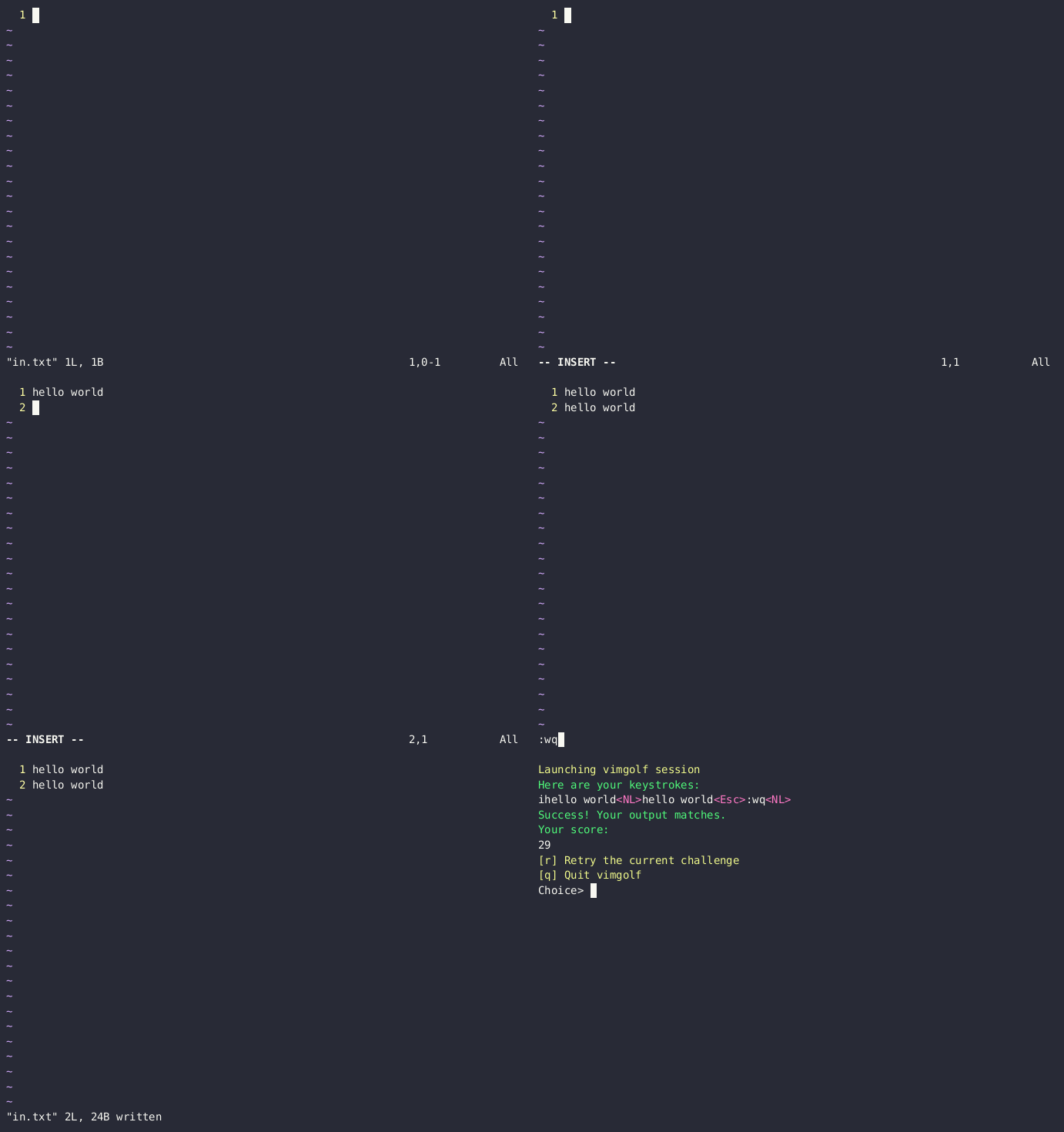
Using termexec for solving the "vimgolf-test" challenge:
More info at vimgolf-gym
Installation
# install from pypi
pip install termexec

# or install the latest version from github
pip install git+https://github.com/james4ever0/termexec.git
Note: if your platform does not have prebuilt binaries of agg-python-bindings, just install cargo and rustc so the source code could compile.
Usage
from termexec import TerminalExecutor
import time

# Initializes executor with a command to run in terminal emulator, using avt as backend, with automatic context cleanup
with TerminalExecutor(['bash'], width=80, height=24) as executor:
    # Waits for the terminal emulator to be ready.
    time.sleep(1)  # Adjust sleep time as necessary for your environment

    # Get the current display of the terminal emulator as a string.
    terminal_text = executor.display
    print("Terminal Display:")
    print(terminal_text)

    # Send input to the terminal emulator.
    executor.input("echo Hello, World!\n")
    print("After input:")
    print(executor.display)

    # Saves the current display of the terminal emulator as a .png file
    executor.screenshot("screenshot.png")
    print("Screenshot saved as screenshot.png")

    # Get the PID of the terminal process.
    print("Terminal process PID:", executor.terminal.pty_process.pid)
Alternatives
-
Xterm.js running in phantomjs, electron or headless playwright
-
LXterminal running in kiosk mode with x11vnc and novnc
License
The Unlicense
Release history Release notifications | RSS feed


Download files
Download the file for your platform. If you're not sure which to choose, learn more about installing packages.
Source Distribution
Built Distribution
Filter files by name, interpreter, ABI, and platform.
If you're not sure about the file name format, learn more about wheel file names.
Copy a direct link to the current filters
File details
Details for the file termexec-0.0.2.tar.gz.
File metadata
- Download URL: termexec-0.0.2.tar.gz
- Upload date:
- Size: 6.9 kB
- Tags: Source
- Uploaded using Trusted Publishing? No
- Uploaded via: twine/6.1.0 CPython/3.9.19
File hashes
| Algorithm | Hash digest | |
|---|---|---|
| SHA256 |
77dcab676689c45d9a3e768003e5b6808d9da0f2c8c71e2d442d5517c67396cb
|
|
| MD5 |
52d3ac722bc3d08b9613ad2d898ff419
|
|
| BLAKE2b-256 |
cc1e2d57c9bb3304160a1b6aa4237968ca824ff55a76c267a0c6db9a9ccefd72
|
File details
Details for the file termexec-0.0.2-py2.py3-none-any.whl.
File metadata
- Download URL: termexec-0.0.2-py2.py3-none-any.whl
- Upload date:
- Size: 6.6 kB
- Tags: Python 2, Python 3
- Uploaded using Trusted Publishing? No
- Uploaded via: twine/6.1.0 CPython/3.9.19
File hashes
| Algorithm | Hash digest | |
|---|---|---|
| SHA256 |
0f6cd19a20612ab59452817316493c555cbf25f11eead49f919356ef8220db9e
|
|
| MD5 |
ab17668ef9dfe76e4bd676aee4a60c67
|
|
| BLAKE2b-256 |
e8cefb75eadb483b49d3401101ce3328b057c38d0f556b25c011b8c0568621c1
|






