
Dead simple terminal GIF recorder

Project description
termgif



Dead simple terminal GIF recorder. Write a script, get a beautiful GIF.
Install
pip install termgif
Quick Start
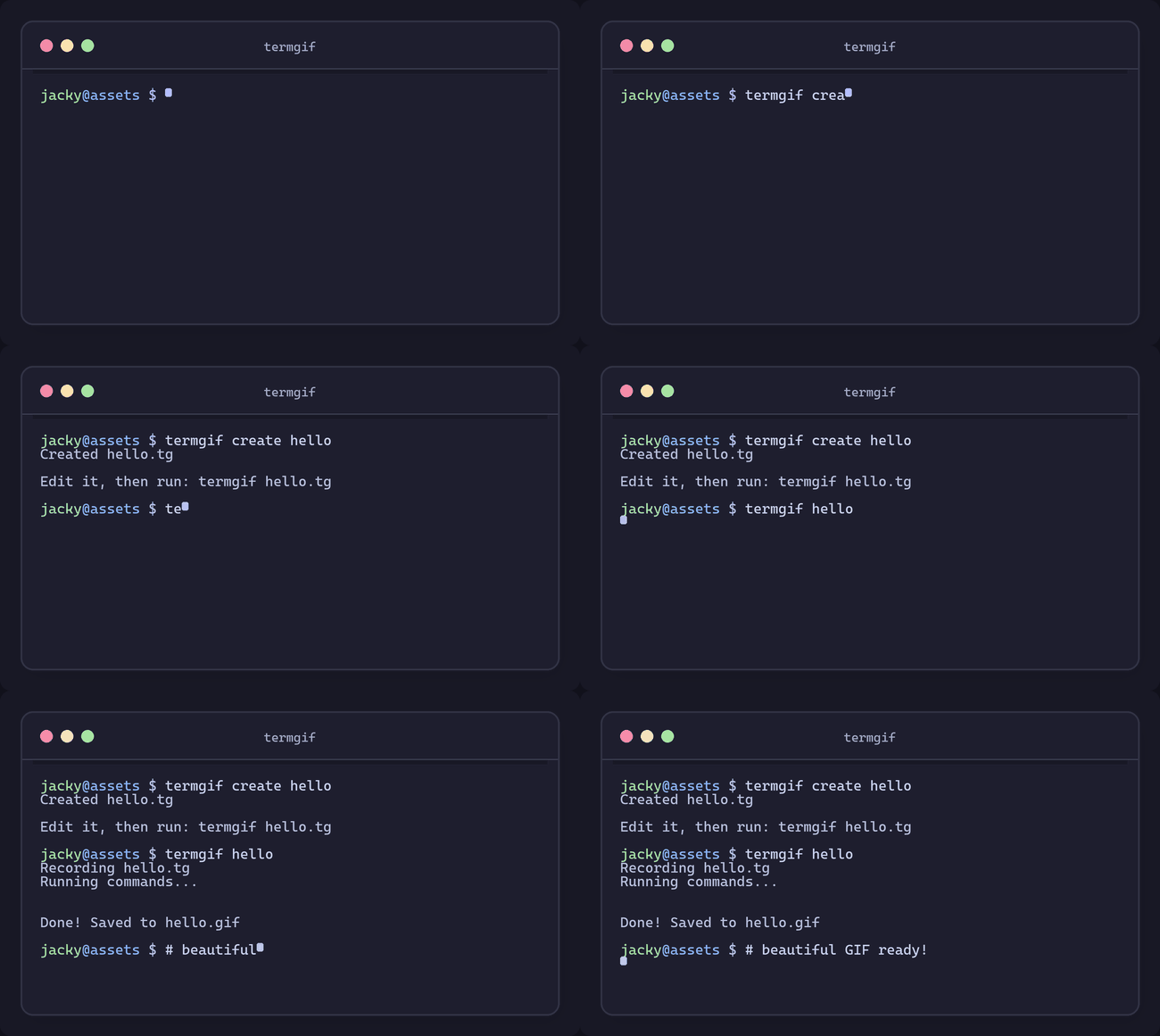
termgif create demo      # create demo.tg from template
termgif demo             # run commands, record to GIF
Recording Modes
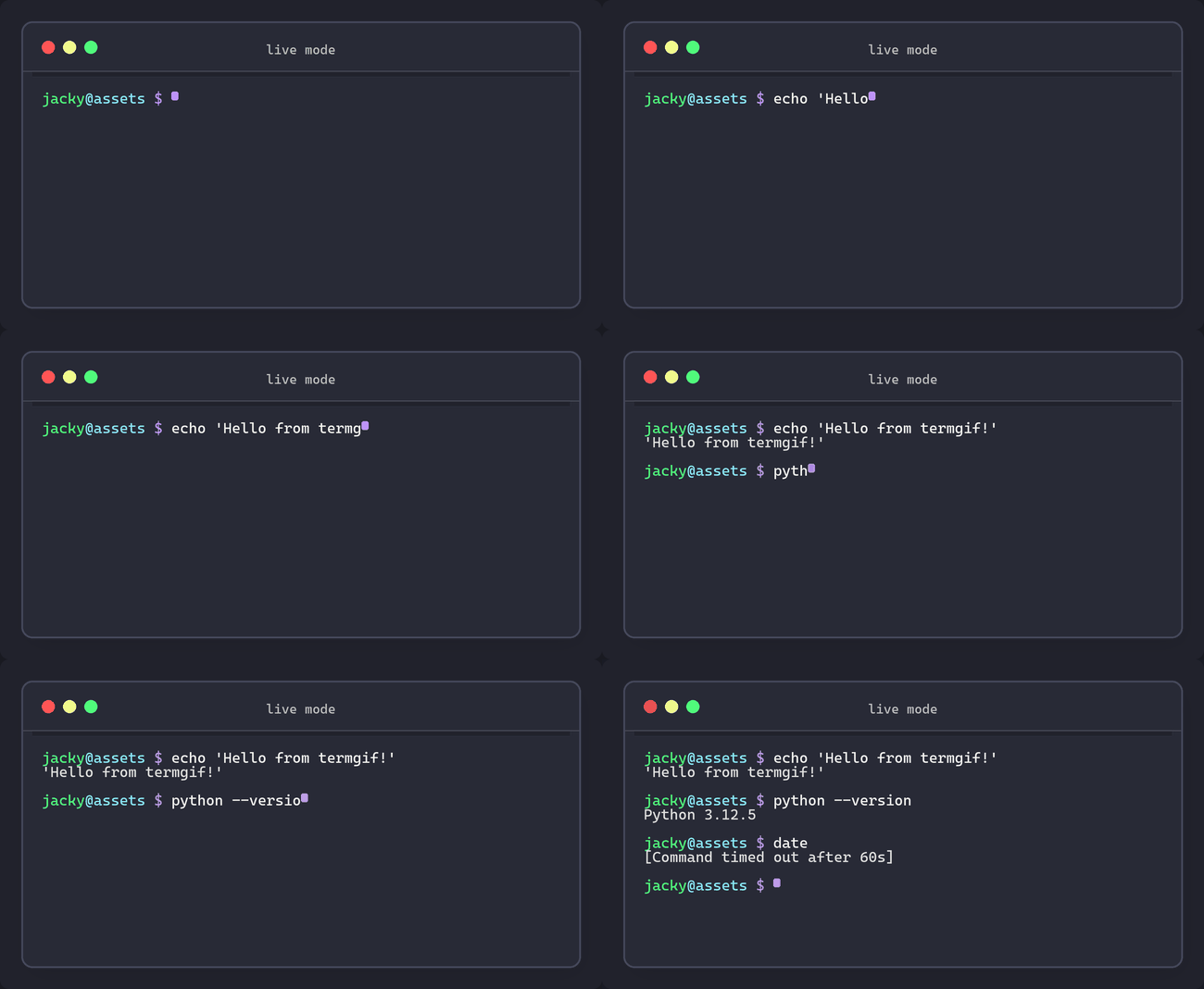
Default Mode (Live Commands)
Runs real commands and captures the output:
termgif demo
Simulated Mode
Fake output - commands aren't actually executed. Great for demos:
termgif demo --simulate
termgif demo -s
Terminal Capture Mode
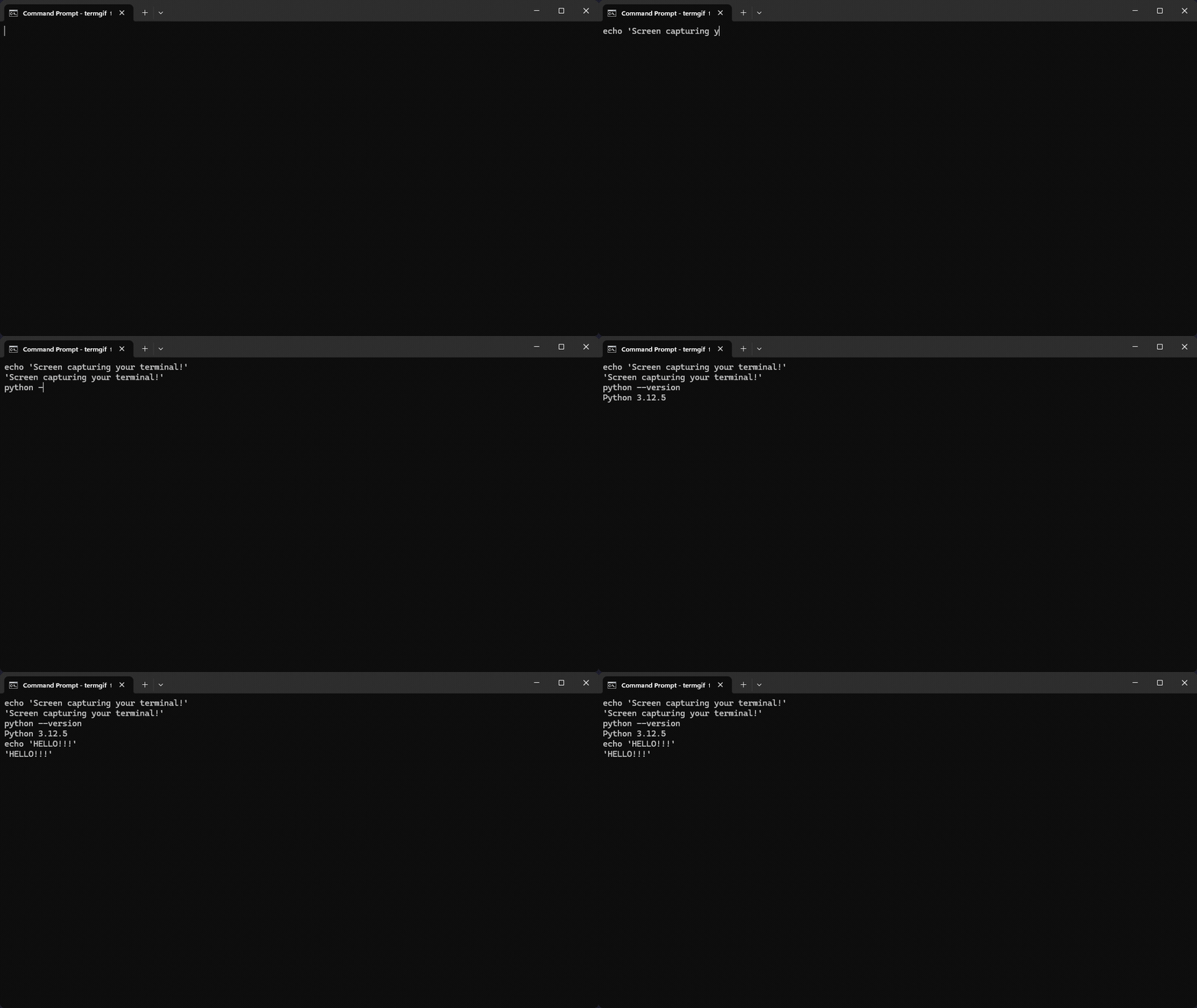
Screen captures your actual terminal window while running the script:
termgif demo --terminal
termgif demo -t
TUI App Support
Record interactive TUI apps like vim, htop, fzf, lazygit, etc:
// tui-demo.tg
@output "vim-demo.gif"

-> "vim hello.txt" >>
~1s

key "i"                    // enter insert mode
-> "Hello from vim!"
key "escape"
-> ":wq" >>
~500ms
Use --native to preserve the TUI app's own colors:
termgif tui-demo --native
termgif tui-demo -n
For Windows TUI support, install pywinpty:
pip install pywinpty
Script Format (.tg)
// demo.tg
@output "demo.gif"
@size 80x24
@font 16
@title "My CLI Tool"
@theme "mocha"

-> "echo 'Hello, world!'" >>
~1s

-> "ls -la" >>
~2s
Config Reference
Output & Layout
| Directive | Description | Default |
|---|---|---|
@output "path" |
Output GIF path | output.gif |
@size WxH |
Terminal size (chars) | 80x24 |
@font N |
Font size (px) | 14 |
@padding N |
Content padding (px) | 20 |
Timing
| Directive | Description | Default |
|---|---|---|
@speed Nms |
Typing speed per char | 50ms |
@start Nms |
Delay before starting | 500ms |
@end Nms |
Hold final frame | 2s |
@fps N |
Frames per second | 10 |
Appearance
| Directive | Description | Default |
|---|---|---|
@title "text" |
Window title | termgif |
@theme "name" |
Color theme | mocha |
@cursor "style" |
block / bar / underline | block |
@prompt "$ " |
Custom prompt | auto |
@bare |
No window chrome | off |
@native |
Preserve TUI app colors | off |
Corners
| Directive | Description | Default |
|---|---|---|
@radius N |
Corner radius (both) | 10 |
@radius-outer N |
Outer GIF edge | @radius |
@radius-inner N |
Inner window | @radius |
Advanced
| Directive | Description | Default |
|---|---|---|
@loop N |
0=infinite, N=times | 0 |
@quality N |
1=fast, 2=smooth, 3=ultra | 2 |
Script Syntax
| Syntax | Description |
|---|---|
-> "text" |
Type text |
>> |
Press enter |
-> "text" >> |
Type + enter |
~500ms |
Wait (ms or s) |
key "escape" |
Press special key |
key "ctrl+c" |
Key combo |
// comment |
Single-line comment |
/* ... */ |
Multi-line comment |
Supported Keys
Navigation: up, down, left, right, home, end, pageup, pagedown
Editing: backspace, delete, tab, space
Control: escape, enter, return
Function: f1-f12
Modifiers: ctrl+<key>, alt+<key>
Themes
| Theme | Description |
|---|---|
mocha |
Catppuccin Mocha (default) |
latte |
Catppuccin Latte (light) |
frappe |
Catppuccin Frappe |
macchiato |
Catppuccin Macchiato |
dracula |
Dracula |
nord |
Nord |
tokyo |
Tokyo Night |
gruvbox |
Gruvbox |
CLI Options
termgif <script.tg> [options]

Options:
  -o, --output <path>    Override output path
  -b, --bare             No window chrome
  -s, --simulate         Simulated mode (no real commands)
  -t, --terminal         Terminal capture mode
  -n, --native           Preserve TUI app's native colors
  -v, --version          Show version
  -h, --help             Show help
Example
// showcase.tg
@output "showcase.gif"
@size 80x24
@font 16
@speed 60ms
@title "my-awesome-cli"
@theme "dracula"
@radius 12
@quality 3

-> "my-cli --help" >>
~2s

-> "my-cli init myproject" >>
~1.5s

-> "cd myproject && my-cli run" >>
~3s
termgif showcase
Features
- Beautiful output - macOS-style window chrome, traffic lights, shadows
- TUI support - Record vim, htop, fzf, lazygit, and more
- 8 themes - Catppuccin, Dracula, Nord, Tokyo Night, Gruvbox
- 3 modes - Live commands, simulated, or screen capture
- Native colors - Preserve TUI app's own color scheme
- Rounded corners - Independent inner/outer radius
- Cross-platform - Windows, macOS, Linux
License
MIT


Download files
Download the file for your platform. If you're not sure which to choose, learn more about installing packages.
Source Distribution
Built Distribution
Filter files by name, interpreter, ABI, and platform.
If you're not sure about the file name format, learn more about wheel file names.
Copy a direct link to the current filters
File details
Details for the file termgif-0.2.0.tar.gz.
File metadata
- Download URL: termgif-0.2.0.tar.gz
- Upload date:
- Size: 836.9 kB
- Tags: Source
- Uploaded using Trusted Publishing? Yes
- Uploaded via: twine/6.1.0 CPython/3.13.7
File hashes
| Algorithm | Hash digest | |
|---|---|---|
| SHA256 |
e6db98b6b999574a25bbf628395977009ddd5d710f77ece82306a46b30e167fe
|
|
| MD5 |
3baed02d02a1aebe70ad2c8885c9278f
|
|
| BLAKE2b-256 |
371d86156411c65fa6ea64e6818463c88e721549031f9d956b41ad8664798cca
|
Provenance
The following attestation bundles were made for termgif-0.2.0.tar.gz:
Publisher:
python-publish.yml on aayushadhikari7/termgif
-
Statement:
-
Statement type:
https://in-toto.io/Statement/v1 -
Predicate type:
https://docs.pypi.org/attestations/publish/v1 -
Subject name:
termgif-0.2.0.tar.gz -
Subject digest:
e6db98b6b999574a25bbf628395977009ddd5d710f77ece82306a46b30e167fe - Sigstore transparency entry: 856753001
- Sigstore integration time:
-
Permalink:
aayushadhikari7/termgif@bc4a72c6fa96038c4a1a07a815bfc7e832d0d1a2 -
Branch / Tag:
refs/tags/v0.2.0 - Owner: https://github.com/aayushadhikari7
-
Access:
public
-
Token Issuer:
https://token.actions.githubusercontent.com -
Runner Environment:
github-hosted -
Publication workflow:
python-publish.yml@bc4a72c6fa96038c4a1a07a815bfc7e832d0d1a2 -
Trigger Event:
release
-
Statement type:
File details
Details for the file termgif-0.2.0-py3-none-any.whl.
File metadata
- Download URL: termgif-0.2.0-py3-none-any.whl
- Upload date:
- Size: 42.9 kB
- Tags: Python 3
- Uploaded using Trusted Publishing? Yes
- Uploaded via: twine/6.1.0 CPython/3.13.7
File hashes
| Algorithm | Hash digest | |
|---|---|---|
| SHA256 |
d73898821657d874f167b824565c0a84930c4633bccc9cbcfc441277a164c792
|
|
| MD5 |
7fc0720ae3cafbe8352b42f1325ec23d
|
|
| BLAKE2b-256 |
58f6c99bfeed0941f135e21cac5f476e1cb0eb6d405bc0d1837527512d42fe9b
|
Provenance
The following attestation bundles were made for termgif-0.2.0-py3-none-any.whl:
Publisher:
python-publish.yml on aayushadhikari7/termgif
-
Statement:
-
Statement type:
https://in-toto.io/Statement/v1 -
Predicate type:
https://docs.pypi.org/attestations/publish/v1 -
Subject name:
termgif-0.2.0-py3-none-any.whl -
Subject digest:
d73898821657d874f167b824565c0a84930c4633bccc9cbcfc441277a164c792 - Sigstore transparency entry: 856753037
- Sigstore integration time:
-
Permalink:
aayushadhikari7/termgif@bc4a72c6fa96038c4a1a07a815bfc7e832d0d1a2 -
Branch / Tag:
refs/tags/v0.2.0 - Owner: https://github.com/aayushadhikari7
-
Access:
public
-
Token Issuer:
https://token.actions.githubusercontent.com -
Runner Environment:
github-hosted -
Publication workflow:
python-publish.yml@bc4a72c6fa96038c4a1a07a815bfc7e832d0d1a2 -
Trigger Event:
release
-
Statement type:






