
Terminal recording studio - GIF, MP4, WebP, and more

Project description
termgif



Terminal recording studio. Create beautiful terminal recordings as GIF, MP4, WebP, and more.
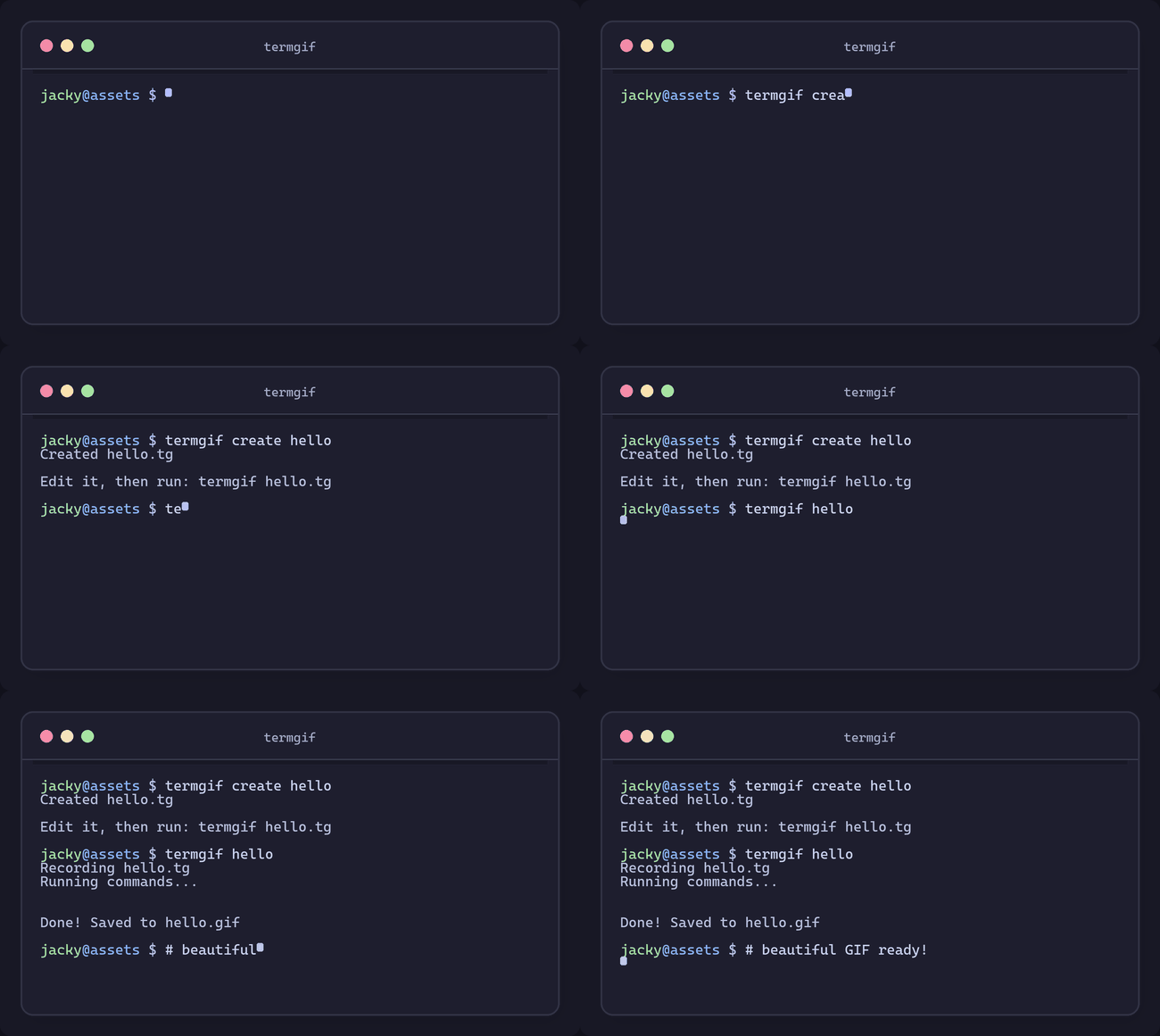
Feature Showcase
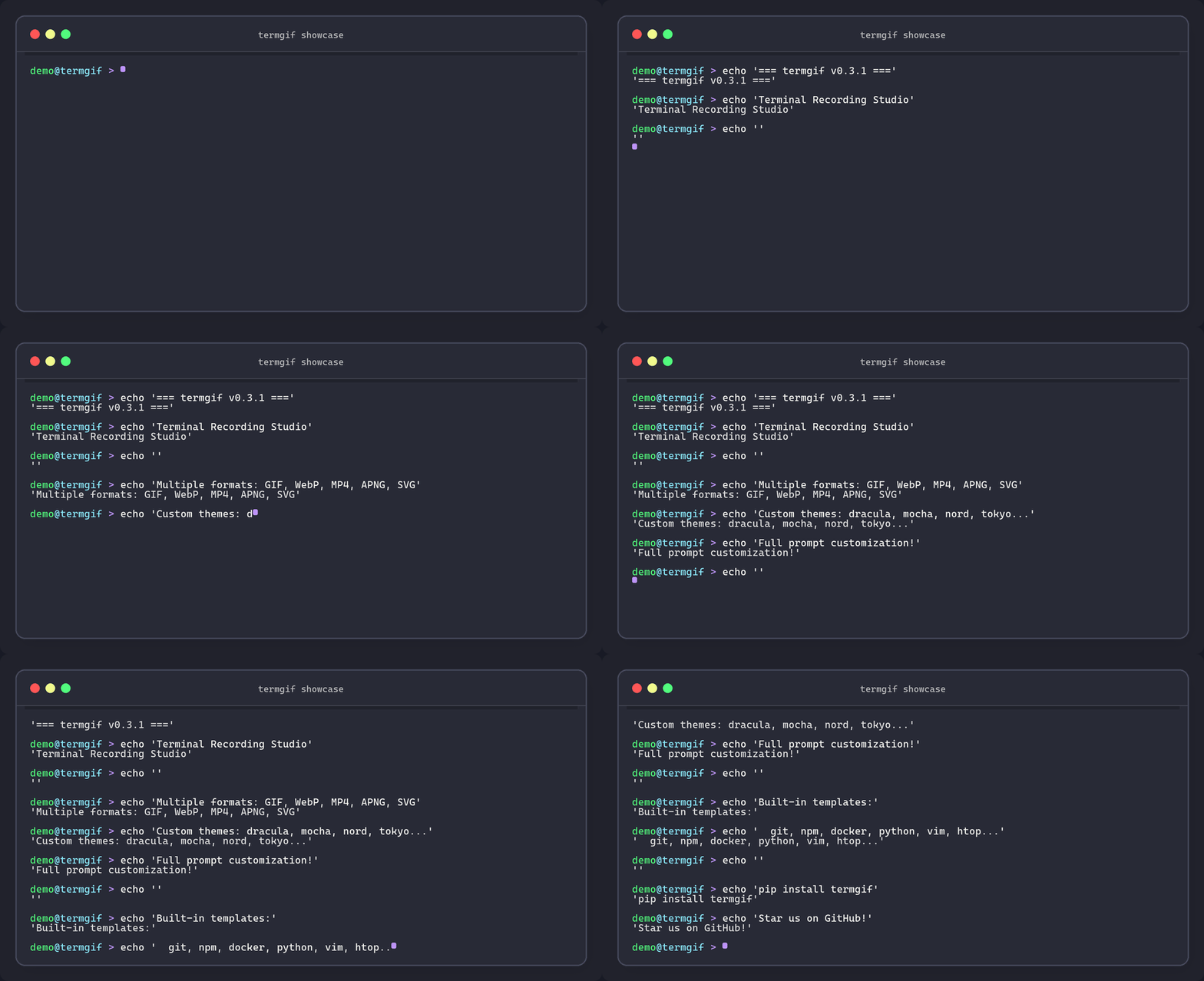
Full customization example with custom prompt, themes, markers, hide/show, and more:
Features
- Multiple formats - GIF, WebP, MP4, WebM, APNG, SVG, PNG frames, Asciinema
- Live recording - Record your actual terminal session without scripts
- Watch mode - Auto-regenerate recordings when script files change
- Built-in templates - git, npm, docker, python, vim, htop, lazygit, and more
- Editing tools - Trim, speed adjustment, concatenation, watermarks, captions
- Asciinema compatible - Import/export .cast files
- Direct sharing - Upload to Catbox, Imgur, or Giphy
- TUI support - Record vim, htop, fzf, lazygit, and other TUI applications
- 8 themes - Catppuccin (mocha, latte, frappe, macchiato), Dracula, Nord, Tokyo Night, Gruvbox
- Cross-platform - Windows, macOS, Linux
Table of Contents
- Installation
- Quick Start
- Recording Modes
- Script Format (.tg)
- Output Formats
- Templates
- Live Recording
- Watch Mode
- Editing Tools
- Asciinema Import/Export
- Sharing & Upload
- Configuration
- Themes
- CLI Reference
- Troubleshooting
Installation
# Basic installation
pip install termgif

# With video format support (MP4, WebM - requires ffmpeg)
pip install termgif[video]

# With sharing support (upload to Catbox, Imgur, Giphy)
pip install termgif[share]

# With watch mode support
pip install termgif[watch]

# Everything
pip install termgif[all]
System Requirements
- Python 3.10+
- ffmpeg (optional) - Required for MP4/WebM output. Install via:
- Windows:
winget install ffmpegor download from ffmpeg.org - macOS:
brew install ffmpeg - Linux:
apt install ffmpegor equivalent
- Windows:
Quick Start
1. Create a script from template
termgif create demo --template git
This creates demo.tg with a git workflow template.
2. Record to GIF
termgif demo
This runs the commands in demo.tg and creates demo.gif.
3. Use different formats
termgif demo -f mp4      # MP4 video
termgif demo -f webp     # WebP animation
termgif demo -o out.webm # Auto-detect from extension
4. Watch mode for rapid iteration
termgif demo --watch
The GIF auto-regenerates whenever you save changes to demo.tg.
Recording Modes
termgif has three recording modes:
Live Mode (default)
termgif demo.tg
- Executes real commands and captures actual output
- Best for authentic recordings
- Commands run in your actual shell
Simulate Mode
termgif demo.tg --simulate
- Does NOT execute any commands - completely safe
- Only shows typing animation, no command output
- Use this when you want to show the typing without running anything
- Perfect for demos where actual output isn't needed
Terminal Mode (Screen Capture)
termgif demo.tg --terminal
- Captures the actual terminal window
- Required for TUI apps (vim, htop, lazygit, etc.)
- Preserves exact terminal appearance
- Use
--nativeto preserve TUI app colors
termgif demo.tg --terminal --native
Script Format (.tg)
Scripts use the .tg format with directives and actions.
Basic Example
// demo.tg - My first recording
// Comments start with //

@output "demo.gif"
@size 80x24
@theme "mocha"
@fps 10
@speed 50ms

// Type and execute commands
-> "echo Hello, World!" >>
~1s

-> "ls -la" >>
~2s

// Just type without pressing enter
-> "partial command"
~500ms
Directives
Directives configure the recording. They start with @.
| Directive | Example | Description |
|---|---|---|
@output |
@output "demo.gif" |
Output file path |
@size |
@size 80x24 |
Terminal size (columns x rows) |
@font |
@font 16 |
Font size in pixels |
@theme |
@theme "dracula" |
Color theme |
@fps |
@fps 12 |
Frames per second |
@speed |
@speed 50ms |
Typing speed per character |
@format |
@format "mp4" |
Output format override |
@title |
@title "My Demo" |
Window title |
@prompt |
@prompt "$ " |
Full custom prompt |
@user |
@user "demo" |
Username in prompt |
@hostname |
@hostname "server" |
Hostname in prompt |
@symbol |
@symbol "#" |
Prompt symbol ($ or #) |
@cursor |
@cursor "bar" |
Cursor style: block, bar, underline |
@cursor-color |
@cursor-color "#cba6f7" |
Custom cursor color |
@shell |
@shell "zsh" |
Shell to use |
@bare |
@bare |
No window chrome (border/title) |
@native |
@native |
Preserve TUI app colors |
@chrome |
@chrome false |
Disable window chrome |
@shadow |
@shadow false |
Disable window shadow |
@glow |
@glow false |
Disable glow effect |
@window-frame |
@window-frame "minimal" |
Frame style: macos, windows, minimal, none |
@line-height |
@line-height 1.5 |
Line height multiplier |
@letter-spacing |
@letter-spacing 1 |
Extra character spacing |
@start_delay |
@start_delay 500ms |
Delay before first action |
@end_delay |
@end_delay 2s |
Delay after last action |
Actions
Actions define what happens in the recording.
| Syntax | Description | Example |
|---|---|---|
-> "text" |
Type text | -> "echo hello" |
>> |
Press Enter | >> |
-> "text" >> |
Type and press Enter | -> "git status" >> |
~duration |
Wait/pause | ~1s, ~500ms, ~2000ms |
key "name" |
Press special key | key "escape" |
hide |
Pause frame capture | hide |
show |
Resume frame capture | show |
screenshot "file.png" |
Save current frame | screenshot "step1.png" |
marker "name" |
Add chapter marker | marker "Setup" |
require "cmd" |
Check command exists | require "docker" |
Duration Format
Durations can be specified as:
~1s- 1 second~500ms- 500 milliseconds~2000ms- 2000 milliseconds (2 seconds)
Special Keys
For TUI apps (requires --terminal mode):
| Key | Description |
|---|---|
key "escape" |
Escape key |
key "enter" |
Enter key |
key "tab" |
Tab key |
key "backspace" |
Backspace |
key "up" |
Arrow up |
key "down" |
Arrow down |
key "left" |
Arrow left |
key "right" |
Arrow right |
key "ctrl+c" |
Ctrl+C |
key "ctrl+d" |
Ctrl+D |
key "ctrl+z" |
Ctrl+Z |
key "space" |
Space |
key "home" |
Home |
key "end" |
End |
key "pageup" |
Page Up |
key "pagedown" |
Page Down |
key "f1" - key "f12" |
Function keys |
Complete Example
// vim-demo.tg - Demonstrate vim editing
@output "vim-demo.gif"
@title "Vim Tutorial"
@theme "tokyo"
@size 100x30
@fps 12

// Open vim
-> "vim example.py" >>
~1s

// Enter insert mode
key "i"
~200ms

// Type some code
-> "def hello():"
key "enter"
-> "    print('Hello!')"
~500ms

// Exit insert mode
key "escape"
~200ms

// Save and quit
-> ":wq" >>
~1s
Output Formats
termgif supports multiple output formats:
| Format | Extension | Description | Requirements |
|---|---|---|---|
| GIF | .gif |
Animated GIF (default) | None |
| WebP | .webp |
Smaller than GIF, good quality | None |
| MP4 | .mp4 |
Video format, smallest size | ffmpeg |
| WebM | .webm |
Open video format | ffmpeg |
| APNG | .apng |
Animated PNG, full colors | None |
| SVG | .svg |
Scalable vector graphics | None |
| Frames | folder | PNG sequence for editing | None |
| Cast | .cast |
Asciinema format | None |
Usage
# Specify format with -f flag
termgif demo -f mp4
termgif demo -f webp
termgif demo -f apng

# Or use output extension (auto-detect)
termgif demo -o output.mp4
termgif demo -o output.webp

# Export as PNG frames
termgif demo -f frames -o ./frames/

# Export as asciinema cast
termgif demo -f cast -o demo.cast
Format Comparison
| Format | Size | Quality | Browser Support | Best For |
|---|---|---|---|---|
| GIF | Large | Limited colors | Universal | Quick sharing |
| WebP | Small | Good | Modern browsers | Web use |
| MP4 | Smallest | Excellent | Universal | Long recordings |
| WebM | Small | Excellent | Modern browsers | Open source projects |
| APNG | Medium | Full colors | Most browsers | High quality stills |
Templates
Templates provide ready-to-use scripts for common workflows.
List Available Templates
termgif templates
Create from Template
termgif create myproject --template git
Available Templates
| Template | Description |
|---|---|
basic |
Simple echo commands |
git |
Git workflow (status, add, commit, push) |
npm |
npm install and run |
docker |
Docker build and run |
python |
Python REPL session |
pip |
pip install packages |
vim |
Vim editing session |
htop |
System monitoring with htop |
lazygit |
Git TUI with lazygit |
api |
API calls with curl |
Template Variables
Templates use {name} placeholders that get replaced:
termgif create myapp --template git
# Creates myapp.tg with "myapp" in output filename
Live Recording
Record your actual terminal session without a script:
# Basic live recording
termgif live -o session.gif

# With custom size
termgif live -o session.gif --size 100x30

# With specific duration limit
termgif live -o session.gif --duration 60s

# As MP4
termgif live -o session.mp4
Controls during live recording:
Ctrl+C- Stop recording and save- Your terminal session is captured in real-time
Watch Mode
Auto-regenerate recordings when script files change:
termgif demo.tg --watch
# or
termgif demo.tg -w
This is useful for rapid iteration:
- Edit your
.tgscript - Save the file
- Recording automatically regenerates
Press Ctrl+C to exit watch mode.
Editing Tools
Trim
Remove frames from the start or end:
# Remove first 2 seconds
termgif trim demo.gif -s 2s -o trimmed.gif

# Remove last 1 second
termgif trim demo.gif -e -1s -o trimmed.gif

# Both
termgif trim demo.gif -s 2s -e -1s -o trimmed.gif

# By frame number
termgif trim demo.gif --start-frame 10 --end-frame 50 -o trimmed.gif
Speed
Change playback speed:
# 2x faster
termgif speed demo.gif 2x -o fast.gif

# Half speed
termgif speed demo.gif 0.5x -o slow.gif

# 3x faster
termgif speed demo.gif 3x -o triple.gif
Concatenate
Join multiple recordings:
termgif concat intro.gif main.gif outro.gif -o full.gif
Overlay
Add watermarks or captions:
# Add watermark image
termgif overlay demo.gif --watermark logo.png -o branded.gif

# Position watermark (tl, tr, bl, br for corners)
termgif overlay demo.gif --watermark logo.png --position br -o branded.gif

# Set watermark opacity (0.0 to 1.0)
termgif overlay demo.gif --watermark logo.png --opacity 0.3 -o branded.gif

# Add text caption
termgif overlay demo.gif --text "My Demo" --position bottom -o captioned.gif
Asciinema Import/Export
Import .cast to GIF/Video
Convert asciinema recordings to other formats:
# To GIF
termgif import session.cast -o demo.gif

# To MP4
termgif import session.cast -f mp4 -o demo.mp4

# To WebP
termgif import session.cast -f webp -o demo.webp

# With custom theme
termgif import session.cast -o demo.gif --theme dracula
Export Script to .cast
Export your .tg script as asciinema format:
termgif export demo.tg -o session.cast
This creates a .cast file that can be played with asciinema play.
Sharing & Upload
Upload recordings directly to hosting services.
Catbox (Default)
Anonymous upload, no account required:
termgif upload demo.gif
# Returns: https://files.catbox.moe/abc123.gif
Files are hosted temporarily (check Catbox's retention policy).
Imgur
Requires API client ID:
termgif upload demo.gif imgur
Setup:
- Create an Imgur account
- Register an application at https://api.imgur.com/oauth2/addclient
- Add client ID to config (see Configuration section)
Giphy
Requires API key (GIF files only):
termgif upload demo.gif giphy
Setup:
- Create a Giphy developer account
- Create an app at https://developers.giphy.com/
- Add API key to config
Configuration
Create Config File
termgif config --init
This creates the config file at:
- Linux/macOS:
~/.config/termgif/config.toml - Windows:
%APPDATA%\termgif\config.toml
Edit Config
termgif config --edit
Opens the config file in your default editor.
View Current Config
termgif config
Config File Structure
# ~/.config/termgif/config.toml

[defaults]
theme = "mocha"
font_size = 16
fps = 10
format = "gif"
width = 80
height = 24

[sharing]
# Get from https://api.imgur.com/oauth2/addclient
imgur_client_id = "your_imgur_client_id"

# Get from https://developers.giphy.com/
giphy_api_key = "your_giphy_api_key"

[paths]
# Custom templates directory
templates = "~/.config/termgif/templates"

[editor]
# Preferred editor for config --edit
command = "code"  # or "vim", "nano", etc.
Themes
termgif includes 8 color themes:
| Theme | Description |
|---|---|
mocha |
Catppuccin Mocha (warm dark) - default |
latte |
Catppuccin Latte (light) |
frappe |
Catppuccin Frappé (cool dark) |
macchiato |
Catppuccin Macchiato (medium dark) |
dracula |
Dracula (purple dark) |
nord |
Nord (blue-gray dark) |
tokyo |
Tokyo Night (blue dark) |
gruvbox |
Gruvbox (retro dark) |
Usage in Scripts
@theme "dracula"
Usage via CLI
termgif demo.tg --theme tokyo
CLI Reference
Main Commands
termgif <script>                    Record a .tg script
termgif record <script>             Same as above
termgif create <name>               Create new script from template
termgif live                        Live recording mode
termgif templates                   List available templates
termgif preview <file>              Preview a recording
termgif info <file>                 Show file information
Editing Commands
termgif trim <file>                 Trim start/end of recording
termgif speed <file> <multiplier>   Change playback speed
termgif concat <files...> -o out    Concatenate recordings
termgif overlay <file>              Add watermark or caption
Import/Export Commands
termgif import <file.cast>          Import asciinema recording
termgif export <script.tg>          Export script to asciinema format
Sharing Commands
termgif upload <file>               Upload to Catbox (default)
termgif upload <file> imgur         Upload to Imgur
termgif upload <file> giphy         Upload to Giphy
Configuration Commands
termgif config                      Show current configuration
termgif config --init               Create default config file
termgif config --edit               Edit config in default editor
Recording Options
| Flag | Short | Description |
|---|---|---|
--output |
-o |
Output file path |
--format |
-f |
Output format (gif, mp4, webp, etc.) |
--bare |
-b |
No window chrome (border/title bar) |
--simulate |
-s |
Don't execute commands (safe mode) |
--terminal |
-t |
Screen capture mode for TUI apps |
--native |
-n |
Preserve TUI app colors |
--watch |
-w |
Auto-regenerate on file changes |
--theme |
Override color theme | |
--size |
Override terminal size (WxH) |
Examples
# Create and record a git demo
termgif create mygit --template git
termgif mygit

# Record with different format
termgif demo -f mp4 -o demo.mp4

# Safe recording (no commands executed)
termgif demo --simulate

# Record vim session
termgif vim-demo --terminal --native

# Quick iteration with watch mode
termgif demo --watch

# Edit and share
termgif trim demo.gif -s 1s -o trimmed.gif
termgif upload trimmed.gif
Troubleshooting
"ffmpeg not found" for MP4/WebM
Install ffmpeg:
- Windows:
winget install ffmpeg - macOS:
brew install ffmpeg - Linux:
apt install ffmpeg
"requests not installed" for upload
pip install termgif[share]
# or
pip install requests
TUI apps not rendering correctly
Use terminal mode with native colors:
termgif demo --terminal --native
Commands not executing
Check you're not using --simulate flag. In simulate mode, commands are displayed but not executed.
GIF too large
Try these options:
- Use WebP format:
termgif demo -f webp - Use MP4 format:
termgif demo -f mp4 - Reduce FPS in script:
@fps 8 - Reduce terminal size:
@size 60x20
Watch mode not detecting changes
Install watchdog:
pip install termgif[watch]
# or
pip install watchdog
Colors look wrong
- Try a different theme:
@theme "dracula" - For TUI apps, use
--nativeflag - Check your terminal supports 256 colors
License
MIT
Contributing
Contributions are welcome! Please open an issue or pull request on GitHub.


Download files
Download the file for your platform. If you're not sure which to choose, learn more about installing packages.
Source Distribution
Built Distribution
Filter files by name, interpreter, ABI, and platform.
If you're not sure about the file name format, learn more about wheel file names.
Copy a direct link to the current filters
File details
Details for the file termgif-0.3.0.tar.gz.
File metadata
- Download URL: termgif-0.3.0.tar.gz
- Upload date:
- Size: 1.9 MB
- Tags: Source
- Uploaded using Trusted Publishing? Yes
- Uploaded via: twine/6.1.0 CPython/3.13.7
File hashes
| Algorithm | Hash digest | |
|---|---|---|
| SHA256 |
d81369a4a2986f4c2701e943a8bf96a140b3325a14f5fc7394e337541bef8236
|
|
| MD5 |
ed196981e0f077076dff17e6bae9059f
|
|
| BLAKE2b-256 |
ac6aae4e9b563061c2e2f45d67109d02e2c63b901f0d0e4ec437e450a2fc4194
|
Provenance
The following attestation bundles were made for termgif-0.3.0.tar.gz:
Publisher:
python-publish.yml on aayushadhikari7/termgif
-
Statement:
-
Statement type:
https://in-toto.io/Statement/v1 -
Predicate type:
https://docs.pypi.org/attestations/publish/v1 -
Subject name:
termgif-0.3.0.tar.gz -
Subject digest:
d81369a4a2986f4c2701e943a8bf96a140b3325a14f5fc7394e337541bef8236 - Sigstore transparency entry: 861364639
- Sigstore integration time:
-
Permalink:
aayushadhikari7/termgif@afbbb02e53d85c9c2dcdbb3452d32dbb9a84db24 -
Branch / Tag:
refs/tags/v0.3.0 - Owner: https://github.com/aayushadhikari7
-
Access:
public
-
Token Issuer:
https://token.actions.githubusercontent.com -
Runner Environment:
github-hosted -
Publication workflow:
python-publish.yml@afbbb02e53d85c9c2dcdbb3452d32dbb9a84db24 -
Trigger Event:
release
-
Statement type:
File details
Details for the file termgif-0.3.0-py3-none-any.whl.
File metadata
- Download URL: termgif-0.3.0-py3-none-any.whl
- Upload date:
- Size: 119.8 kB
- Tags: Python 3
- Uploaded using Trusted Publishing? Yes
- Uploaded via: twine/6.1.0 CPython/3.13.7
File hashes
| Algorithm | Hash digest | |
|---|---|---|
| SHA256 |
06ee972b8de5875cdb63a35dc2d3737f1182d0e79cd118b4d4ebdb709d8dbe20
|
|
| MD5 |
20d21dace457ebd528b96c1e0393d11f
|
|
| BLAKE2b-256 |
748bcefa6f2d06f65bf519c034d43ebe40a448a24290dc8bd0525f5e356a21ca
|
Provenance
The following attestation bundles were made for termgif-0.3.0-py3-none-any.whl:
Publisher:
python-publish.yml on aayushadhikari7/termgif
-
Statement:
-
Statement type:
https://in-toto.io/Statement/v1 -
Predicate type:
https://docs.pypi.org/attestations/publish/v1 -
Subject name:
termgif-0.3.0-py3-none-any.whl -
Subject digest:
06ee972b8de5875cdb63a35dc2d3737f1182d0e79cd118b4d4ebdb709d8dbe20 - Sigstore transparency entry: 861364691
- Sigstore integration time:
-
Permalink:
aayushadhikari7/termgif@afbbb02e53d85c9c2dcdbb3452d32dbb9a84db24 -
Branch / Tag:
refs/tags/v0.3.0 - Owner: https://github.com/aayushadhikari7
-
Access:
public
-
Token Issuer:
https://token.actions.githubusercontent.com -
Runner Environment:
github-hosted -
Publication workflow:
python-publish.yml@afbbb02e53d85c9c2dcdbb3452d32dbb9a84db24 -
Trigger Event:
release
-
Statement type:






