
terminux
A fast, reliable, cross-platform terminal, organized the way you actually work.
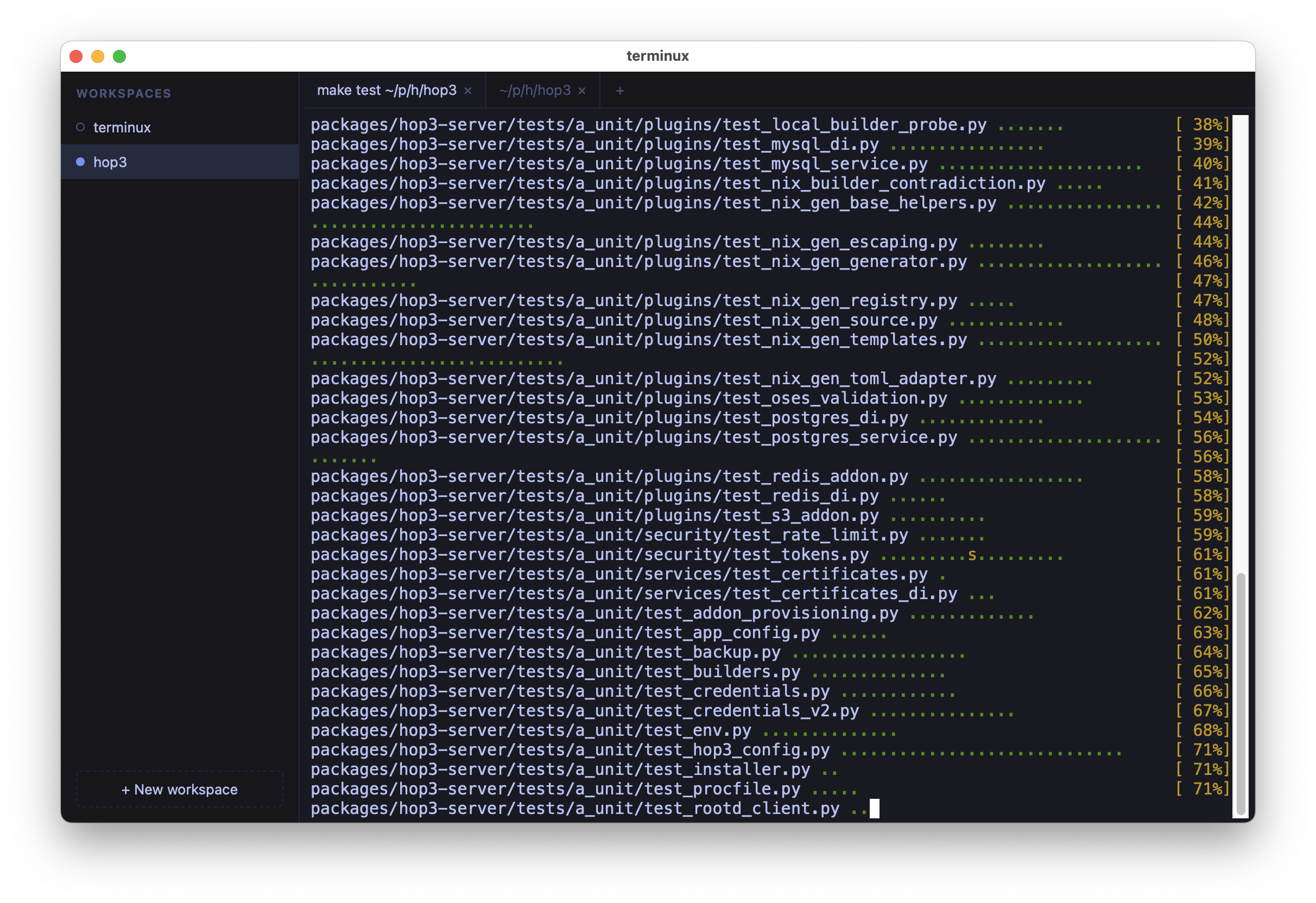
Workspaces sit on the left, tabbed terminals in the middle, and everything stays where you left it.




Why terminux?
You have six projects on the go. Each one has its own directory, its own running server, its own test suite and its own half-finished command. By mid-afternoon they are spread across a dozen terminal windows, and finding the one where the build just finished means clicking through all of them.
terminux gives each project a home (a workspace in a sidebar) with its own tabs of real shells. A small dot tells you what's happening in each workspace. The whole layout comes back after a restart, scrollback included. You need no account, terminux sends no telemetry, and it has no AI features: it's just a terminal that respects your flow.
Try it
terminux is on PyPI. It runs on macOS, Linux and Windows 10/11, with Python 3.12 or later:
uvx terminux                  # try it without installing
uv tool install terminux      # or install it
✨ What you get
- One workspace per project. A sidebar of named workspaces, each with its own tabs. A workspace names itself after its first tab's directory (rename it to pin your own name).
Cmd+1..9on macOS,Ctrl+Shift+1..9on Linux and Windows jumps straight to one. - Know when something is done. Each workspace's dot works like a traffic light: amber while a task is running there, green once it finishes while you were elsewhere. It works out of the box; the optional shell integration makes it exact.
- Everything comes back. Quit and reopen: workspaces, tabs, window size, font size, each tab's directory and the visible scrollback of every tab are restored. The shells are fresh; the view is the one you left.
- Nothing pauses in the background. A server keeps logging and a build keeps building while you work in another workspace.
- Keyboard-first. A fuzzy quick switcher for workspaces and tabs, a command palette, find-in-terminal, font zoom. Shortcuts follow each platform's habits (
Cmdon macOS,Ctrl+Shifton Linux and Windows, as in GNOME Terminal and Windows Terminal), so your shell keeps its ownCtrlkeys. - Know where you are. Hide the sidebar for more room and the current workspace's name stays visible in the tab bar; the window title shows it too.
- Your shells on another machine. Run terminux as a server and connect from your laptop. Close the lid, change networks, come back later: terminals reconnect on their own and repaint what happened. See Remote access.
- The small things. Copy and paste with
Ctrl+Shift+C/Ctrl+Shift+V(Cmd+C/Cmd+Von macOS, plainCtrl+C/Ctrl+Von Windows),Cmd/Ctrl+click opens links (including the hyperlinks modern tools print),Shift+Enterinserts a newline in Claude Code and similar tools, drag and drop reorders workspaces and tabs, dropping a file pastes its path, and copy-on-select is one toggle away. - Local and sturdy. Everything stays on your machine, in readable local files. It listens only on your machine unless you ask otherwise, a stuck program can't freeze the app, and saves are atomic.
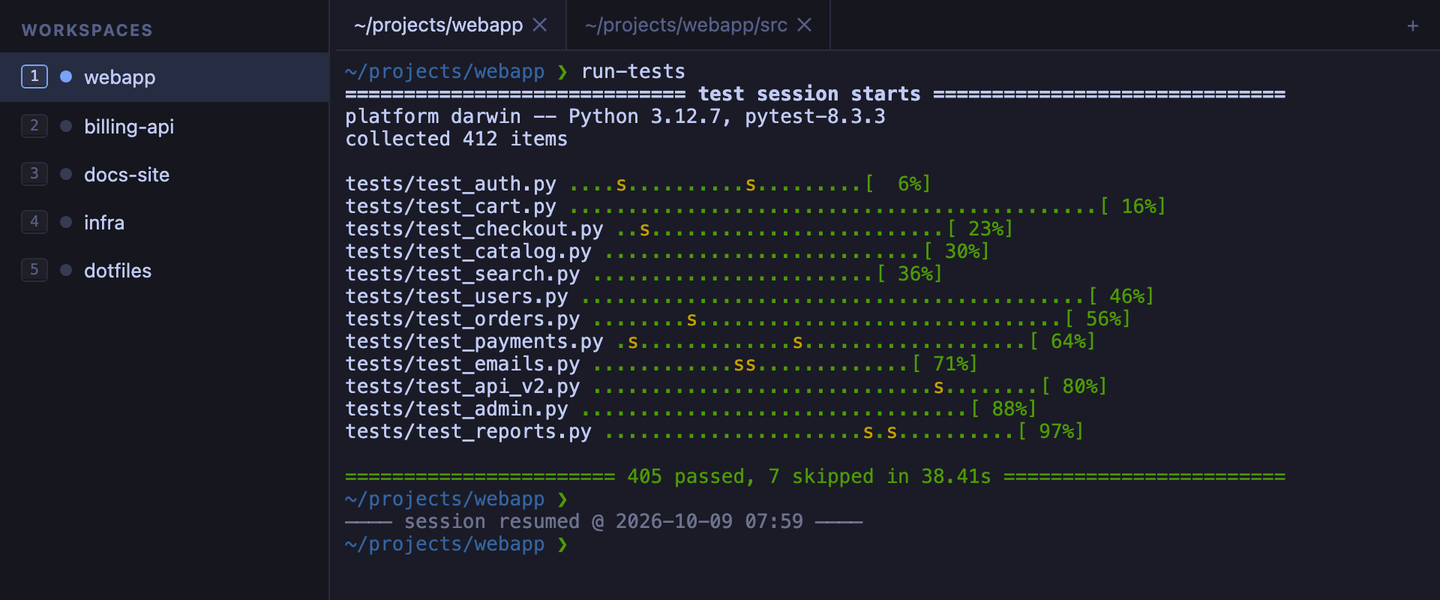
After a restart, the previous session's output sits above a session resumed line, with a fresh shell below.
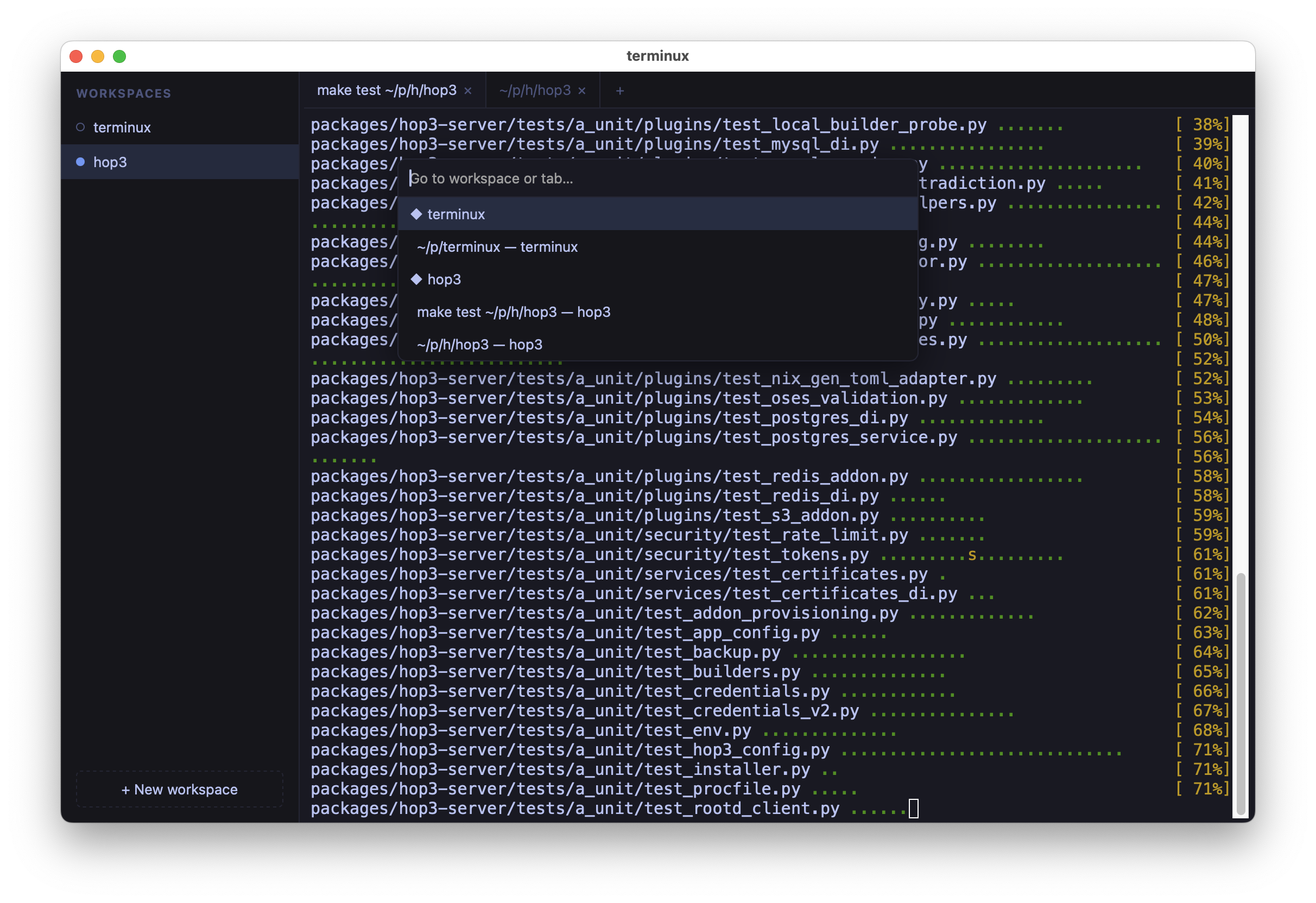
The quick switcher (Cmd+P on macOS, Ctrl+Shift+O on Linux and Windows): jump to any workspace or tab.
Run from source
uv sync
make frontend                # build the web UI (needs Node; first run only)
uv run terminux              # desktop window (pywebview)
uv run terminux --no-window  # server only; open the printed URL in a browser
uv run terminux --debug      # verbose logs + slow-op warnings
uv run terminux --trace      # extreme: log every save/load/cwd lookup
--no-window serves the same UI to any browser, handy for development and for running terminux where no display is available. --debug and --trace are diagnostics flags; see Debugging knobs.
Remote mode
Run terminux on a headless server and connect from your laptop:
# on the server
uv run terminux --server --port 8443
# prints: terminux server listening — connect with:
#           http://127.0.0.1:8443/?t=abc-def-ghi

# on the laptop (one shell)
ssh -L 8443:localhost:8443 server.example.com

# on the laptop (another shell)
uv run terminux --connect http://localhost:8443/?t=abc-def-ghi
Shells, workspaces, and scrollback live on the server: disconnect, sleep the laptop, reconnect later, everything's where you left it. See Remote access for the full recipe (multi-client, firewall guidance, systemd service).
Install / package
terminux ships as a self-contained desktop app; no Python or Node required to run the bundle.
make build-linux  # Linux bundle (built in Docker) → dist/linux/terminux/terminux
make docker-run   # run headless web mode on :8000
make build-macos  # macOS .app → dist/terminux.app
The documentation has the full platform notes (signing, Gatekeeper, X11, architectures).
Documentation
Docs are built with Zensical; sources live in docs/src/, configuration in docs/zensical.toml.
make docs-serve    # live preview at http://127.0.0.1:8000
make docs          # static site → docs/site/
Start with docs/src/index.md. The original vision, functional spec, and technical spec are in notes/.
Develop
make help            # every target, grouped and described
make frontend        # build TS/Vite UI → src/terminux/web/static
make frontend-dev    # live Vite dev server against a --no-window backend
make frontend-test   # vitest unit tests (fast, no browser)
make frontend-cov    # frontend coverage report
make test            # everything: vitest, then pytest unit/integration/e2e
make lint            # ruff + ty + pyrefly + mypy
make format
The e2e tier drives the served UI with a real browser (no pywebview); install it once with uv run playwright install chromium.
Status: 0.10 preview
Works today (0.10): the workspaces sidebar (create / rename / reorder / close, working/ready dot) and tabs of real PTY shells that keep streaming in the background. Layout and scrollback come back after a restart, always with fresh shells. Remote mode (--server / --connect) reconnects automatically. Program-printed hyperlinks open, a watchdog diagnoses freezes, and standalone macOS and Linux bundles build with one command. On Windows 10 and 11, terminux runs PowerShell or cmd in its tabs and can also connect to a server on another machine.
Not yet: split panes, a standalone Windows bundle, multi-user accounts.
Architecture in one breath
A Vite/TypeScript web UI (xterm.js for the terminals, Preact for the chrome around them) runs in a sandboxed pywebview window and talks to a loopback Starlette/uvicorn backend that owns the PTYs and streams raw bytes over per-terminal WebSockets. The frontend build output is committed to src/terminux/web/static/, so the Python package runs with no Node toolchain.
1 maintainer

Metadata
1 maintainer
Release files for terminux 0.10.0
For a detailed explanation of source distributions (sdists) and built distributions (wheels), please see the package formats documentation.
Source distribution (sdist)
| File | Size | Uploaded | Provenance | Actions |
|---|---|---|---|---|
| terminux-0.10.0.tar.gz | 373.5 kB | Without provenance | Details for terminux-0.10.0.tar.gz |
Built distribution (wheel)
| File | Interpreter | ABI | Platform | Actions Reset |
|---|---|---|---|---|
| terminux-0.10.0-py3-none-any.whl | Python 3 | none | any | Details for terminux-0.10.0-py3-none-any.whl |
Total release size: 753.8 kB
Release files / terminux-0.10.0.tar.gz
| Download URL | terminux-0.10.0.tar.gz |
|---|---|
| Size | 373.5 kB |
| Tags | Source |
|
SHA-256 checksum How to use checksums |
ab01a1ea6d604ef5a7e7792b5f478455527e43dcc170bce26ac8bc750e24d622
|
|
BLAKE2b-256 checksum How to use checksums |
b76d2610d34eb137e73749b8ff3ec13c42af8f5eb5a96ec4bc5f8790d493d7a6
|
| Upload date | |
|
Uploaded using Trusted Publishing? What is trusted publishing? |
No |
| Uploaded via |
uv/0.12.12 {"installer":{"name":"uv","version":"0.12.12","subcommand":["publish"]},"python":null,"implementation":{"name":null,"version":null},"distro":{"name":"macOS","version":null,"id":null,"libc":null},"system":{"name":null,"release":null},"cpu":null,"openssl_version":null,"setuptools_version":null,"rustc_version":null,"ci":null}
|
Release files / terminux-0.10.0-py3-none-any.whl
| Download URL | terminux-0.10.0-py3-none-any.whl |
|---|---|
| Size | 380.3 kB |
| Tags | Python 3 |
|
SHA-256 checksum How to use checksums |
f8d17112f406d5109e837168ca6406895187fbfe88f2c5dc19c88f984ba1948c
|
|
BLAKE2b-256 checksum How to use checksums |
db893c9bcbf98ba0a8ee160cf09567225d9adcdcb21b2a38ef93736d60d09518
|
| Upload date | |
|
Uploaded using Trusted Publishing? What is trusted publishing? |
No |
| Uploaded via |
uv/0.12.12 {"installer":{"name":"uv","version":"0.12.12","subcommand":["publish"]},"python":null,"implementation":{"name":null,"version":null},"distro":{"name":"macOS","version":null,"id":null,"libc":null},"system":{"name":null,"release":null},"cpu":null,"openssl_version":null,"setuptools_version":null,"rustc_version":null,"ci":null}
|
Security for terminux 0.10.0
Provenance
Provenance describes where a file came from. On PyPI, provenance is shared via attestations, which provide a verifiable record of the build or publishing details. View details, limitations and caveats.
No provenance found
None of the files in this release were uploaded with provenance metadata.
A note on package security
PyPI is a repository for distributing packages, not a service for auditing them. While third-party security researchers and our staff do their best to detect and remove malicious packages, PyPI cannot guarantee the quality, security or suitability of any given package.
To learn more about protecting yourself from malicious actors, visit our package security documentation.














