
A comprehensive testing framework for validating LLM tool calling capabilities with MCP services

Project description
Test and benchmark LLMs with MCP tools in minutes.
A testing framework for validating how LLMs call tools via Model Context Protocol (MCP) — compare Claude, GPT-4, Llama, and other models' accuracy, cost, and performance.



Documentation | Examples | Contributing | Discussions
Why testmcpy?
- Validate tool calling: Ensure LLMs call the right tools with correct parameters
- Compare models: Find the best price/performance balance for your use case
- Prevent regressions: Catch breaking changes in your MCP service with CI/CD
- Optimize costs: Track token usage and identify the most cost-effective models
How it compares
| testmcpy | MCP Inspector | MCPJam | promptfoo | |
|---|---|---|---|---|
| Automated LLM-driven evals of MCP servers | ✅ YAML suites, 40+ evaluators | ❌ manual testing | ✅ | ⚠️ generic LLM eval with an MCP provider |
| Multi-provider (Claude / GPT / Gemini / Ollama / Bedrock…) | ✅ 11 providers incl. agent SDKs | n/a | ✅ | ✅ |
| CI gate with exit codes + JUnit | ✅ --gate, --junit-xml |
❌ | ✅ | ✅ |
| Cost & token tracking per test/model | ✅ | ❌ | ⚠️ | ⚠️ |
| Multi-turn, mutation & metamorphic testing | ✅ | ❌ | ❌ | ⚠️ |
| Auth testing (JWT/OAuth/mTLS) + debugger | ✅ 7 auth types | ⚠️ OAuth only | ✅ OAuth debugger | ❌ |
Python-native (pip/uvx, pytest-friendly) |
✅ | ❌ npm | ❌ npm | ❌ npm |
Use MCP Inspector for quick manual poking; reach for testmcpy when you want repeatable, scored, CI-gated evaluation of how real models use your server.
Quick Start
# Install testmcpy
pip install testmcpy

# Run interactive setup
testmcpy setup

# Start testing
testmcpy chat                     # Interactive chat with MCP tools
testmcpy research                 # Test LLM tool-calling capabilities
testmcpy run tests/              # Run your test suite
That's it! No complex configuration needed to get started.
Key Features
Multi-Provider LLM Support
Test with Claude, GPT, Gemini, Llama, and other models. Works with both paid APIs and free local models via Ollama. Includes agent-SDK providers (Claude, Codex, Gemini) with native MCP support.
| Provider | Config name | Models | Features |
|---|---|---|---|
| Anthropic | anthropic |
claude-opus-4, claude-sonnet-4-5, claude-haiku-4-5 | Native MCP, extended thinking, vision, token caching |
| OpenAI | openai |
gpt-4, gpt-4-turbo, gpt-4o | Function calling, vision, cost tracking |
| Ollama | ollama |
Llama, Mistral, etc. (local) | Free, local execution, no API costs |
| Claude SDK | claude-sdk (aliases: claude-cli, claude-code) |
claude-sonnet-4-5, claude-opus-4 | Claude Agent SDK, native MCP, CLI OAuth login |
| Codex SDK | codex-sdk (aliases: codex-cli, codex) |
gpt-5-codex, o3, o4-mini | openai-agents SDK, native MCP, Codex CLI OAuth or API key |
| Gemini SDK | gemini-sdk |
gemini-sdk-flash, gemini-sdk-pro | google-adk, native MCP |
| Google Gemini | gemini (alias: google) |
gemini-2.5-flash, gemini-2.5-pro | Direct Gemini API, function calling |
| Gemini CLI | gemini-cli |
gemini-2.5-flash, gemini-2.5-pro | Subprocess-based Gemini CLI |
| AWS Bedrock | bedrock (alias: aws-bedrock) |
Claude models via AWS | IAM auth, no Anthropic key needed |
| xAI | xai (alias: grok) |
grok models | Function calling |
| OpenRouter | openrouter |
100+ models with one API key | Function calling, cost tracking |
Built-in Evaluators
Comprehensive validation out of the box. Each evaluator returns a score from 0.0 to 1.0 with pass/fail status and detailed reasoning.
Tool Calling:
was_mcp_tool_called— Verify specific tool was invoked (supports prefix/gateway matching)tool_call_count— Validate number of tool callstool_called_with_parameter— Check specific parameter was passed (fuzzy matching)tool_called_with_parameters— Validate multiple parameters at onceparameter_value_in_range— Ensure numeric parameters are within bounds
Execution & Performance:
execution_successful— Check for errors or failures in tool resultswithin_time_limit— Performance validation against max_secondsfinal_answer_contains— Validate response contenttoken_usage_reasonable— Cost efficiency validationresponse_time_acceptable— Latency threshold checkingauth_successful— Authentication flow validation
Extensible: Extend BaseEvaluator and implement evaluate(context) -> EvalResult to create custom evaluators for your domain.
YAML Test Definitions
Define test suites as code for repeatable, version-controlled testing:
version: "1.0"
name: "Chart Operations Test Suite"

config:
  timeout: 30
  model: "claude-sonnet-4-5"
  provider: "anthropic"

tests:
  - name: "test_create_chart"
    prompt: "Create a bar chart showing sales by region"
    evaluators:
      - name: "was_mcp_tool_called"
        args:
          tool_name: "create_chart"
      - name: "execution_successful"

  # Multi-turn test
  - name: "test_multi_turn"
    steps:
      - prompt: "List all dashboards"
        evaluators:
          - name: "was_mcp_tool_called"
            args:
              tool_name: "list_dashboards"
      - prompt: "Show me the first one"
        evaluators:
          - name: "final_answer_contains"
            args:
              content: "dashboard"

  # Load testing
  - name: "test_load"
    prompt: "List dashboards"
    load_test:
      concurrent: 5
      duration: 60
CLI & Web UI
- Rich terminal UI: Progress bars, colored output, formatted tables
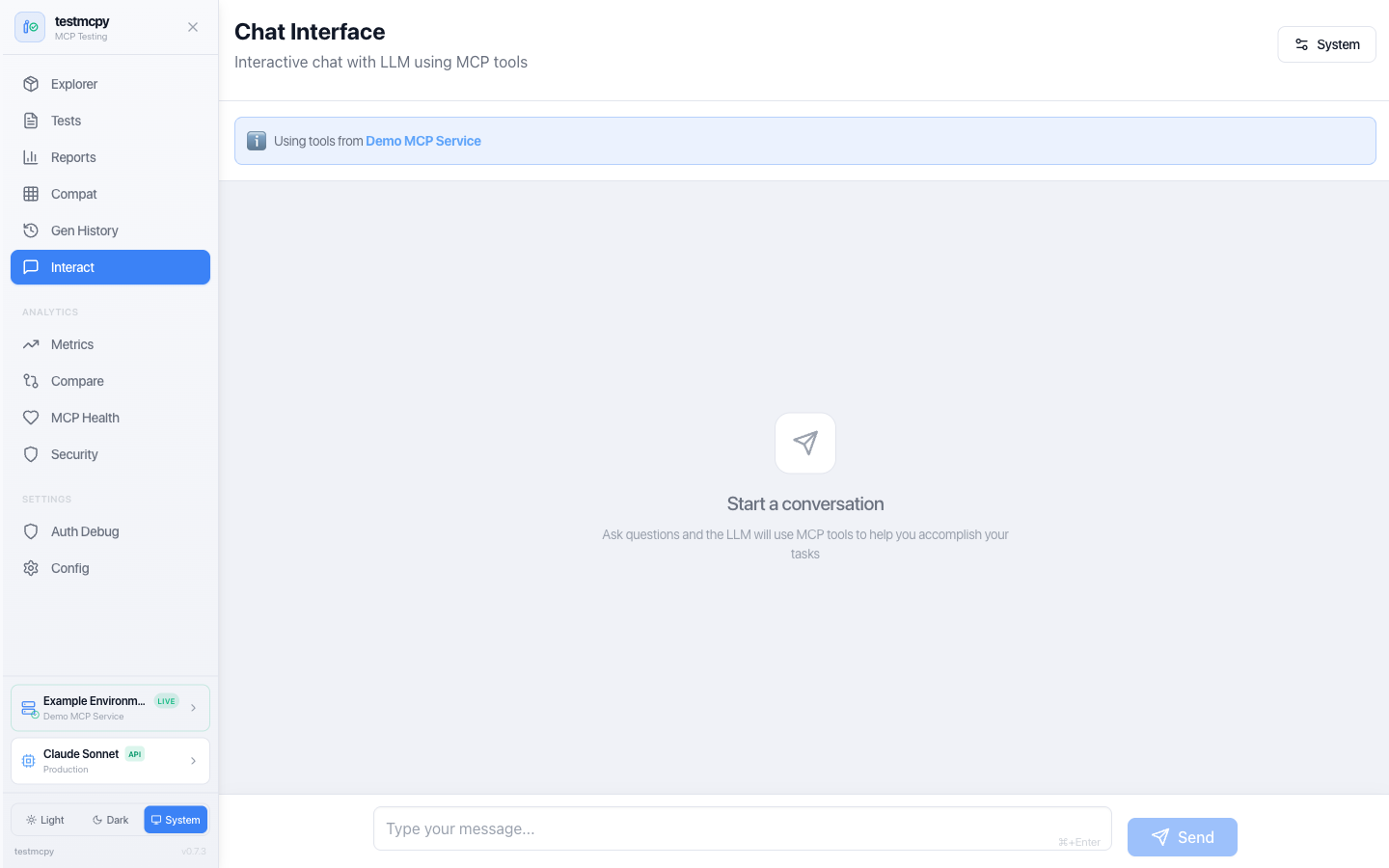
- Optional web interface: Visual tool explorer, interactive chat, analytics dashboards
- Real-time feedback: Watch tests execute with live updates via WebSocket
Architecture
testmcpy connects your LLM provider to your MCP service and validates the interactions:
graph TB
    subgraph UI["User Interface Layer"]
        CLI["CLI Commands<br>(Typer)"]
        WebUI["Web UI<br>(React + Vite + Tailwind)"]
        TUI["Terminal Dashboard<br>(Textual)"]
    end

    subgraph Core["Core Framework"]
        Runner["Test Runner"]
        LLM["LLM Integration"]
        Evals["Evaluators"]
    end

    subgraph MCP_Layer["MCP Integration Layer"]
        Client["MCP Client<br>(FastMCP)"]
        Auth["Auth Manager"]
        Discovery["Tool Discovery"]
    end

    subgraph External["External Services"]
        LLM_APIs["LLM APIs<br>(Anthropic, OpenAI, Ollama)"]
        MCP_Services["MCP Services<br>(HTTP/SSE)"]
        Storage["Storage<br>(SQLite + JSON)"]
    end

    UI --> Core
    Core --> MCP_Layer
    MCP_Layer --> External
    Core --> External
How it works:
- Define test cases in YAML with prompts and expected behavior
- testmcpy sends prompts to your chosen LLM (Claude, GPT-4, Llama, etc.)
- LLM calls tools via MCP protocol to your service
- Evaluators validate tool selection, parameters, execution, and performance
- Get detailed pass/fail results with metrics and cost analysis
Installation
# Install base package
pip install testmcpy

# With web UI support
pip install 'testmcpy[server]'

# All optional features
pip install 'testmcpy[all]'
Requirements: Python 3.10-3.12
Getting Started
1. Configuration
Run the interactive setup wizard:
testmcpy setup
This creates two config files:
.llm_providers.yaml — LLM configuration:
default: prod

profiles:
  prod:
    name: "Production"
    providers:
      - name: "Claude Sonnet"
        provider: "anthropic"
        model: "claude-sonnet-4-5"
        api_key: "your-anthropic-api-key"
        timeout: 60
        default: true
.mcp_services.yaml — MCP server profiles:
default: prod

profiles:
  prod:
    name: "Production"
    mcps:
      - name: "My MCP Service"
        mcp_url: "https://your-service.example.com/mcp"
        auth:
          auth_type: "jwt"  # or "bearer", "oauth", "none"
          api_url: "https://auth.example.com/v1/auth/"
          api_token: "your-api-token"
          api_secret: "your-api-secret"
        timeout: 30
        rate_limit_rpm: 60
        default: true
Configuration priority: CLI options > Profile files > .env > User config (~/.testmcpy) > Environment variables > Built-in defaults
The setup command is idempotent — safe to run multiple times. Use --force to overwrite existing files.
2. Explore Your MCP Service
# List available MCP tools
testmcpy tools

# Interactive chat to explore your tools
testmcpy chat

# Run automated research on tool-calling capabilities
testmcpy research --model claude-haiku-4-5
3. Create and Run Test Suites
# tests/my_tests.yaml
version: "1.0"
name: "My MCP Service Tests"

tests:
  - name: "test_tool_selection"
    prompt: "Create a bar chart showing sales by region"
    evaluators:
      - name: "was_mcp_tool_called"
        args:
          tool_name: "create_chart"
      - name: "execution_successful"
      - name: "within_time_limit"
        args:
          max_seconds: 30
testmcpy run tests/ --model claude-haiku-4-5
Commands Reference
| Command | Description |
|---|---|
| Setup | |
testmcpy setup |
Interactive configuration wizard |
testmcpy doctor |
Diagnose installation issues |
| Discovery | |
testmcpy tools |
List available MCP tools |
testmcpy profiles |
List MCP profiles (table) |
testmcpy status |
Show MCP connection status |
testmcpy explore-cli |
Browse tools (non-interactive) |
| Testing | |
testmcpy run <path> |
Execute test suite |
testmcpy research |
Test LLM tool-calling capabilities |
testmcpy chat |
Interactive chat with MCP tools |
testmcpy compare |
Multi-model comparison |
| Advanced | |
testmcpy baseline-save |
Save current test results as a named baseline |
testmcpy baseline-compare |
Compare a run against a saved baseline |
testmcpy baseline-list |
List saved baselines |
testmcpy mutate |
Prompt mutation testing |
testmcpy metamorphic |
Metamorphic testing |
testmcpy generate |
AI-assisted test generation |
testmcpy smoke-test |
Quick smoke test against an MCP service |
testmcpy coverage |
Tool coverage report for a test suite |
testmcpy multi-env |
Run the same suite against multiple MCP profiles |
testmcpy export-db |
Export the SQLite results database |
| UI | |
testmcpy serve |
Start web UI server (default port 8000) |
testmcpy config-cmd |
View current configuration |
testmcpy config-mcp |
Print MCP client snippets for Claude Desktop / Code |
Common options: --profile, --llm-profile, --model, --provider, --timeout, --verbose, --output
Inline MCP Auth (No Config File Needed)
Pass MCP auth credentials directly on the command line, bypassing .mcp_services.yaml:
# JWT auth (e.g., Preset workspaces)
testmcpy run tests/ \
  --mcp-url https://workspace.example.com/mcp \
  --auth-type jwt \
  --jwt-url https://auth.example.com/v1/auth/ \
  --jwt-token $MCP_JWT_TOKEN \
  --jwt-secret $MCP_JWT_SECRET

# Bearer token auth
testmcpy run tests/ \
  --mcp-url https://workspace.example.com/mcp \
  --auth-type bearer \
  --auth-token $MCP_BEARER_TOKEN

# No auth (public MCP endpoint)
testmcpy run tests/ \
  --mcp-url https://workspace.example.com/mcp \
  --auth-type none
Environment variables are also supported: MCP_AUTH_TOKEN, MCP_JWT_URL, MCP_JWT_TOKEN, MCP_JWT_SECRET.
Web Interface
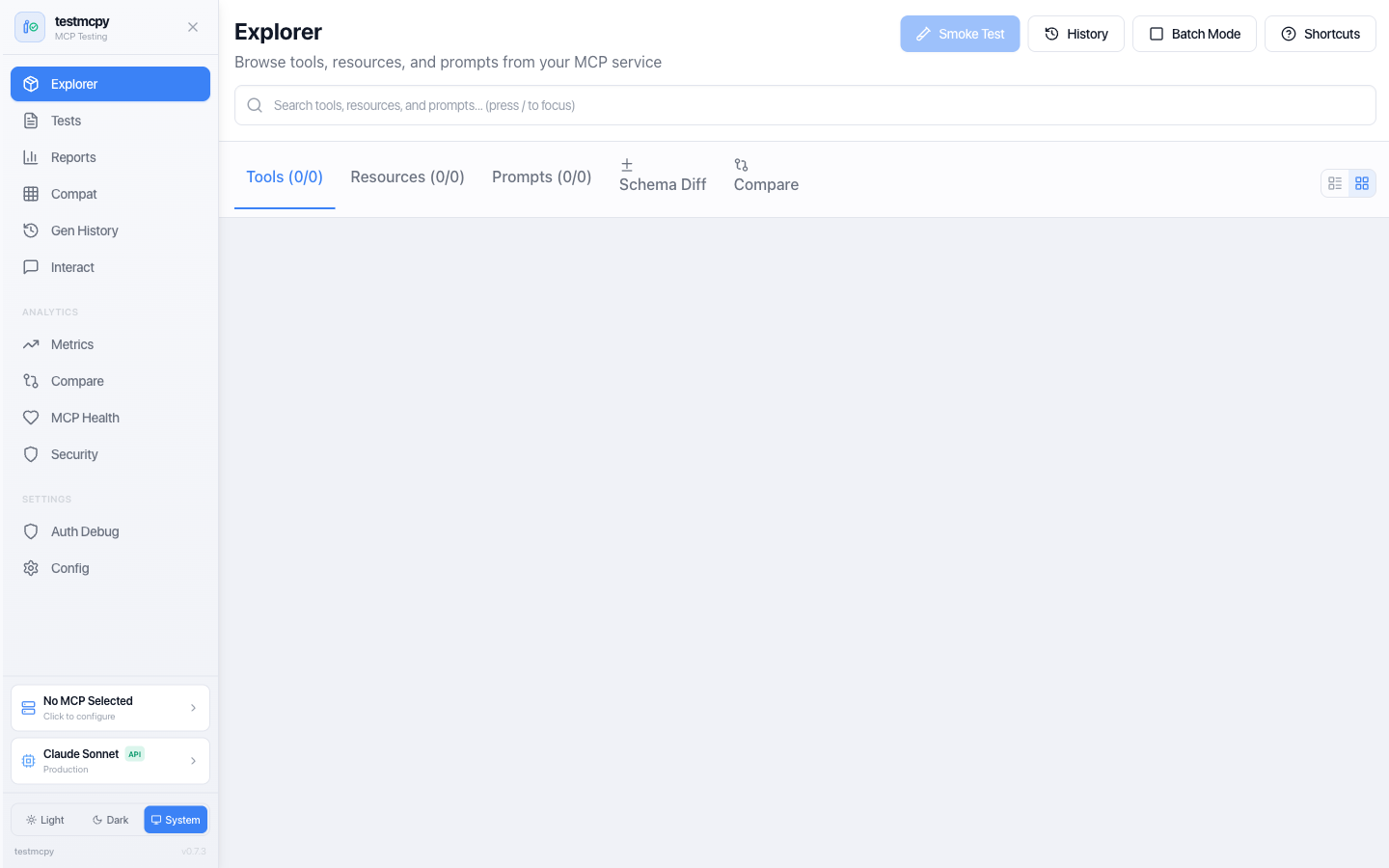
Optional React-based UI with 14 pages for visual testing and analytics:

# Install with UI support
pip install 'testmcpy[server]'

# Start server
testmcpy serve
| Route | Page | Description |
|---|---|---|
/ |
MCP Explorer | Tool discovery, smoke tests, schema viewing |
/tests |
Test Manager | YAML test browser, execution, results |
/reports |
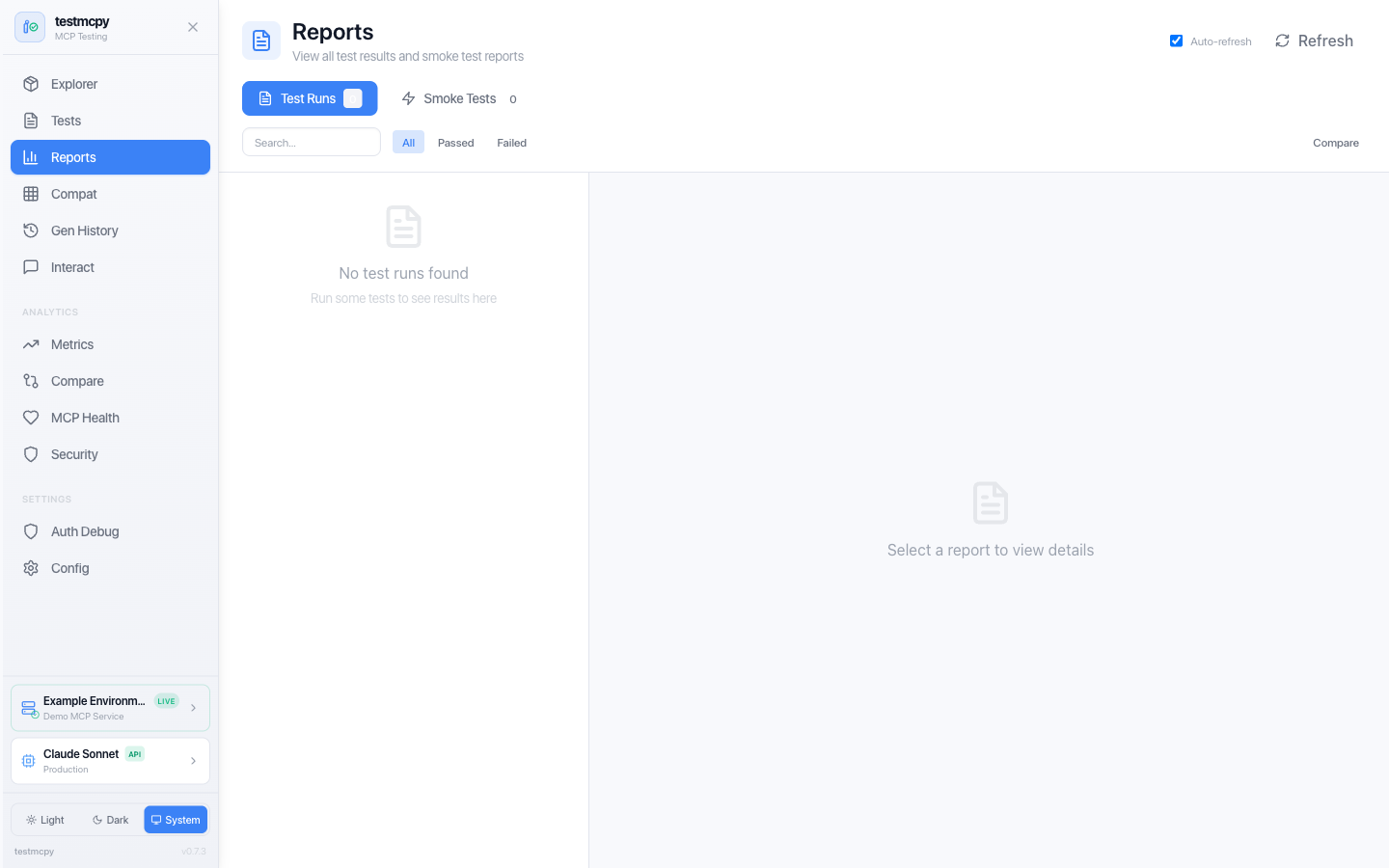
Reports | All test results, evaluations, cost analysis |
/chat |
Chat Interface | Multi-turn conversation with MCP tools |
/metrics |
Metrics Dashboard | Performance and cost analytics |
/compare |
Run Comparison | Side-by-side model comparison |
/compatibility |
Compatibility Matrix | Tool/model compatibility view |
/mcp-health |
MCP Health | Server health monitoring |
/security |
Security Dashboard | Security analysis |
/generation-history |
Generation History | AI test generation logs |
/auth-debugger |
Auth Debugger | Auth flow debugging |
/config |
Configuration | Settings and environment |
/mcp-profiles |
MCP Profiles | MCP server configuration |
/llm-profiles |
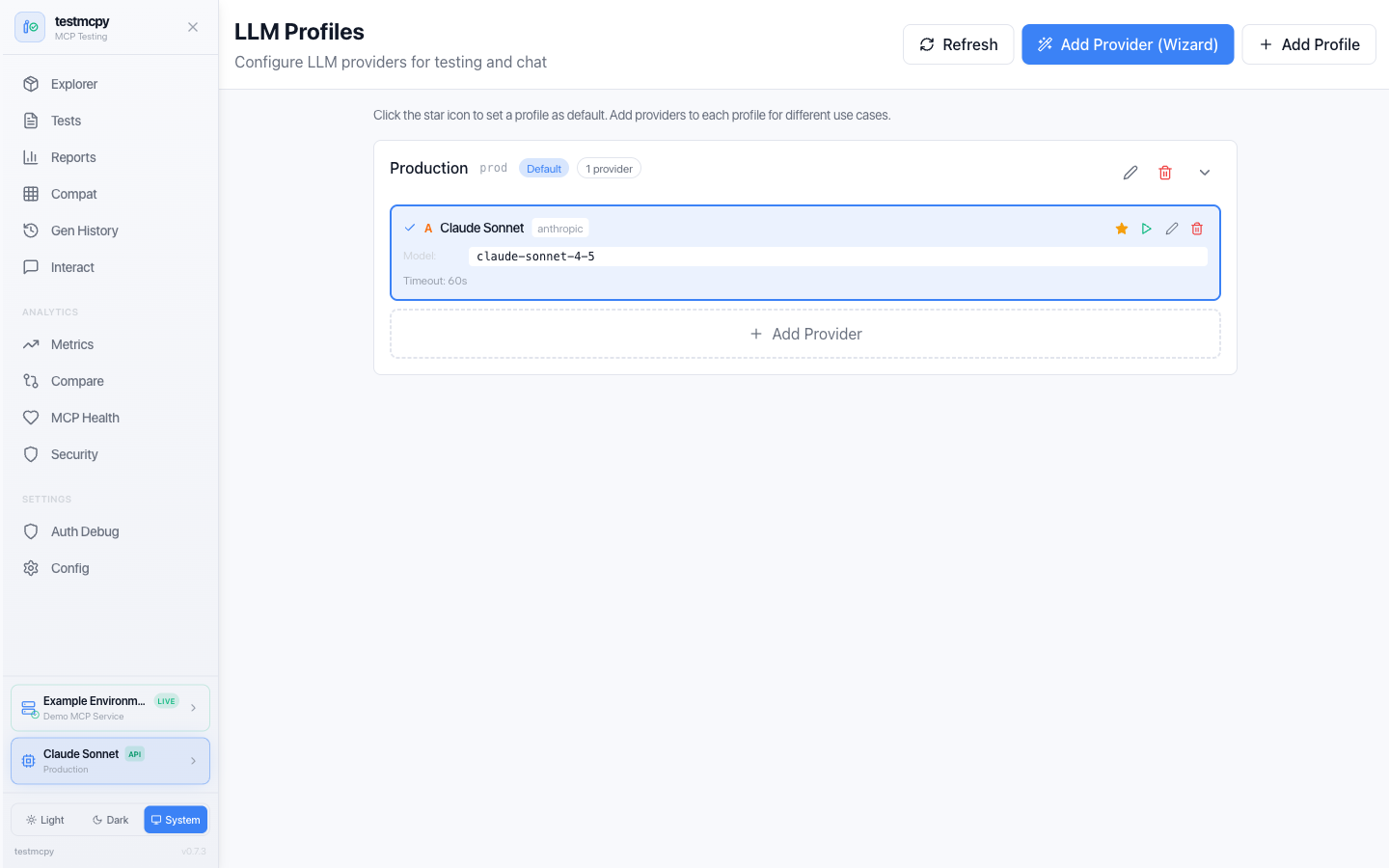
LLM Profiles | LLM provider configuration |
Access at http://localhost:8000.
More screenshots
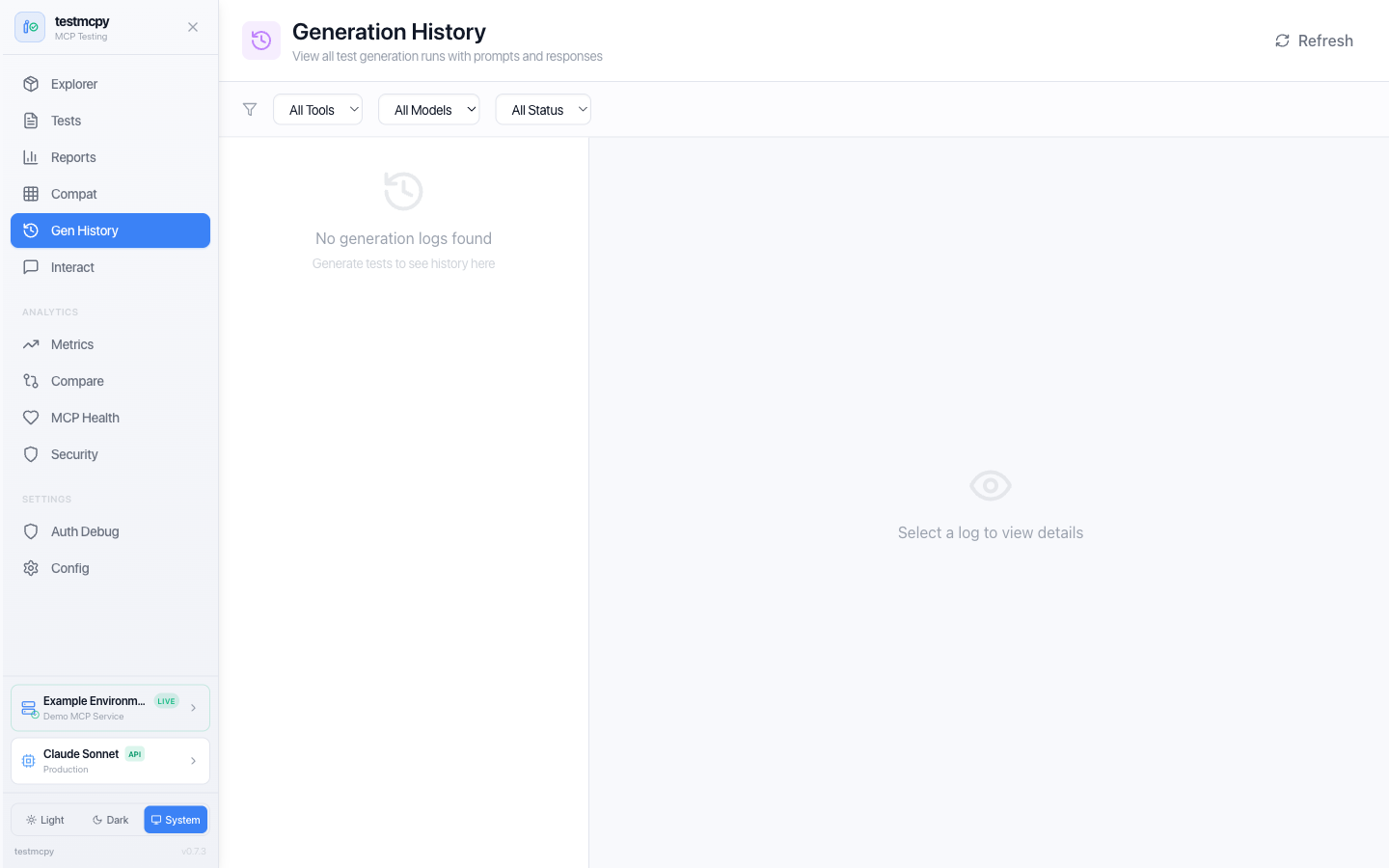 Generation History — AI-assisted test generation runs |
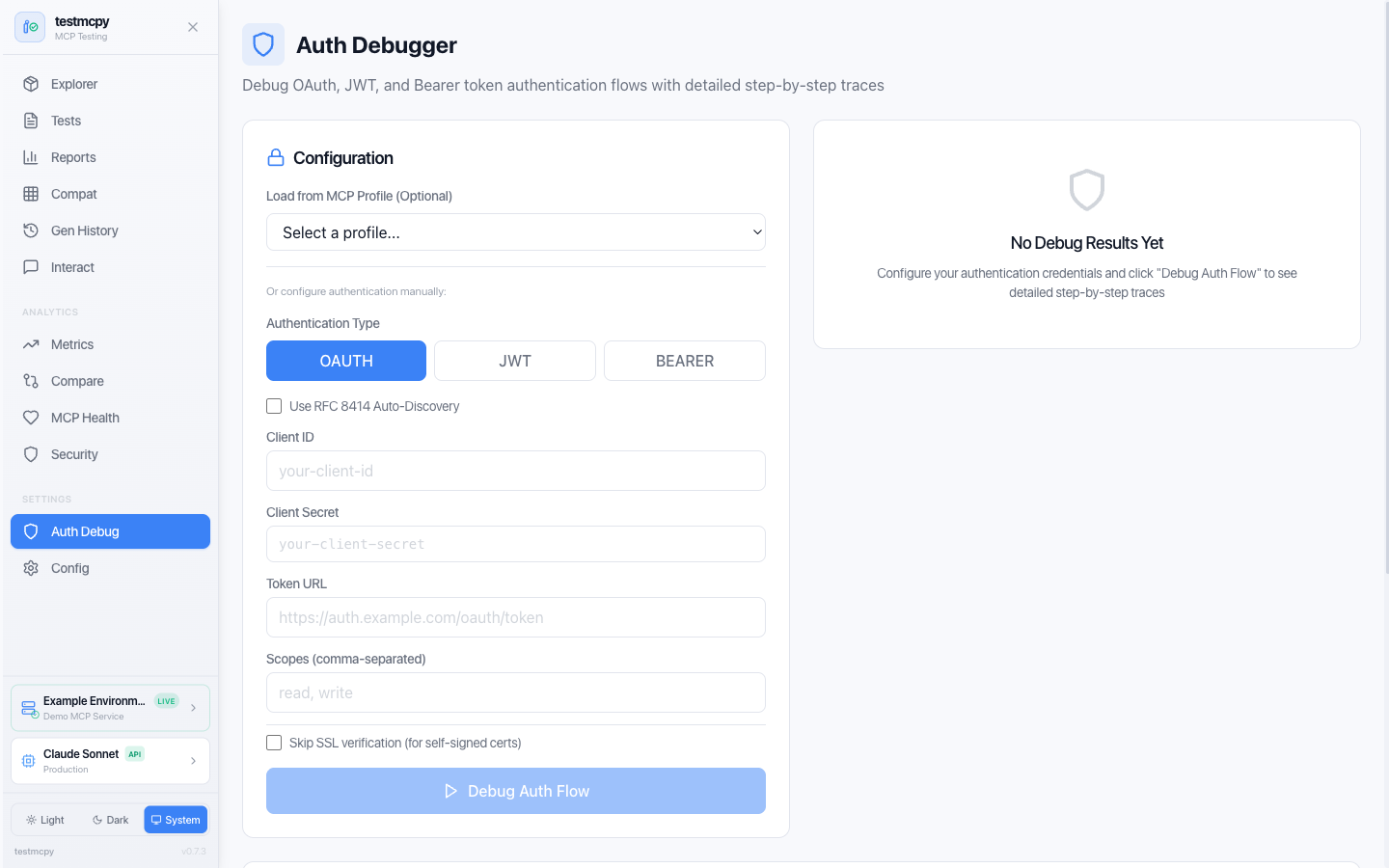 Auth Debugger — step through OAuth / JWT / Bearer flows |
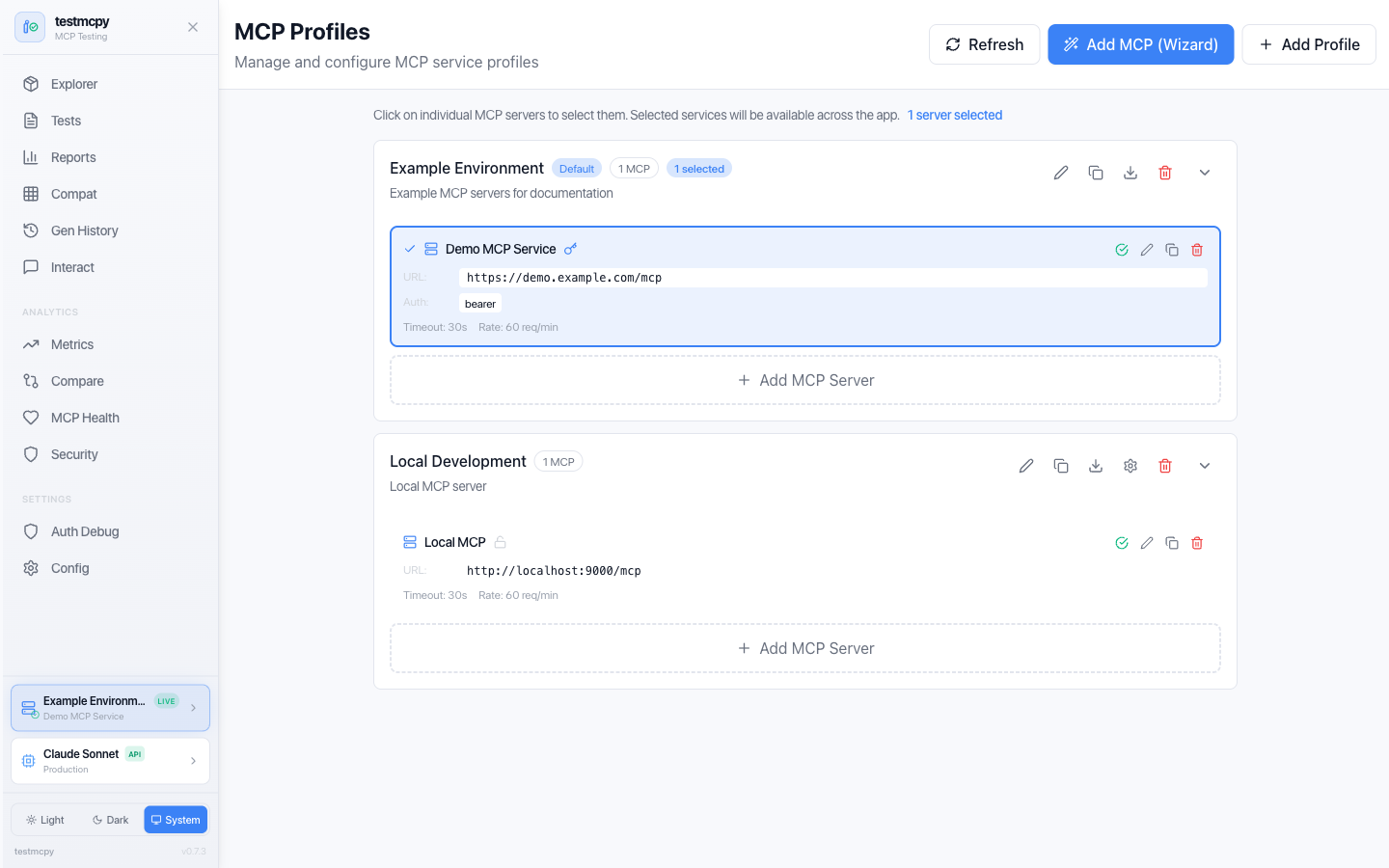 MCP Profiles — manage MCP service connections |
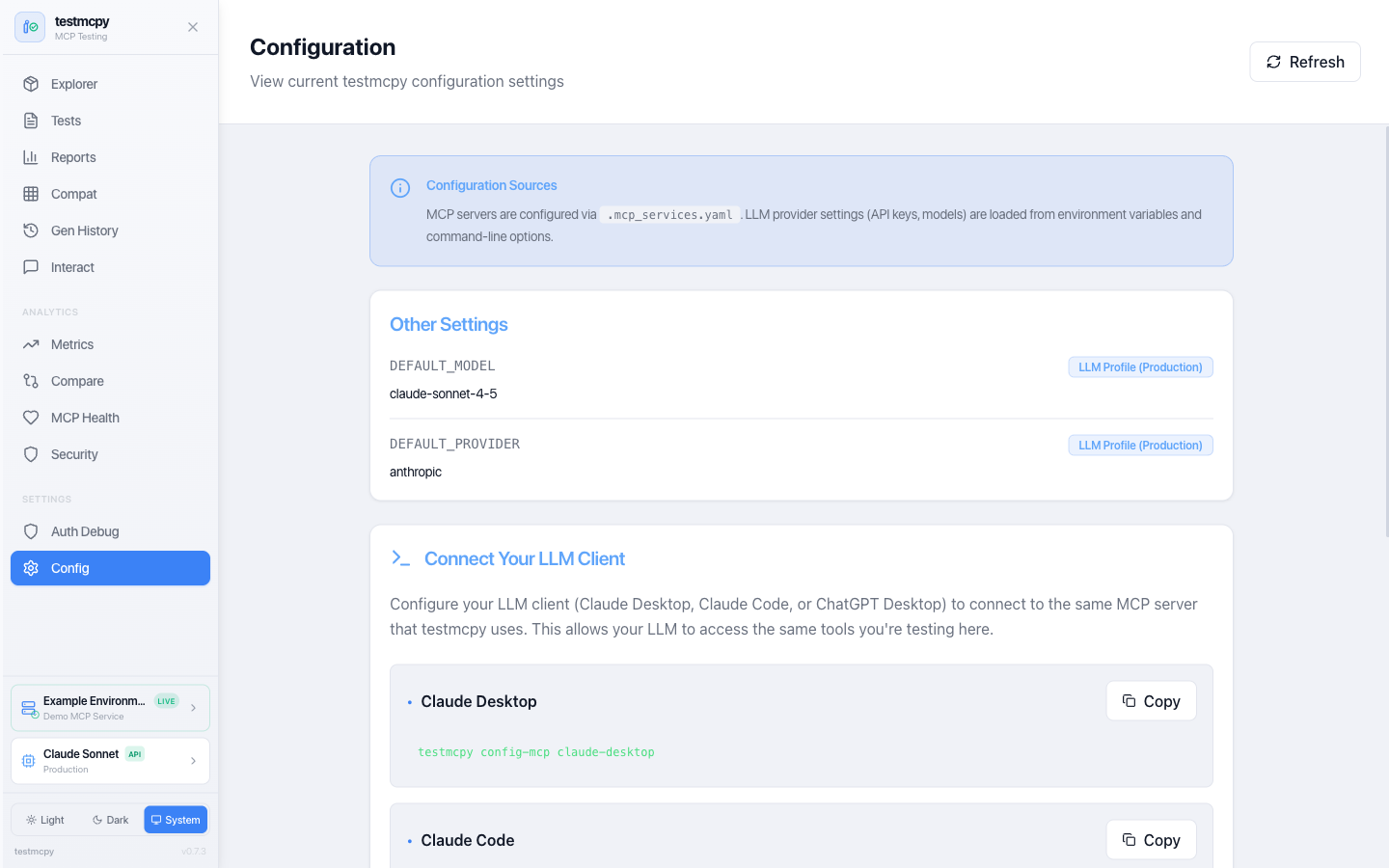 Configuration — current settings and client snippets |
LLM Providers
Anthropic (Recommended)
Best tool-calling accuracy, native MCP support:
# .llm_providers.yaml
prod:
  name: "Production"
  providers:
    - name: "Claude Sonnet"
      provider: "anthropic"
      model: "claude-sonnet-4-5"
      api_key_env: "ANTHROPIC_API_KEY"
      default: true
Ollama (Free, Local)
Perfect for development without API costs:
brew install ollama  # macOS
ollama serve
ollama pull llama3.1:8b
local:
  name: "Local Only"
  providers:
    - name: "Ollama Llama"
      provider: "ollama"
      model: "llama3.1:8b"
      base_url: "http://localhost:11434"
      default: true
OpenAI
openai:
  name: "OpenAI"
  providers:
    - name: "GPT-4"
      provider: "openai"
      model: "gpt-4-turbo"
      api_key_env: "OPENAI_API_KEY"
      default: true
CI in 60 Seconds
Gate your MCP service on eval results in any CI system — no wrapper required:
# .github/workflows/mcp-tests.yml
jobs:
  mcp-tests:
    runs-on: ubuntu-latest
    steps:
      - uses: actions/checkout@v4
      - uses: astral-sh/setup-uv@v5
      - name: Run MCP eval suite
        env:
          ANTHROPIC_API_KEY: ${{ secrets.ANTHROPIC_API_KEY }}
        run: |
          uvx testmcpy run tests/ \
            --mcp-url "$MCP_URL" \
            --gate --min-pass-rate 85 \
            --junit-xml junit.xml
-
--gateexits non-zero when the run fails your thresholds, so the build fails. Tune thresholds in.testmcpy-gate.yaml:min_pass_rate: 85.0 # % of tests that must pass max_failures: 3 # absolute failure budget required_tests: # these must always pass - critical_auth_flow block_on_regression: true # fail on baseline regressions
-
--junit-xmlemits JUnit XML for CI systems that ingest it natively (Jenkins, GitLab, CircleCI, Buildkite). On GitHub Actions, pair it with an action likedorny/test-reporter— or just rely on the next bullet. -
Inside GitHub Actions, the markdown eval report is automatically appended to the job summary — results render on the workflow run page with zero extra steps.
Or use the bundled reusable Action — adds a sticky PR comment, JUnit artifact upload, and structured outputs (pass-rate, gate_passed):
- uses: preset-io/testmcpy@v1
  with:
    test_path: tests/
    mcp_url: ${{ vars.MCP_URL }}
    pass_threshold: '85'
    pr_comment: 'true'
    anthropic_api_key: ${{ secrets.ANTHROPIC_API_KEY }}
Custom Evaluators
Extend testmcpy with domain-specific validation:
from testmcpy.evals.base_evaluators import BaseEvaluator, EvalResult

class MyEvaluator(BaseEvaluator):
    def evaluate(self, context: dict) -> EvalResult:
        response = context.get("response", "")
        passed = "expected" in response
        return EvalResult(
            passed=passed,
            score=1.0 if passed else 0.0,
            reason=f"Check passed: {passed}",
        )
See Evaluator Reference for complete documentation.
Examples
Check out the examples/ directory for:
- Basic test suites — Simple examples to get started
- CI/CD integration — GitHub Actions and GitLab CI workflows
- Custom evaluators — Building domain-specific validation
- Multi-model comparison — Benchmarking different LLMs
Contributing
We welcome contributions! Whether it's bug reports, feature requests, documentation improvements, or code contributions.
Read the Contributing Guide to get started.
Community & Support
- Issues: Report bugs or request features
- Discussions: Ask questions and share ideas
- Documentation: Browse the context/ directory
- Examples: Explore examples/ for sample code
License
Apache License 2.0 — See LICENSE for details.
Built by @aminghadersohi at Preset.
Release history Release notifications | RSS feed


Download files
Download the file for your platform. If you're not sure which to choose, learn more about installing packages.
Source Distribution
Built Distribution
Filter files by name, interpreter, ABI, and platform.
If you're not sure about the file name format, learn more about wheel file names.
Copy a direct link to the current filters
File details
Details for the file testmcpy-0.8.0.tar.gz.
File metadata
- Download URL: testmcpy-0.8.0.tar.gz
- Upload date:
- Size: 1.1 MB
- Tags: Source
- Uploaded using Trusted Publishing? No
- Uploaded via: twine/6.2.0 CPython/3.11.9
File hashes
| Algorithm | Hash digest | |
|---|---|---|
| SHA256 |
132253c433db95758cabdaf349516eb0d9dd3811207fe722fdff4eda9cca6851
|
|
| MD5 |
c6e93b1354cc86970ba3289599a1cd8e
|
|
| BLAKE2b-256 |
34b6c5c4dd73afd3a76ebe8e084444a371d110f2aa3bf01a38bc52ff9fc60dcd
|
File details
Details for the file testmcpy-0.8.0-py3-none-any.whl.
File metadata
- Download URL: testmcpy-0.8.0-py3-none-any.whl
- Upload date:
- Size: 1.2 MB
- Tags: Python 3
- Uploaded using Trusted Publishing? No
- Uploaded via: twine/6.2.0 CPython/3.11.9
File hashes
| Algorithm | Hash digest | |
|---|---|---|
| SHA256 |
4aa51c0edecbfe93c356b713641dd039d5fd393de7f94b59c4b35c9d903f7fcb
|
|
| MD5 |
18beef965c53972d5d42600088167d1d
|
|
| BLAKE2b-256 |
b589580ab87771c366ca7227b59200a2fe48950c083dfb19c7c855f49bfb57ab
|






