
text-lens
Turn any block of text into clear, insight-packed charts.

Demo
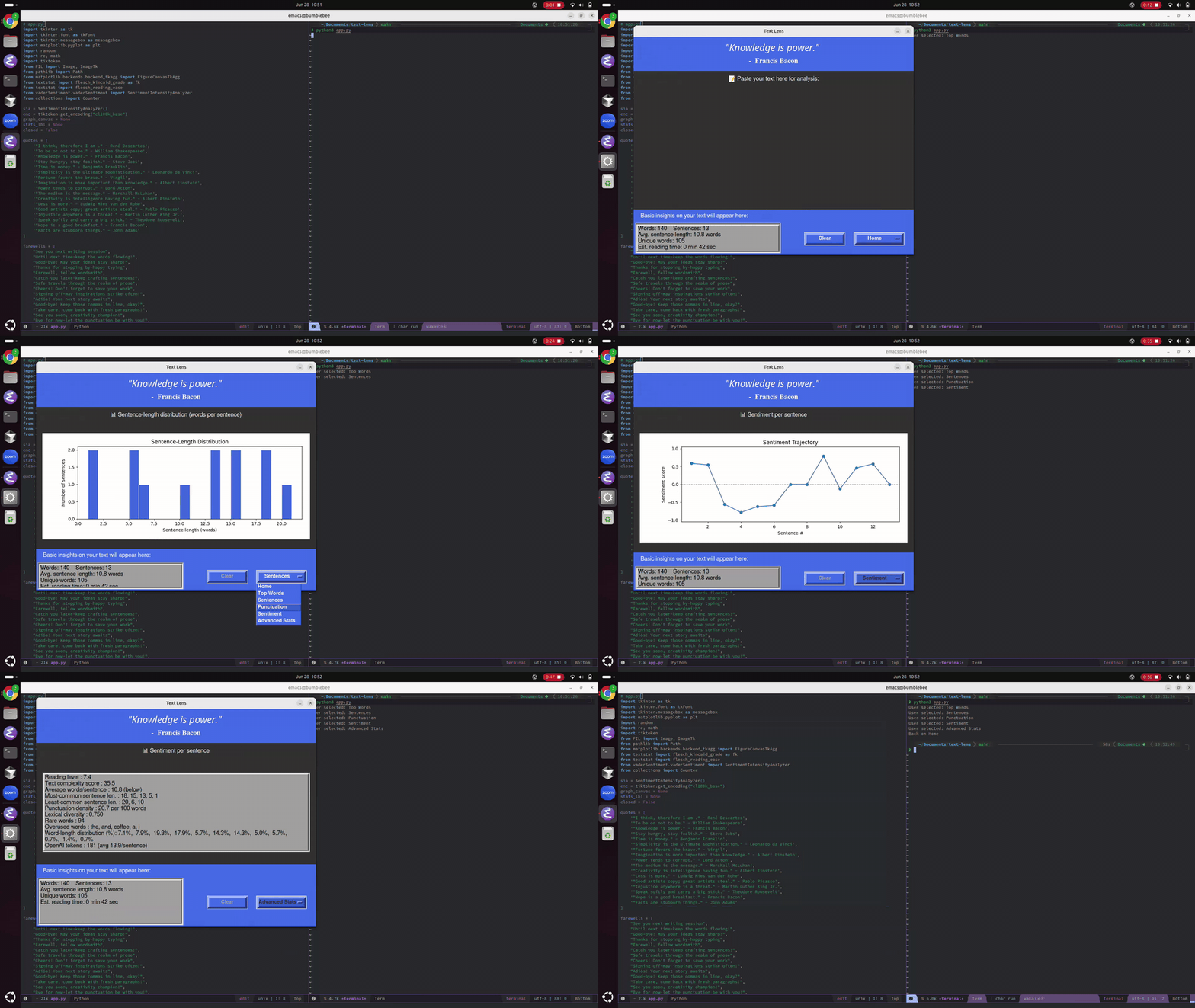
Watch a quick preview below (GIF)
🔹 Preview (GIF)
Features
Core Features
- Text Analysis Engine: Analyzes word count, sentence count, unique words, and estimated reading time
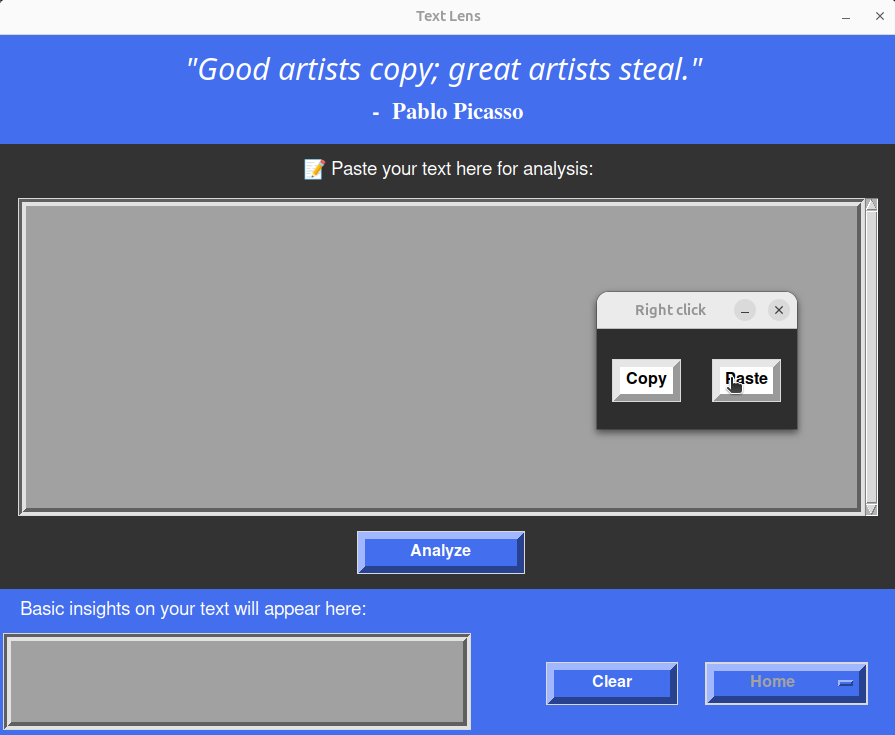
- Interactive Text Input: Multi-line text box with scrollbar and custom right-click copy/paste menu
- Visual Data Charts: Generate bar charts, histograms, pie charts, and sentiment analysis graphs from text data
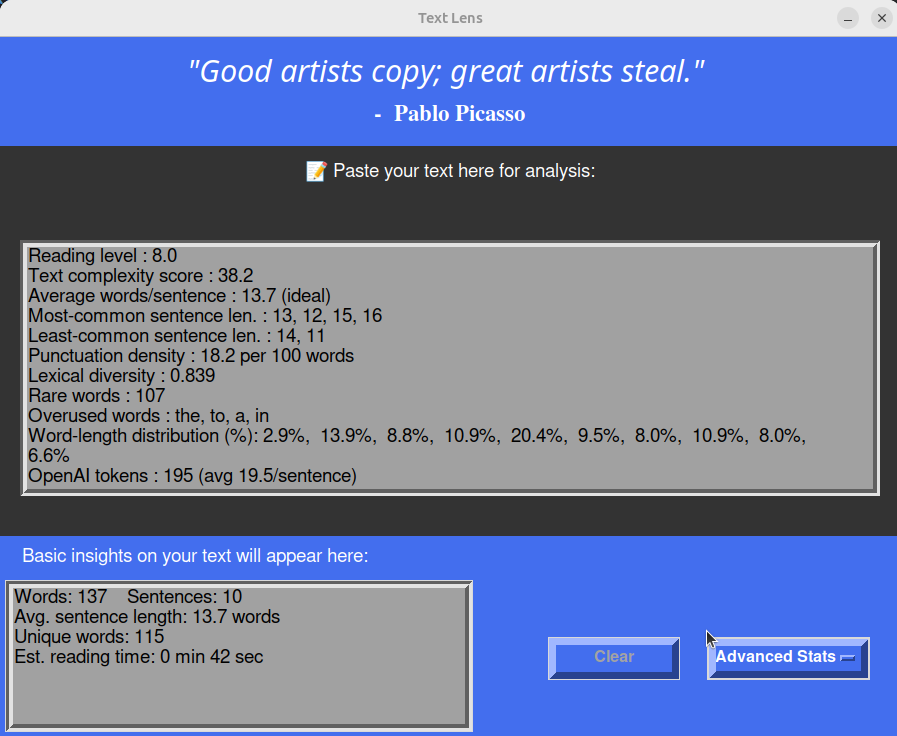
- Advanced Statistics: Calculate reading level, complexity scores, lexical diversity, OpenAI token counts, and more
- Dynamic Interface: Switches between input view and various visualization displays with state-aware controls
- Clear Functionality: One-click clearing of both input and output areas
Visualization Features
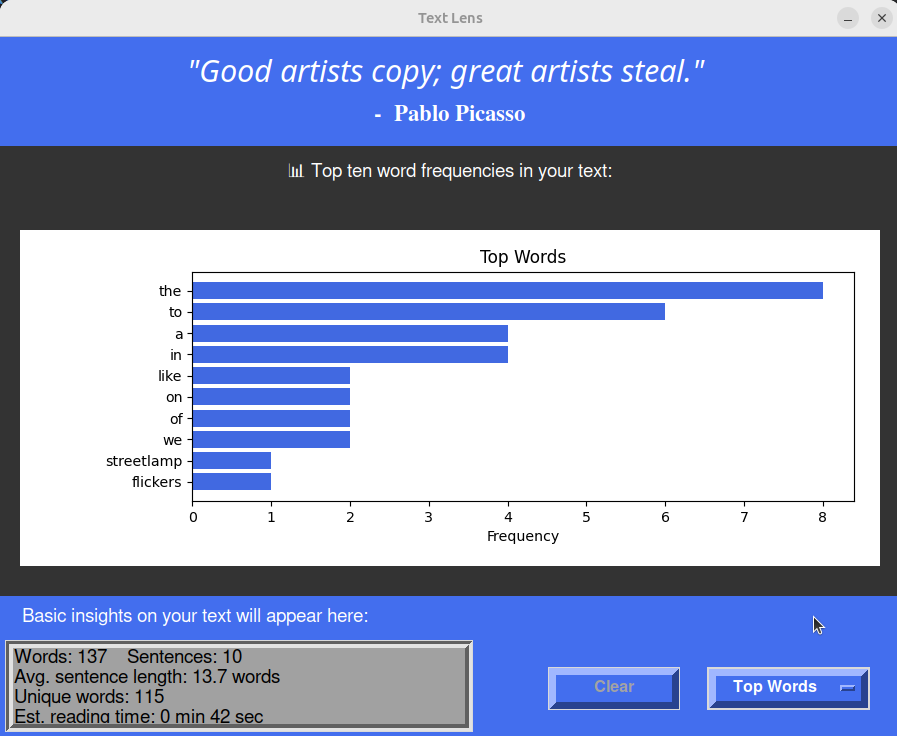
- Top Words Chart: Horizontal bar chart showing 10 most frequent words in text
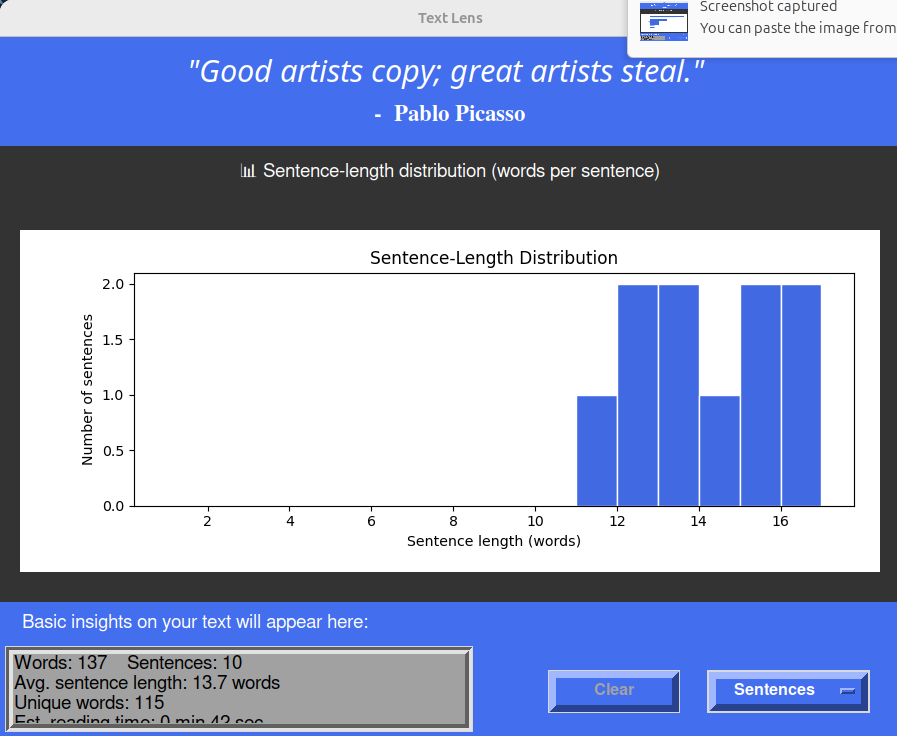
- Sentence Length Distribution: Histogram displaying words per sentence patterns
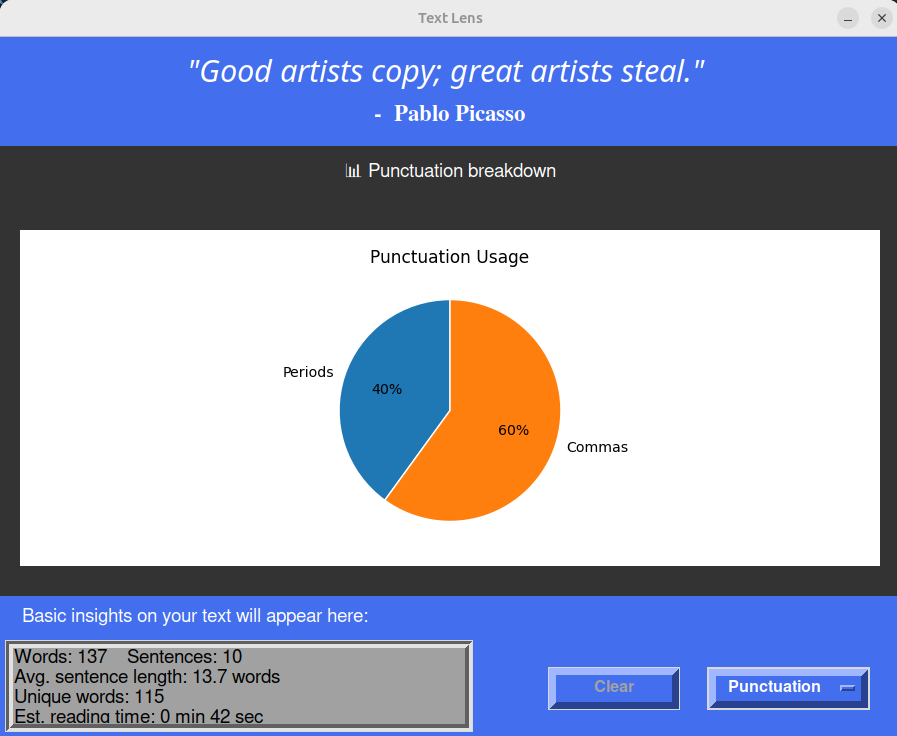
- Punctuation Breakdown: Pie chart analyzing usage of periods, commas, questions, exclamations
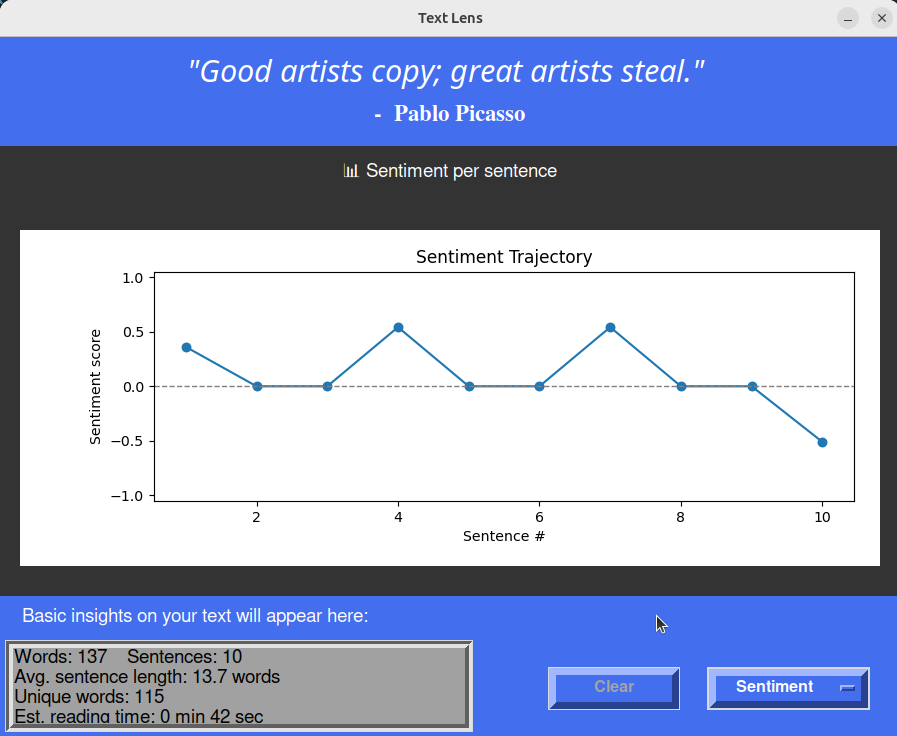
- Sentiment Analysis: Line chart tracking emotional trajectory across sentences
- Advanced Stats: In-depth metrics including:
- Readability scores (Flesch-Kincaid, Gunning Fog, SMOG)
- OpenAI token count with cl100k_base encoding
- Vocabulary diversity metrics (Type-Token Ratio, rare words)
- Sentence pattern analysis (most/least common lengths)
- Word usage statistics (most/least common lengths)
- Punctuation density per 100 words
- Readability scores (Flesch-Kincaid, Gunning Fog, SMOG)
Installation
Prerequisites
- Python 3.8 or higher
Install from PyPI
pip install text-lens
Or with uv:
uv pip install text-lens
Run the application
python -m text_lens
Or after installation:
text-lens
Install from source
-
Clone the repository
git clone https://github.com/adrirubio/text-lens.git
cd text-lens
-
Install the package
pip install .
-
Run the application
python -m text_lens
Optional: Global Hotkey Setup (F5)
To launch Text Lens with the F5 key from anywhere on your system
-
Start the hotkey daemon
python hotkey_daemon.py -
Keep it running in the background
- The daemon will listen for F5 key presses
- Press F5 anytime to launch Text Lens
- Press Ctrl-C to stop the daemon
-
Auto-start on boot (Linux) Add to your startup applications or create a systemd service:
# Create a systemd service file
sudo nano /etc/systemd/system/text-lens-hotkey.service
Add the following content:
[Unit]
Description=Text Lens Hotkey Daemon
After=graphical.target

[Service]
Type=simple
ExecStart=/usr/bin/python3 /path/to/text-lens/hotkey_daemon.py
Restart=on-failure
User=YOUR_USERNAME

[Install]
WantedBy=default.target
Enable and start service:
sudo systemctl enable text-lens-hotkey
sudo systemctl start text-lens-hotkey
Usage
-
Launch the app using either:
- Direct command:
python -m text_lensortext-lens - F5 hotkey (if daemon is running)
- Direct command:
-
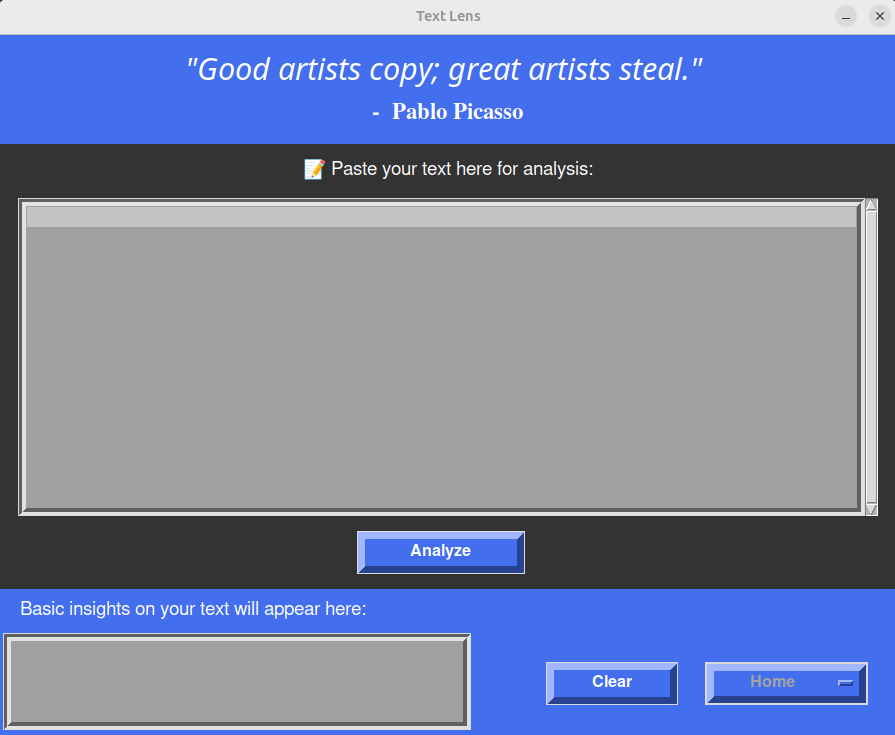
Enter your text in the large text area
- Type directly or paste from clipboard
- Right-click for copy/paste menu
-
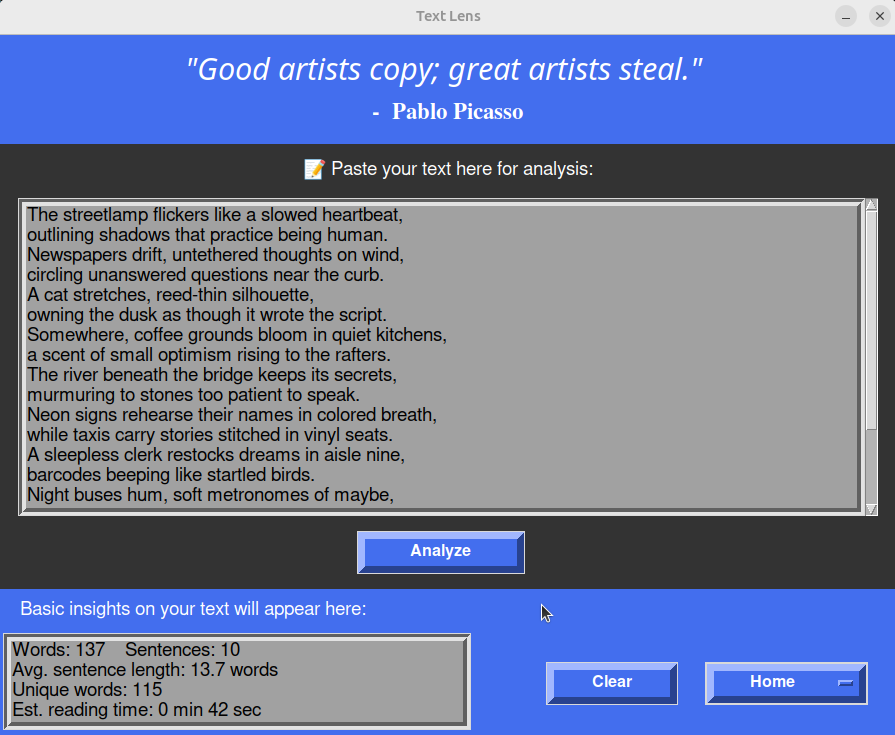
Get instant analysis with the Analyze button
- Word count and reading time
- Sentence statistics
- Unique word count
-
Explore visualizations via the dropdown menu:
- Top Words: See your most common words
- Sentence Lengths: Understand your writing rhythm
- Punctuation: Analyze your punctuation patterns
- Sentiment: Track emotional flow across sentences
- Advanced Stats: Deep dive into readability metrics
-
Clear and start over with the Clear button
Screenshots
Home:
Copy and Paste:
Basic Insights:
Top Words:
Sentence Length:
Punctuation:
Sentiment:
Advanced Stats:
Goodbye:
1 maintainer

Metadata
1 maintainer
Release files for text-lens 1.0.1
For a detailed explanation of source distributions (sdists) and built distributions (wheels), please see the package formats documentation.
Source distribution (sdist)
| File | Size | Uploaded | Provenance | Actions |
|---|---|---|---|---|
| text_lens-1.0.1.tar.gz | 4.3 MB | Without provenance | Details for text_lens-1.0.1.tar.gz |
Built distribution (wheel)
| File | Interpreter | ABI | Platform | Actions Reset |
|---|---|---|---|---|
| text_lens-1.0.1-py3-none-any.whl | Python 3 | none | any | Details for text_lens-1.0.1-py3-none-any.whl |
Total release size: 6.5 MB
Release files / text_lens-1.0.1.tar.gz
| Download URL | text_lens-1.0.1.tar.gz |
|---|---|
| Size | 4.3 MB |
| Tags | Source |
|
SHA-256 checksum How to use checksums |
01104ca784e2516a16f9f0a4787802c5103b16786e7c4dd6c869e1e3c00c0f7f
|
|
BLAKE2b-256 checksum How to use checksums |
821d6c01668f8492124d0723ff6335e4d1de828b9e1507564c55f737cd33ce4b
|
| Upload date | |
|
Uploaded using Trusted Publishing? What is trusted publishing? |
No |
| Uploaded via |
uv/0.7.19
|
Release files / text_lens-1.0.1-py3-none-any.whl
| Download URL | text_lens-1.0.1-py3-none-any.whl |
|---|---|
| Size | 2.2 MB |
| Tags | Python 3 |
|
SHA-256 checksum How to use checksums |
9d007dfdd5ec48c29cefdf4325eb88ef9c3471a50cde0edea4da06de6f2f27d4
|
|
BLAKE2b-256 checksum How to use checksums |
e15168cb5a0777d4a32cbbccd79788b50f96b0d02fd1c368d06b524698bebed5
|
| Upload date | |
|
Uploaded using Trusted Publishing? What is trusted publishing? |
No |
| Uploaded via |
uv/0.7.19
|
Security for text-lens 1.0.1
Provenance
Provenance describes where a file came from. On PyPI, provenance is shared via attestations, which provide a verifiable record of the build or publishing details. View details, limitations and caveats.
No provenance found
None of the files in this release were uploaded with provenance metadata.
A note on package security
PyPI is a repository for distributing packages, not a service for auditing them. While third-party security researchers and our staff do their best to detect and remove malicious packages, PyPI cannot guarantee the quality, security or suitability of any given package.
To learn more about protecting yourself from malicious actors, visit our package security documentation.














