
A text analysis tool

Project description
text-lens
Turn any block of text into clear, insight-packed charts.

Demo
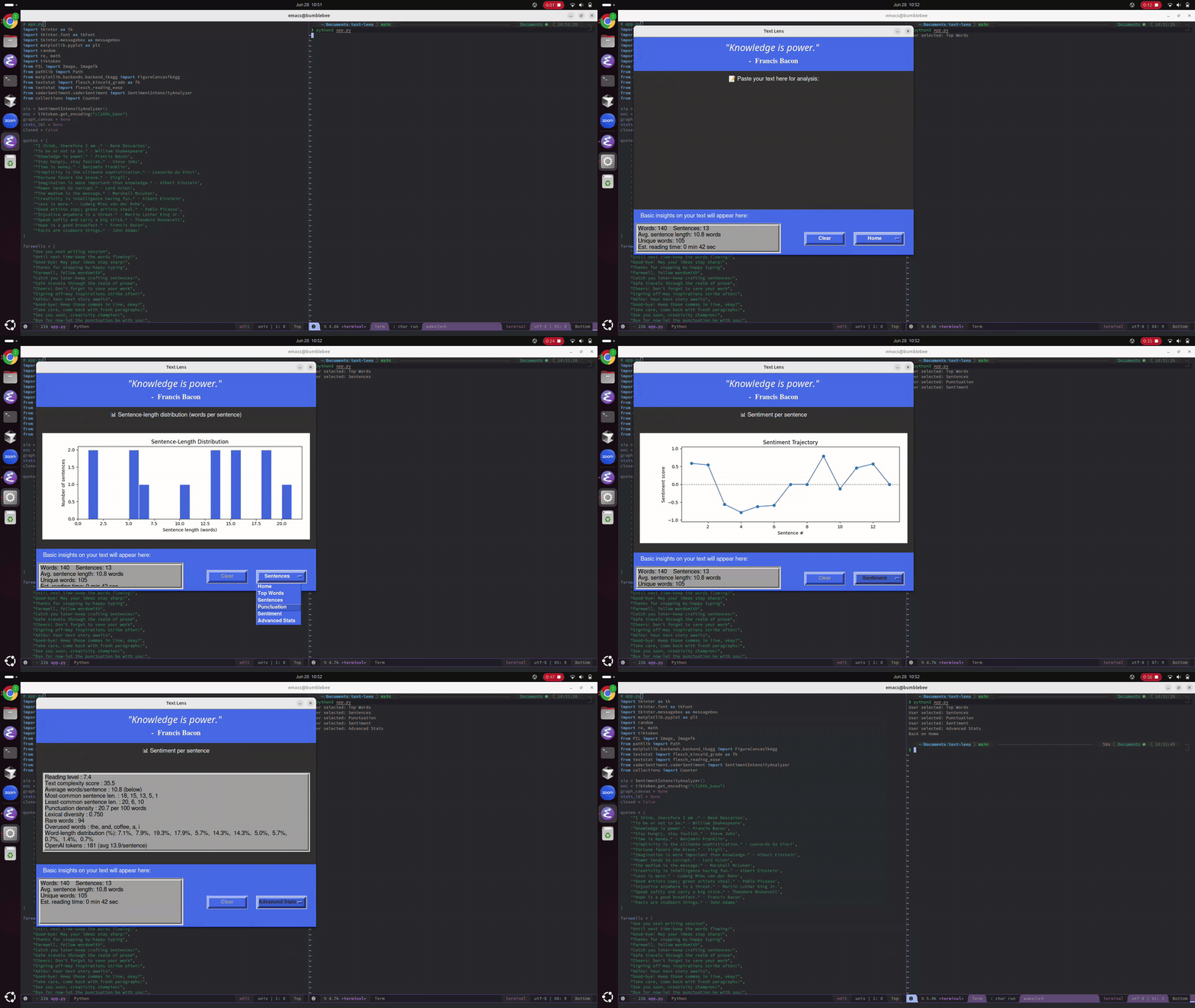
Watch a quick preview below (GIF)
🔹 Preview (GIF)
Features
Core Features
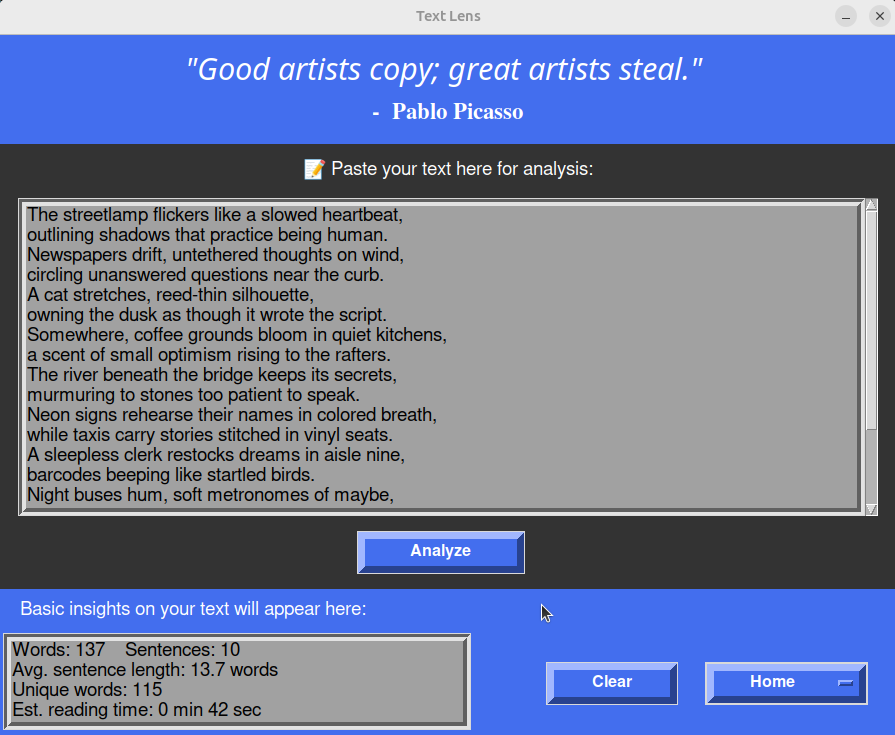
- Text Analysis Engine: Analyzes word count, sentence count, unique words, and estimated reading time
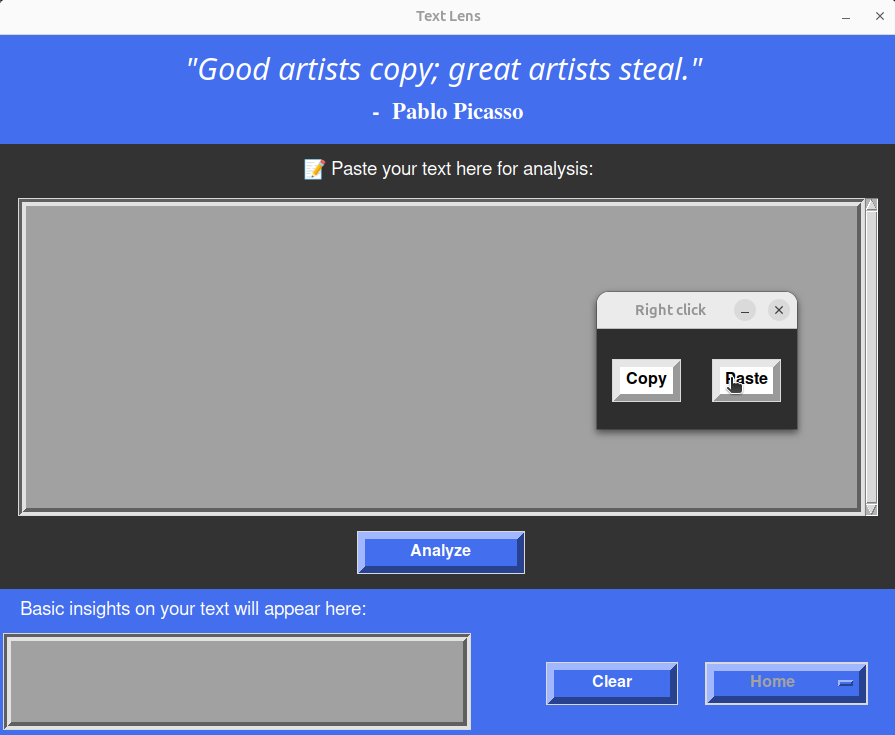
- Interactive Text Input: Multi-line text box with scrollbar and custom right-click copy/paste menu
- Visual Data Charts: Generate bar charts, histograms, pie charts, and sentiment analysis graphs from text data
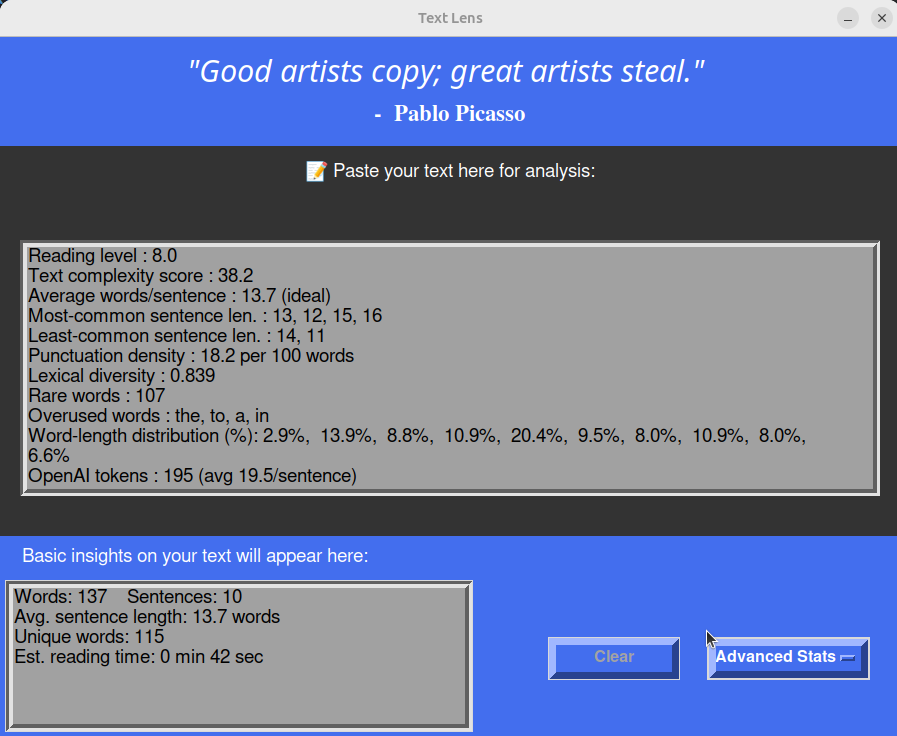
- Advanced Statistics: Calculate reading level, complexity scores, lexical diversity, OpenAI token counts, and more
- Dynamic Interface: Switches between input view and various visualization displays with state-aware controls
- Clear Functionality: One-click clearing of both input and output areas
Visualization Features
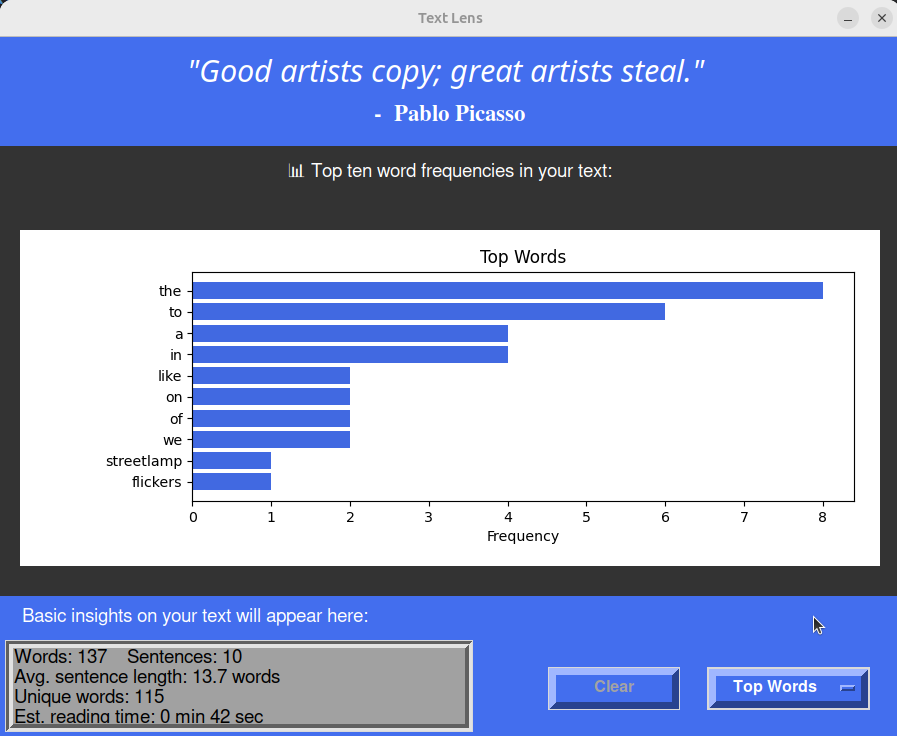
- Top Words Chart: Horizontal bar chart showing 10 most frequent words in text
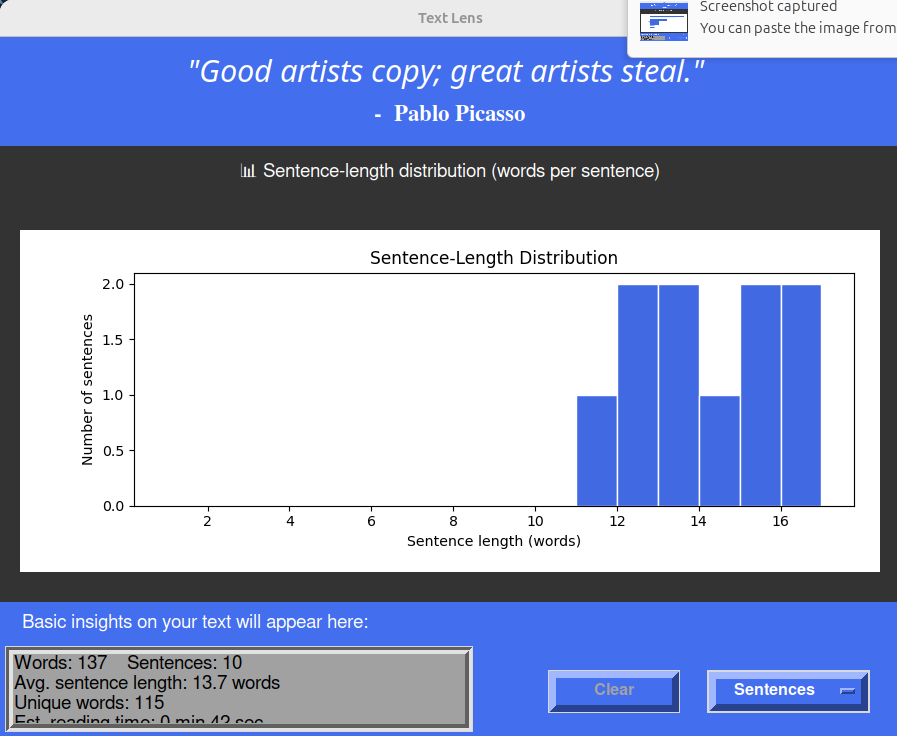
- Sentence Length Distribution: Histogram displaying words per sentence patterns
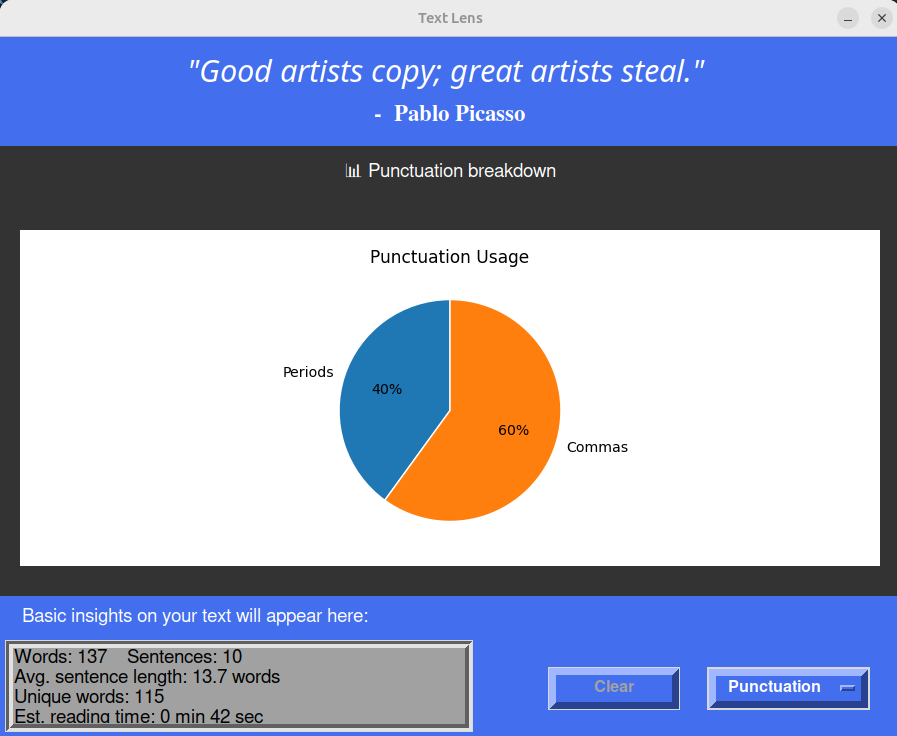
- Punctuation Breakdown: Pie chart analyzing usage of periods, commas, questions, exclamations
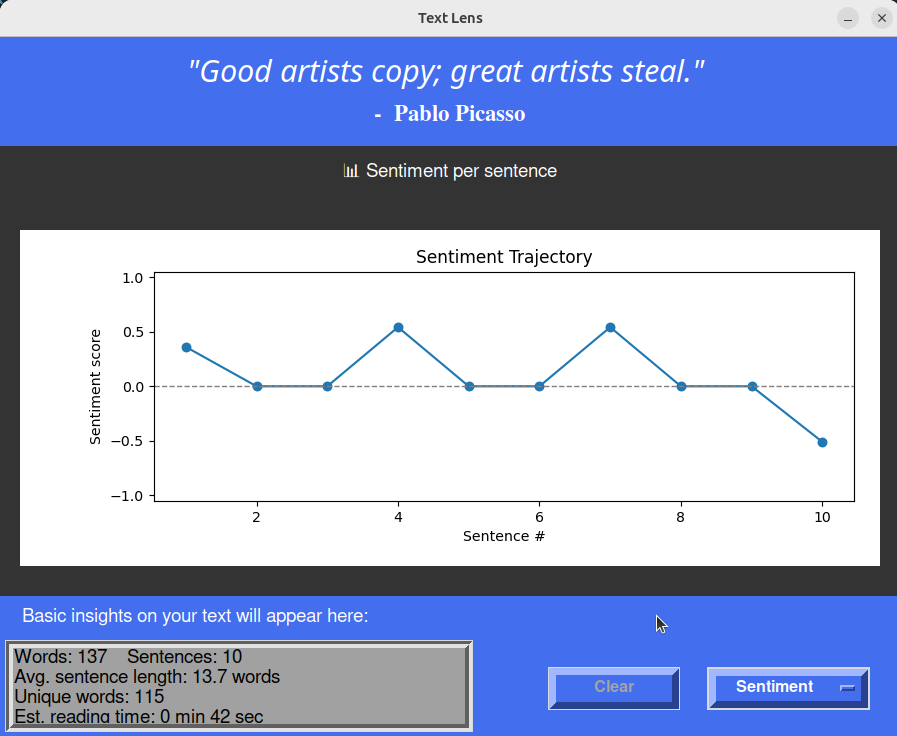
- Sentiment Analysis: Line chart tracking emotional trajectory across sentences
- Advanced Stats: In-depth metrics including:
- Readability scores (Flesch-Kincaid, Gunning Fog, SMOG)
- OpenAI token count with cl100k_base encoding
- Vocabulary diversity metrics (Type-Token Ratio, rare words)
- Sentence pattern analysis (most/least common lengths)
- Word usage statistics (most/least common lengths)
- Punctuation density per 100 words
- Readability scores (Flesch-Kincaid, Gunning Fog, SMOG)
Installation
Prerequisites
- Python 3.8 or higher
Install from PyPI
pip install text-lens
Or with uv:
uv pip install text-lens
Run the application
python -m text_lens
Or after installation:
text-lens
Install from source
-
Clone the repository
git clone https://github.com/adrirubio/text-lens.git
cd text-lens
-
Install the package
pip install .
-
Run the application
python -m text_lens
Optional: Global Hotkey Setup (F5)
To launch Text Lens with the F5 key from anywhere on your system
-
Start the hotkey daemon
python hotkey_daemon.py -
Keep it running in the background
- The daemon will listen for F5 key presses
- Press F5 anytime to launch Text Lens
- Press Ctrl-C to stop the daemon
-
Auto-start on boot (Linux) Add to your startup applications or create a systemd service:
# Create a systemd service file
sudo nano /etc/systemd/system/text-lens-hotkey.service
Add the following content:
[Unit]
Description=Text Lens Hotkey Daemon
After=graphical.target

[Service]
Type=simple
ExecStart=/usr/bin/python3 /path/to/text-lens/hotkey_daemon.py
Restart=on-failure
User=YOUR_USERNAME

[Install]
WantedBy=default.target
Enable and start service:
sudo systemctl enable text-lens-hotkey
sudo systemctl start text-lens-hotkey
Usage
-
Launch the app using either:
- Direct command:
python -m text_lensortext-lens - F5 hotkey (if daemon is running)
- Direct command:
-
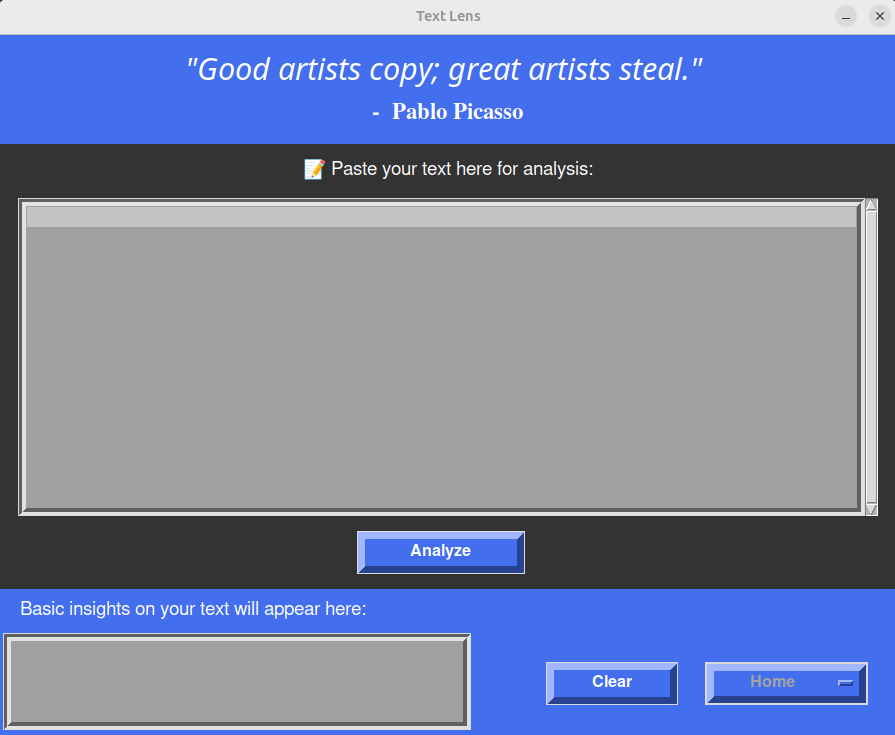
Enter your text in the large text area
- Type directly or paste from clipboard
- Right-click for copy/paste menu
-
Get instant analysis with the Analyze button
- Word count and reading time
- Sentence statistics
- Unique word count
-
Explore visualizations via the dropdown menu:
- Top Words: See your most common words
- Sentence Lengths: Understand your writing rhythm
- Punctuation: Analyze your punctuation patterns
- Sentiment: Track emotional flow across sentences
- Advanced Stats: Deep dive into readability metrics
-
Clear and start over with the Clear button
Screenshots
Home:
Copy and Paste:
Basic Insights:
Top Words:
Sentence Length:
Punctuation:
Sentiment:
Advanced Stats:
Goodbye:
Release history Release notifications | RSS feed


Download files
Download the file for your platform. If you're not sure which to choose, learn more about installing packages.
Source Distribution
Built Distribution
Filter files by name, interpreter, ABI, and platform.
If you're not sure about the file name format, learn more about wheel file names.
Copy a direct link to the current filters
File details
Details for the file text_lens-1.0.1.tar.gz.
File metadata
- Download URL: text_lens-1.0.1.tar.gz
- Upload date:
- Size: 4.3 MB
- Tags: Source
- Uploaded using Trusted Publishing? No
- Uploaded via: uv/0.7.19
File hashes
| Algorithm | Hash digest | |
|---|---|---|
| SHA256 |
01104ca784e2516a16f9f0a4787802c5103b16786e7c4dd6c869e1e3c00c0f7f
|
|
| MD5 |
762462294f90b0985fce11b56d985cee
|
|
| BLAKE2b-256 |
821d6c01668f8492124d0723ff6335e4d1de828b9e1507564c55f737cd33ce4b
|
File details
Details for the file text_lens-1.0.1-py3-none-any.whl.
File metadata
- Download URL: text_lens-1.0.1-py3-none-any.whl
- Upload date:
- Size: 2.2 MB
- Tags: Python 3
- Uploaded using Trusted Publishing? No
- Uploaded via: uv/0.7.19
File hashes
| Algorithm | Hash digest | |
|---|---|---|
| SHA256 |
9d007dfdd5ec48c29cefdf4325eb88ef9c3471a50cde0edea4da06de6f2f27d4
|
|
| MD5 |
b279a0f336734b50f7d25212eb8c649b
|
|
| BLAKE2b-256 |
e15168cb5a0777d4a32cbbccd79788b50f96b0d02fd1c368d06b524698bebed5
|






