
A Textual widget for a floating, draggable window and included window bar/manager system.

Project description
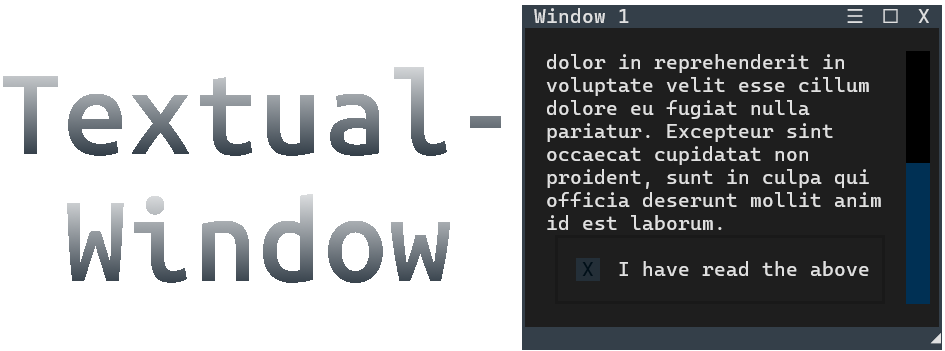
Textual-Window




Textual-Window is an extension library for Textual.
It provides a Window widget, along with an included WindowBar and WindowSwitcher, that makes it extremely easy to create a desktop GUI-like experience inside of a TUI built with Textual.
Window widgets are floating, draggable, resizable, snappable, closable, and you can even cycle through them in a manner similar to alt-tab. It's like a mini desktop inside of your terminal. (Is it ridiculous? Yes, yes it is. But is it awesome? Also yes.)
Features
- Close and open windows with the close button or the desktop standard, ctrl-w
- Resize, maximize, and restore windows. Set the window's min and max size through Textual CSS as you normally would, and the window will respect those settings when resizing. Resizing can also be disabled per window.
- Included fully-automatic Window Bar (aka Task Bar). Don't worry about keeping track of the windows. Just compose and go. The library will track them for you.
- Included Window Switcher, to cycle window focus like you'd expect. The most recently focused window is always at the start (left side).
- WindowBar can toggle the dock between top and bottom of the screen in real-time.
- Windows snap to the terminal by default, toggle this on/off in real-time.
- Window Bar has right-click context menus, one for each window, as well as a global context menu with options such as close/open all or snap/unsnap all.
- Windows highlight to show which one is focused. Controls are passed from the highlighted window to its inner scrolling container.
- Set the window's starting location on the screen using plain descriptions (ie. right + bottom), as well as whether to initialize open or closed.
- An optional hamburger menu for custom callbacks - The window has a 'menu_options' argument. Pass in a dictionary of functions (label + callback) and these functions will appear in that window's hamburger menu. (If nothing is passed in, the window is not shown).
- Smooth fade in/out animation adds a convincing touch.
- Create windows in all 3 ways textual supports - context manager, passing in a list of children, and custom Window objects.
- ...and many small QoL things too numerous to list here.
See the documentation for more details.
Demo App
If you have uv or Pipx, you can immediately try the demo app:
uvx textual-window
pipx textual-window
Documentation
Click here for documentation
Questions, issues, suggestions?
Feel free to post an issue.
Video
https://github.com/user-attachments/assets/3d0e21a6-bb95-4adf-afc9-6bb3792215a5
Release history Release notifications | RSS feed


Download files
Download the file for your platform. If you're not sure which to choose, learn more about installing packages.
Source Distribution
Built Distribution
Filter files by name, interpreter, ABI, and platform.
If you're not sure about the file name format, learn more about wheel file names.
Copy a direct link to the current filters
File details
Details for the file textual_window-0.2.1.tar.gz.
File metadata
- Download URL: textual_window-0.2.1.tar.gz
- Upload date:
- Size: 87.7 kB
- Tags: Source
- Uploaded using Trusted Publishing? No
- Uploaded via: uv/0.7.5
File hashes
| Algorithm | Hash digest | |
|---|---|---|
| SHA256 |
9a1b8cb1a792839e8409a8c059014ec18f70b66f073ef28e2759d00dd2510fcc
|
|
| MD5 |
d992aacdc3b5ef1a2c52a1ad664cd618
|
|
| BLAKE2b-256 |
a3606cb32e1d85b8381913f8aa807bee6280b8740c550571169fd5fe6d02d544
|
File details
Details for the file textual_window-0.2.1-py3-none-any.whl.
File metadata
- Download URL: textual_window-0.2.1-py3-none-any.whl
- Upload date:
- Size: 23.5 kB
- Tags: Python 3
- Uploaded using Trusted Publishing? No
- Uploaded via: uv/0.7.5
File hashes
| Algorithm | Hash digest | |
|---|---|---|
| SHA256 |
eea0593726d5a400ab6ca6242a529bf90833d2fa4caf6f3e03e6673d946d5118
|
|
| MD5 |
95bd2db08b8bf8b84790ffb22ec60091
|
|
| BLAKE2b-256 |
c4b72871179ae7a6fff6fa19af0071363eed1f0a3bfb228a78571eaad723762d
|






