
thtml



thtml (to HTML) is a CLI tool and Python package for converting text to HTML.
For example, to pipe a command through thtml:
ls -al --color | thtml
<!doctype html><html>...</html>
Include --open to send the HTML directly to your default browser:
ls -al --color | thtml --open
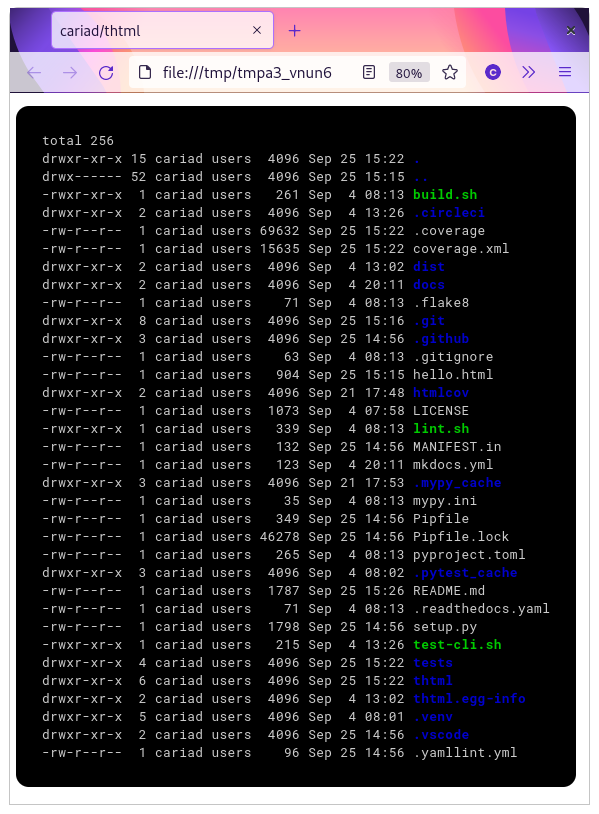
Full documentation: thtml.readthedocs.io
Installation
thtml requires Python 3.8 or later.
pip install thtml
👋 Hello!
Hello! I'm Cariad Eccleston and I'm an independent/freelance software engineer. If my work has value to you, please consider sponsoring.
If you ever raise a bug, request a feature or ask a question then mention that you're a sponsor and I'll respond as a priority. Thank you!
1 maintainer

Metadata
1 maintainer
Release files for thtml 1.0.5
For a detailed explanation of source distributions (sdists) and built distributions (wheels), please see the package formats documentation.
Built distribution (wheel)
| File | Interpreter | ABI | Platform | Reset |
|---|---|---|---|---|
| thtml-1.0.5-py3-none-any.whl | Python 3 | none | any | Details |
Release files / thtml-1.0.5-py3-none-any.whl
| Download URL | thtml-1.0.5-py3-none-any.whl |
|---|---|
| Size | 17.4 kB |
| Tags | Python 3 |
|
SHA-256 checksum How to use checksums |
b8ec75c71c0adf9478624fb0908d587d7493b70a0ce6c3f22770fc3bee79ff45
|
|
BLAKE2b-256 checksum How to use checksums |
16e3707f76695dfb2f29d24c01a9ff91130437e6b24bd5d4572030e8754083b5
|
| Upload date | |
|
Uploaded using Trusted Publishing? What is trusted publishing? |
No |
| Uploaded via |
twine/3.4.2 importlib_metadata/4.8.1 pkginfo/1.7.1 requests/2.26.0 requests-toolbelt/0.9.1 tqdm/4.62.3 CPython/3.9.6
|














