
CLI tool for converting text to HTML

Project description
thtml



thtml (to HTML) is a CLI tool and Python package for converting text to HTML.
For example, to pipe a command through thtml:
ls -al --color | thtml
<!doctype html><html>...</html>
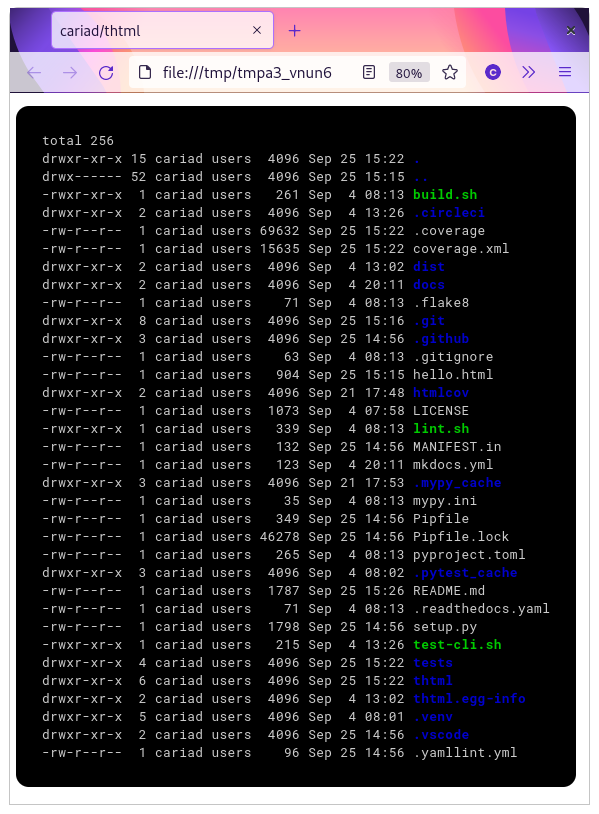
Include --open to send the HTML directly to your default browser:
ls -al --color | thtml --open
Full documentation: thtml.readthedocs.io
Installation
thtml requires Python 3.8 or later.
pip install thtml
👋 Hello!
Hello! I'm Cariad Eccleston and I'm an independent/freelance software engineer. If my work has value to you, please consider sponsoring.
If you ever raise a bug, request a feature or ask a question then mention that you're a sponsor and I'll respond as a priority. Thank you!
Release history Release notifications | RSS feed


Download files
Download the file for your platform. If you're not sure which to choose, learn more about installing packages.
Source Distributions
Built Distribution
Filter files by name, interpreter, ABI, and platform.
If you're not sure about the file name format, learn more about wheel file names.
Copy a direct link to the current filters
File details
Details for the file thtml-1.0.2-py3-none-any.whl.
File metadata
- Download URL: thtml-1.0.2-py3-none-any.whl
- Upload date:
- Size: 17.4 kB
- Tags: Python 3
- Uploaded using Trusted Publishing? No
- Uploaded via: twine/3.4.2 importlib_metadata/4.8.1 pkginfo/1.7.1 requests/2.26.0 requests-toolbelt/0.9.1 tqdm/4.62.3 CPython/3.9.6
File hashes
| Algorithm | Hash digest | |
|---|---|---|
| SHA256 |
553d1f3c5a8e935ae56e96e4ae46c54fb0fe6d14ae4e9af47e0856990549f28f
|
|
| MD5 |
5892b6e1f71bec097456d8f23ccfa847
|
|
| BLAKE2b-256 |
a5376331d53b4d5b7c245f480decfc09541a75565c9bcff22a2821e85cefa0cf
|






