






TIRmite
Autonomous examples of transposons, belonging to many distinct super-families, share two common properties: A gene or genes encoding the mode of transposition; and terminal sequence features that are recognised by these gene products as the element boundaries.
Proper classification of transposons and grouping into families relies on both phylogeny of conserved sequences and conservation of transposition mechanism.
However, not all TE instances are created equal — inhabiting the nulear soup of their host genome, where your brother's transposase is as good as your own, non-autonomous variants (lacking their own functional hardware) proliferate.
MITEs are a classic example of this - derived from autonomous DNA elements with Terminal Inverted Repeats, they are Miniature Inverted-repeat Transposable Elements, sometimes little more than a pair of TIRs.
When non-autonomous structural variants of a TE vastly outnumber their parent element, and include forms that capture novel genes (or other full transposons!), it becomes difficult to correctly cluster related elements based on the limited signal present in terminal sequences (TIRs, LTRs, etc).
TIRmite employs profile Hidden Markov Models (HMMs) to model natural variation in transposon termini and recover divergent and degraded hits that are often missed by sequence-based aligners like BLAST.
An iterative pairing algorithm is then used to annotate cryptic transposon variants with variable internal sequence compositions.
The elements extracted by TIRmite generally represent structuaral variants derived from an autonomous ancestor and may be further clustered into families.
Table of contents
About TIRmite
TIRmite will use profile-HMM models of Transposon Terminal Repeats for genome-wide annotation of transposon families. You can search for TE families with symmetrical termini (i.e. TIRs or LTRs) or asymmetrical elements with different conserved features at either end (i.e. Helitrons, Helentrons, and Starship elements).
Three classes of output are produced:
- All significant termini hit sequences are written to fasta (per query HMM).
- Candidate elements comprised of paired termini are written to fasta (per query HMM).
- Genomic annotations of candidate elements and, optionally, HMM hits (paired and unpaired) are written as a single GFF3 file.
Options and usage
Installing TIRmite
TIRmite requires Python >= v3.9
Dependencies:
You can create a Conda environment with these dependencies using the environment.yml file in this repo.
conda env create -f environment.yml

conda activate tirmite
Installation options:
pip installthe latest development version directly from this repo.
pip install git+https://github.com/Adamtaranto/TIRmite.git
- Install latest release from PyPi.
pip install tirmite
- Install latest release (with dependencies) from Bioconda.
conda install -c bioconda tirmite
Test installation.
# Print version number and exit.
% tirmite --version
tirmite 1.4.0

# Get usage information
% tirmite --help
Example usage
See the online tutorials for detailed walkthroughs of each module:
- Building HMMs — build a profile HMM from a seed TIR/LTR sequence using
tirmite seed. - Using tirmite search — ensemble BLAST/nhmmer search and hit merging.
- Using tirmite pair — pairing terminus hits, flank extraction and target site reconstruction.
- Reconstructing and validating target sites — validate reconstructed target sites with
tirmite validate.
Quick start
GENOME="genome.fa"
HMMFILE="MY_TIR.hmm"
NHMMERFILE="MY_TIR_nhmmer_hits.tab"

# 1. Search genome for terminus hits
nhmmer --dna --cpu 8 --tblout $NHMMERFILE $HMMFILE $GENOME

# 2. Pair hits and write elements + GFF3
tirmite pair \
  --genome $GENOME \
  --nhmmer-file $NHMMERFILE \
  --hmm-file $HMMFILE \
  --orientation F,R \
  --mincov 0.4 \
  --maxdist 20000 \
  --gff-report all \
  --gff \
  --outdir MY_TIR_OUTPUT
To also reconstruct target sites (see tutorial):
tirmite pair \
  --genome $GENOME \
  --nhmmer-file $NHMMERFILE \
  --hmm-file $HMMFILE \
  --orientation F,R \
  --mincov 0.6 \
  --maxdist 20000 \
  --flank-len 30 \
  --tsd-length 2 \
  --outdir MY_TIR_OUTPUT \
  --gff
Standard options
Run tirmite --help to view available subcommands:
tirmite --help
usage: tirmite [-h] [--version] COMMAND ...

TIRmite: Transposon Terminal Repeat detection suite

positional arguments:
  COMMAND     Available subcommands
    legacy    Original TIRmite workflow (HMM search + pairing)
    seed      Build HMM models from seed sequences
    pair      Pair precomputed nhmmer hits
    search    Ensemble search: merge hits from clustered features
    validate  Validate reconstructed target sites

options:
  -h, --help  show this help message and exit
  --version   show program's version number and exit
Algorithm overview
- Use nhmmer (or BLAST) to query genome with termini models/sequences.
- Import all hits under --maxeval threshold.
- For each significant terminus match, identify candidate partners, where: - Hit is on the same sequence. - Hit is in correct relative orientation. - Distance is <= --maxdist. - Hit length is >= (model/query length * --mincov prop)
- Rank candidate partners by distance downstream of positive-strand hits, and upstream of negative-strand hits.
- Pair reciprocal top candidate hits.
- For unpaired hits, find nearest unpaired candidate partner and check for reciprocity.
- If the first unpaired candidate is non-reciprocal, check for 2nd-order reciprocity (is outbound top-candidate of current candidate reciprocal.)
- Iterate steps 6-7 until all termini hits are paired OR number of iterations without new pairing exceeds --stable-reps.
Ensemble search with tirmite search (optional pre-processing step)
For complex scenarios with multiple sub-type HMMs or asymmetric element families, use tirmite search to merge and filter hits before pairing:
- Run BLAST and/or nhmmer with multiple query models simultaneously.
- Optionally merge overlapping hits from clustered component features (cluster map).
- When a pairing map is provided:
- Step 0: Exclude hits from models not listed in the pairing map.
- Step 1: Remove nested weak hits within each direct left/right pair.
- Step 2: Remove lower-quality cross-model hits at shared genomic loci.
- Emit a structured filter summary report covering all three steps (per-model exclusion counts, nesting relationships, and per-pair cross-model removal counts).
- Output a filtered, merged hit table ready for
tirmite pair. - Optionally write separate left/right hit files (
--split-paired-output) for asymmetric elements.
Contributing
If you would like to add a new feature or fix a bug, please see our contribution guidelines.
- Open an issue
- Fork the repo
- Follow the dev env setup instructions below
# Clone this repo (or your own fork)
git clone https://github.com/Adamtaranto/TIRmite.git && cd TIRmite
# Install custom conda env
conda env create -f environment.yml
# Activate conda env
conda activate tirmite
# Install an editable copy of the package
pip install -e '.[dev]'
# Enable pre-commit checks
pre-commit install
Issues
Submit feedback to the Issue Tracker
License
Software provided under GPL-3 license.
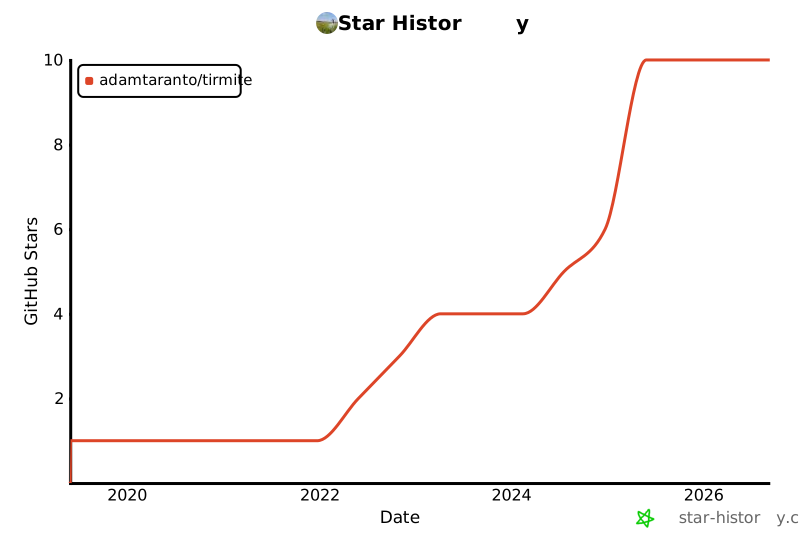
Star History
1 maintainer

Download files
Download the file for your platform. If you're not sure which to choose, learn more about installing packages.
Source Distribution
Built Distribution
Filter files by name, interpreter, ABI, and platform.
If you're not sure about the file name format, learn more about wheel file names.
Copy a direct link to the current filters
File details
Details for the file tirmite-1.5.0.tar.gz.
File metadata
- Download URL: tirmite-1.5.0.tar.gz
- Upload date:
- Size: 429.8 kB
- Tags: Source
- Uploaded using Trusted Publishing? No
- Uploaded via:
Hatch/1.17.1 {"ci":true,"cpu":"x86_64","distro":{"id":"noble","libc":{"lib":"glibc","version":"2.39"},"name":"Ubuntu","version":"24.04"},"implementation":{"name":"CPython","version":"3.12.13"},"installer":{"name":"hatch","version":"1.17.1"},"openssl_version":"OpenSSL 3.0.13 30 Jan 2024","python":"3.12.13","system":{"name":"Linux","release":"6.17.0-1020-azure"}} HTTPX2/2.9.1
File hashes
| Algorithm | Hash digest | |
|---|---|---|
| SHA256 |
61a67c82370866d54877fcaf13d8c2aac1ba74eceeea1bed1319f0e9df061426
|
|
| MD5 |
ca41a2226c9c83344afbf3cbdd7d09c2
|
|
| BLAKE2b-256 |
e9b0e60ce28b8c59d59fe23fe65af7416caac01395b79d3dd6a03806e440c760
|
File details
Details for the file tirmite-1.5.0-py3-none-any.whl.
File metadata
- Download URL: tirmite-1.5.0-py3-none-any.whl
- Upload date:
- Size: 162.6 kB
- Tags: Python 3
- Uploaded using Trusted Publishing? No
- Uploaded via:
Hatch/1.17.1 {"ci":true,"cpu":"x86_64","distro":{"id":"noble","libc":{"lib":"glibc","version":"2.39"},"name":"Ubuntu","version":"24.04"},"implementation":{"name":"CPython","version":"3.12.13"},"installer":{"name":"hatch","version":"1.17.1"},"openssl_version":"OpenSSL 3.0.13 30 Jan 2024","python":"3.12.13","system":{"name":"Linux","release":"6.17.0-1020-azure"}} HTTPX2/2.9.1
File hashes
| Algorithm | Hash digest | |
|---|---|---|
| SHA256 |
7ee21e116c7aebf71bdea959c5a83fb51eb0b3b6847ce5dc6e9c960aa5d5b9d7
|
|
| MD5 |
38603416ec0f87ec3f9712293eca2094
|
|
| BLAKE2b-256 |
8ca421b6647b2b5750cd2cb66b8d47624b9e3293d024376a37dd3c79f8087841
|














