






Documentation · Examples · Changelog
torch-fem
torch-fem is a simple GPU-accelerated differentiable finite element solver for solid mechanics built on PyTorch. Automatic differentiation provides exact sensitivities of simulation results with respect to material parameters, geometry, loads, etc. without hand-derived adjoint formulations. It is aimed at researchers in computational mechanics who need gradients through FEM solvers for tasks such as optimization, inverse problems, and machine-learning-augmented simulation.
Features
-
Elements
- 1D: Bar1, Bar2
- 2D: Quad1, Quad2, Tria1, Tria2
- 3D: Hexa1, Hexa2, Tetra1, Tetra2
- Shell: Flat-facet Quad1, Tria1
-
Material models
- Isotropic linear elasticity
- Orthotropic linear elasticity
- Isotropic small strain plasticity
- Isotropic small strain damage
- Hyperelasticity (via automatic differentiation of their energy function)
- Isotropic thermal conductivity
- Orthotropic thermal conductivity
- Custom user material interface
-
Utilities
- Assembly of several models coupled by kinematic constraints
- Homogenization of orthotropic elasticity for composites
- Composite laminates for shells
- Simple structured meshing
- I/O to and from other mesh formats via meshio
Installation
You may install torch-fem via pip with
pip install torch-fem
To run the example notebooks, install with the notebook extra (pip install torch-fem[notebook]). For GPU acceleration, install PyTorch with CUDA support and the matching CuPy version - see the installation guide for details.
Minimal example
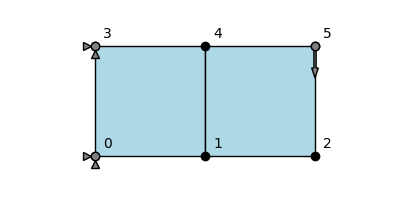
This is a minimal example of how to use torch-fem to solve a very simple planar cantilever problem.
import torch
from torchfem import Planar
from torchfem.materials import IsotropicElasticityPlaneStress

torch.set_default_dtype(torch.float64)

# Material
material = IsotropicElasticityPlaneStress(E=1000.0, nu=0.3)

# Nodes and elements
nodes = torch.tensor([[0., 0.], [1., 0.], [2., 0.], [0., 1.], [1., 1.], [2., 1.]])
elements = torch.tensor([[0, 1, 4, 3], [1, 2, 5, 4]])

# Create model
cantilever = Planar(nodes, elements, material)

# Load at tip [Node_ID, DOF]
cantilever.forces[5, 1] = -1.0

# Constrained displacement at left end [Node_IDs, DOFs]
cantilever.constraints[[0, 3], :] = True

# Show model
cantilever.plot(node_markers=True, node_labels=True)
This creates a minimal planar FEM model:
# Solve
u, f, σ, F, α = cantilever.solve()

# Plot displacement magnitude on deformed state
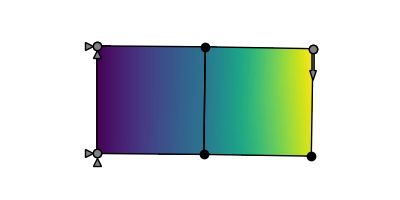
cantilever.plot(u, node_property=torch.norm(u, dim=1))
This solves the model and plots the result:
If we want to compute gradients through the FEM model, we simply need to define the variables that require gradients. Automatic differentiation is performed through the entire FE solver. Rather than differentiating through individual solver iterations or Newton iterations (this would explode in memory and autograd graph size) though, the implicit function theorem is used to formulate an adjoint backward for solve().
# Enable automatic differentiation
cantilever.thickness.requires_grad = True
u, f, _, _, _ = cantilever.solve(differentiable_parameters=cantilever.thickness)

# Compute sensitivity of compliance w.r.t. element thicknesses
compliance = torch.inner(f.ravel(), u.ravel())
torch.autograd.grad(compliance, cantilever.thickness)[0]
This returns the sensitivity of the compliance with respect to the thickness of each element:
tensor([-0.0208, -0.0053])
Both entries are negative, so adding material anywhere stiffens the structure, but the element at the clamped end is about four times as effective as the one at the tip.
Basic examples
The subdirectory examples/basic contains a couple of Jupyter notebooks demonstrating the use of torch-fem for trusses, planar problems, shells, and solids. You may click on the examples to check out the notebooks online.
 |
|
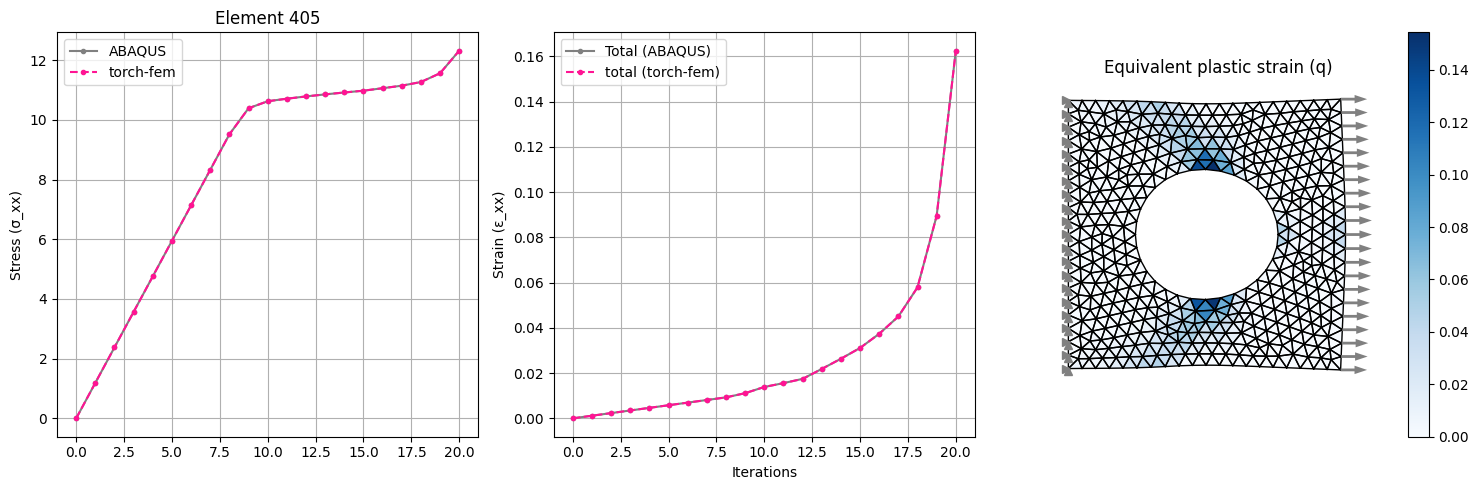
| Plasticity in a plate with hole: Isotropic linear hardening model for plane-stress or plane-strain. | |
 |
|
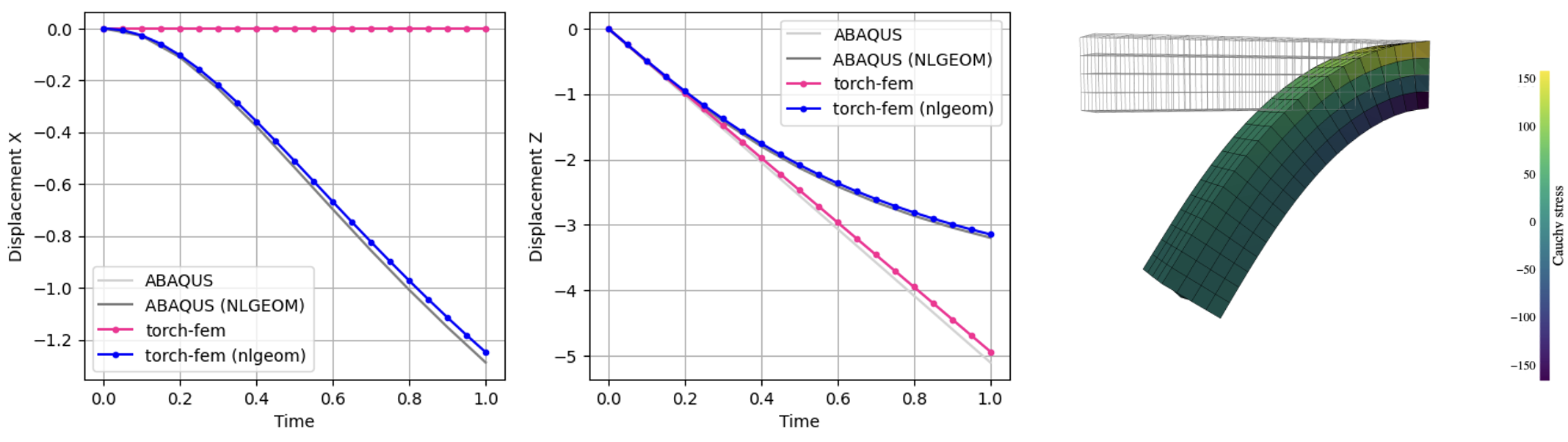
| Finite strain cantilever: Hyperelastic model in Total Lagrangian Formulation. | |
 |
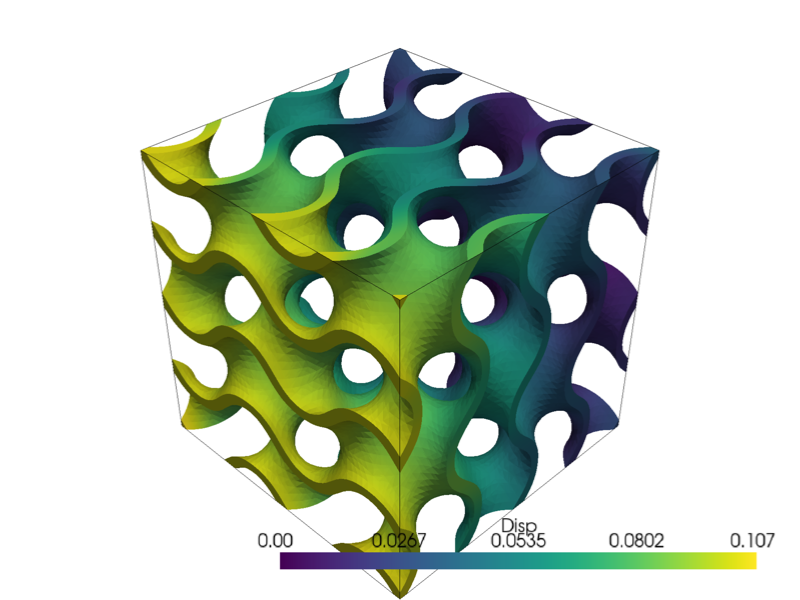 |
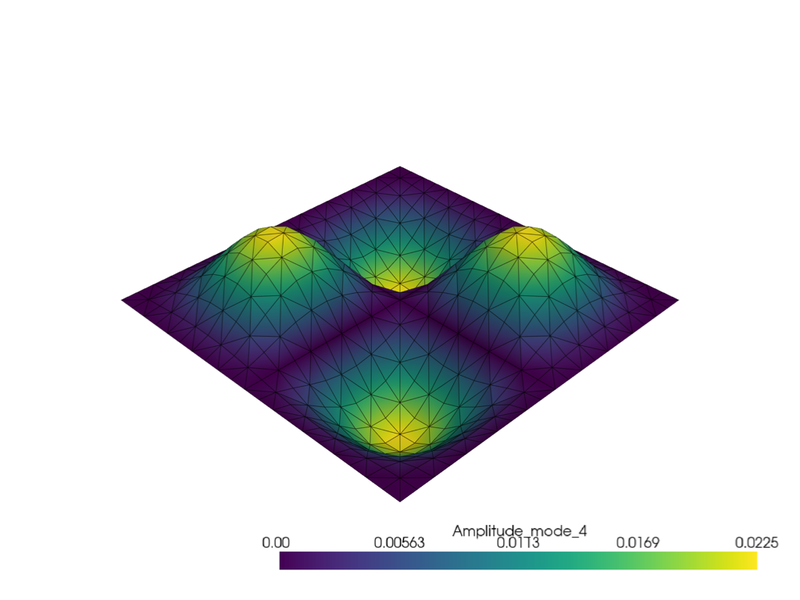
| Modal analysis of a clamped shell: Natural frequencies and mode shapes of a fully clamped flat shell. | Implicit gyroid structure: A voxel mesh is carved into a triply periodic minimal surface with a signed distance function. |
Optimization examples
The subdirectory examples/optimization demonstrates the use of torch-fem for optimization of structures (e.g. topology optimization, composite orientation optimization). You may click on the examples to check out the notebooks online.
 |
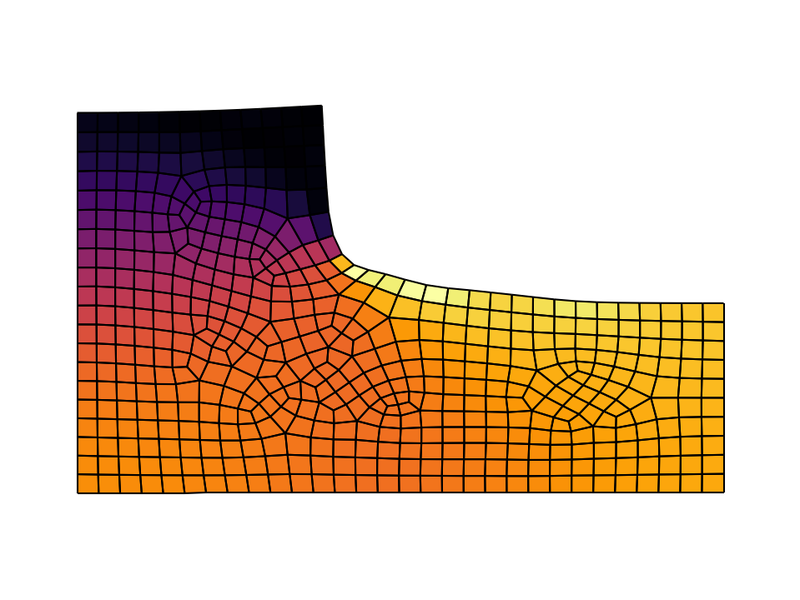 |
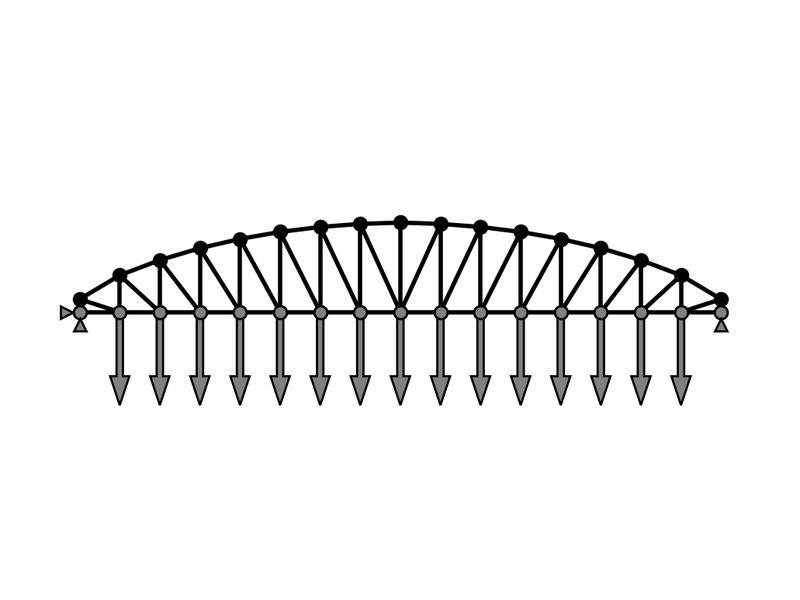
| Shape optimization of a truss: The top nodes are moved and MMA + autograd is used to minimize the compliance. | Shape optimization of a fillet: The shape is morphed with shape basis vectors and MMA + autograd is used to minimize the maximum stress. |
 |
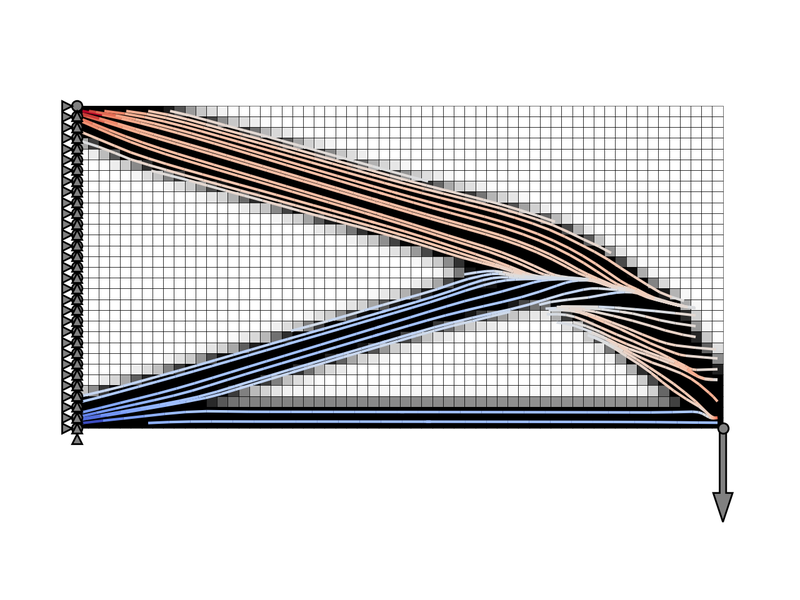 |
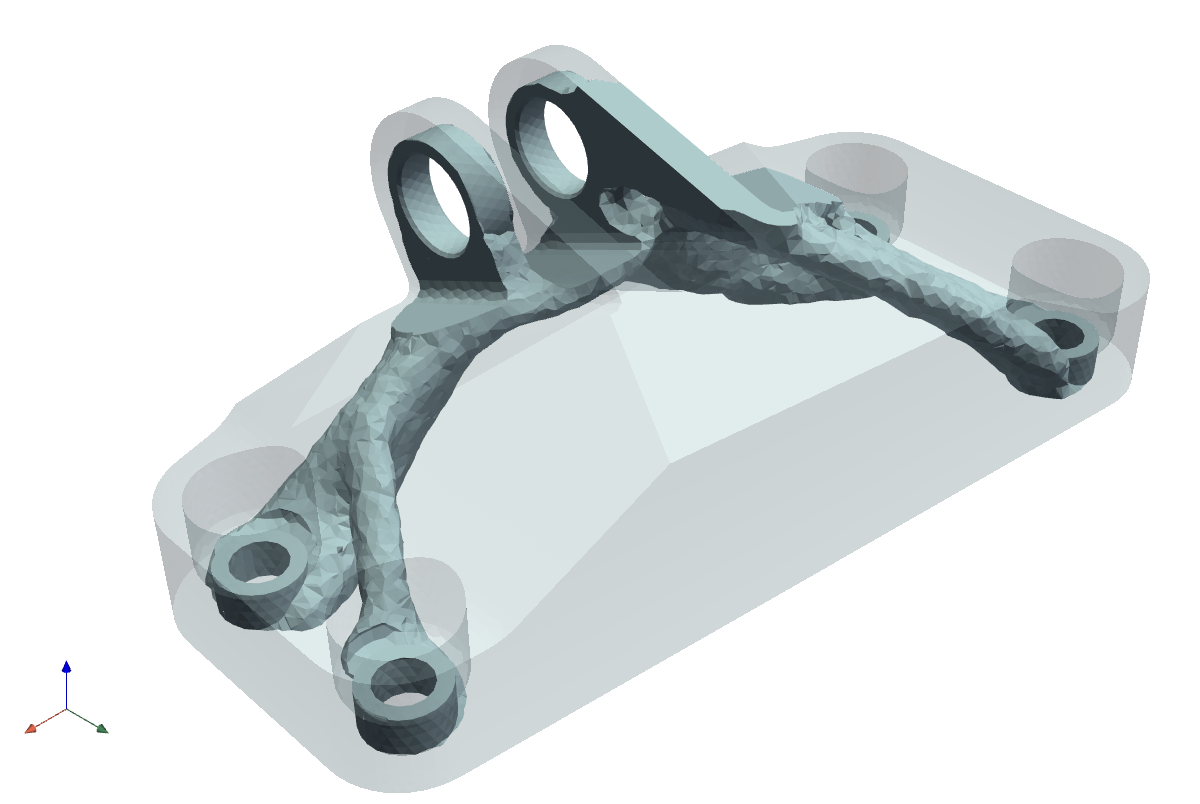
| Topology optimization of a jet engine bracket: The optimized part is cut out of the design space at an iso-value of the density. | Combined topology and orientation optimization: Compliance is minimized by optimizing fiber orientation and density of an anisotropic material. |
 |
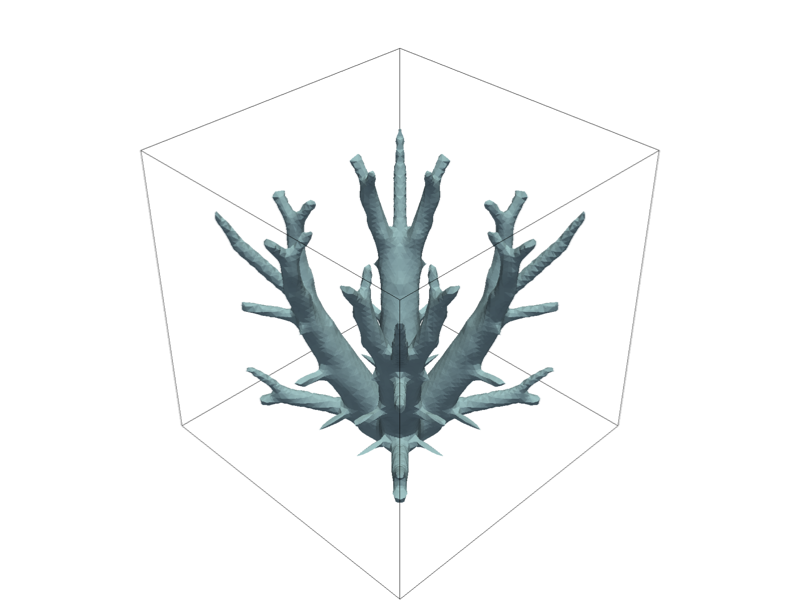 |
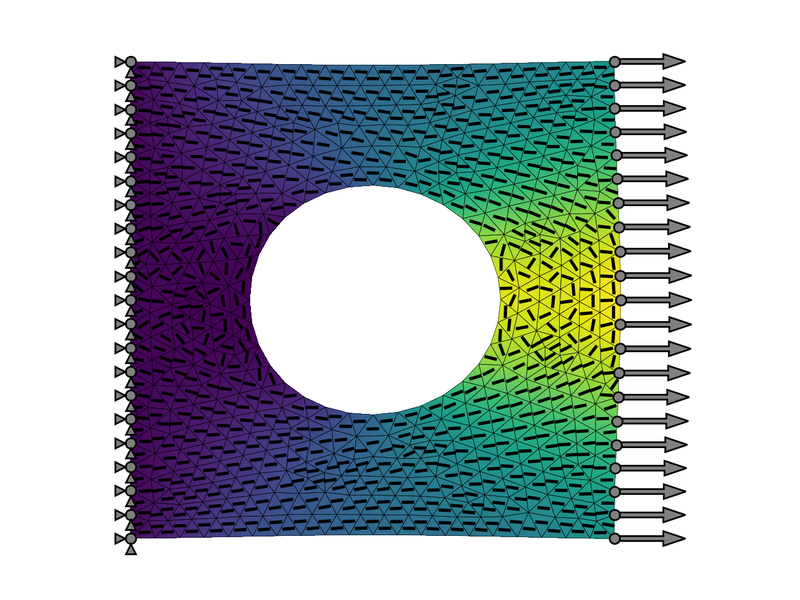
| Fiber orientation optimization of a plate with a hole Compliance is minimized by optimizing the fiber orientation of an anisotropic material. | Topology optimization of a 3D heat sink: Conductive material is distributed in a cube with a homogeneous heat source to minimize thermal compliance. |
 |
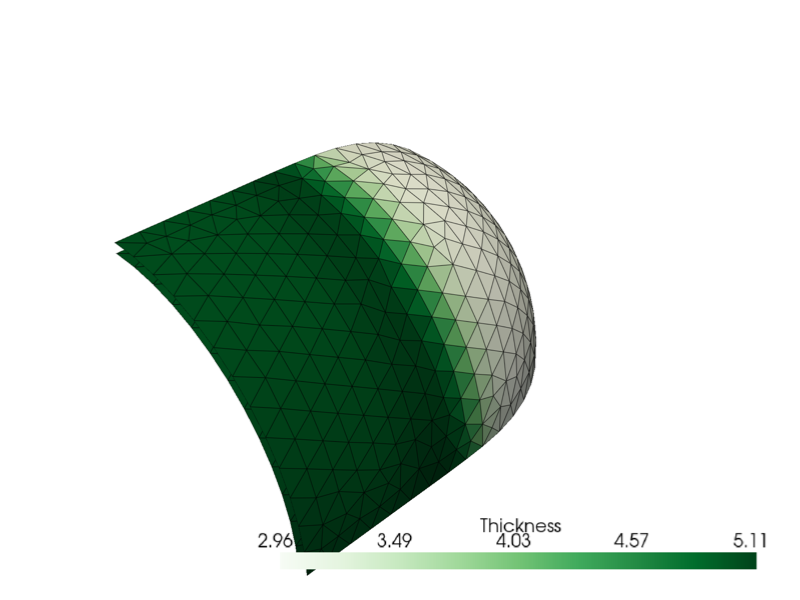 |
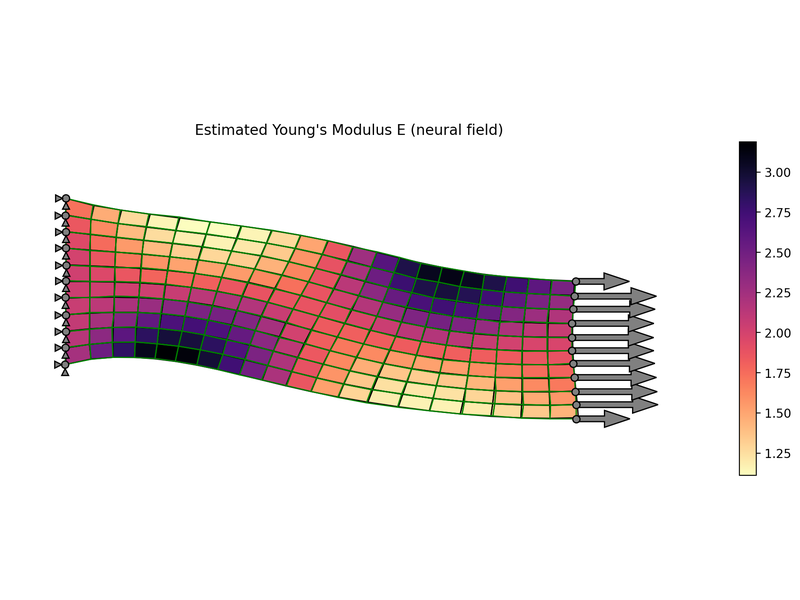
| Recovery of a property field: A direct optimization and a neural field recover a graded elastic modulus from noisy observations of the displacement. | Free size optimization of a pressure vessel: Each element's shell thickness is a design variable and a fixed amount of material is redistributed to minimize compliance. |
Performance
torch-fem solves problems with millions of degrees of freedom: a linear elastic hexahedral cube model with 1.5 million DOFs assembles and solves in about four seconds on a consumer GPU (RTX 4090, float64). Detailed CPU and GPU benchmarks for timing and memory are reported in the performance documentation and can be reproduced with the scripts in benchmarks/.
Citing torch-fem
If you use torch-fem in your research, please cite it as follows:
@software{torchfem,
    author = {Meyer, Nils},
    title  = {torch-fem: GPU accelerated differentiable finite elements for solid mechanics with PyTorch},
    doi    = {10.5281/zenodo.20306384},
    url    = {https://github.com/meyer-nils/torch-fem},
}
Contributing
Contributions are welcome! Please check out the contributing guide for the development workflow. Bug reports, feature requests, and usage questions are all welcome in the issue tracker - see the support guide for what to include.
Alternatives
torch-fem focuses on solid mechanics and thermal problems. It provides sensitivities through PyTorch autograd, which makes it easy to drop into optimization loops and ML pipelines. It is the natural choice if you are working in the PyTorch ecosystem. Depending on your needs, one of these Python FEM tools may serve you better:
| Library | Stars | Focus | Differentiable | Consider it over torch-fem when… |
|---|---|---|---|---|
| FEniCSx (DOLFINx) |  |
General PDEs, UFL weak forms, MPI | via dolfin-adjoint | you need arbitrary weak forms or massively parallel distributed runs |
| SfePy |  |
General multiphysics, pure Python | — | you need a broad range of PDE applications on CPU |
| JAX-FEM |  |
Differentiable FEM, JAX / GPU | ✅ | your stack is built on JAX rather than PyTorch |
| Firedrake |  |
General PDEs, UFL weak forms | via pyadjoint | you want a UFL form language with automated adjoints for multiphysics |
| scikit-fem |  |
Lightweight assembly, NumPy/SciPy | — | you want minimal dependencies and full control over custom forms |
| FElupe |  |
Finite-strain solid mechanics | partially via tensortrax | you work with hyperelastic / finite-strain solids |
| Nutils |  |
High-order / immersed methods | — | you research advanced or immersed discretizations including IGA |
| PyTorch-FEA |  |
Biomechanics, PyTorch | ✅ | you work on soft-tissue / inverse biomechanics |
Not sure which to pick? The mosaic differentiable-physics benchmark suite compares several of these solvers on gradient accuracy and forward/adjoint performance under a common interface.
1 maintainer

Download files
Download the file for your platform. If you're not sure which to choose, learn more about installing packages.
Source Distribution
Built Distribution
Filter files by name, interpreter, ABI, and platform.
If you're not sure about the file name format, learn more about wheel file names.
Copy a direct link to the current filters
File details
Details for the file torch_fem-0.10.0.tar.gz.
File metadata
- Download URL: torch_fem-0.10.0.tar.gz
- Upload date:
- Size: 3.0 MB
- Tags: Source
- Uploaded using Trusted Publishing? Yes
- Uploaded via:
twine/7.0.0 CPython/3.13.14
File hashes
| Algorithm | Hash digest | |
|---|---|---|
| SHA256 |
cb410a198f59359cd9c2fbecc59a260b6e8fe640149707a4636e007ec9191e58
|
|
| MD5 |
cd085d96ad37916416c8604dbdefd34b
|
|
| BLAKE2b-256 |
70495d88d7e433866b4c763c2e5284d08a10596f47796c6ac349b10f9c6a7277
|
Provenance
The following attestation bundles were made for torch_fem-0.10.0.tar.gz:
Publisher:
publish-to-pypi.yml on meyer-nils/torch-fem
-
Statement:
-
Statement type:
https://in-toto.io/Statement/v1 -
Predicate type:
https://docs.pypi.org/attestations/publish/v1 -
Subject name:
torch_fem-0.10.0.tar.gz -
Subject digest:
cb410a198f59359cd9c2fbecc59a260b6e8fe640149707a4636e007ec9191e58 - Sigstore transparency entry: 2604327029
- Sigstore integration time:
-
Permalink:
meyer-nils/torch-fem@fa8cb97d61066af121a9f84745a6ba7d40c3c37b -
Branch / Tag:
refs/tags/v0.10.0 - Owner: https://github.com/meyer-nils
-
Access:
public
-
Token Issuer:
https://token.actions.githubusercontent.com -
Runner Environment:
github-hosted -
Publication workflow:
publish-to-pypi.yml@fa8cb97d61066af121a9f84745a6ba7d40c3c37b -
Trigger Event:
push
-
Statement type:
File details
Details for the file torch_fem-0.10.0-py3-none-any.whl.
File metadata
- Download URL: torch_fem-0.10.0-py3-none-any.whl
- Upload date:
- Size: 3.0 MB
- Tags: Python 3
- Uploaded using Trusted Publishing? Yes
- Uploaded via:
twine/7.0.0 CPython/3.13.14
File hashes
| Algorithm | Hash digest | |
|---|---|---|
| SHA256 |
35cb78b714f5beefded2ad2b53eadfb5e85d002198f0dab5b5944ddd7194f46e
|
|
| MD5 |
f84812d662a0d4fc6849eefa445d3a31
|
|
| BLAKE2b-256 |
6795ee35187cbb07e31a3b99804faf94fec31461870f7611c3c95ec2732d9adc
|
Provenance
The following attestation bundles were made for torch_fem-0.10.0-py3-none-any.whl:
Publisher:
publish-to-pypi.yml on meyer-nils/torch-fem
-
Statement:
-
Statement type:
https://in-toto.io/Statement/v1 -
Predicate type:
https://docs.pypi.org/attestations/publish/v1 -
Subject name:
torch_fem-0.10.0-py3-none-any.whl -
Subject digest:
35cb78b714f5beefded2ad2b53eadfb5e85d002198f0dab5b5944ddd7194f46e - Sigstore transparency entry: 2604327033
- Sigstore integration time:
-
Permalink:
meyer-nils/torch-fem@fa8cb97d61066af121a9f84745a6ba7d40c3c37b -
Branch / Tag:
refs/tags/v0.10.0 - Owner: https://github.com/meyer-nils
-
Access:
public
-
Token Issuer:
https://token.actions.githubusercontent.com -
Runner Environment:
github-hosted -
Publication workflow:
publish-to-pypi.yml@fa8cb97d61066af121a9f84745a6ba7d40c3c37b -
Trigger Event:
push
-
Statement type:














