
Download from torrent with magnet link or .torrent file

Project description
TorrentP
Wrapped python library for downloading from torrent

Download from torrent with .torrent file or magnet link. With just 3 lines of python code.



Installation
$ pip install torrentp
Also can be found on pypi
How can I use it?
- Install the package by pip package manager.
- After installing, you can use it and call the library.
- You have to pass magnet link or torrent file, and a path for saving the file. use . (dot) for saving in current directory.
Download with magnet link:
import asyncio
from torrentp import TorrentDownloader
torrent_file = TorrentDownloader("magnet:...", '.')
# Start the download process
asyncio.run(torrent_file.start_download()) # start_download() is a asynchronous method

# Pausing the download
torrent_file.pause_download()

# Resuming the download
torrent_file.resume_download()

# Stopping the download
torrent_file.stop_download()
Or download with .torrent file:
import asyncio
from torrentp import TorrentDownloader
torrent_file = TorrentDownloader("test.torrent", '.')
# Start the download process
asyncio.run(torrent_file.start_download()) # start_download() is a asynchronous method

# Pausing the download
torrent_file.pause_download()

# Resuming the download
torrent_file.resume_download()

# Stopping the download
torrent_file.stop_download()
How can I use a custom port?
torrent_file = TorrentDownloader("magnet/torrent.file", '.', port=0000)
How can I reduce memory usage for large torrents?
torrent_file = TorrentDownloader("magnet/torrent.file", '.', low_memory=True)
This applies libtorrent's low-memory session profile. It can reduce RAM usage, but may also reduce download performance.
How can I limit the upload or download speed?
Download Using 0 (default number) means unlimited speed:
await torrent_file.start_download(download_speed=0, upload_speed=0)
Or download with specifc number (kB/s):
await torrent_file.start_download(download_speed=2, upload_speed=1)
Using Command Line Interface (CLI)
Download with a magnet link:
$ torrentp --link 'magnet:...'
or download with .torrent file:
$ torrentp --link 'test.torrent'
You can also use --help parameter to display all the parameters that you can use
| args | help | type |
|---|---|---|
| --link | Torrent link. Example: [--link 'file.torrent'] or [--link 'magnet:...'] [required] | str |
| --download_speed | Download speed with a specific number (kB/s). Default: 0, means unlimited speed | int |
| --upload_speed | Upload speed with a specific number (kB/s). Default: 0, means unlimited speed | int |
| --save_path | Path to save the file, default: '.' | str |
| --stop_after_download | Stop the download immediately after completion without seeding | flag |
| --help | Show this message and exit |
Example with all commands:
$ torrentp --link 'magnet:...' --download_speed 100 --upload_speed 50 --save_path '.' --stop_after_download
Manual integration test
You can run a manual download test against the Ubuntu 24.04.4 desktop ISO torrent:
python3 scripts/test_download_ubuntu.py
Edit the constants at the top of the script to change the torrent URL, save path, port, or LOW_MEMORY setting.
To do list
- Limit upload and download speed
- User can change the port
- CLI
- Pause / Resume / Stop
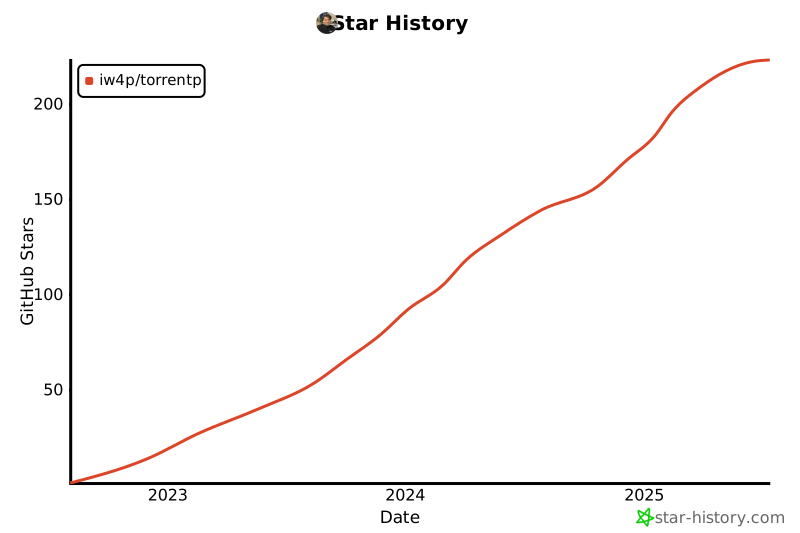
Star History
Issues
Feel free to submit issues and enhancement requests or contact me via vida.page/nima.
Contributing
Please refer to each project's style and contribution guidelines for submitting patches and additions. In general, we follow the "fork-and-pull" Git workflow.
- Fork the repo on GitHub
- Clone the project to your own machine
- Update the Version inside init.py
- Commit changes to your own branch
- Push your work back up to your fork
- Submit a Pull request so that we can review your changes
Release history Release notifications | RSS feed


Download files
Download the file for your platform. If you're not sure which to choose, learn more about installing packages.
Source Distribution
Built Distribution
Filter files by name, interpreter, ABI, and platform.
If you're not sure about the file name format, learn more about wheel file names.
Copy a direct link to the current filters
File details
Details for the file torrentp-0.2.7.tar.gz.
File metadata
- Download URL: torrentp-0.2.7.tar.gz
- Upload date:
- Size: 12.3 kB
- Tags: Source
- Uploaded using Trusted Publishing? No
- Uploaded via: twine/6.1.0 CPython/3.13.12
File hashes
| Algorithm | Hash digest | |
|---|---|---|
| SHA256 |
b3bf25f8ab9f06c404de436a42f337bd198c83254144bfb834692b13e239584b
|
|
| MD5 |
0532547c078c6cbc10fff16e6999314a
|
|
| BLAKE2b-256 |
ebbf28ac91ef4e0ae749a8588253b2eade91dec616813411a07a7e6d58fa0a4b
|
File details
Details for the file torrentp-0.2.7-py3-none-any.whl.
File metadata
- Download URL: torrentp-0.2.7-py3-none-any.whl
- Upload date:
- Size: 12.4 kB
- Tags: Python 3
- Uploaded using Trusted Publishing? No
- Uploaded via: twine/6.1.0 CPython/3.13.12
File hashes
| Algorithm | Hash digest | |
|---|---|---|
| SHA256 |
95780786365e70a3b6d5a69fac6c83cf9714a7c8e24b4ea4bd874f0815db17f2
|
|
| MD5 |
76e658871a951b7298274b41cb82a81b
|
|
| BLAKE2b-256 |
86a3ecacca8658e476ec3c7e94d1327f3a624b41338b5de251011c2d221ba0f4
|






