
TraceML: Lightweight training runtime health monitor.

Project description
TraceML
Know what’s slowing your (PyTorch) training, while it runs





TraceML provides step-level training visibility for PyTorch workloads. It shows where time and memory go inside each training step so you can quickly understand performance behavior across single-GPU and single-node DDP runs.
Current support
- ✅ Single GPU
- ✅ Single-node multi-GPU (DDP)
- ❌ Multi-node DDP (not yet)
- ❌ FSDP / TP / PP (not yet)
What You See in Minutes
- System signals (CPU, RAM, GPU)
- Breakdown of each training step:
dataloader → forward → backward → optimizer → overhead
- Median vs worst rank (in case of DDP)
- Skew (%) to surface imbalance
- GPU memory (allocated + peak)
Healthy runs are clearly stable. Unstable runs reveal drift, imbalance, or memory creep early.
Quick Start
Install:
pip install traceml-ai
Wrap your training step:
from traceml.decorators import trace_step

for batch in dataloader:
    with trace_step(model):
        outputs = model(batch["x"])
        loss = criterion(outputs, batch["y"])
        loss.backward()
        optimizer.step()
        optimizer.zero_grad(set_to_none=True)
Run with cli:
traceml run train.py
The terminal dashboard opens alongside your logs.

Optional web UI:
traceml run train.py --mode=dashboard

What TraceML Surfaces
Step-Level Signals
- Dataloader fetch time
- Step time (low-overhead, GPU-aware)
- Step GPU memory (allocated + peak)
Across ranks:
- Median (typical behavior)
- Worst rank (slowest / highest memory)
- Skew (% difference)
This makes rank imbalance and straggler behavior immediately visible.
Deep-Dive Mode (Optional)
Enable model-level hooks for diagnostic context:
from traceml.decorators import trace_model_instance
trace_model_instance(model)
Use together with trace_step(model) to enable:
- Per-layer memory signals
- Per-layer forward/backward timing
- Lightweight failure attribution (experimental)
If not enabled, ESSENTIAL signals remain unchanged.
What It Is Not
- Not a replacement for PyTorch Profiler or Nsight
- Not an auto-tuner
- Not a kernel-level tracer
TraceML focuses on step-level visibility that is practical during real training runs.
Supported Environments
- Python 3.9--3.13
- PyTorch 1.12+
- macOS (Intel/ARM), Linux
- Single GPU
- Single-node DDP
Known limitations: With gradient accumulation enabled, step-level metrics may be unreliable (micro-step vs optimizer-step). Fix in progress.
Hugging Face Integration
TraceML provides a seamless integration with Hugging Face transformers via TraceMLTrainer.
Usage
Replace transformers.Trainer with traceml.hf_decorators.TraceMLTrainer.
from traceml.hf_decorators import TraceMLTrainer

trainer = TraceMLTrainer(
    model=model,
    args=training_args,
    train_dataset=train_ds,
    eval_dataset=eval_ds,
    traceml_enabled=True,
)
Roadmap
Near-term: - Single-node DDP hardening - Disk run logging - Compatibility validation (gradient accumulation, torch.compile) - Accelerate / Lightning wrappers
Next: - Multi-node DDP - Initial FSDP support
Later: - Tensor / Pipeline parallel awareness
Contributing
Contributions are welcome.
When opening issues, include: - Minimal repro script - Hardware + CUDA + PyTorch versions - ESSENTIAL vs DEEP-DIVE - Single GPU vs DDP
Community & Support
Founding Engineer / Co-Founder track (Berlin/Germany): We are looking for a senior systems+ML builder to help grow TraceML into a sustainable AI infra product. See the GitHub Discussion https://github.com/traceopt-ai/traceml/discussions/36
- 📧 Email: abhinav@traceopt.ai
- 🐙 LinkedIn: Abhinav Srivastav
- 📋 User Survey (2 min): https://forms.gle/KwPSLaPmJnJjoVXSA
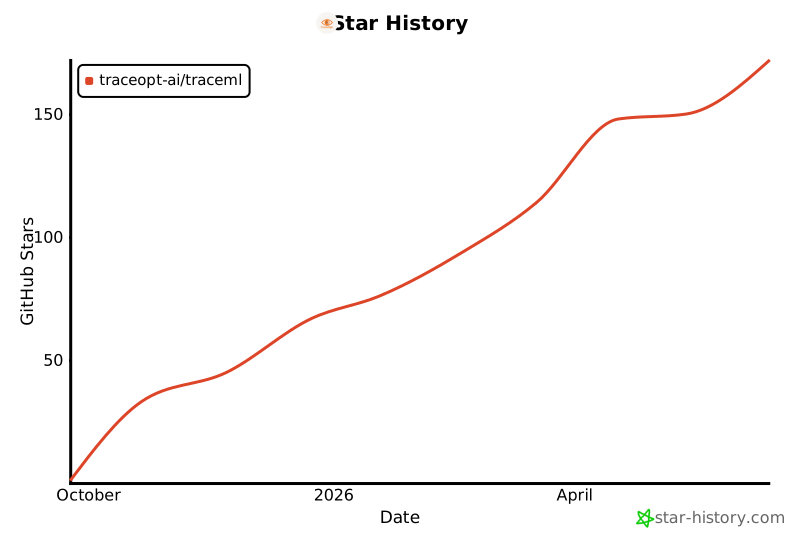
Stars help more teams find the project. 🌟
License
TraceML is released under the Apache 2.0.
See LICENSE for details.
Citation
If TraceML helps your research, please cite:
@software{traceml2024,
  author = {TraceOpt},
  title = {TraceML: Real-time Training Observability for PyTorch},
  year = {2024},
  url = {https://github.com/traceopt-ai/traceml}
}
Made with ❤️ by TraceOpt
Release history Release notifications | RSS feed


Download files
Download the file for your platform. If you're not sure which to choose, learn more about installing packages.
Source Distribution
Built Distribution
Filter files by name, interpreter, ABI, and platform.
If you're not sure about the file name format, learn more about wheel file names.
Copy a direct link to the current filters
File details
Details for the file traceml_ai-0.2.1.tar.gz.
File metadata
- Download URL: traceml_ai-0.2.1.tar.gz
- Upload date:
- Size: 134.4 kB
- Tags: Source
- Uploaded using Trusted Publishing? No
- Uploaded via: twine/6.2.0 CPython/3.9.23
File hashes
| Algorithm | Hash digest | |
|---|---|---|
| SHA256 |
1b6fcac5783b2e9a506e72151937613ee87d9462ba19b48bca7910193ea1ed0a
|
|
| MD5 |
83ccef9d942f6d700c9e87fca79b3953
|
|
| BLAKE2b-256 |
30bf7271b13f3885e94cc7d1f3e116d67b0bda03f00e785f3f73c073033a4fda
|
File details
Details for the file traceml_ai-0.2.1-py3-none-any.whl.
File metadata
- Download URL: traceml_ai-0.2.1-py3-none-any.whl
- Upload date:
- Size: 189.4 kB
- Tags: Python 3
- Uploaded using Trusted Publishing? No
- Uploaded via: twine/6.2.0 CPython/3.9.23
File hashes
| Algorithm | Hash digest | |
|---|---|---|
| SHA256 |
a01dc2b8a1fd89ce6a8e61d101dae7ad5c970ff33b5edebce5e587c1a00ca71c
|
|
| MD5 |
3e1bad10677fc2155dbb5477f6edfa09
|
|
| BLAKE2b-256 |
e41e7b7ff8d3feaabc28154a2c10fa6cd6935b3ba90d3fc274c90216e7b4aa6e
|






