
Website · Get started · Sample Reports · YouTube
* Power BI is a trademark of Microsoft. TrailsBI is not affiliated with or endorsed by Microsoft.
Trails for Power BI
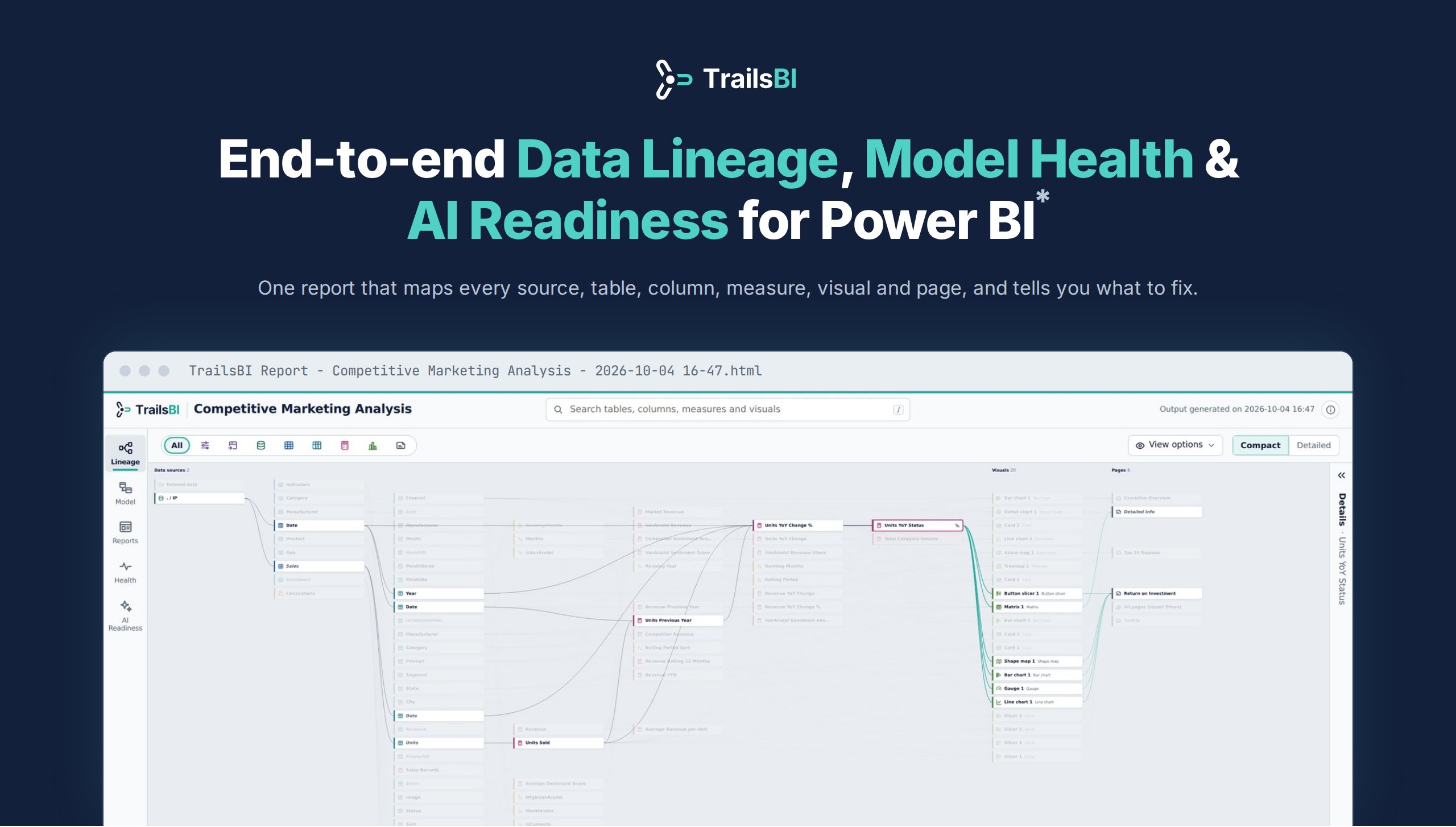
TrailsBI reads a Power BI project saved as PBIP (TMDL and PBIR files) and builds one self-contained HTML page you can open in any browser. It runs entirely on your machine: no sign-in, no upload, no telemetry.
Everything about your Reports and Semantic Models
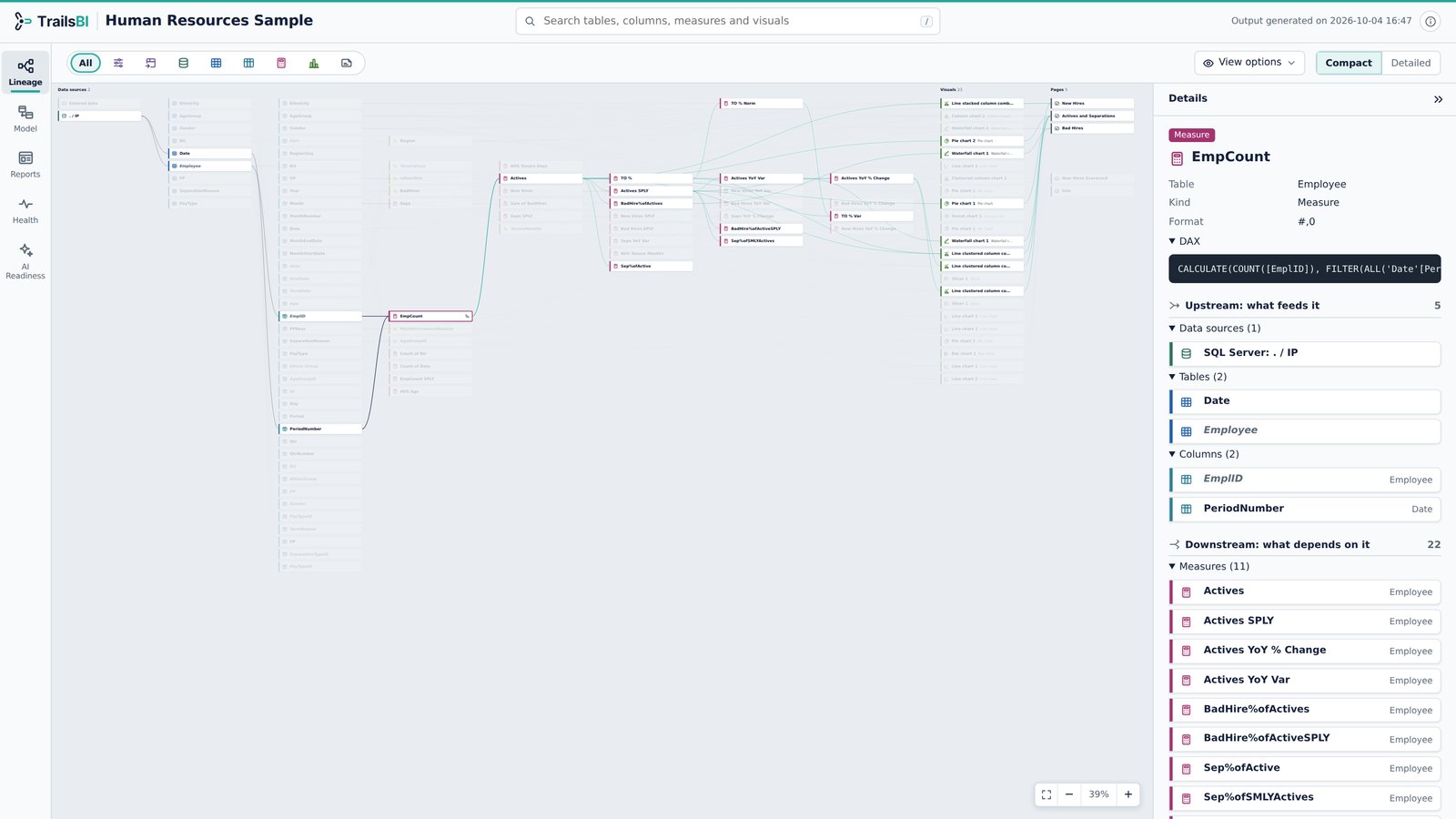
Lineage - Follow any field from source to visual
- Pick a column or measure and see every data source, table and measure it depends on, in navy.
- Everything built on it, down to the visuals and pages, lights up in teal.
- Compact cards for the whole picture, detailed cards with usage counts when you need them.
Model - Every table, column, measure and relationship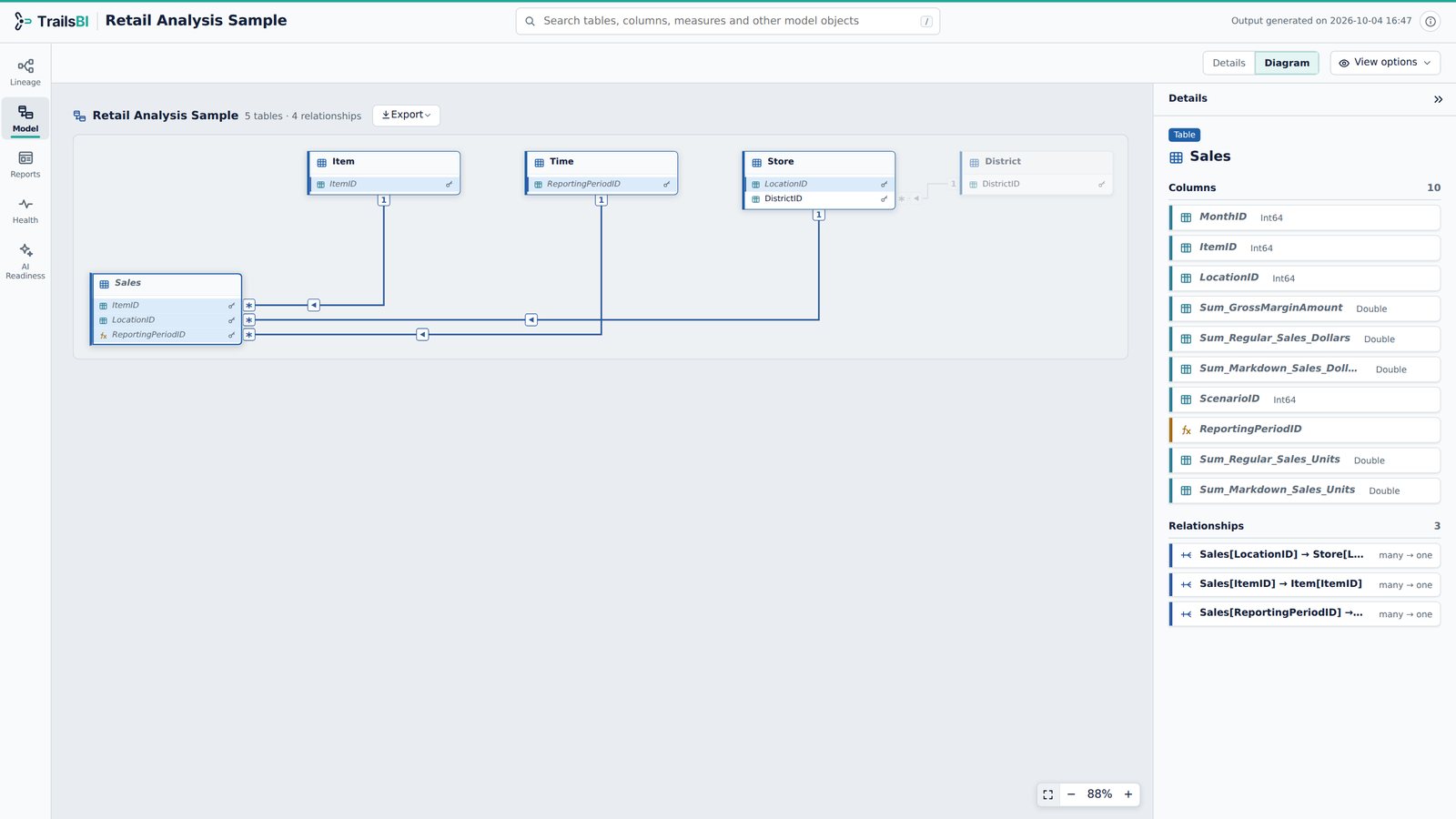
|
Reports - What each page and visual actually uses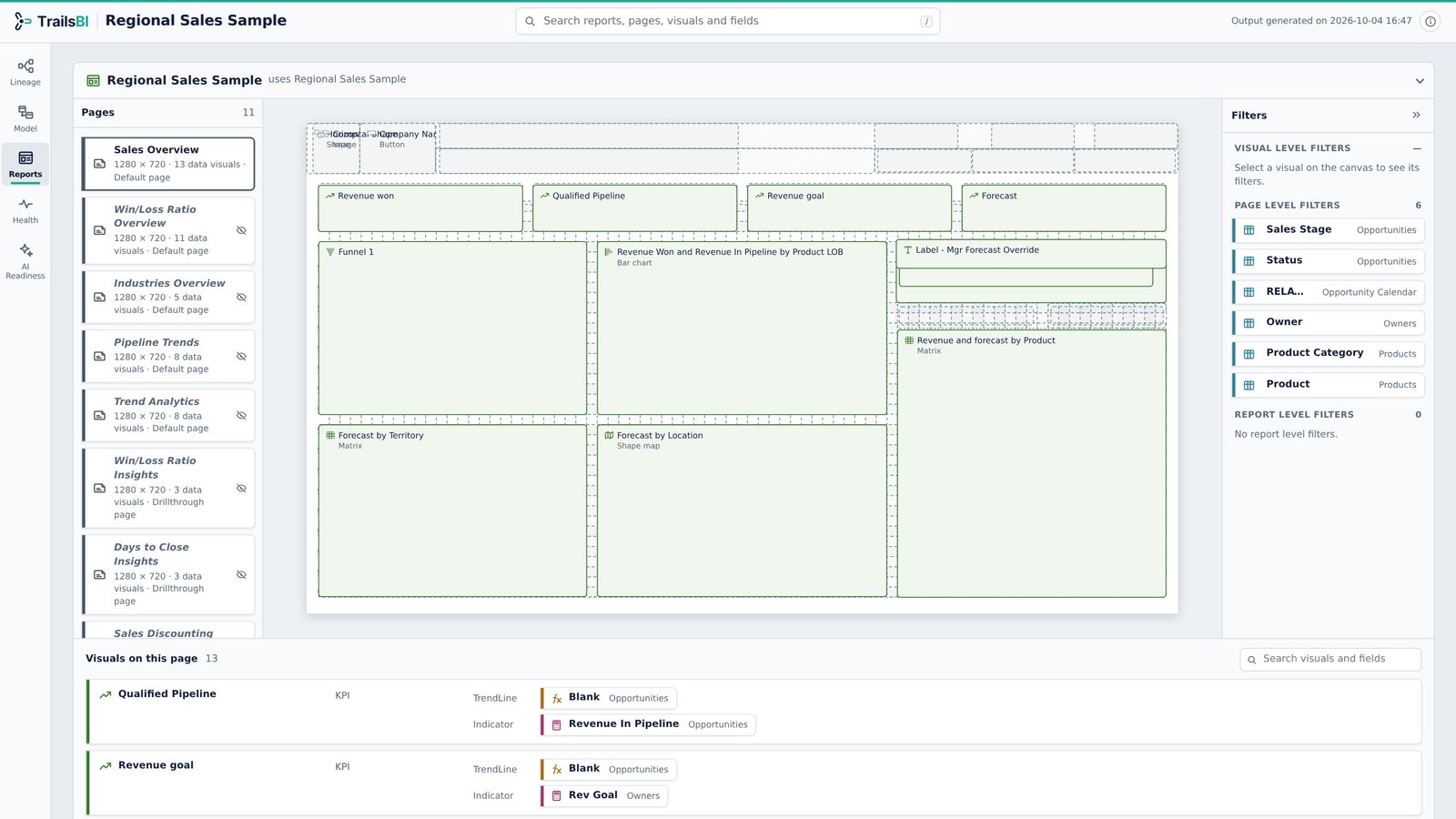
|
Health - Best Practice Analyzer, without the setup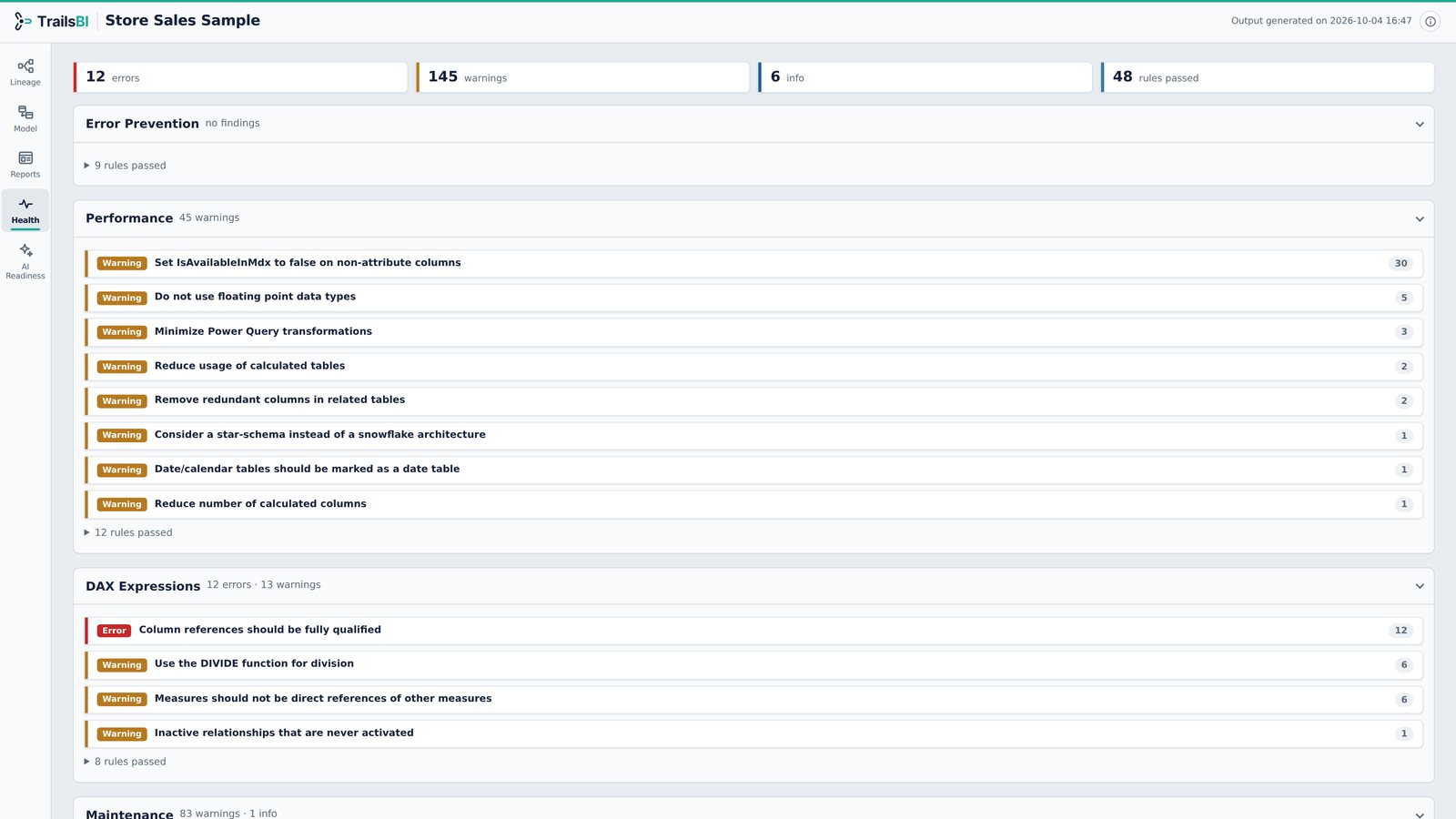
|
AI Readiness - How well Copilot will understand the model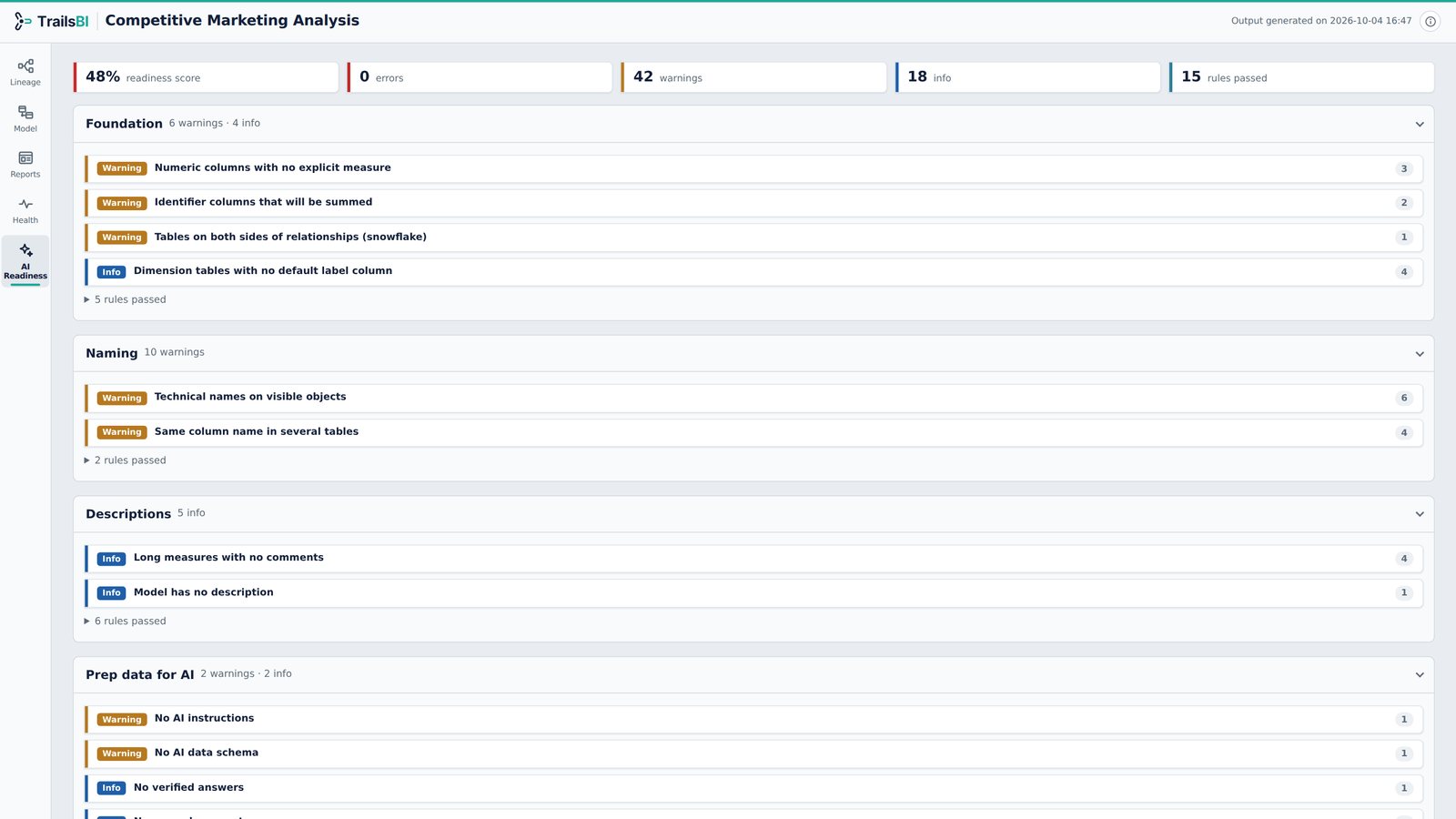
|
Get started
-
In Power BI Desktop, save your report as a Power BI project: File > Save as > Power BI project (.pbip).
-
Install TrailsBI (Python 3.9 or later, no other dependencies):
pip install trailsbiOr
uv tool install trailsbi -
Run it on your project:
trailsbi "D:\Reports\Sales\Sales.pbip"This writes
TrailsBI Report - Sales - 2026-10-04 16-47.html(with the current date and time) to the current folder. Open it in any browser.
Options:
trailsbi [PROJECT] [-o OUTPUT] [--open] [--embed]

  PROJECT       a .pbip file, the folder that holds it, or a .Report folder
                (default: the current folder, so `trailsbi` alone works inside a project)
  -o, --output  where to write the page: a file name, or a folder for the default name
                (default: "TrailsBI Report - <project> - <date time>.html" here)
  --open        open the page in your browser when it is ready
  --embed       write the page data into the project's semantic model, for the
                TrailsBI visual (see below). Writes the HTML page only with -o or --open
TrailsBI builds one project per run. To cover several reports, run it once for each.
See it inside Power BI
The TrailsBI visual (preview) shows the same five
views inside a Power BI report. It reads them from a hidden TrailsBI table that --embed writes
into the semantic model:
- Download
TrailsBI.pbivizfrom the visual's latest release. - Close the project in Power BI Desktop, then run
trailsbi "D:\Reports\Sales" --embed. - Open the project and refresh (Home > Refresh) so the new table loads.
- Import the visual (Visualizations pane: ... > Import a visual from a file) and add it to a page. In the Data pane, right-click and turn on View hidden, then drag TrailsBI > Part and TrailsBI > Chunk onto the visual.
Run --embed again whenever the model or report changes, then refresh. It replaces the table
(even if you renamed it) and never adds a second one. TrailsBI leaves its own table and visual out
of the analysis.
The table holds the model's names, DAX and data source addresses, so anyone who can open the report can read them in the visual. Embed it only where that is allowed.
Single file
Each release also has trailsbi.pyz, the whole
tool in one file: python trailsbi.pyz "D:\Reports\Sales".
Common Installation Issues
1. Windows: "'trailsbi' is not recognized"
When Python comes from the Microsoft Store or the Python install manager, pip puts the trailsbi command in a Scripts folder that is not on your PATH. pip warns about it during the install, and running trailsbi "pbip-project-path" returns 'trailsbi' is not recognized.
Fix:
- Add that Scripts folder to your own PATH once. Setup
Privacy and security
- Reads metadata files only. Never opens
cache.abfor any imported data. - Makes no network calls and sends no telemetry.
- Read-only: never writes to your project files, except the
TrailsBItable when you ask for it with--embed. - The page is one HTML file with no external scripts, fonts or images.
See SECURITY.md for details.
Develop
git clone https://github.com/trailsbi/trailsbi
cd trailsbi
python -m pip install -e . pytest "ruff==0.16.10"
python -m pytest
ruff check . && ruff format --check .
CONTRIBUTING.md explains how the code is laid out.
Licence
Apache License 2.0. See LICENSE and NOTICE.
Trademarks
Power BI is a trademark of Microsoft. TrailsBI is not affiliated with or endorsed by Microsoft.
1 maintainer

Metadata
1 maintainer
Release files for trailsbi 1.1.1
For a detailed explanation of source distributions (sdists) and built distributions (wheels), please see the package formats documentation.
Source distribution (sdist)
| File | Size | Uploaded | Provenance | |
|---|---|---|---|---|
| trailsbi-1.1.1.tar.gz | 171.8 kB | With provenance | Details |
Built distribution (wheel)
| File | Interpreter | ABI | Platform | Reset |
|---|---|---|---|---|
| trailsbi-1.1.1-py3-none-any.whl | Python 3 | none | any | Details |
Total release size: 324.0 kB
Release files / trailsbi-1.1.1.tar.gz
| Download URL | trailsbi-1.1.1.tar.gz |
|---|---|
| Size | 171.8 kB |
| Tags | Source |
|
SHA-256 checksum How to use checksums |
cee96f8ed9e0eb9c2d073585fbb81db0f5b6afa4646ea67f1814ccb8fb2b3035
|
|
BLAKE2b-256 checksum How to use checksums |
bfb0652a6d8269d6fafeb0af15cd0e9f715359cf17a9ad79d1e414d6d1b38ae8
|
| Upload date | |
|
Uploaded using Trusted Publishing? What is trusted publishing? |
Yes |
| Uploaded via |
twine/7.0.0 CPython/3.13.16
|
Provenance
Provenance describes where a file came from. On PyPI, provenance is shared via attestations, which provide a verifiable record of the build or publishing details. View details, limitations and caveats.


PyPI Publish Attestation
PyPI verified that this artifact, at this checksum, originated from the publisher listed below.
Signed by GitHub Actions, verified by PyPI on Oct 23, 2026.
Transparency logRelease files / trailsbi-1.1.1-py3-none-any.whl
| Download URL | trailsbi-1.1.1-py3-none-any.whl |
|---|---|
| Size | 152.1 kB |
| Tags | Python 3 |
|
SHA-256 checksum How to use checksums |
5cca16e95dcd5b7e8bf7b889b65c00c9cbc9a40b231c2d4eccb409ed14ffe7ed
|
|
BLAKE2b-256 checksum How to use checksums |
77dcca97db08cddddacc4a908337d001bdce24ff48639b8be0162c997c9fb028
|
| Upload date | |
|
Uploaded using Trusted Publishing? What is trusted publishing? |
Yes |
| Uploaded via |
twine/7.0.0 CPython/3.13.16
|
Provenance
Provenance describes where a file came from. On PyPI, provenance is shared via attestations, which provide a verifiable record of the build or publishing details. View details, limitations and caveats.
PyPI Publish Attestation
PyPI verified that this artifact, at this checksum, originated from the publisher listed below.
Signed by GitHub Actions, verified by PyPI on Oct 23, 2026.
Transparency logSecurity for trailsbi 1.1.1
Provenance
Provenance describes where a file came from. On PyPI, provenance is shared via attestations, which provide a verifiable record of the build or publishing details. View details, limitations and caveats.
Full provenance
All 2 files in this release have been uploaded with provenance metadata.
Attestation for trailsbi-1.1.1.tar.gz
PyPI Publish Attestation
PyPI verified that this artifact, at this checksum, originated from the publisher listed below.
Signed by GitHub Actions, verified by PyPI on Oct 23, 2026.
Transparency logA note on package security
PyPI is a repository for distributing packages, not a service for auditing them. While third-party security researchers and our staff do their best to detect and remove malicious packages, PyPI cannot guarantee the quality, security or suitability of any given package.
To learn more about protecting yourself from malicious actors, visit our package security documentation.














