
TRUST - Decision Trees with Sparse Elastic Net leaves, Random Forest accuracy and automated explanations

Project description
trust-free 





Model. Explain. TRUST. All in one package.
Overview
trust-free is a Python package for fitting interpretable regression and classification models using Transparent, Robust, and Ultra-Sparse Trees (TRUST™) — a new generation of Linear Model Trees (LMTs) with Random-Forest (RF) accuracy and intuitive explanations. The core methods are based on the PRICAI 2025 paper (Springer Nature, Lecture Notes in Artificial Intelligence) that introduced the TRUST algorithm.
It includes a state-of-the-art explainability suite, providing comprehensive, automatically-generated explanation reports. To see it in action, here are two 15-second demos showcasing the explain() and compare() methods applied to the famous Medical Insurance Charges dataset from Kaggle:
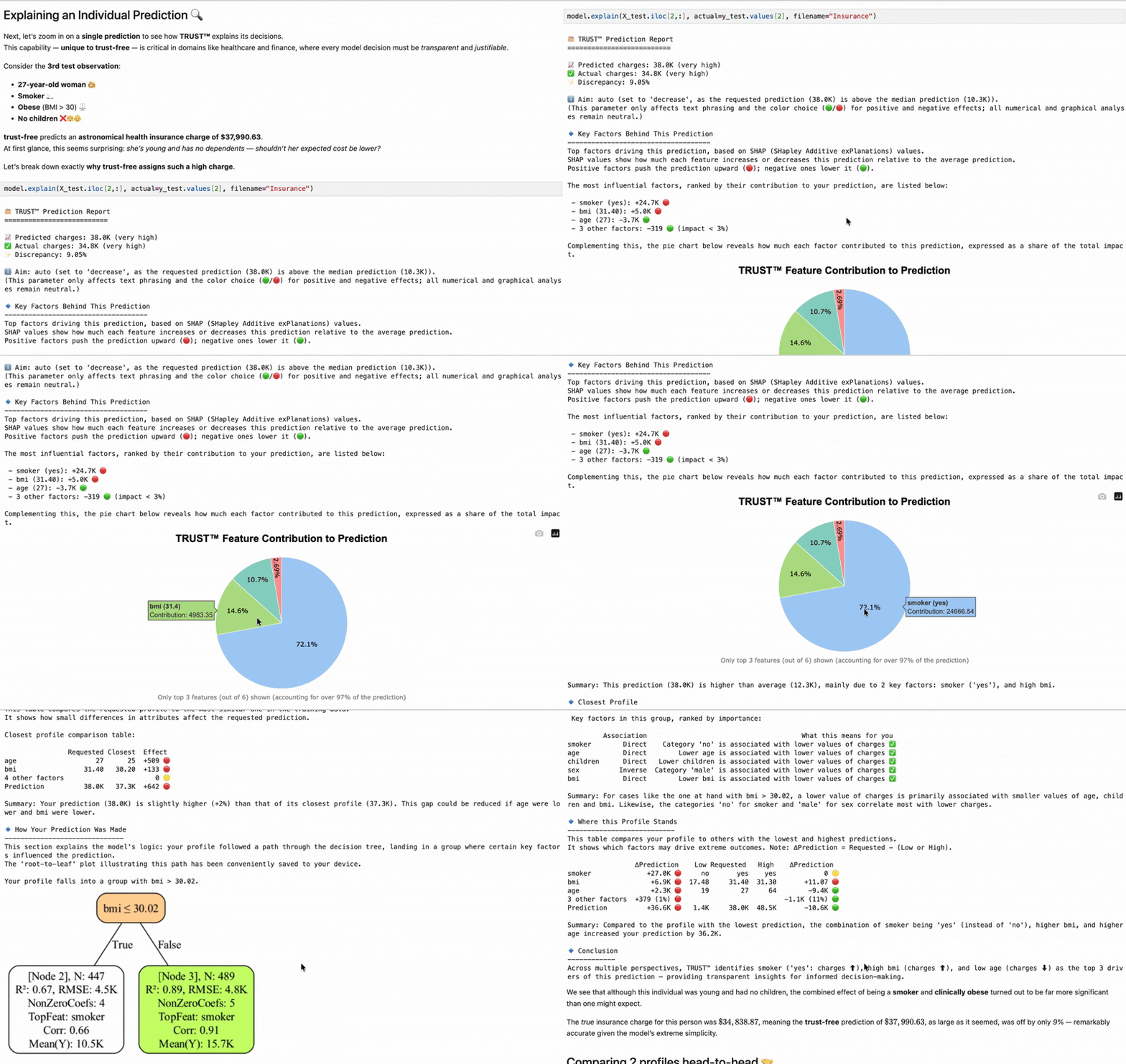
TRUST™’s
explain() method — Straightforward prediction explanations
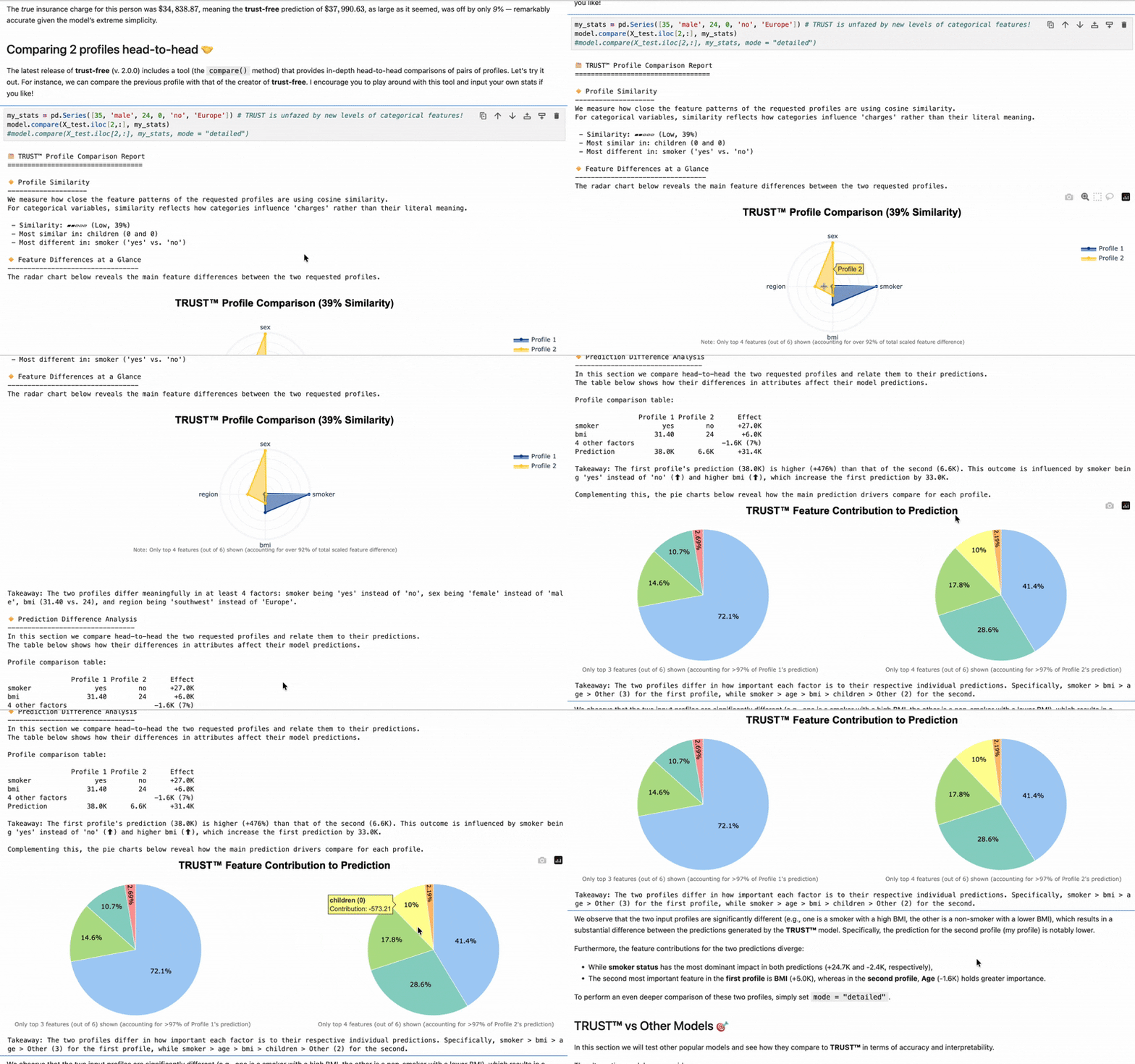
TRUST™’s
compare() method — Comprehensive head-to-head profile comparisons
Proven Performance: Accuracy + Full Interpretability (60 Datasets)
| Model | Test R² ↑ | Interpretable? |
|---|---|---|
| TRUST™ | 0.67 | ✅ Yes |
| Random Forest (RF) | 0.62 | ❌ No |
| Lasso | 0.57 | ✅ Yes |
| CART | 0.49 | ✅ Yes |
| Node Harvest (NH) | 0.47 | ✅ Yes |
| M5' (Linear Model Tree) | 0.36 | ⚠️ Partially |
In the table above, TRUST™ is the only fully interpretable model statistically above 0.6 test R² across varied benchmark datasets — and 6× sparser than M5' (17 vs 109 coefficients on average).
Source: PRICAI 2025 (Springer LNAI)
See full benchmarks in the PRICAI 2025 paper
The package currently supports standard regression, multiclass classification, as well as experimental time-series regression tasks.
Key Advantages: RF Accuracy ⟡ Tree Transparency ⟡ Linear Interpretability
- Hybrid power: Trees to capture non-linearity & interactions + sparse linear models (Adaptive or Relaxed Elastic Net) in leaves
- Superior accuracy: RF-level accuracy, proven on 60 regression and 15 classification benchmarks
- Full transparency: Every prediction is auditable via tree path + leaf equation
- Inclusive: Regression explanation reports written in natural language accessible to all audiences
- Compliant by design: 100% Compliant with the EU AI Act and the OECD AI Principles — ideal for high-stakes domains like finance and healthcare
Media
About this edition
- ℹ️ Free-tier Dataset Limits: ≤ 5,000 rows and ≤ 20 columns (intended for proof-of-concept, R&D and teaching)
- ✅ Full Functionality: All core features are fully functional within these bounds
- ✅ Standalone Tools: Relaxed Net (Renet™), Adaptive Logistic Regression (AdaLogit™), Adaptive Net, TurboSolve™ (fast OLS/ridge solver), Direct & Systemic Feature Importance
- ⭐ No-Limit Utilities: TurboSolve™, Feature Importance methods, and our open-source Synthetic Dataset Generators (Toeplitz, Block-Correlated) can be used without restriction as standalone tools
- 🚀 Need even more? We got you covered: Unlimited scale and additional features in the forthcoming trust-pro edition
Want early access to trust-pro?
- Join the waitlist (completely anonymous & GDPR-compliant)
- Star ⭐ the project's GitHub repository and stay updated!
Installation
You can install this package using pip:
pip install trust-free
📦 Note: The package name on PyPI is
trust-free, but the module you import in Python istrust: e.g.from trust import TRUSTRegressor.
What's new in version 3.1.0? Extension to multiclass classification (AdaLogit™)!
Check CHANGELOG.md on the project's GitHub to see this and all past release notes.
Platform Compatibility
| Platform / Environment | OS & Arch | Python | Status |
|---|---|---|---|
| Windows Intel/AMD | Windows 11 x86_64 | 3.11–3.12 | ✅ Working |
| macOS ARM64 (M1–M5) | macOS 11+ ARM64 | 3.11–3.12 | ✅ Working |
| Linux Intel/AMD | manylinux x86_64 | 3.11–3.12 | ✅ Working |
| Linux ARM64 | manylinux ARM64 | 3.11–3.12 | ✅ Working |
| Google Colab | Linux x86_64 | 3.12 | ✅ Working |
| Kaggle Notebooks | Linux x86_64 | 3.11 | ✅ Working* |
*If Kaggle shows a dependency-compatibility issue message upon installation via %pip install trust-free you may safely ignore it and hit "Restart and run up to selected cell" (assuming your selected cell is the one installing trust-free).
For a fully reproducible development environment with all dependencies, see SETUP.md.
Usage
Here are three simple examples showing how to use the trust-free package:
from trust import TRUSTRegressor, AdaLogitCV # note the import name is trust, not trust-free
from sklearn.datasets import make_regression
from sklearn.model_selection import train_test_split
from sklearn.metrics import r2_score, mean_squared_error, roc_auc_score
🧪 Example 1: Sparse Synthetic Regression (n=5000, p=20)
X, y, coefs = make_regression(n_samples=5000, n_features=20, n_informative=10, coef=True, noise=0.1, random_state=123)
print(coefs)

# Make Train-Test split
X_train, X_test, y_train, y_test = train_test_split(X, y, test_size=0.2, random_state=123)

# Instantiate and fit your model
model = TRUSTRegressor().fit(X_train, y_train)

# Predict and print results
y_pred = model.predict(X_test)
print("Predictions:", y_pred[:5])
print("True y values:", y_test[:5])
print("test R\u00B2:", r2_score(y_test, y_pred))
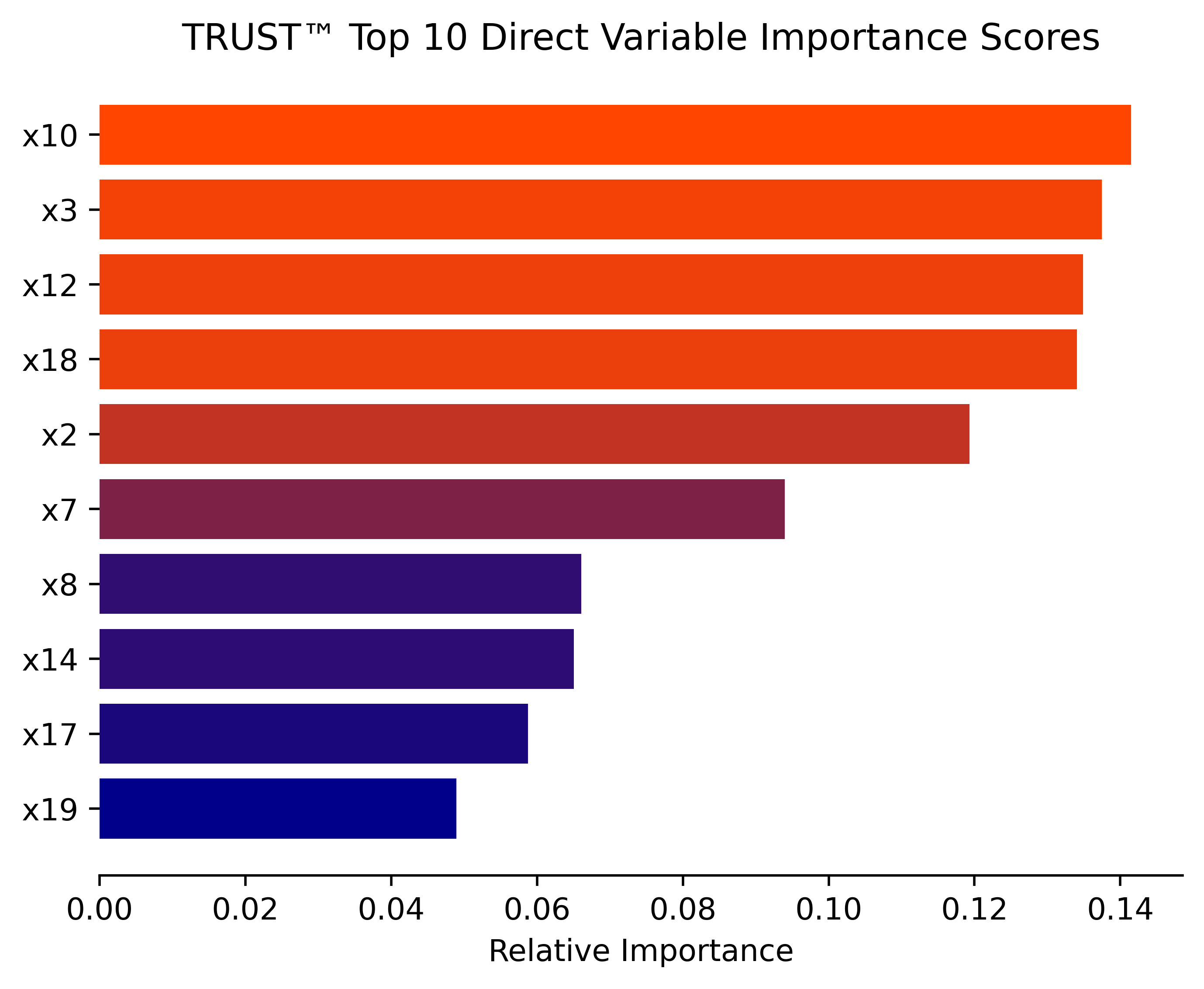
# Estimate direct variable importance for your fitted model
model.importance("direct", filename="Synthetic")
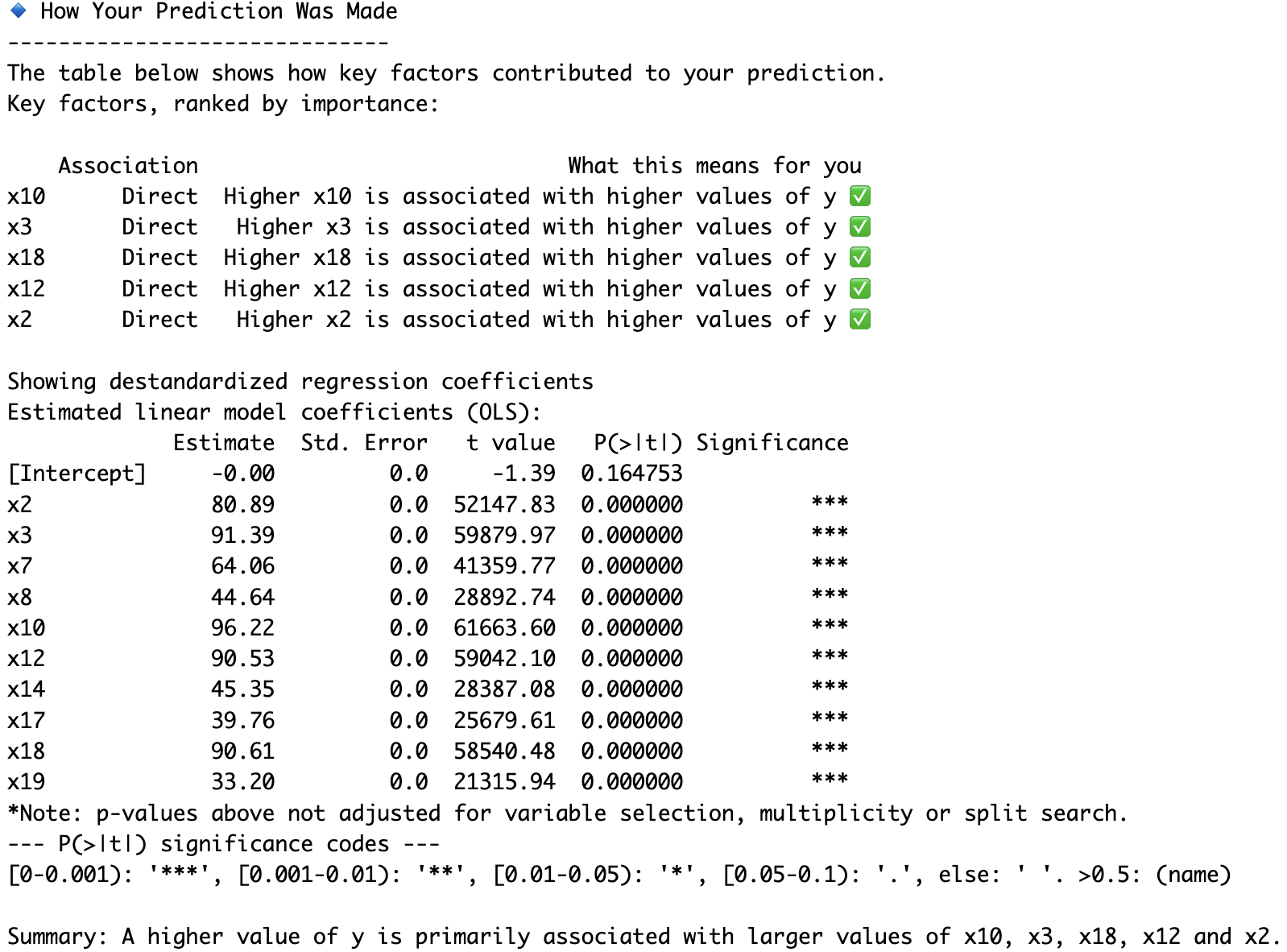
# Obtain a comprehensive prediction explanation for the first test observation
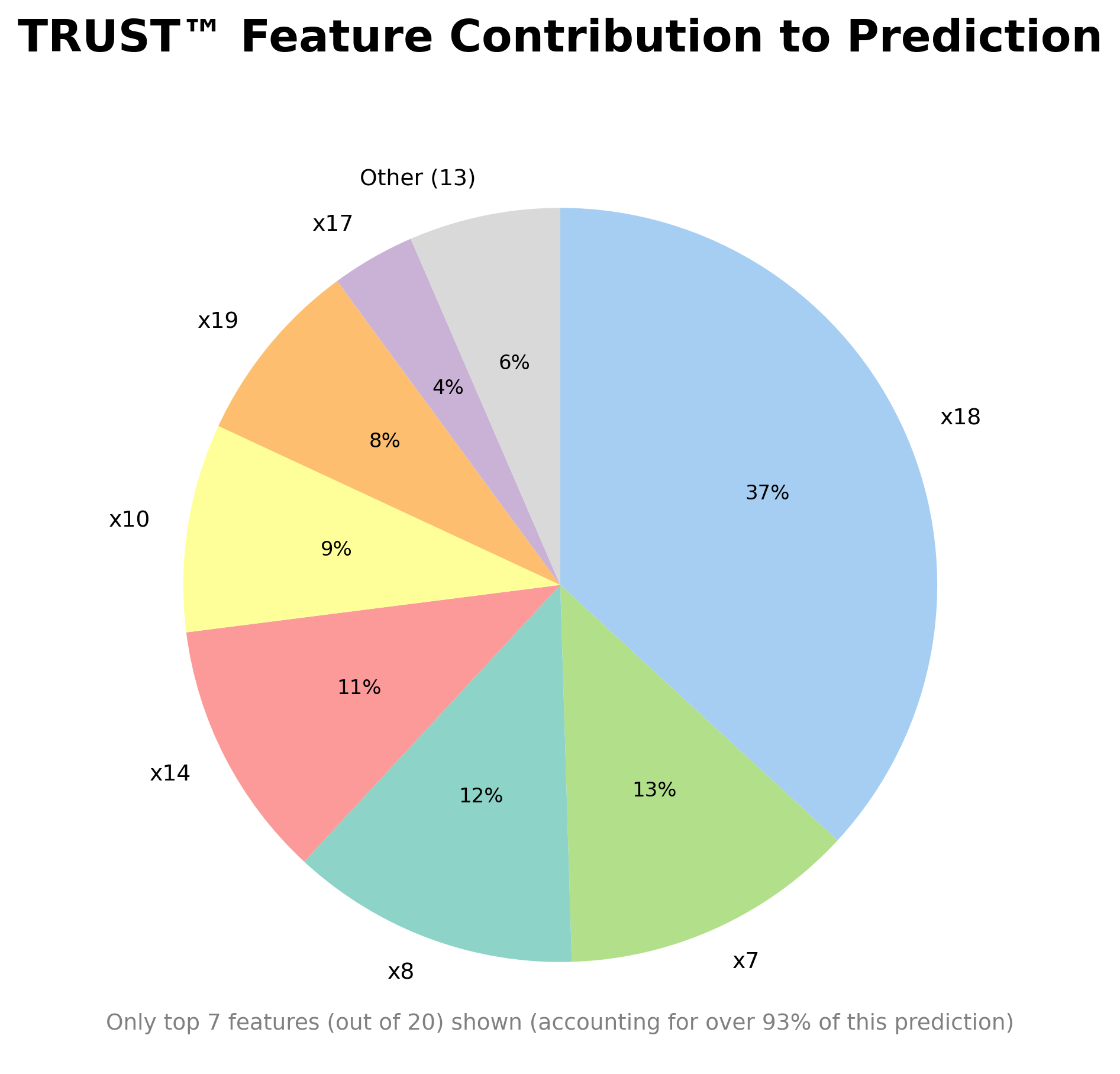
model.explain(X_test[0,:], mode="detailed", actual=y_test[0], filename="Synthetic")
🩺 Example 2: Diabetes Dataset (n=442, p=10)
import pandas as pd
from sklearn import datasets
from sklearn.preprocessing import LabelEncoder

Diabetes = pd.DataFrame(datasets.load_diabetes().data)
Diabetes.columns = datasets.load_diabetes().feature_names
diab_target = datasets.load_diabetes().target
Diabetes.insert(len(Diabetes.columns), "Disease_marker", diab_target)
Diabetes_X = Diabetes.iloc[:,:-1]
# Binary encoding (0/1) for 'sex'
le = LabelEncoder()
Diabetes_X.loc[:, 'sex'] = le.fit_transform(Diabetes_X['sex']).astype(str)
Diabetes_y = Diabetes.iloc[:,-1]
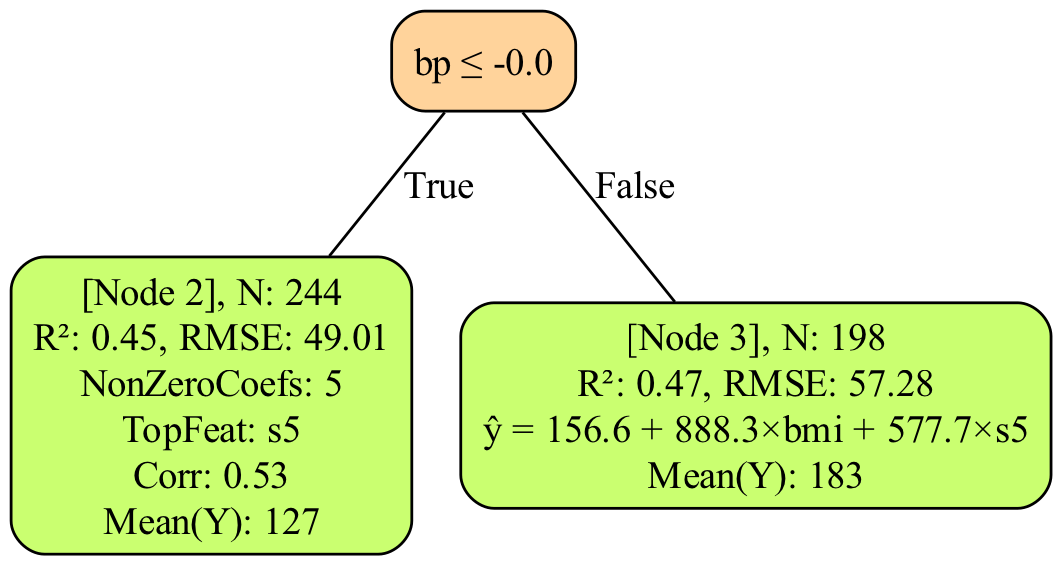
model_Diabetes = TRUSTRegressor(max_depth=1).fit(Diabetes_X,Diabetes_y)
y_pred_TRUST = model_Diabetes.predict(Diabetes_X)
# Tree plotting requires Graphviz to be installed in your system path
# You can use e.g. Homebrew: brew install graphviz or Conda: conda install -c conda-forge graphviz
model_Diabetes.plot_tree("Diabetes") #will save "tree_plot_Diabetes.png" in your working directory
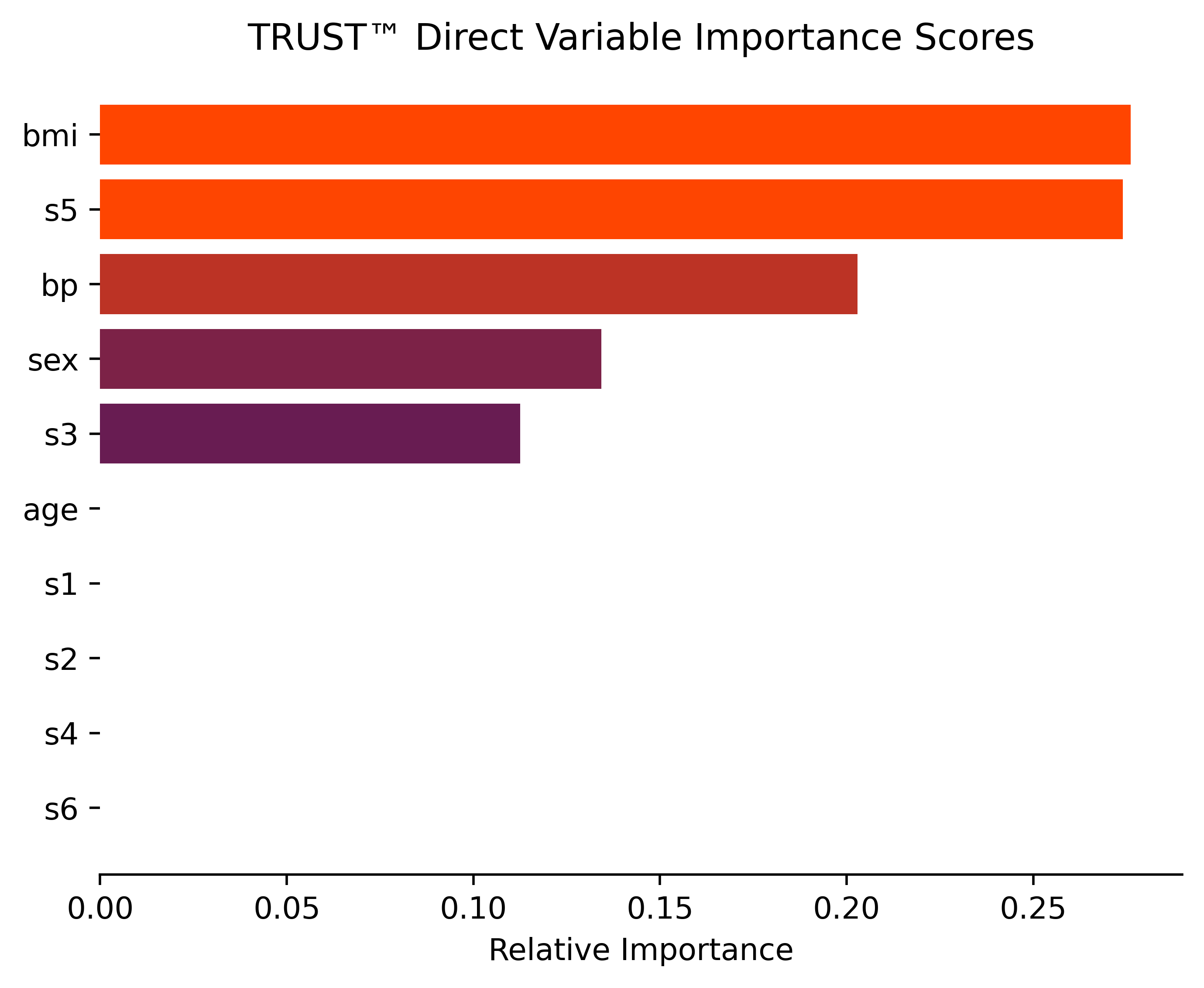
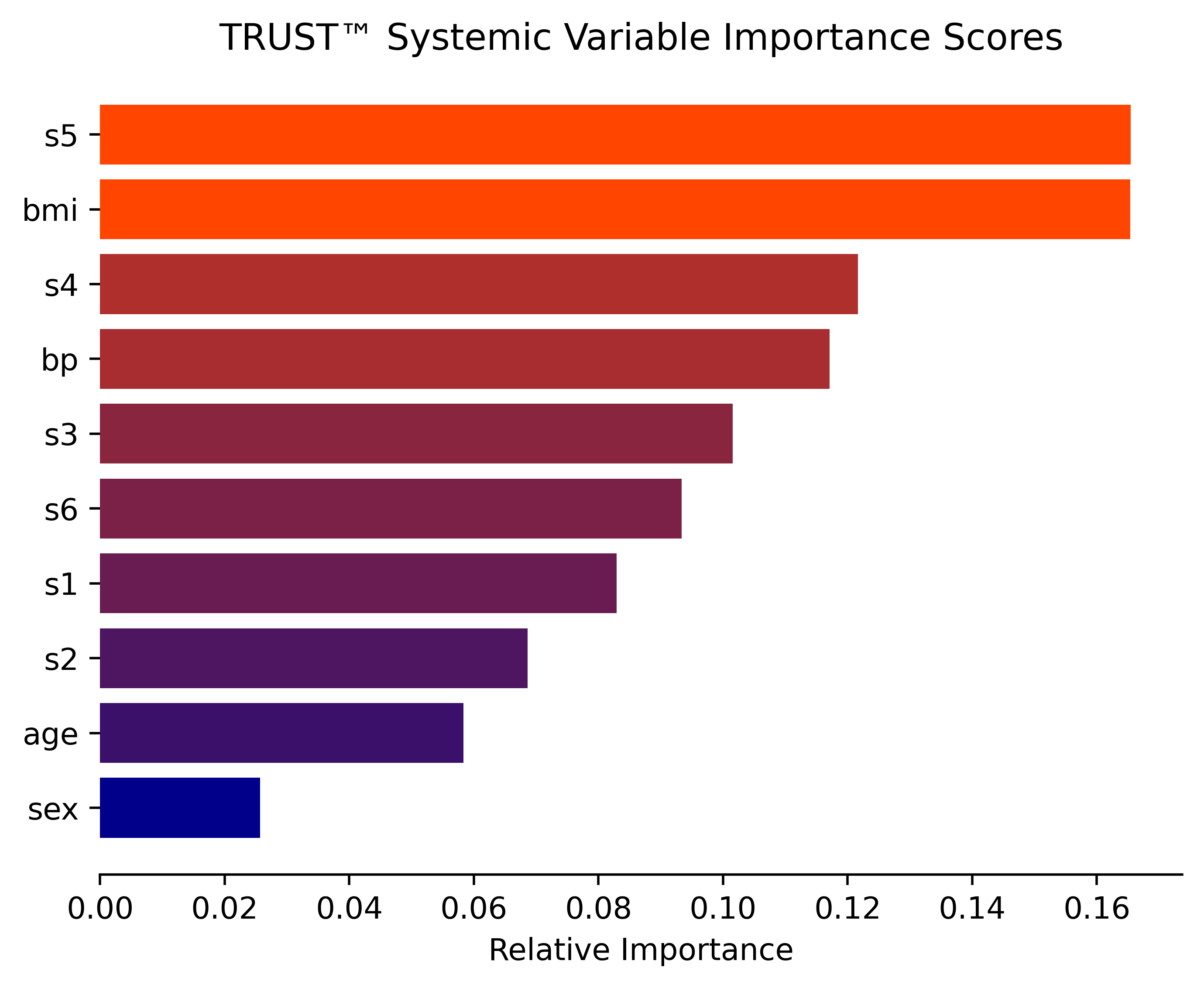
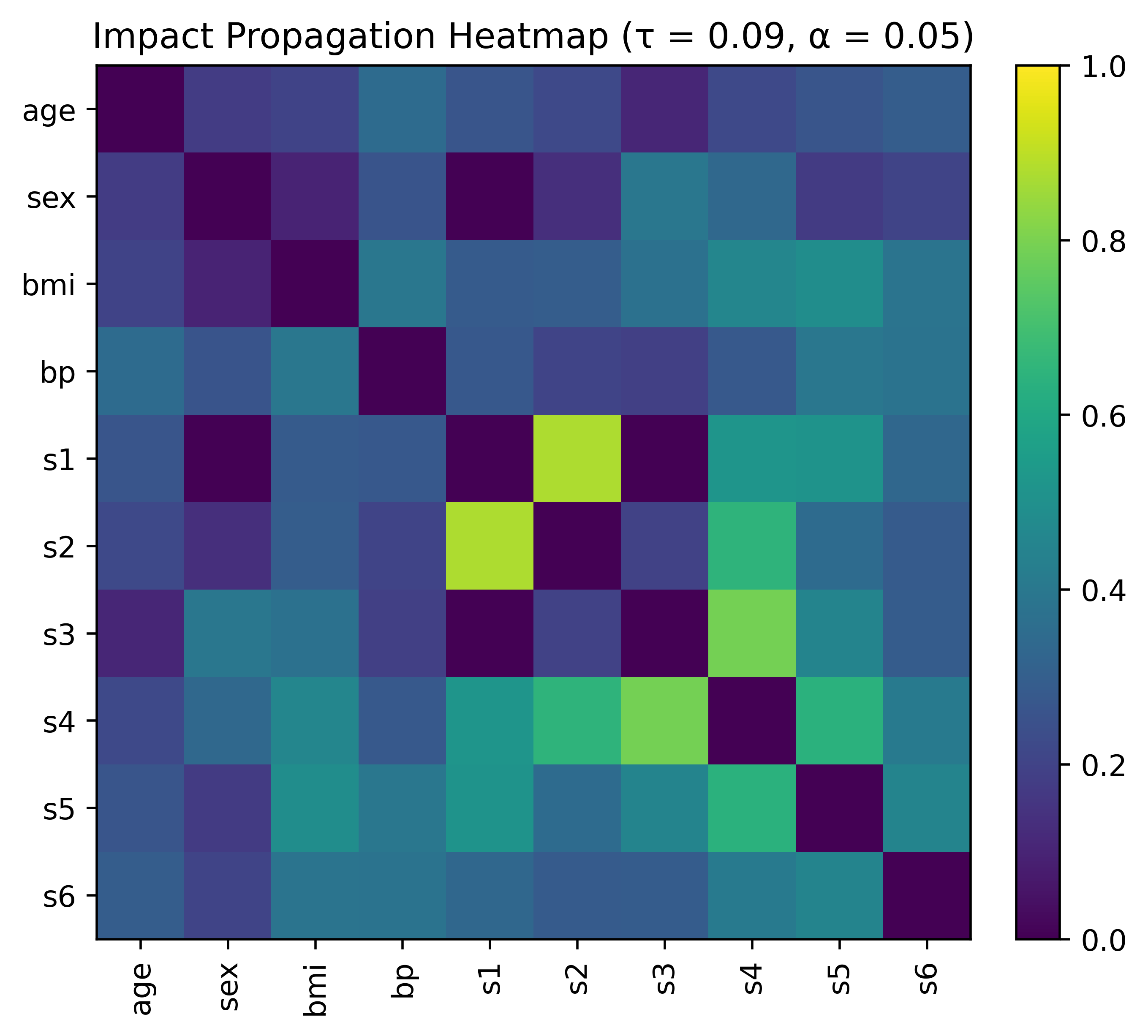
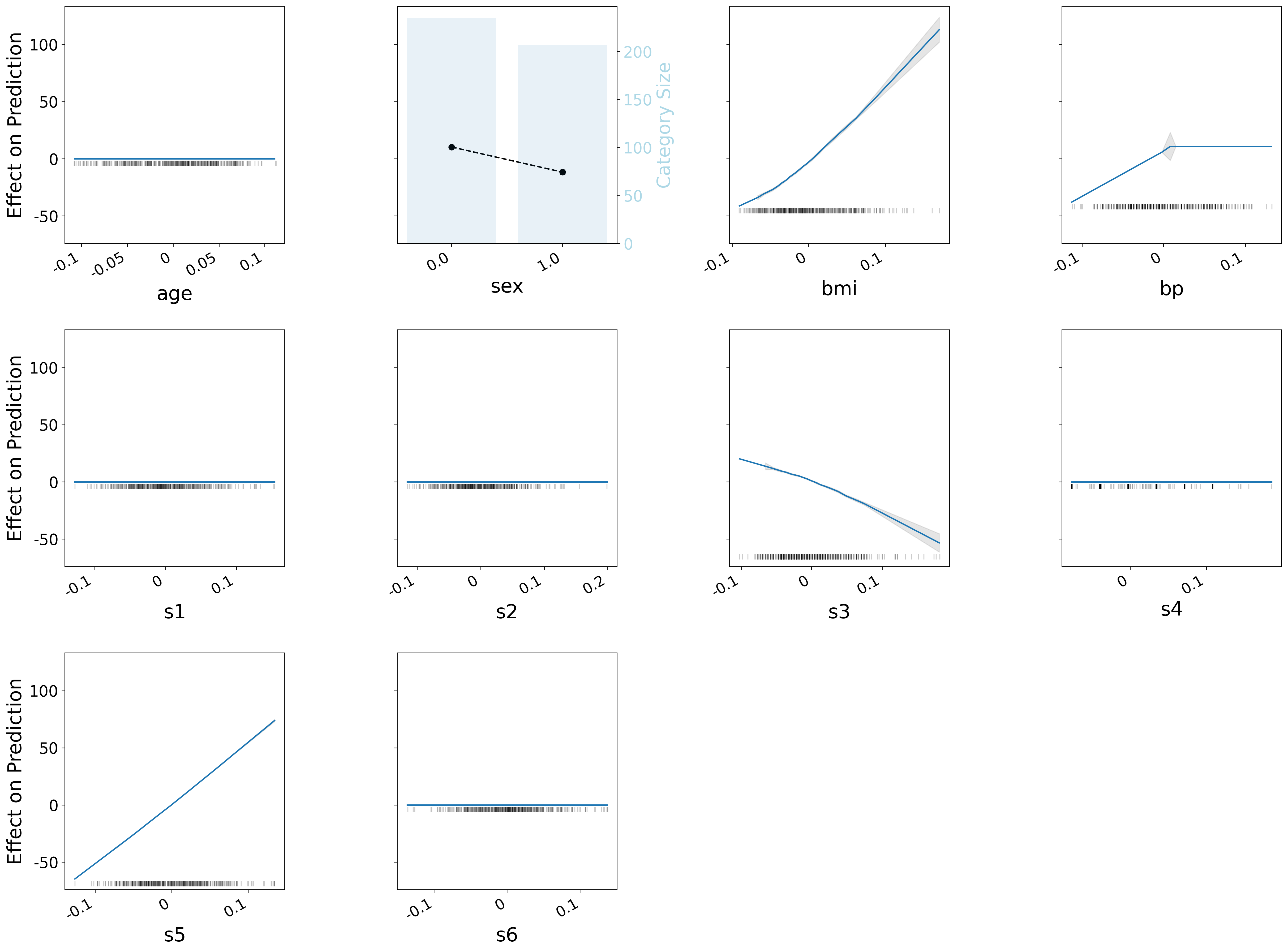
# Obtain direct and systemic variable importance (with impact propagation heatmap) as well as ALE plots for all features
model_Diabetes.importance("direct", filename="Diabetes")
model_Diabetes.importance("systemic", filename="Diabetes")
# Obtain a prediction explanation for the second observation
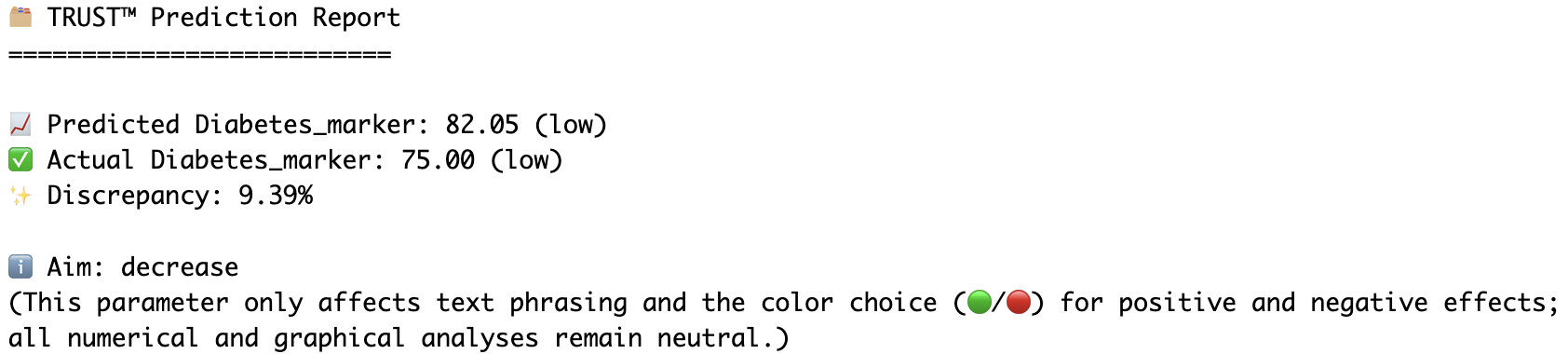
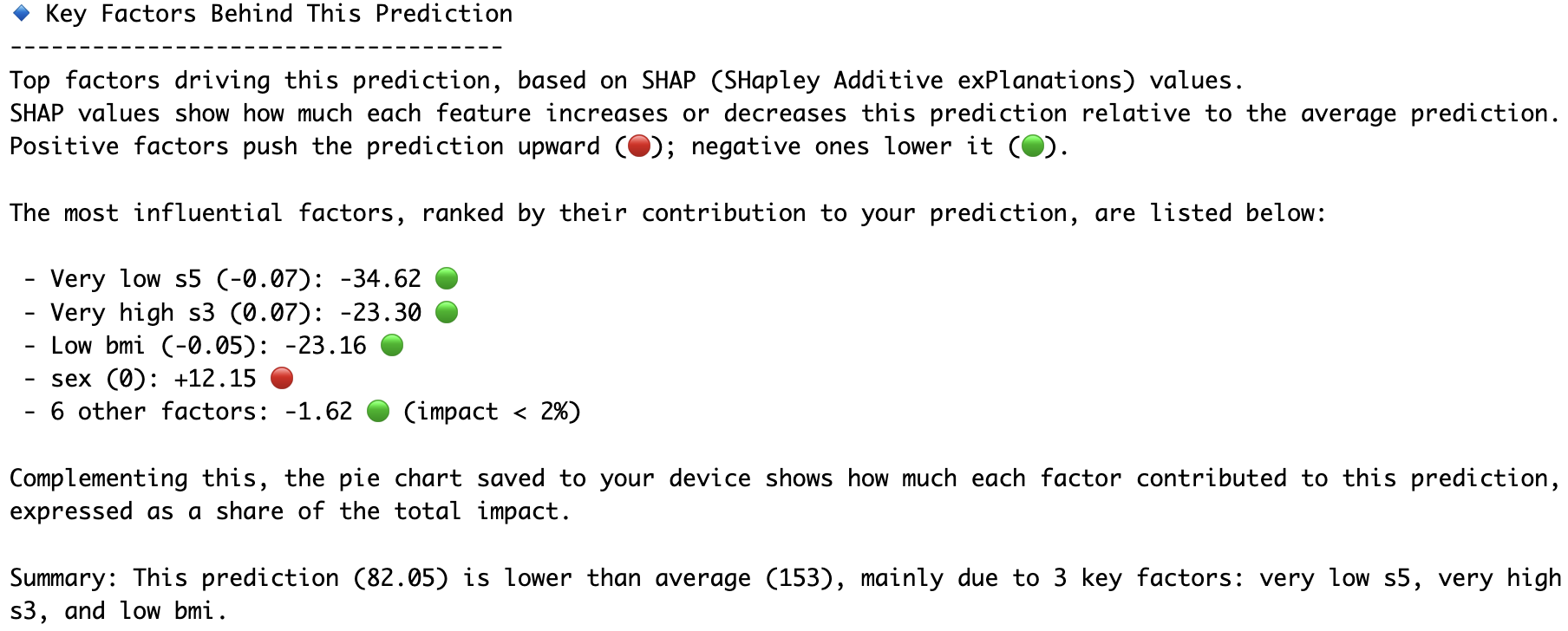
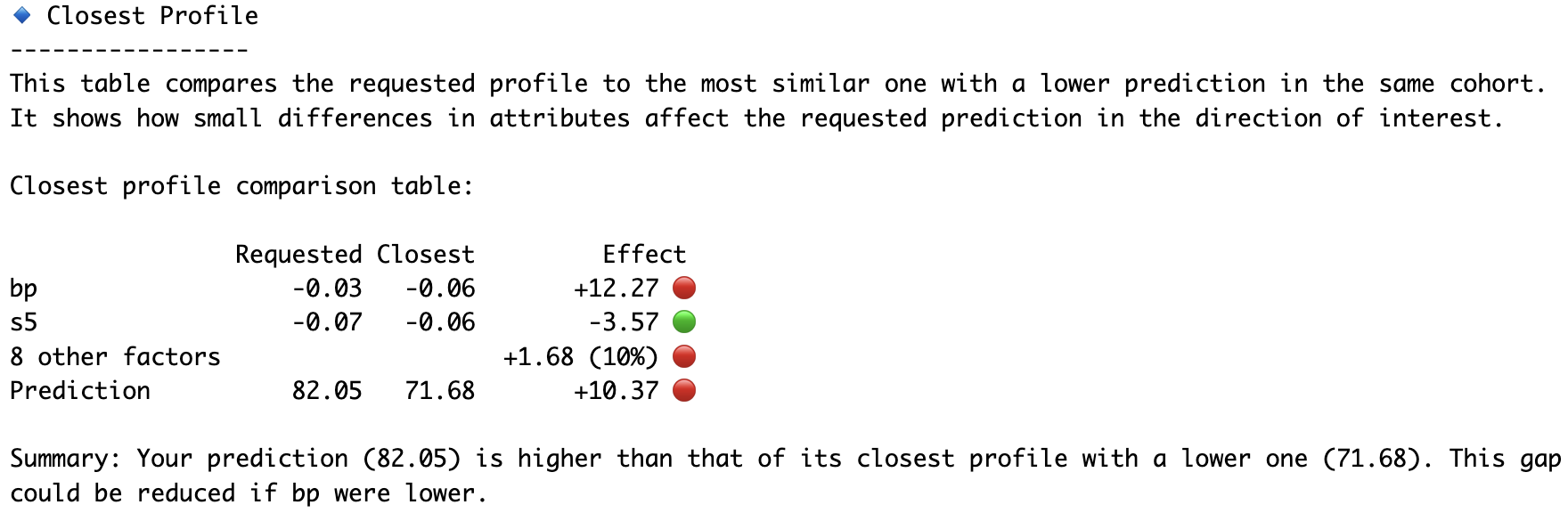
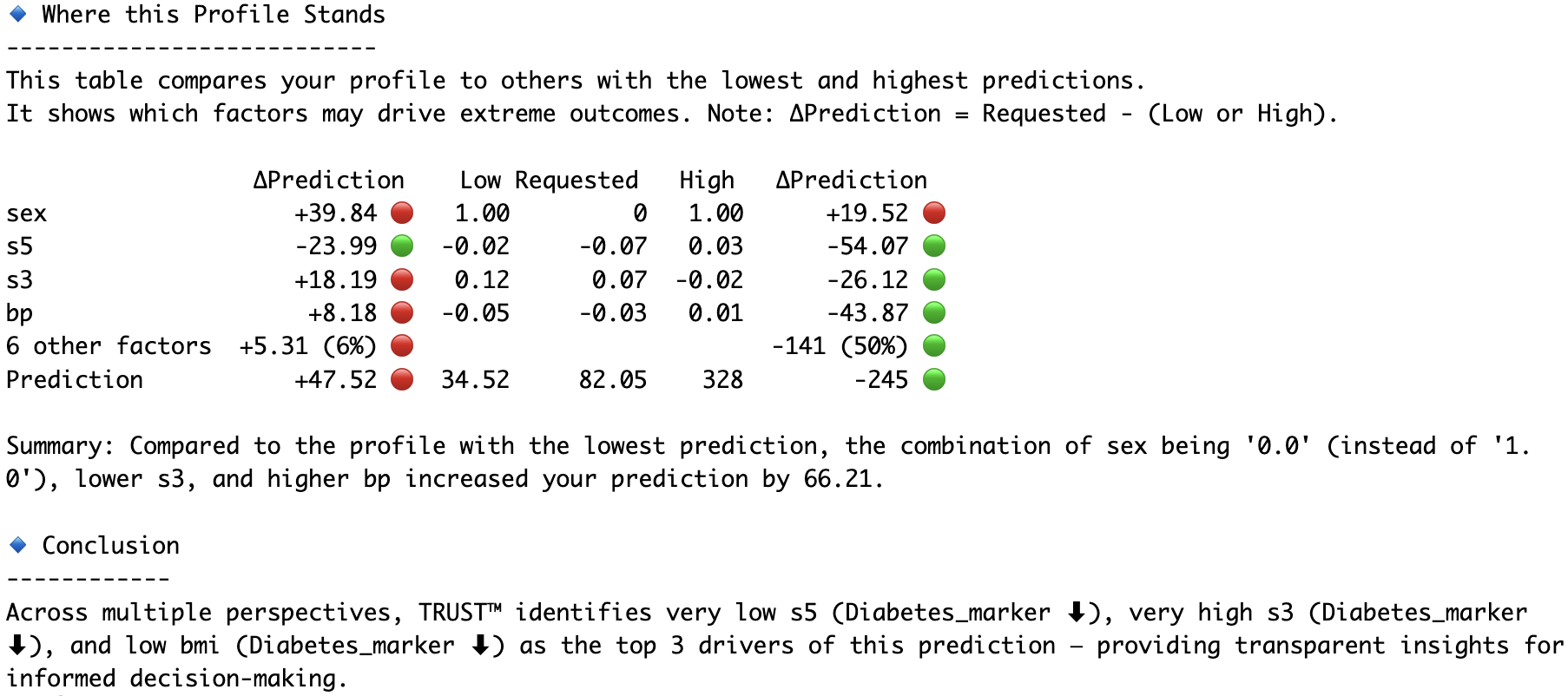
model_Diabetes.explain(Diabetes_X.iloc[1,:], aim="decrease", actual=Diabetes_y[1], filename="Diabetes")
# Compare the second and fourth observations head-to-head
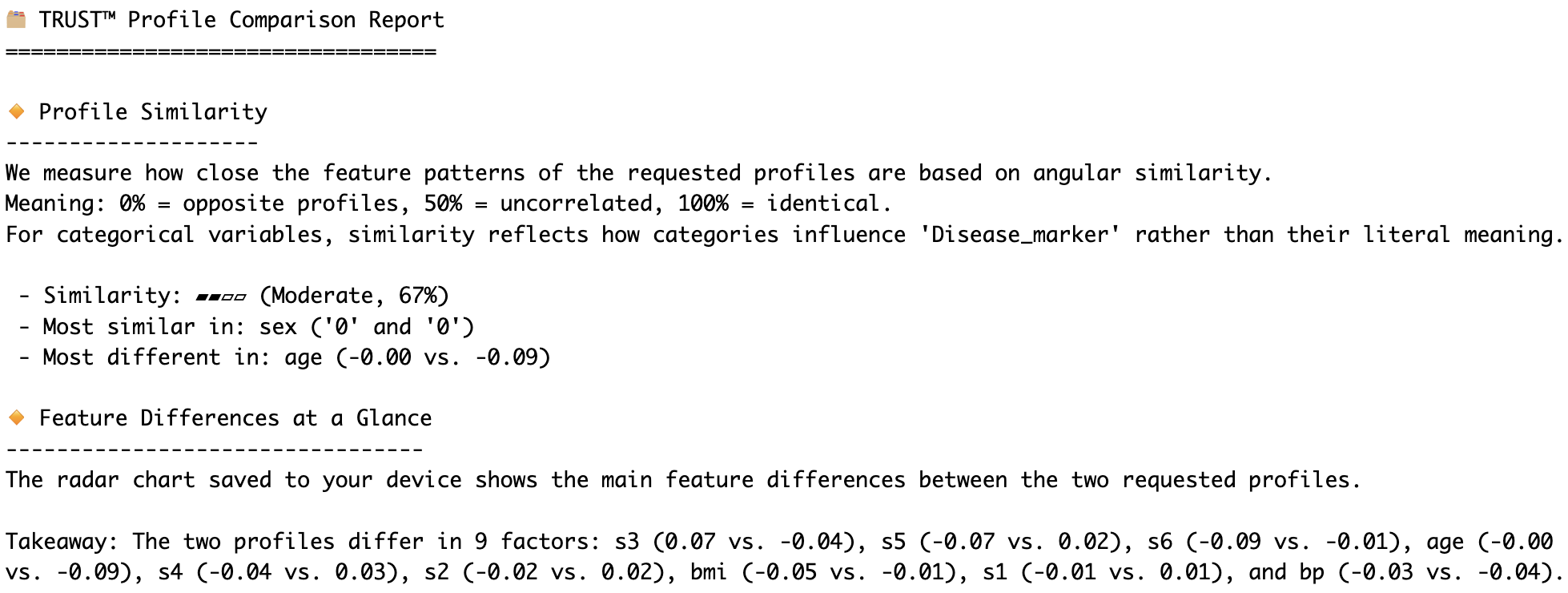
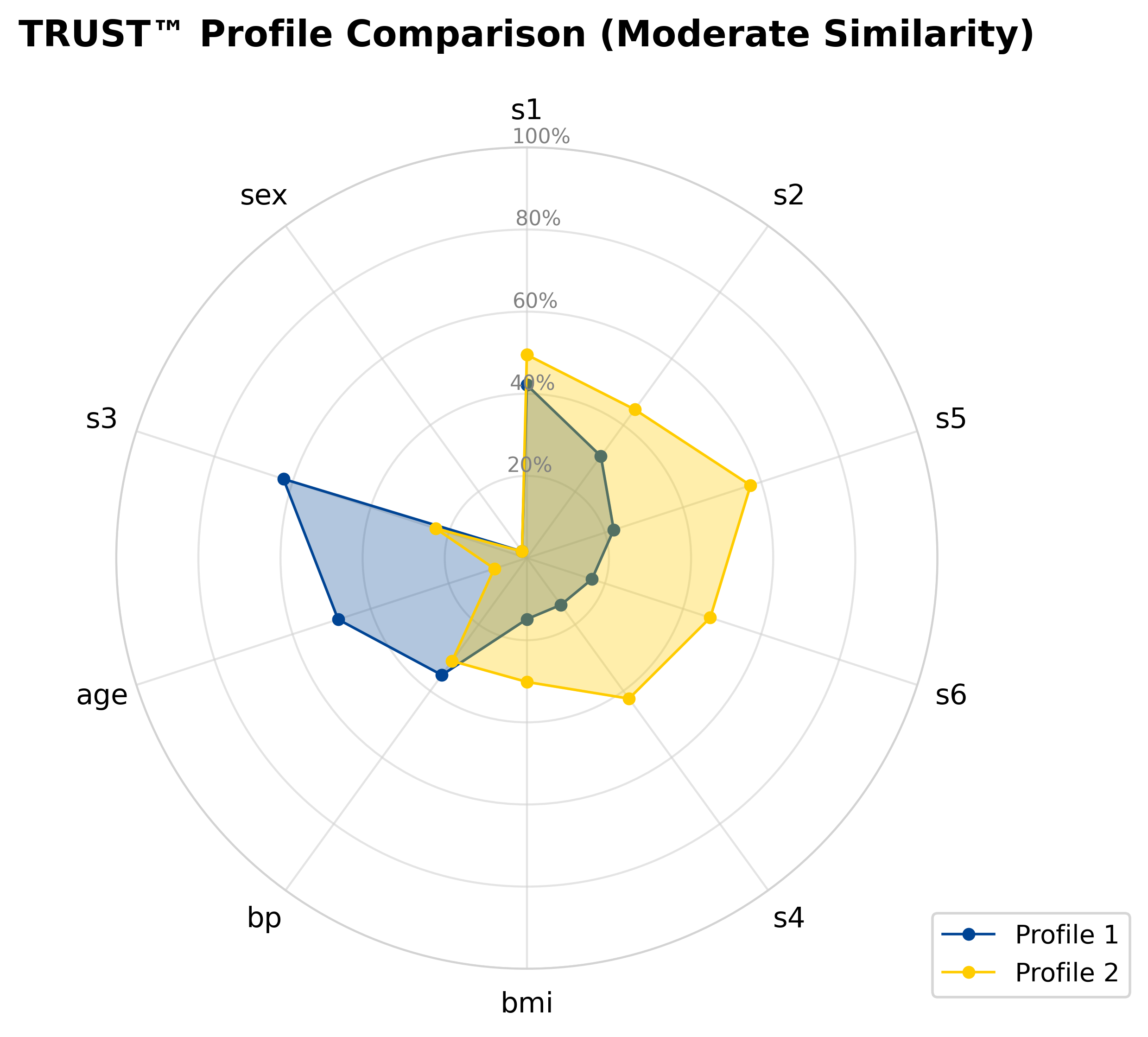
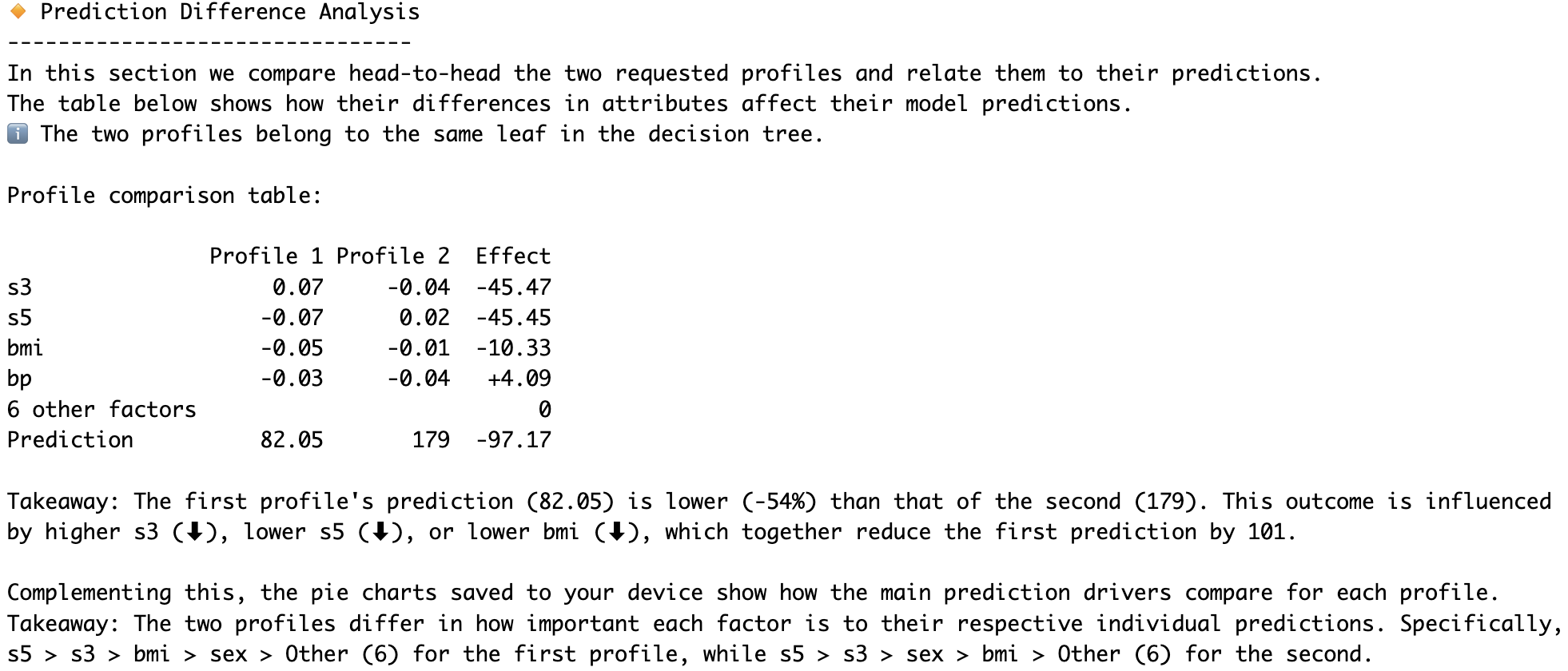
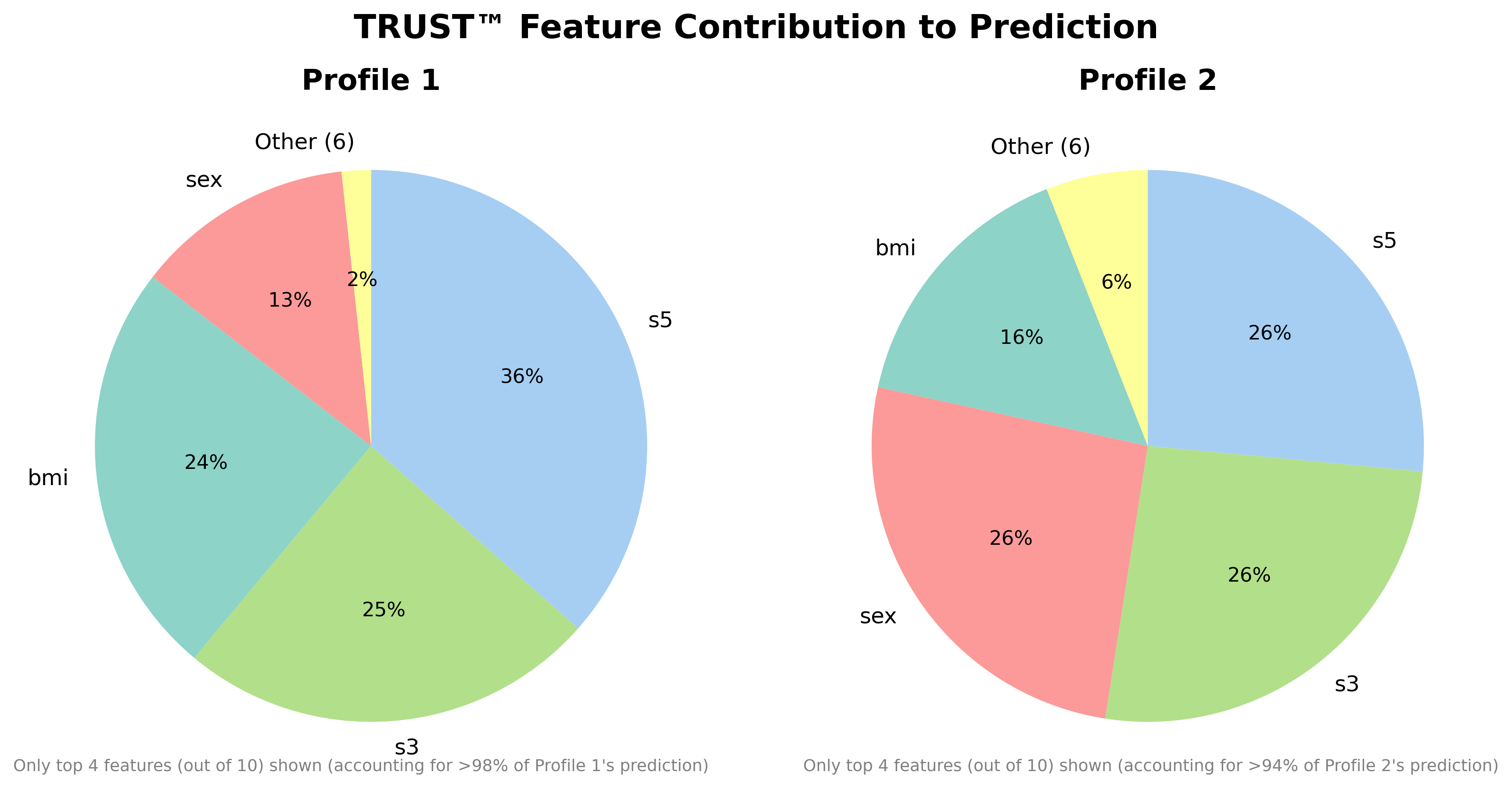
model_Diabetes.compare(Diabetes_X.iloc[1,:], Diabetes_X.iloc[3,:], filename="Diabetes")
🆎 Example 3: Sparse Synthetic Classification (n=1000, p=20)
from trust.datasets import generate_block_corr_data_binY
X, y, beta, nonzero_ix, zero_ix = generate_block_corr_data_binY(n=1000, p=20, signal_scale=2.0, pi=0.5, random_state=0)

# Make Train-Test split
X_train, X_test, y_train, y_test = train_test_split(X, y, test_size=0.2, random_state=123)

# Instantiate and fit your model
ALR = AdaLogitCV(l1_ratios=(0.95,), class_weight="balanced", scoring="neg_log_loss").fit(X_train, y_train)
print("Estimated coefficients:", np.round(ALR.coef_[0]))
print("True coefficients:", beta)

# Predict and print results
ALR_predictions = ALR.predict_proba(X_test)[:, 1]
print("Predictions:", np.round(ALR_predictions[:5],2))
print("True y values:", y_test[:5])
print("AdaLogit Test AUC =", round(roc_auc_score(y_test, ALR_predictions), 2))
More Examples on Kaggle Datasets
- Medical Insurance Charges (2.0M views, 414K downloads)
- Life Satisfaction in the EU (own contribution)
License
This software is provided under a Proprietary Binary-Only license. For detailed terms, please refer to the LICENSE.txt file, which is also included with the distribution.
More Information
For more details, documentation, and information about the full upcoming 'pro' version of the TRUST™ algorithm, visit:
https://github.com/adc-trust-ai/trust-free
Further technical details about TRUST™, Renet™ and our novel variable importance algorithms can be found in our preprints on arXiv:
https://www.arxiv.org/abs/2506.15791
https://arxiv.org/abs/2602.11107
https://arxiv.org/abs/2512.13892
Built with ❤️ by ADC at Whiteboxlab - Copyright © 2025-2026 Albert Dorador Chalar. All rights reserved. TRUST™, Renet™, AdaLogit™, and TurboSolve™ are trademarks of Albert Dorador Chalar.
Release history Release notifications | RSS feed


Download files
Download the file for your platform. If you're not sure which to choose, learn more about installing packages.
Source Distributions
Built Distributions
Filter files by name, interpreter, ABI, and platform.
If you're not sure about the file name format, learn more about wheel file names.
Copy a direct link to the current filters
File details
Details for the file trust_free-3.1.0-cp312-cp312-macosx_11_0_arm64.whl.
File metadata
- Download URL: trust_free-3.1.0-cp312-cp312-macosx_11_0_arm64.whl
- Upload date:
- Size: 894.3 kB
- Tags: CPython 3.12, macOS 11.0+ ARM64
- Uploaded using Trusted Publishing? No
- Uploaded via: twine/6.2.0 CPython/3.12.10
File hashes
| Algorithm | Hash digest | |
|---|---|---|
| SHA256 |
8797588cda8fe5c262bb6c596b54c40dfc6e56043778f606c84c337cc08ccf27
|
|
| MD5 |
22f8c95dfb7b60501ed4b207a1813cac
|
|
| BLAKE2b-256 |
5807929c2fcad028da9529ef0a0ccdbb1fa0ad859a9925fbe0ffa0474d86485f
|
File details
Details for the file trust_free-3.1.0-cp311-cp311-macosx_11_0_arm64.whl.
File metadata
- Download URL: trust_free-3.1.0-cp311-cp311-macosx_11_0_arm64.whl
- Upload date:
- Size: 876.3 kB
- Tags: CPython 3.11, macOS 11.0+ ARM64
- Uploaded using Trusted Publishing? No
- Uploaded via: twine/6.2.0 CPython/3.12.10
File hashes
| Algorithm | Hash digest | |
|---|---|---|
| SHA256 |
66097b51e5834699b70c8963d3f6c0f7ebbb425dc914b6c68e4d23c2c0c984d0
|
|
| MD5 |
9f73a7f2341d76b8a6168fbe6fe3fd4e
|
|
| BLAKE2b-256 |
f25e15a2c41aec663fdc5d55f08b191a7d953f26957cd5ea7f465b302b7d51e5
|






