
ts-agents



ts-agents is a CLI toolkit for time-series analysis used by external agents
and automation. It gives agent runtimes a stable, machine-readable surface
so a model can bootstrap, discover what's available, execute real work, and
produce inspectable artifacts — without hand-written glue code per project.
It is not intended to be a broad time-series foundation-model hub. Foundation-model support is kept scoped to executable smoke paths and planning artifacts that exercise the same CLI/workflow contract.
It is built around:
- a stable CLI contract for bootstrap, discovery, and execution (
ts-agents capabilities,ts-agents workflow ...,ts-agents tool ...) - strict JSON envelopes with
schema_version, typed exit codes, top-levelquality_status/degraded/requires_review, and nested workflowresult.status/result.data.quality_flags - run lifecycle metadata: generated run IDs,
run_manifest.json, non-clobbering default output directories, and--resume/--overwritesemantics - inspectable artifacts instead of chat-only outputs (plots as
ArtifactReffiles, JSON payloads, Markdown reports) - reusable skills that encode time-series workflow guidance as install-agnostic command templates
- optional sandboxes for safer, reproducible execution (
local,subprocess,docker,daytona,modal) with readiness probes and explicit fallback flags - optional adapters on top, including Gradio and built-in agent entrypoints
It ships with three first-class workflows:
inspect-series(quick diagnostics + summary/report artifacts)forecast-series(baseline comparison + forecast/report artifacts)activity-recognition(labeled-stream window-size selection + evaluation)
It also includes autoresearch loops for repeatable dataset/model/metric experiments:
forecast-daytona(M4 mini forecasting baselines under constrained resources)classify-daytona(windowed activity classification under constrained resources)foundation-chronos-smoke(optional Chronos zero-shot smoke run on M4 mini)foundation-gpu-plan(plan-only Chronos/MOMENT GPU fine-tuning recipes)
Legacy compatibility aliases for ts-agents demo ... remain available for one
release cycle and emit deprecation warnings.
Source-checkout-only datasets such as data/wisdm_subset.csv are documented
separately and are not part of the published wheel.
Start here: Quickstart | Choose your path | Docs site | Evaluation harness | Workflow walkthroughs
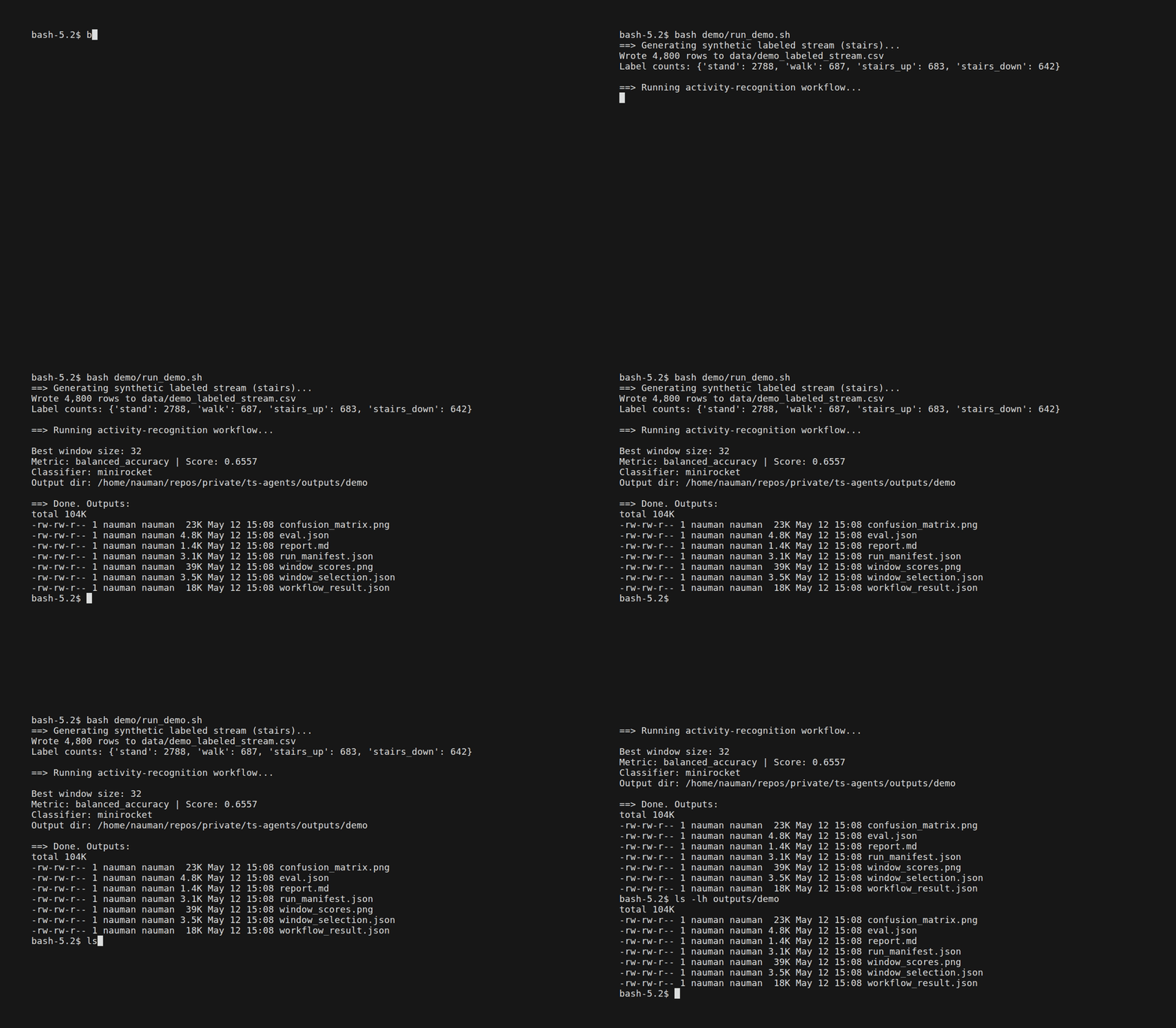
Table of Contents
- Choose your path
- For autonomous agents
- Why ts-agents instead of using statsforecast/sktime/aeon directly?
- Design principles
- Quickstart
- Installation
- CLI usage
- Gradio app
- Sandbox backends
- Guides
- Development
Choose Your Path
1. Run a workflow in under a minute
Use the workflow layer when you want reproducible CLI commands on bundled or custom data.
python -m pip install ts-agents
ts-agents workflow list
ts-agents workflow show forecast-series --json
ts-agents workflow run inspect-series --input-json '{"series":[1,2,3,4]}'
ts-agents workflow run forecast-series --input-json '{"series":[1,2,3,4,5,6,7,8,9,10]}' --horizon 3 --methods seasonal_naive
Base install is guaranteed to support workflow discovery plus inspect-series.
It also supports a light seasonal_naive forecasting baseline. Install
ts-agents[recommended] for the full three-workflow experience, including
ARIMA/ETS/Theta forecasting and activity-recognition. From a source
checkout, plain uv sync matches the base CLI-first install; use
uv sync --extra recommended for the same recommended workflow stack.
2. Run autoresearch loops
Use autoresearch loops when you want a bounded comparison plan with datasets,
models, metrics, budgets, and artifacts chosen up front. The Daytona-oriented
statistical/classical loops are benchmark-style searches: --max-trials counts
model/evaluation-spec rows. They default to vendored or generated datasets and
fit 4 vCPU / 8 GiB RAM / 10 GiB disk sandboxes.
ts-agents autoresearch list --json
ts-agents autoresearch show forecast-daytona --json
ts-agents autoresearch run forecast-daytona --profile smoke --models seasonal_naive --json
ts-agents autoresearch run classify-daytona --profile smoke --dataset synthetic --models knn --json
ts-agents autoresearch run foundation-chronos-smoke --dry-run --json
ts-agents autoresearch run foundation-gpu-plan --json
Pass --sandbox daytona to run an autoresearch loop through the Daytona
backend after configuring DAYTONA_API_KEY; use --dry-run to materialize the
trial plan without fitting models. foundation-chronos-smoke is the only
executable foundation-model loop; real runs require ts-agents[foundation]
and lazy-load chronos/torch, while dry-run mode needs no heavy TSFM
dependencies. foundation-gpu-plan is intentionally plan-only and reports no
trained-model metrics.
3. Use the low-level CLI on bundled or custom data
Use the low-level tool registry when you want direct access to individual analysis functions.
ts-agents tool list --bundle demo
ts-agents tool show forecast_theta_with_data
ts-agents tool run describe_series --input-json '{"series":[1,2,3,4]}'
ts-agents sandbox list
ts-agents skills show forecasting
4. Launch the UI or prepare a hosted demo
Use the Gradio app for interactive exploration, or the hosted entrypoint for a manual/public demo deployment. This is optional and secondary to the CLI.
python -m pip install "ts-agents[ui]"
ts-agents-ui
ts-agents-hosted
From a source checkout with UI dependencies synced (for example,
uv sync --extra ui or uv sync --extra recommended), use the root wrappers:
uv run python main.py
HOST=0.0.0.0 PORT=7860 uv run python app.py
ts-agents-hosted is environment-variable driven rather than flag-driven.
Configure HOST, PORT, GRADIO_SHARE, TS_AGENTS_ENABLE_AGENT,
TS_AGENTS_AGENT_TYPE, TS_AGENTS_PERSIST_SESSIONS, and
TS_AGENTS_UI_TITLE before launch if you need non-default behavior.
For Autonomous Agents
ts-agents is designed so an autonomous agent can bootstrap itself, plan, and
run multi-step time-series work against a stable contract — even across long,
multi-turn sessions.
1. Bootstrap with one command
ts-agents capabilities --json
Returns the full agent-facing surface: available workflows, tools, sandboxes,
workflow discovery metadata, the current install_profile block, and
status-contract guidance. Use this as the first call of any new agent session.
2. Discover execution metadata before running anything
ts-agents workflow show forecast-series --json
ts-agents tool show forecast_theta_with_data --json
Both show commands return cli_templates, source_options, global_options,
status_contract, default_output_behavior, required extras, availability in
the current environment, input modes, and artifact behavior. Agents can plan
commands from this metadata rather than guessing flags.
3. Strict machine-readable envelopes
Every --json response is:
- wrapped in a stable envelope with
schema_version: "1.0" - strict JSON (no raw
NaN/Infinity,allow_nan=False) - accompanied by typed exit codes for validation, dependency, permission, and timeout errors — so agents can branch on failure mode instead of parsing prose
- tagged with top-level
quality_status,degraded, andrequires_review, while workflow payloads exposeresult.statusandresult.data.quality_flagsfor workflow-specific review signals
4. Run lifecycle and provenance
Workflow runs produce:
- a generated run ID and run-scoped output directory under
outputs/<workflow>/<run-id>/ - a
run_manifest.jsoncapturing inputs, parameters, execution backend metadata, and emitted artifacts - absolute paths on every
ArtifactRefso an agent can materialize files from any working directory - non-clobbering defaults, plus
--overwrite/--resumesemantics for retry loops and long sessions
--resume reruns the computation with the same workflow, normalized input
content, source interpretation, and options while keeping the run ID and
original creation time. It does not recover a computational checkpoint.
Changed analyses and legacy manifests without a resume fingerprint require a
new output directory. Active/interrupted runs are retained for inspection;
failed executions remain visible in the run catalog.
GC previews candidates by default and retains directories containing unreadable, unclassified, or nonterminal run manifests. Stop concurrent work and inspect the preview before applying cleanup.
Past runs are a first-class surface. runs catalogs every manifest under the
outputs root, and jobs runs any CLI command in a detached background worker
with a durable record, log capture, and cancellation:
ts-agents runs list --json
ts-agents runs show <run-id> --json
ts-agents runs gc --older-than 30 --apply --json

ts-agents jobs start --json -- workflow run forecast-series \
  --input-json '{"series":[1,2,3,4,5,6,7,8,9,10,11,12]}' \
  --horizon 3 --methods seasonal_naive --skip-plots --json
ts-agents jobs status <job-id> --json
ts-agents jobs logs <job-id> --tail 50
ts-agents jobs cancel <job-id> --json
Background jobs require POSIX (Linux/macOS or WSL); native Windows supports
foreground commands. Cancellation is supervised: a timeout leaves the job active so
jobs cancel <job-id> --force can terminate a resistant local command process
group. A missing worker is reported as stale, with cancellation unconfirmed.
This does not establish termination of remote Docker/Daytona/Modal work or
processes that detach themselves into another session.
5. Artifacts over chat
Tool/workflow outputs are written to real files (PNG plots, JSON, CSV,
Markdown reports) and returned as ArtifactRef entries. Chat is the control
plane; the files are the product — they can be inspected, diffed, cached, and
fed into the next step by the agent.
6. Sandbox parity and explicit fallback
ts-agents sandbox list
ts-agents sandbox doctor docker --json
ts-agents workflow run inspect-series \
  --input-json '{"series":[1,2,3,4]}' \
  --sandbox docker --allow-fallback --fallback-backend local
sandbox doctor probes readiness (including Docker image presence). Docker,
Daytona, and Modal all stage workflow and autoresearch artifacts back to the host output
directory so result.artifacts[*].path and result.data.output_dir are
always host-accessible. Fallback is explicit — the executor refuses to silently
switch backends unless --allow-fallback is passed.
7. Skills as install-agnostic command templates
ts-agents skills list
ts-agents skills show forecasting --json
Skill catalogs export normalized ts-agents ... command templates with no
checkout-specific prefixes, so agents can copy them verbatim into tool calls.
Why ts-agents Instead of Using statsforecast/sktime/aeon Directly?
Those libraries are excellent algorithm/toolkit layers, and ts-agents
intentionally builds on that ecosystem rather than trying to replace it.
Use the underlying libraries directly when:
- you only need one modeling library inside a notebook or a custom pipeline
- you do not need artifacts, tool routing, or sandboxed execution
Use ts-agents when you want:
- a stable CLI contract that works the same across workflows, agents, and automation
- artifact-first outputs (plots, JSON, markdown/report assets) instead of chat-only responses
- reusable skills and tool bundles that encode workflow guidance
- scoped foundation-model smoke paths without taking on model-hub ownership
- optional sandbox backends for isolation, deployment, and heavier workloads
- swappable front ends: CLI, Gradio UI, or custom agent orchestration
Design Principles
- CLI as the stable contract:
ts-agentsis the primary interface for automation and reproducibility. Autonomous agents plan againstcapabilities,workflow show, andtool showinstead of hardcoded knowledge. - Strict machine envelopes:
--jsonoutput is versioned, strict, and typed — with status, quality flags, and exit codes — so agents can branch on failure mode rather than parsing prose. - Framework adapters, not framework lock-in: LangChain/deep-agent wrappers are convenience layers over the same tool registry. If
deepagentsis unavailable, deep mode reports a LangChain fallback instead of hiding the runtime downgrade. - Scoped TSFM interop, not a model hub: external projects such as TimeCopilot are comparator and interoperability targets;
ts-agentskeeps foundation-model execution to narrow smoke paths plus reproducible artifacts. - Artifacts over chat: tools produce inspectable files (plots, JSON, reports), and agents return summaries plus paths.
- Run lifecycle as first-class metadata: every workflow run gets a run ID, a
run_manifest.json, and non-clobbering defaults — so long, multi-turn sessions remain traceable and safe to rerun. - Swappable front-ends: CLI agents, custom agents, and Gradio are interfaces around the same core tools.
- Sandboxed execution with explicit fallback: backends isolate dependencies and scale heavier workloads; the executor never silently downgrades isolation.
Canonical design doc:
docs/philosophy.qmd
Quickstart
# Base install: discovery + inspect-series + seasonal baseline forecast
python -m pip install ts-agents
ts-agents workflow list
ts-agents workflow show forecast-series --json
ts-agents workflow run inspect-series --input-json '{"series":[1,2,3,4]}'
ts-agents workflow run forecast-series --input-json '{"series":[1,2,3,4,5,6,7,8,9,10]}' --horizon 3 --methods seasonal_naive

# Full workflow stack from a source checkout
uv sync --extra recommended
uv run ts-agents workflow run forecast-series --input-json '{"series":[1,2,3,4,5,6,7,8,9,10]}' --horizon 3 --methods seasonal_naive,arima,theta
uv run python data/make_synthetic_labeled_stream.py --scenario gait --seconds 40 --seed 1337 --out data/demo_labeled_stream.csv
uv run ts-agents workflow run activity-recognition --input data/demo_labeled_stream.csv --label-col label --value-cols x,y,z
LLM-backed agent/report mode requires OPENAI_API_KEY. Either export it
directly or add it to ~/.env (one KEY=VALUE per line; the app loads this
file automatically and will not overwrite variables already in your shell):
# Option A: export in your shell
export OPENAI_API_KEY=your-key

# Option B: store in ~/.env (loaded automatically)
echo 'OPENAI_API_KEY=your-key' >> ~/.env
uv run ts-agents agent run "Use the forecasting skill to compare ARIMA and Theta for a short univariate series"
If you pass --output-dir, workflow artifacts are written there. If you omit
it, each workflow run creates a unique run directory such as
outputs/<workflow>/<run-id>/ with run_manifest.json, JSON/CSV outputs, and
any generated plots or reports.
Compatibility note: ts-agents run ... and ts-agents demo ... still work for
one release cycle, but they now emit deprecation warnings. Prefer
ts-agents tool run ... and ts-agents workflow run ....
Installation
Prerequisites:
- Python 3.11-3.14 for the base CLI; use 3.11-3.13 for the qualified locked optional dependency stack. Heavy extras are not release-qualified on 3.14.
- uv
Install from PyPI:
python -m pip install ts-agents
The default install is now intentionally CLI-first and lighter weight. Heavier features are enabled with extras:
python -m pip install ts-agents
python -m pip install "ts-agents[forecasting]"
python -m pip install "ts-agents[decomposition,patterns]"
python -m pip install "ts-agents[ui,agents]"
python -m pip install "ts-agents[recommended]"
python -m pip install "ts-agents[all]"
Feature extras:
ui: Gradio UI and hosted profile (ts-agents-ui,ts-agents-hosted) — experimental; the CLI is the supported contract surfaceagents: LangChain-backed simple agent support — experimental; outer agent harnesses driving the CLI are the recommended integration pathdecomposition: STL, MSTL, Holt-Wintersforecasting: statistical forecasting toolspatterns: matrix profile and changepoint toolingclassification: aeon/scikit-learn classification workflowsviz: plotting-only installs without Gradiorecommended: the demo-friendly install profileall: the full optional stack
Install profiles:
ts-agents: workflow discovery,workflow show,inspect-series, and a dependency-lightseasonal_naiveforecast baselinets-agents[forecasting]: unlocks ARIMA, ETS, and Theta forforecast-seriests-agents[classification]: unlocksactivity-recognitionts-agents[recommended]: the documented three-workflow experience used in walkthroughs and demossource checkout + uv sync: same base CLI-first profile asts-agentssource checkout + uv sync --extra recommended: same recommended profile asts-agents[recommended]
Run the packaged entrypoints:
ts-agents --help
ts-agents tool list
UI entrypoints require the ui extra:
ts-agents-ui --help
ts-agents-hosted
If you are running from a source checkout, prefix the CLI commands below with
uv run after syncing the extras you need.
Source checkout setup:
git clone https://github.com/fnauman/ts-agents.git
cd ts-agents
uv sync
Plain uv sync matches the base CLI-first install profile. Add extras as
needed:
uv sync --extra recommended
uv sync --extra ui
uv sync --all-extras
Local editable install from a source checkout:
python -m pip install -e .
Publishing setup in this repo targets:
- PyPI package name:
ts-agents - sandbox image:
ghcr.io/fnauman/ts-agents-sandbox
See Distribution guide for the release, PyPI, and GHCR publishing flow.
CLI entrypoints:
- Preferred:
ts-agents ... - Also supported:
python -m ts_agents ... - Gradio UI:
ts-agents-ui - Hosted profile:
ts-agents-hosted - Source-checkout UI wrapper:
python main.py - Source-checkout hosted wrapper:
python app.py
Environment variables
All optional. Set them via export or in ~/.env.
| Variable | Purpose | Default |
|---|---|---|
OPENAI_API_KEY |
LLM agent/demo features | (none — required for LLM mode) |
OPENAI_MODEL |
Model override | gpt-5-mini |
TS_AGENTS_DATA_DIR |
Full dataset path | bundled package data (or repo ./data) |
TS_AGENTS_USE_TEST_DATA |
Use bundled test data | true |
TS_AGENTS_TEST_DATA_FILE |
Override test dataset filename | short_real.csv |
TS_AGENTS_SANDBOX_MODE |
Default sandbox backend | local |
Sandbox-specific environment variables (Docker/Daytona/Modal auth, snapshots,
streaming, and log files) are documented in SANDBOX.md.
Hosted Demo Deployment
The installed package includes a hosted Gradio profile at ts-agents-hosted
intended for public demos such as Hugging Face Spaces. Source-checkout
deployments can use the root app.py wrapper, which calls the same hosted
entrypoint as ts-agents-hosted. It defaults to:
- manual analysis mode (
agentdisabled) - no session persistence
- a public-safe configuration that does not require
OPENAI_API_KEY
Launch it with:
ts-agents-hosted
uv run python app.py
Useful environment variables:
HOST/PORTfor bind address and portGRADIO_SHAREfor Gradio sharingTS_AGENTS_ENABLE_AGENTto enable agent chatTS_AGENTS_AGENT_TYPEforsimplevsdeepTS_AGENTS_PERSIST_SESSIONSto enable persistenceTS_AGENTS_UI_TITLEto override the page title
Distribution
- Package metadata is configured for the
ts-agentsdistribution name. - GitHub Actions includes a PyPI publish workflow for tagged releases.
- GitHub Actions includes a GHCR workflow for publishing the sandbox image built
from
Dockerfile.sandbox. - GitHub release/tag/docs flow is summarized in Distribution guide.
CLI Usage
Discover data and tools
ts-agents data list
ts-agents data vars
ts-agents tool list
ts-agents tool list --bundle demo
Run workflows
ts-agents workflow list
ts-agents workflow show forecast-series --json
ts-agents workflow run inspect-series --input-json '{"series":[1,2,3,4]}'
ts-agents workflow run forecast-series --input-json '{"series":[1,2,3,4,5,6,7,8,9,10]}' --horizon 3 --methods seasonal_naive
Use workflow show before automation to inspect required extras, supported
input modes, artifact outputs, and availability in the current environment.
If you omit --output-dir, the workflow creates a run-scoped directory under
outputs/<workflow>/ and writes run_manifest.json plus the generated
artifacts there.
Run tools directly
ts-agents tool run stl_decompose_with_data --run Re200Rm200 --var bx001_real
ts-agents tool run forecast_theta_with_data --run Re200Rm200 --var bx001_real --param horizon=30 --json
Save output and inspect tool artifacts
ts-agents tool run stl_decompose_with_data \
  --run Re200Rm200 \
  --var bx001_real \
  --json \
  --save outputs/Re200Rm200/stl.json
Current low-level plot-producing tools expose PNG paths under
result.artifacts[*].path in the saved JSON payload. --extract-images remains
available only for legacy saved outputs that still contain embedded
[IMAGE_DATA:...] tokens. Forecasting forecast_*_with_data tools are now
data-only; use ts-agents workflow run forecast-series --output-dir ... when
you want forecast plots, CSVs, and reports written as artifacts. If you omit
--output-dir, the workflow creates a unique run directory automatically.
Agent mode (experimental)
ts-agents agent run "Find peaks in the demo series"
ts-agents agent run --type deep "Compare forecasting methods for the demo series"
Compatibility aliases
ts-agents run ... and ts-agents demo ... still work for one release cycle
to avoid breaking existing automation, but both surfaces now emit deprecation
warnings and are intentionally omitted from the recommended examples below.
Note: the WISDM example under data/wisdm_subset.csv is a source-checkout
workflow and is not bundled into the published wheel.
Example prompt for Claude Code:
Install `ts-agents[recommended]`, then use the `time-series-activity-recognition` skill. Generate a synthetic labeled stream with `uv run python data/make_synthetic_labeled_stream.py --scenario gait --seconds 40 --seed 1337 --out data/demo_labeled_stream.csv`, run `ts-agents workflow run activity-recognition --input data/demo_labeled_stream.csv --label-col label --value-cols x,y,z --output-dir outputs/activity-recognition`, and produce `outputs/reports/activity-recognition.qmd` plus `outputs/reports/activity-recognition.pdf`.
Example prompt for Codex:
Use the `forecasting` skill. Run `ts-agents workflow show forecast-series --json`, choose the methods available in the current environment, run `ts-agents workflow run forecast-series --input-json '{"series":[1,2,3,4,5,6,7,8,9,10]}' --horizon 3 --methods seasonal_naive,arima,theta --output-dir outputs/forecasting`, summarize the artifacts, and generate `outputs/reports/forecasting-summary.qmd` plus `outputs/reports/forecasting-summary.pdf`.
For polished deliverables, generate a Quarto report and render to PDF:
quarto render outputs/reports/<report-name>.qmd --to pdf
Skills
ts-agents skills list
ts-agents skills validate
ts-agents skills export --all-agents
ts-agents skills export --all-agents --symlink
Canonical skills are intentionally limited to a focused set in skills/.
Agent-specific folders are generated on demand via skills export and are not
tracked in this repository.
Copy vs symlink guidance:
- Use copies (default export mode) for CI, sharing, and cross-platform reliability.
- Use
--symlinkonly for local Unix-like development when you want zero-copy edits.
Gradio App
Run the app:
ts-agents-ui
uv run python main.py
main.py is the source-checkout wrapper for the packaged ts-agents-ui
entrypoint. Use app.py when you want the hosted/manual profile from a source
checkout instead.
Useful options:
ts-agents-ui --agent-type deep
ts-agents-ui --no-agent
ts-agents-ui --share
ts-agents-ui --port 8080
Sandbox Backends
Tools run inside a sandbox. Pick one with --sandbox <mode> or set
TS_AGENTS_SANDBOX_MODE.
| Mode | Isolation | Requirements |
|---|---|---|
| local (default) | None (in-process) | — |
| subprocess | Separate Python process | — |
| docker | Container | Docker running; build image first: ./build_docker_sandbox.sh |
| daytona | Cloud sandbox | pip install daytona + DAYTONA_API_KEY (Daytona docs); default bootstrap clones this repo + runs pip install -e |
| modal | Serverless cloud | Source-checkout deployment path: pip install modal, run modal token new (opens browser auth) or set MODAL_TOKEN_ID/MODAL_TOKEN_SECRET, then from the repo root deploy with modal deploy -m ts_agents.sandbox.modal_app --env main --name ts-agents-sandbox |
If the chosen backend is unavailable at runtime, the executor fails with a
typed error unless you pass --allow-fallback. See SANDBOX.md for details.
For full details (env vars, resource limits, networking), see SANDBOX.md.
Guides
- Quickstart:
docs/quickstart.qmd - Workflow walkthroughs:
docs/walkthroughs.qmd - Evaluation harness:
docs/evaluation.qmd - Demo scripts:
demo/README.md - Data generation and licensing notes:
data/README.md - Docs home:
docs/index.qmd - Project philosophy:
docs/philosophy.qmd - Distribution and release notes:
docs/distribution.qmd - Project roadmap and priorities:
ROADMAP.md - Design philosophy slides (Quarto source):
docs/talks/ts_agents_talk.qmd
Community
- Contributing guide:
CONTRIBUTING.md - Code of Conduct:
CODE_OF_CONDUCT.md
Repository Layout
main.py- source-checkout wrapper forts-agents-uiapp.py- source-checkout wrapper forts-agents-hostedts_agents/cli/- CLI parser, command handlers, input parsing, output helpersts_agents/contracts.py- shared data contracts (ArtifactRef, ToolPayload, CLIEnvelope, CLIError)ts_agents/core/- pure time-series algorithmsts_agents/tools/- tool registry, wrappers, execution/sandbox routingts_agents/workflows/- first-class workflow implementations (inspect, forecast, activity)ts_agents/agents/- simple and deep agent implementationsts_agents/evals/- deterministic evaluation harnessts_agents/ui/- Gradio tabs/componentsts_agents/persistence/- cache/session/experiment loggingtests/- unit and CLI testsbenchmarks/- checked-in benchmark snapshots and resultsdata/- sample datasets and data generation/download scriptsskills/- canonical skill definitionsbuild_docker_sandbox.sh+Dockerfile.sandbox- Docker sandbox build assets
Development
Run tests:
uv run python -m pytest -q
Run CLI test suite only:
uv run python -m pytest -q tests/cli
Render docs site locally (Quarto):
quarto render docs
quarto preview docs
License
1 maintainer

Metadata
1 maintainer
Release files for ts-agents 0.2.0
For a detailed explanation of source distributions (sdists) and built distributions (wheels), please see the package formats documentation.
Source distribution (sdist)
| File | Size | Uploaded | |
|---|---|---|---|
| ts_agents-0.2.0.tar.gz | 3.0 MB | Details |
Built distribution (wheel)
| File | Interpreter | ABI | Platform | Reset |
|---|---|---|---|---|
| ts_agents-0.2.0-py3-none-any.whl | Python 3 | none | any | Details |
Total release size: 5.1 MB
Release files / ts_agents-0.2.0.tar.gz
| Download URL | ts_agents-0.2.0.tar.gz |
|---|---|
| Size | 3.0 MB |
| Tags | Source |
|
SHA-256 checksum How to use checksums |
e13a7d9107c614a64a1505dad8da25fc4a7915bfa93239dc31bab982b4607c08
|
|
BLAKE2b-256 checksum How to use checksums |
926d79fb861d33d6f43ff99d6f55b78b656d2496d07687a83e180da7a46b087a
|
| Upload date | |
|
Uploaded using Trusted Publishing? What is trusted publishing? |
Yes |
| Uploaded via |
twine/7.0.0 CPython/3.13.14
|
Provenance
Provenance describes where a file came from. On PyPI, provenance is shared via attestations, which provide a verifiable record of the build or publishing details. View details, limitations and caveats.


PyPI Publish Attestation
PyPI verified that this artifact, at this checksum, originated from the publisher listed below.
Signed by GitHub Actions, verified by PyPI on Oct 5, 2026.
Transparency logRelease files / ts_agents-0.2.0-py3-none-any.whl
| Download URL | ts_agents-0.2.0-py3-none-any.whl |
|---|---|
| Size | 2.1 MB |
| Tags | Python 3 |
|
SHA-256 checksum How to use checksums |
72c248404fcc6f7ed66956feddc043159cc02df2d32d66d1698872925144275e
|
|
BLAKE2b-256 checksum How to use checksums |
ba57db0cc1e27e790683acd8ebc04cea9f26b84a170f11af3bf1b790ad0a2043
|
| Upload date | |
|
Uploaded using Trusted Publishing? What is trusted publishing? |
Yes |
| Uploaded via |
twine/7.0.0 CPython/3.13.14
|
Provenance
Provenance describes where a file came from. On PyPI, provenance is shared via attestations, which provide a verifiable record of the build or publishing details. View details, limitations and caveats.
PyPI Publish Attestation
PyPI verified that this artifact, at this checksum, originated from the publisher listed below.
Signed by GitHub Actions, verified by PyPI on Oct 5, 2026.
Transparency log













