
TTSFM - Text-to-Speech API Client




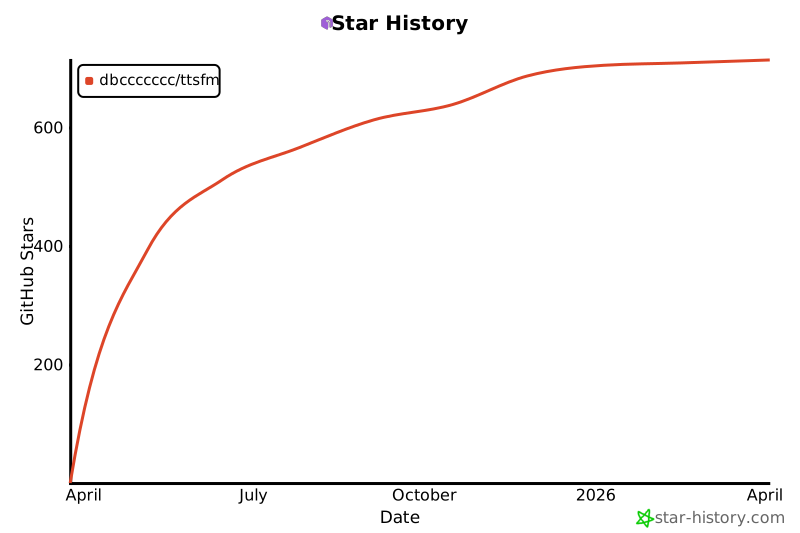
Star History
Overview
TTSFM is a free, OpenAI-compatible text-to-speech API service that provides a complete solution for converting text to natural-sounding speech based on OpenAI's GPT-4o mini TTS. Built on top of the openai.fm backend, it offers a powerful Python SDK, RESTful API endpoints, and an intuitive web playground for easy testing and integration.
What TTSFM Can Do:
- 🎤 Multiple Voices: Choose from 11 OpenAI-compatible voices (alloy, ash, ballad, coral, echo, fable, nova, onyx, sage, shimmer, verse)
- 🎵 Flexible Audio Formats: Support for 6 audio formats (MP3, WAV, OPUS, AAC, FLAC, PCM)
- ⚡ Speed Control: Adjust playback speed from 0.25x to 4.0x for different use cases
- 📝 Long Text Support: Automatic text splitting and audio combining for content of any length
- 🔄 Real-time Streaming: WebSocket support for streaming audio generation
- 🐍 Python SDK: Easy-to-use synchronous and asynchronous clients
- 🌐 Web Playground: Interactive web interface for testing and experimentation
- 🐳 Docker Ready: Pre-built Docker images for instant deployment
- 🔍 Smart Detection: Automatic capability detection and helpful error messages
- 🤖 OpenAI Compatible: Drop-in replacement for OpenAI's TTS API
Key Features in v3.5.0:
- 🎯 Image variant detection (full vs slim Docker images)
- 🔍 Runtime capabilities API for feature availability checking
- ⚡ Speed adjustment with ffmpeg-based audio processing
- 🎵 Real format conversion for all 6 audio formats
- 📊 Enhanced error handling with clear, actionable messages
- 🐳 Dual Docker images optimized for different use cases
⚠️ Disclaimer: This project is intended for educational and research purposes only. It is a reverse-engineered implementation of the openai.fm service and should not be used for commercial purposes or in production environments. Users are responsible for ensuring compliance with applicable laws and terms of service.
Installation
Python package
pip install ttsfm        # core client
pip install ttsfm[web]   # core client + web/server dependencies
Docker image
TTSFM offers two Docker image variants to suit different needs:
Full variant (recommended)
docker run -p 8000:8000 dbcccc/ttsfm:latest
Includes ffmpeg for advanced features:
- ✅ All 6 audio formats (MP3, WAV, OPUS, AAC, FLAC, PCM)
- ✅ Speed adjustment (0.25x - 4.0x)
- ✅ Format conversion with ffmpeg
- ✅ MP3 auto-combine for long text
- ✅ WAV auto-combine for long text
Slim variant - ~100MB
docker run -p 8000:8000 dbcccc/ttsfm:slim
Minimal image without ffmpeg:
- ✅ Basic TTS functionality
- ✅ 2 audio formats (MP3, WAV only)
- ✅ WAV auto-combine for long text
- ❌ No speed adjustment
- ❌ No format conversion
- ❌ No MP3 auto-combine
The container exposes the web playground at http://localhost:8000 and an OpenAI-compatible endpoint at /v1/audio/speech.
Check available features:
curl http://localhost:8000/api/capabilities
Quick start
Python client
from ttsfm import TTSClient, AudioFormat, Voice

client = TTSClient()

# Basic usage
response = client.generate_speech(
    text="Hello from TTSFM!",
    voice=Voice.ALLOY,
    response_format=AudioFormat.MP3,
)
response.save_to_file("hello")  # -> hello.mp3

# With speed adjustment (requires ffmpeg)
response = client.generate_speech(
    text="This will be faster!",
    voice=Voice.NOVA,
    response_format=AudioFormat.MP3,
    speed=1.5,  # 1.5x speed (0.25 - 4.0)
)
response.save_to_file("fast")  # -> fast.mp3
CLI
ttsfm "Hello, world" --voice nova --format mp3 --output hello.mp3
REST API (OpenAI-compatible)
# Basic request
curl -X POST http://localhost:8000/v1/audio/speech \
  -H "Content-Type: application/json" \
  -d '{
    "model": "tts-1",
    "input": "Hello world!",
    "voice": "alloy",
    "response_format": "mp3"
  }' --output speech.mp3

# With speed adjustment (requires full image)
curl -X POST http://localhost:8000/v1/audio/speech \
  -H "Content-Type: application/json" \
  -d '{
    "model": "tts-1",
    "input": "Hello world!",
    "voice": "alloy",
    "response_format": "mp3",
    "speed": 1.5
  }' --output speech_fast.mp3
Available voices: alloy, ash, ballad, coral, echo, fable, nova, onyx, sage, shimmer, verse Available formats: mp3, wav (always) + opus, aac, flac, pcm (full image only) Speed range: 0.25 - 4.0 (requires full image)
Learn more
- Browse the full API reference and operational notes in the web documentation (or see
ttsfm-web/templates/docs.html). - Read the architecture overview for component diagrams.
- Contributions are welcome—see CONTRIBUTING.md for guidelines.
License
TTSFM is released under the MIT License.
1 maintainer

Metadata
1 maintainer
Release files for ttsfm 3.5.0
For a detailed explanation of source distributions (sdists) and built distributions (wheels), please see the package formats documentation.
Source distribution (sdist)
| File | Size | Uploaded | |
|---|---|---|---|
| ttsfm-3.5.0.tar.gz | 298.8 kB | Details |
Built distribution (wheel)
| File | Interpreter | ABI | Platform | Reset |
|---|---|---|---|---|
| ttsfm-3.5.0-py3-none-any.whl | Python 3 | none | any | Details |
Total release size: 337.0 kB
Release files / ttsfm-3.5.0.tar.gz
| Download URL | ttsfm-3.5.0.tar.gz |
|---|---|
| Size | 298.8 kB |
| Tags | Source |
|
SHA-256 checksum How to use checksums |
25b2c4988ac3e7202b67ec5df93067ce3b947d634e73def3e31845c21c29fd0c
|
|
BLAKE2b-256 checksum How to use checksums |
9e32575a42999352760dd1e42f3d0504366272b4918fd6a7ea17fa81f7e53c72
|
| Upload date | |
|
Uploaded using Trusted Publishing? What is trusted publishing? |
Yes |
| Uploaded via |
twine/6.1.0 CPython/3.13.12
|
Provenance
Provenance describes where a file came from. On PyPI, provenance is shared via attestations, which provide a verifiable record of the build or publishing details. View details, limitations and caveats.


PyPI Publish Attestation
PyPI verified that this artifact, at this checksum, originated from the publisher listed below.
Signed by GitHub Actions, verified by PyPI on May 5, 2026.
Transparency logRelease files / ttsfm-3.5.0-py3-none-any.whl
| Download URL | ttsfm-3.5.0-py3-none-any.whl |
|---|---|
| Size | 38.2 kB |
| Tags | Python 3 |
|
SHA-256 checksum How to use checksums |
6b5d29ef4a44a7e66a046b1ccb9beee4c4156ed638064a475bde6517d840d486
|
|
BLAKE2b-256 checksum How to use checksums |
3109329c5e685eab23ba3310df49ac5991eaf83298a27c0dc937e060f9a15475
|
| Upload date | |
|
Uploaded using Trusted Publishing? What is trusted publishing? |
Yes |
| Uploaded via |
twine/6.1.0 CPython/3.13.12
|
Provenance
Provenance describes where a file came from. On PyPI, provenance is shared via attestations, which provide a verifiable record of the build or publishing details. View details, limitations and caveats.
PyPI Publish Attestation
PyPI verified that this artifact, at this checksum, originated from the publisher listed below.
Signed by GitHub Actions, verified by PyPI on May 5, 2026.
Transparency log













