
TurboQuant KV cache compression for LLM inference — cuTile GPU kernels

Project description
turboquant-gpu
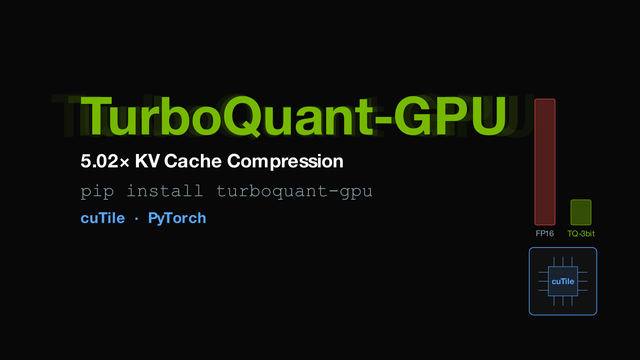
5.02x KV cache compression for LLM inference — cuTile kernels with automatic PyTorch fallback.
pip install turboquant-gpu
Works on any NVIDIA GPU. Uses cuTile kernels when available, otherwise falls back to PyTorch automatically — no driver upgrades or manual config needed.
quick start
from transformers import AutoModelForCausalLM, AutoTokenizer
from turboquant_gpu import TurboQuantEngine
import torch

model_id = "mistralai/Mistral-7B-v0.1"
model = AutoModelForCausalLM.from_pretrained(model_id, torch_dtype=torch.float16, device_map="cuda")
tok   = AutoTokenizer.from_pretrained(model_id)

engine = TurboQuantEngine(head_dim=128, total_bits=3, device="cuda")
result = engine.generate(model, tok, "The University of Waterloo is known for ")

print(result["text"])
print(f"{result['tokens']} tokens | {result['stats']['ratio']:.2f}x compression")
install
pip install turboquant-gpu
For cuTile acceleration (optional, requires CUDA 13.0+ driver):
pip install cuda-tile[tileiras] --extra-index-url https://pypi.nvidia.com
If you skip cuda-tile or your driver is older, everything still works via PyTorch.
how it works
Implements the TurboQuant algorithm:
- normalize + rotate — random orthogonal rotation (Pi) makes coordinates near-Gaussian
- Lloyd-Max quantize — optimal 3-bit scalar quantization against N(0, 1/d), shared codebook for K and V
For HuggingFace integration, keys and values are both compressed and decompressed via fused kernels — a single kernel launch compresses both K and V, and a single launch decompresses both. The reconstructed FP16 tensors are packed into a standard DynamicCache that HuggingFace's attention uses directly. No model changes needed.
The package also ships fused attention kernels with QJL bias correction (2-bit Lloyd-Max keys + 1-bit sign sketch of the quantization residual). These perform scoring, online softmax, and V accumulation in one kernel with on-chip V decompression. They're fully implemented but not yet wired into the HuggingFace path — integrating them requires replacing the model's internal attention, which is model-specific. This is a candidate for a cuTile Gym contribution.
step-by-step api
engine = TurboQuantEngine(head_dim=128, total_bits=3, device="cuda")

# after model prefill:
compressed = engine.compress_kv_cache(out.past_key_values)
cache      = engine.build_cache(compressed)
stats      = engine.compression_stats(out.past_key_values)

# or just do it all in one call:
result = engine.generate(model, tokenizer, "your prompt here")

# auto-tune for your specific GPU:
engine.auto_tune(seq_len=512)
gpu support
Written in cuTile for cross-architecture portability. Falls back to PyTorch if cuTile or a compatible driver isn't available.
| GPU | cuTile kernels | PyTorch fallback |
|---|---|---|
| A100 (Ampere, sm_80) | CUDA 13.2+ driver | always works |
| H100 (Hopper, sm_90) | not yet supported by tileiras | always works |
| RTX 4090 (Ada, sm_89) | CUDA 13.2+ driver | always works |
| B200/B300 (Blackwell, sm_100) | CUDA 13.0+ driver | always works |
| Any other CUDA GPU | depends on tileiras | always works |
kernels
HuggingFace path (used by default):
| kernel | what it does |
|---|---|
compress_kv_3bit |
fused K+V compression, 3-bit shared codebook, single launch |
decompress_kv_3bit |
fused K+V decompression, single launch |
compress_values_3bit / 2bit |
separate fallback for K or V individually |
decompress_3bit / 2bit |
separate fallback decompression |
Fused attention path (included, not in HuggingFace API):
| kernel | what it does |
|---|---|
compress_keys_2bit_qjl |
2-bit Lloyd-Max + 1-bit QJL signs for keys |
fused_attention |
QJL-corrected scores + online softmax + V accumulation |
fused_attention_vfused_3bit |
same + on-chip V decompression from compressed indices |
attention_scores |
score-only (no softmax), for debugging |
license
MIT
Release history Release notifications | RSS feed


Download files
Download the file for your platform. If you're not sure which to choose, learn more about installing packages.
Source Distribution
Built Distribution
Filter files by name, interpreter, ABI, and platform.
If you're not sure about the file name format, learn more about wheel file names.
Copy a direct link to the current filters
File details
Details for the file turboquant_gpu-0.1.6.tar.gz.
File metadata
- Download URL: turboquant_gpu-0.1.6.tar.gz
- Upload date:
- Size: 28.0 kB
- Tags: Source
- Uploaded using Trusted Publishing? No
- Uploaded via: twine/6.2.0 CPython/3.11.1
File hashes
| Algorithm | Hash digest | |
|---|---|---|
| SHA256 |
8d2877f3e84e3ea5c181e43edd00871b668981d181d9d781bc7a14b9abf5cbbb
|
|
| MD5 |
736783dc6c00ef829b0e89a7fc2f8026
|
|
| BLAKE2b-256 |
3ff320321b25741006cc1ac4a21f80766c03f8ca3996f1f8d88e002b81f57dec
|
File details
Details for the file turboquant_gpu-0.1.6-py3-none-any.whl.
File metadata
- Download URL: turboquant_gpu-0.1.6-py3-none-any.whl
- Upload date:
- Size: 24.3 kB
- Tags: Python 3
- Uploaded using Trusted Publishing? No
- Uploaded via: twine/6.2.0 CPython/3.11.1
File hashes
| Algorithm | Hash digest | |
|---|---|---|
| SHA256 |
b0efcbeac8cccaa1648a4be92dd67807e323df9b1587751201d870032015f350
|
|
| MD5 |
ead3f7c78fd5699f74c715b41b12e7e9
|
|
| BLAKE2b-256 |
b49df1ffa16f44a1d8cc1787fdf7e847a0efa0cb79c4a5a6ae688a3e3e4e108d
|






