
TV Cast
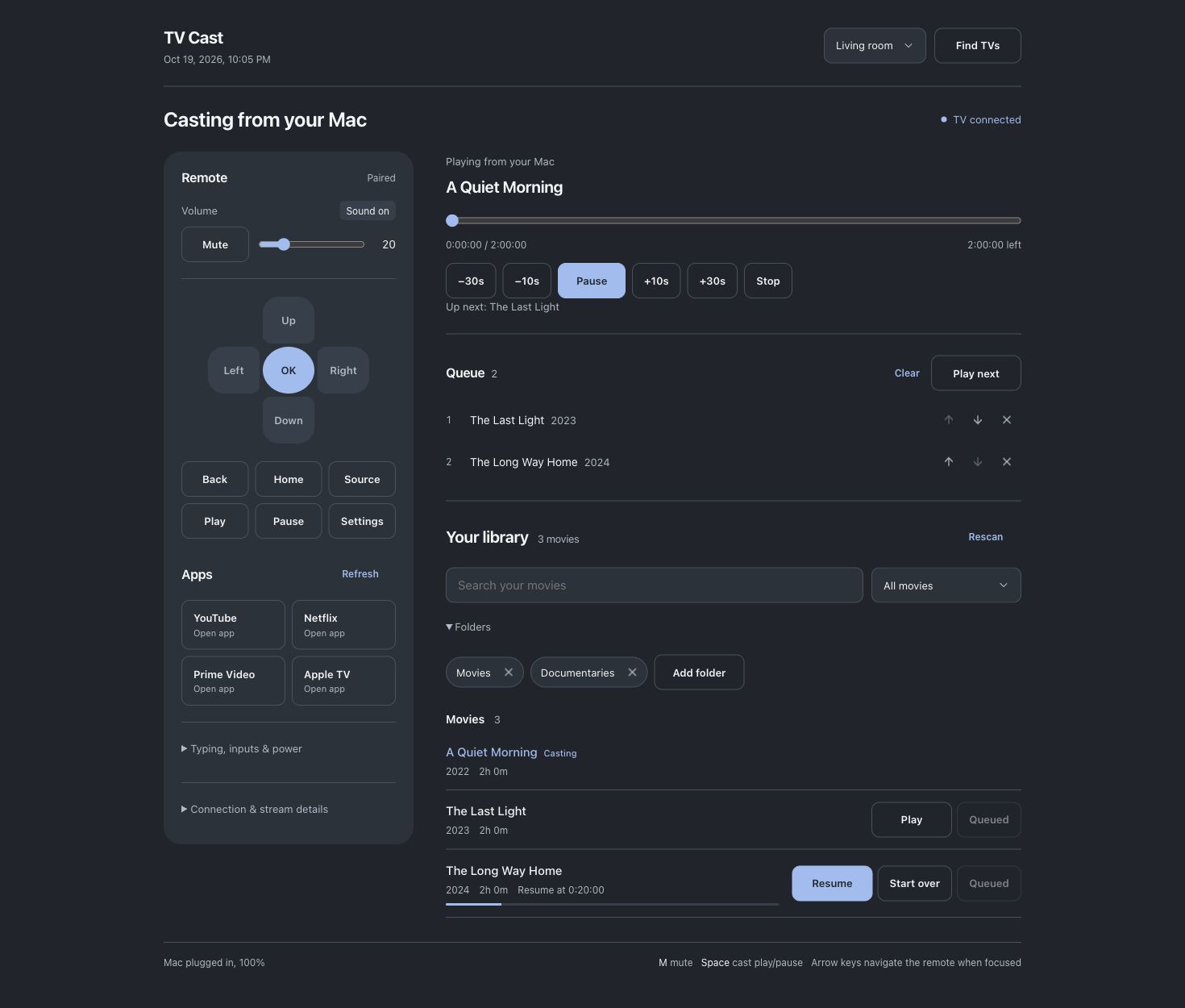
Cast videos from your Mac to DLNA TVs, with web and CLI controls, resume, and queues. Samsung TVs also support remote buttons, text input, and app launching. No app on the TV, no cloud, no converting.
Light theme
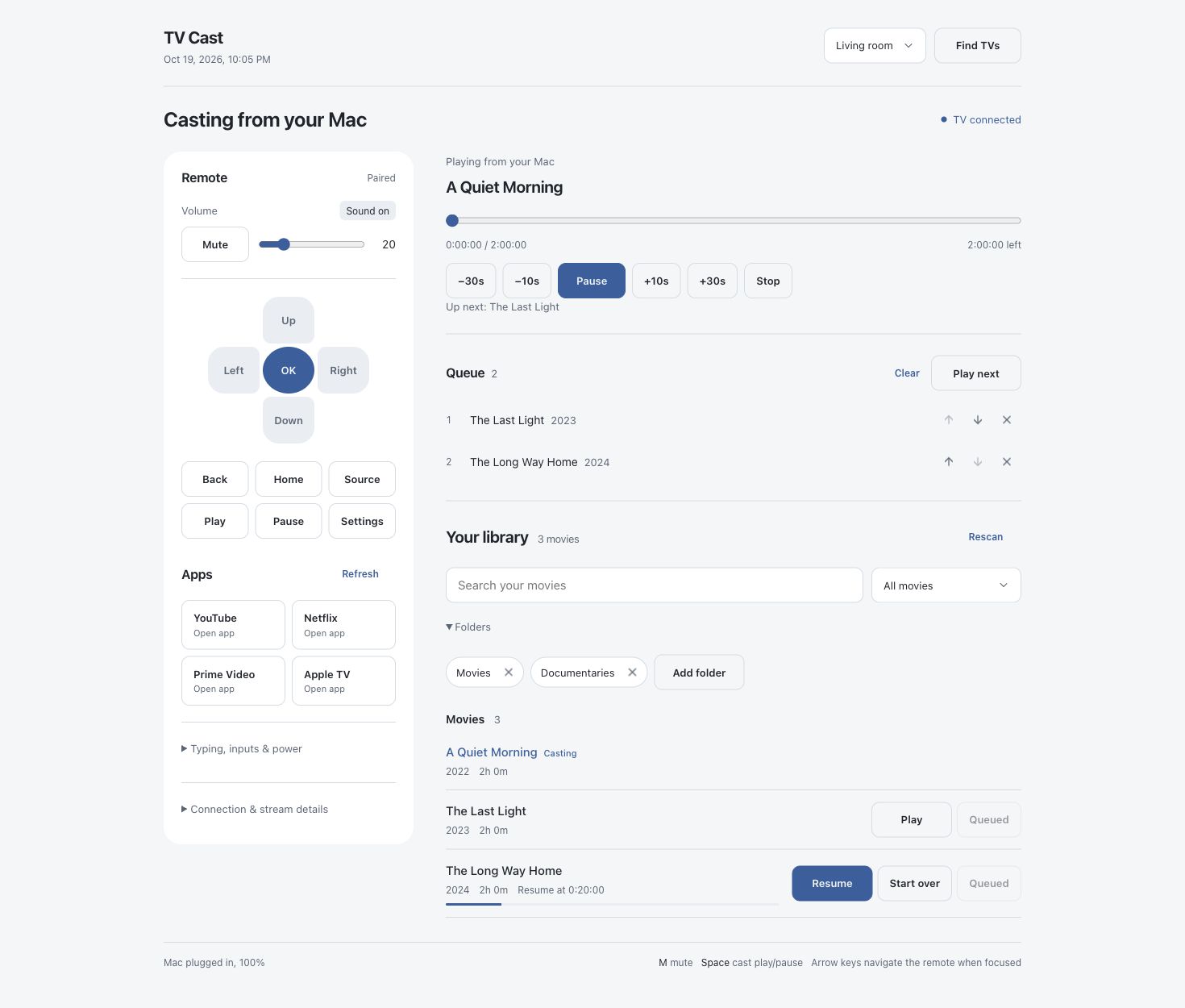
Screenshots use a demo library and simulated TV.
Quick start
Needs macOS with the Command Line Tools (xcode-select --install).
Install with uv:
uv tool install tvcast
tv install                 # starts now and at every login
tv ui                      # open the control panel
pipx install tvcast also works. The package has no runtime dependencies.
Optional: brew install ffmpeg so TV Cast can flag videos the TV can't play.
Run from source
git clone https://github.com/thepushkarp/tvcast.git ~/Projects/tvcast
cd ~/Projects/tvcast
./tv install
./tv ui
Keep the checkout outside Documents, Desktop and Downloads; macOS restricts login services
there. To use tv from any folder, symlink it into a directory on your PATH.
In the panel:
- Turn the TV on and pick it at the top (Find TVs if it isn't listed). If macOS asks to find devices on your local network, allow it.
- Samsung only: Remote → Pair with TV, then press Allow on the TV.
- Hit Play on any movie.
The panel shows the TV's volume, mute state and current supported app. Use Apps to switch; Open on TV appears only after the TV confirms it. Search your library or choose Continue watching to find unfinished movies. Add movies to Queue to play them in order.
Everyday commands
| Command | What it does |
|---|---|
tv ui |
open the control panel |
tv open dune |
play a movie, resuming where you left off |
tv open "dune (2021)" --from-start |
pick by year, start from the beginning |
tv pause · tv play · tv stop |
|
tv seek 1:05:00 |
jump to a time |
tv volume 20 · tv mute on |
|
tv subs on |
subtitles on/off (Samsung) |
tv key home · tv key down down enter |
press remote buttons (Samsung) |
tv status |
what's playing, and where |
tv tvs --find · tv use 2 |
find TVs, switch to another TV |
tv --help lists everything. To remove TV Cast: tv uninstall.
Updates
Stop any active cast, then run uv tool upgrade tvcast (or pipx upgrade tvcast) followed by
tv install to restart the login service with the installed version. tv --version shows the
CLI version. Settings, pairing and playback history stay in Application Support.
Before removing the package, run tv uninstall, then uv tool uninstall tvcast or
pipx uninstall tvcast.
What works on which TV
| Any DLNA TV | Samsung (2016 or newer) | |
|---|---|---|
| Play, pause, seek, volume, resume | ✓ | ✓ |
Subtitles (.srt) |
if the TV supports them | ✓, with on/off |
| Remote buttons, apps, typing | – | ✓ |
More
- Your library: folders, subtitles, resume and queue
- Troubleshooting
- How it works: for developers
- Releasing
MIT licensed. Bundled icons retain their Lucide and Feather notices.
1 maintainer

Metadata
1 maintainer
Release files for tvcast 0.1.1
For a detailed explanation of source distributions (sdists) and built distributions (wheels), please see the package formats documentation.
Source distribution (sdist)
| File | Size | Uploaded | Provenance | Actions |
|---|---|---|---|---|
| tvcast-0.1.1.tar.gz | 61.2 kB | With provenance | Details for tvcast-0.1.1.tar.gz |
Built distribution (wheel)
| File | Interpreter | ABI | Platform | Actions Reset |
|---|---|---|---|---|
| tvcast-0.1.1-py3-none-any.whl | Python 3 | none | any | Details for tvcast-0.1.1-py3-none-any.whl |
Total release size: 113.8 kB
Release files / tvcast-0.1.1.tar.gz
| Download URL | tvcast-0.1.1.tar.gz |
|---|---|
| Size | 61.2 kB |
| Tags | Source |
|
SHA-256 checksum How to use checksums |
e4e43f1bb61db9692e461428dbd64bb261cffc0690b78dde259267c1f7ab9a44
|
|
BLAKE2b-256 checksum How to use checksums |
25c339aa0ffe12124aa26cd9b6861063c98fbd9b8bb259ccfba627d19bc1987b
|
| Upload date | |
|
Uploaded using Trusted Publishing? What is trusted publishing? |
Yes |
| Uploaded via |
twine/7.0.0 CPython/3.13.14
|
Provenance
Provenance describes where a file came from. On PyPI, provenance is shared via attestations, which provide a verifiable record of the build or publishing details. View details, limitations and caveats.


PyPI Publish Attestation
PyPI verified that this artifact, at this checksum, originated from the publisher listed below.
Signed by GitHub Actions, verified by PyPI on Oct 19, 2026.
Transparency logRelease files / tvcast-0.1.1-py3-none-any.whl
| Download URL | tvcast-0.1.1-py3-none-any.whl |
|---|---|
| Size | 52.6 kB |
| Tags | Python 3 |
|
SHA-256 checksum How to use checksums |
8abae4cfc0f7c490361dab37c9f6b19c0ad39a6f93bfe3fdc3250c7ce0e90466
|
|
BLAKE2b-256 checksum How to use checksums |
34f351fe966918efeae15bbe98f71c94438a9bcf30eebebe874c837ea57de852
|
| Upload date | |
|
Uploaded using Trusted Publishing? What is trusted publishing? |
Yes |
| Uploaded via |
twine/7.0.0 CPython/3.13.14
|
Provenance
Provenance describes where a file came from. On PyPI, provenance is shared via attestations, which provide a verifiable record of the build or publishing details. View details, limitations and caveats.
PyPI Publish Attestation
PyPI verified that this artifact, at this checksum, originated from the publisher listed below.
Signed by GitHub Actions, verified by PyPI on Oct 19, 2026.
Transparency logSecurity for tvcast 0.1.1
Provenance
Provenance describes where a file came from. On PyPI, provenance is shared via attestations, which provide a verifiable record of the build or publishing details. View details, limitations and caveats.
Full provenance
Both files in this release have been uploaded with provenance metadata.
Attestation for tvcast-0.1.1.tar.gz
PyPI Publish Attestation
PyPI verified that this artifact, at this checksum, originated from the publisher listed below.
Signed by GitHub Actions, verified by PyPI on Oct 19, 2026.
Transparency logA note on package security
PyPI is a repository for distributing packages, not a service for auditing them. While third-party security researchers and our staff do their best to detect and remove malicious packages, PyPI cannot guarantee the quality, security or suitability of any given package.
To learn more about protecting yourself from malicious actors, visit our package security documentation.














