
🖥 Terminal Widgets
This tool enables you to create and run fully customisable dashboards directly in your terminal.
Getting started •
Configuration •
Adding new widgets •
Examples •
Contributing •
License
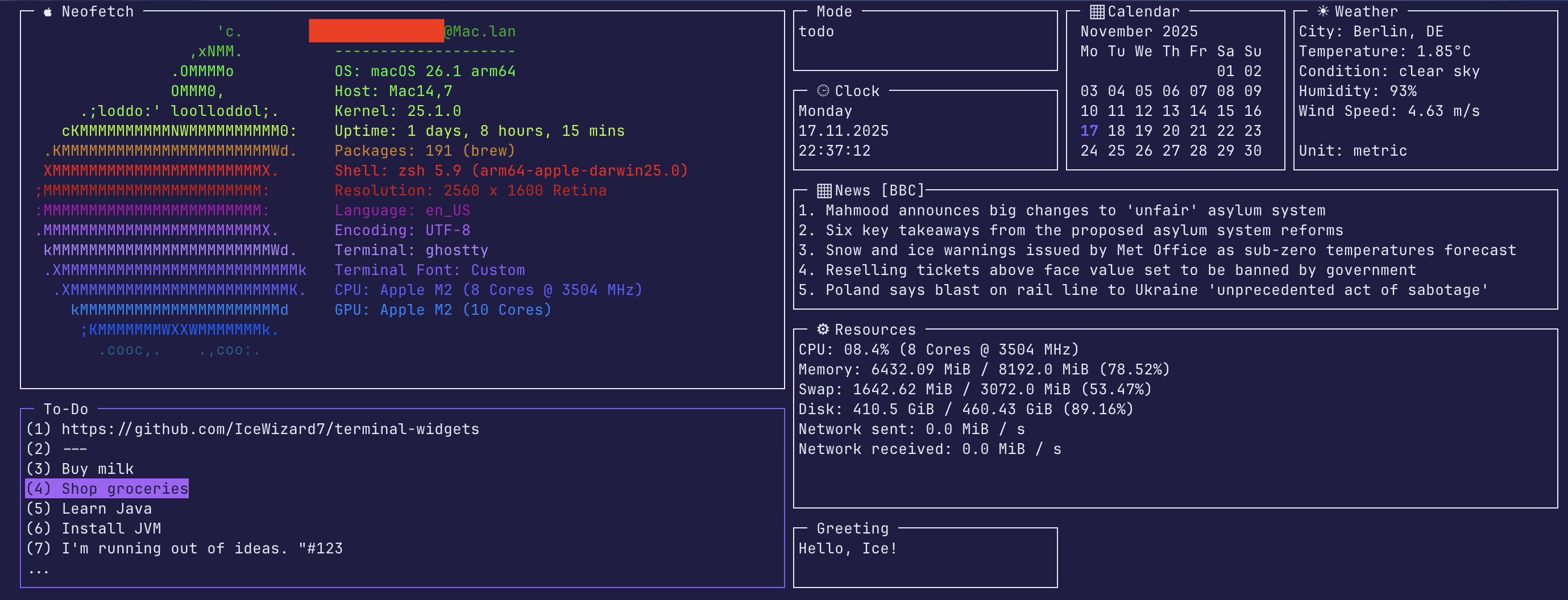





⚠️ Note: This package is only compatible with Unix-based systems.
⚠️Upgrading to 2.0
Version 2.0 introduces breaking changes. Please see the migration guide for instructions on updating your code.
🚀 1. Getting started
1.1 Installation from PyPI
- Install:
pip install twidgets - Initialize:
twidgets init - Run:
twidgets
⚠️ Requires Python Version 3.10+
1.2 Installation from Source
- Clone this repository
- Install dependencies:
pip install -r requirements-dev.txt - Initialize configuration:
python -m twidgets init - Run:
python -m twidgets
⚠️ Requires Python Version 3.10+
For full documentation see Setup Guide.
✨ 2. Configuration
2.1 Changing standard colours and configuration at ~/.config/twidgets/base.yaml
If you let anything blank, it will fall back to the standard configuration
However, you will get warned.
Example:
use_standard_terminal_background: False

background_color:
  r: 31  # Red value
  g: 29  # Green value
  b: 67  # Blue value

...
2.2 Configure secrets at ~/.config/twidgets/secrets.env
Example:
WEATHER_API_KEY='your_api_key'
WEATHER_CITY='Berlin,DE'
WEATHER_UNITS='metric'
NEWS_FEED_URL='https://feeds.bbci.co.uk/news/rss.xml?edition=uk'
NEWS_FEED_NAME='BCC'
2.3 Adjust widgets and layouts at ~/.config/twidgets/widgets/*.yaml
Example:
name: 'clock'
emoji_title: ' ⏲ Clock '
title: ' Clock '
enabled: True
interval: 1
height: 5
width: 30
y: 4
x: 87
z: 0

weekday_format: '%A'  # day of the week
date_format: '%d.%m.%Y'  # us: '%m.%d.%Y', international: '%Y-%m-%d'
time_format: '%H:%M:%S'  # time
For full documentation see Configuration Guide.
⭐ 3. Adding new widgets
Adding new widgets is very easy. For a simple widget, that does not require heavy loading (no update function),
you only need to define a configuration and 2 python functions
Naming schemes are described here.
You can create an infinite number of widgets, the file namescustom.yamlandcustom_widget.pyare just examples.
3.1 Define Configuration (.yaml)
Create the configuration file at ~/.config/twidgets/widgets/custom.yaml and set interval = 0 for simple widgets:
name: custom
title: ' My Custom Widget '
emoji_title: ' ▦️ My Custom Widget '
enabled: true
interval: 0  # For simple widgets (no heavy loading, no `update` function)
height: 7
width: 30
y: 1
x: 1
z: 1
3.2 Write the Widget Logic (.py)
Create the widget's Python file at ~/.config/twidgets/py_widgets/custom_widget.py
Then define draw and build functions.
Example:
from twidgets.core.base import Widget, WidgetContainer, Config, CursesWindowType

# Define the draw function for content
def draw(widget: Widget, widget_container: WidgetContainer) -> None:
    # Initialize the widget title, make it loadable and highlightable
    draw_widget(widget, widget_container)

    # Add your content (list of strings)
    content: list[str] = [
        'Welcome to my new widget!',
        'This is a test.',
        'It was very easy to create.'
    ]
    widget.add_widget_content(content)

# Define the build function
def build(stdscr: CursesWindowType, config: Config) -> Widget:
    return Widget(
        config.name, config.title, config, draw, config.interval, config.dimensions, stdscr,  # exactly this order!
        update_func=None,
        mouse_click_func=None,
        keyboard_func=None,
        init_func=None,
        help_func=None
    )
For full documentation see Widget Guide.
🌅 4. Examples
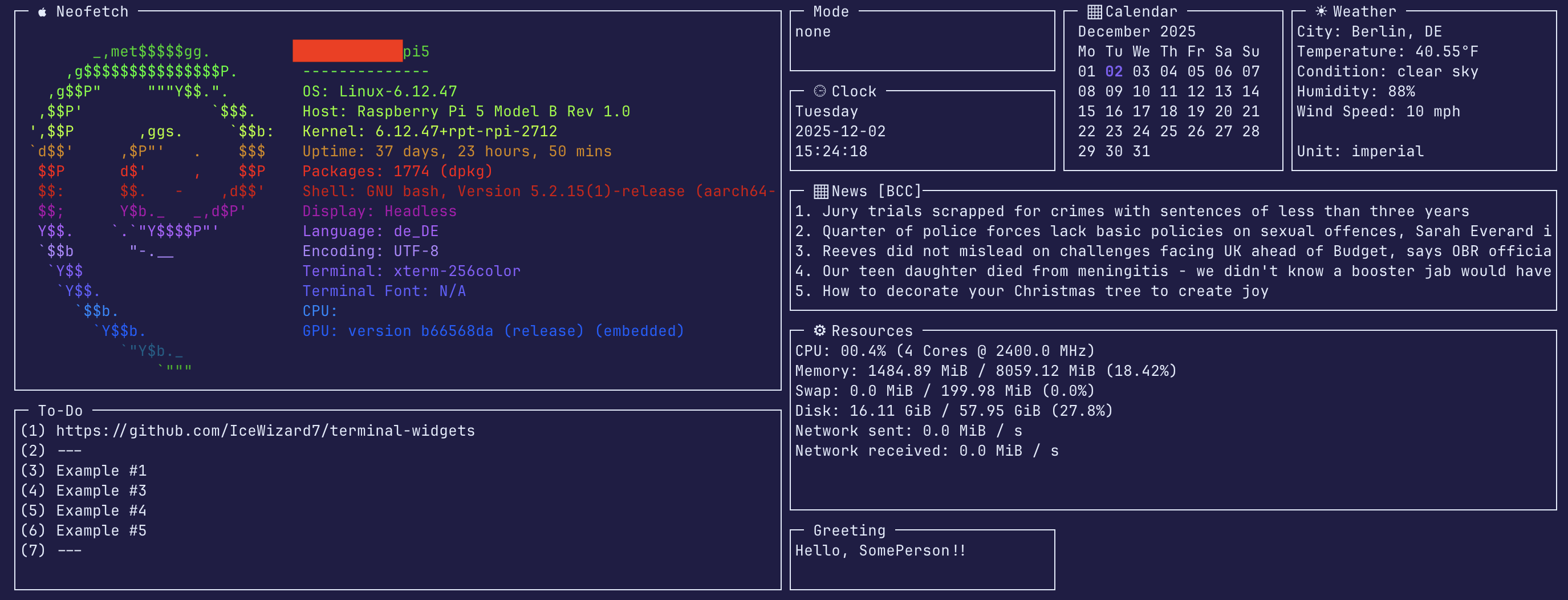
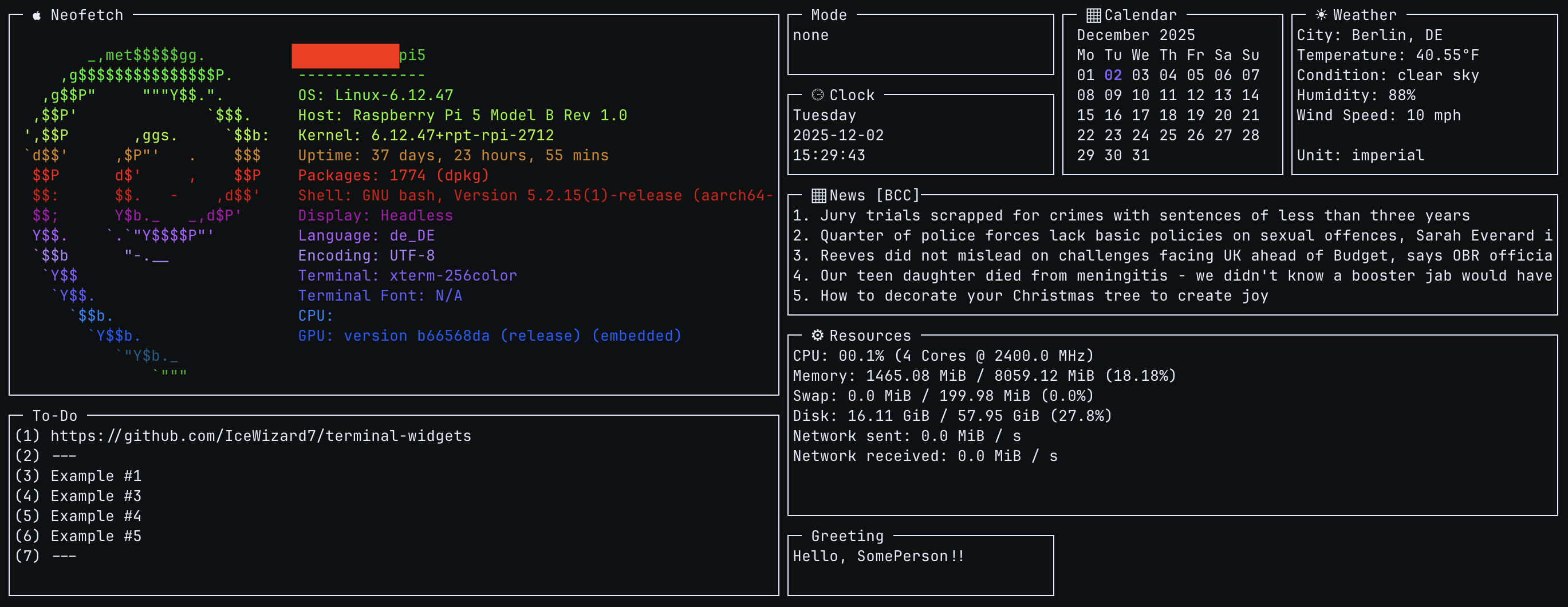
For all examples see Examples.
🧩 5. Contributing
Help the project grow: create an issue or pull request (On GitHub)!
📜 6. License
See License
1 maintainer

Metadata
1 maintainer
Release files for twidgets 2.1.0
For a detailed explanation of source distributions (sdists) and built distributions (wheels), please see the package formats documentation.
Source distribution (sdist)
| File | Size | Uploaded | |
|---|---|---|---|
| twidgets-2.1.0.tar.gz | 39.7 kB | Details |
Built distribution (wheel)
| File | Interpreter | ABI | Platform | Reset |
|---|---|---|---|---|
| twidgets-2.1.0-py3-none-any.whl | Python 3 | none | any | Details |
Total release size: 89.1 kB
Release files / twidgets-2.1.0.tar.gz
| Download URL | twidgets-2.1.0.tar.gz |
|---|---|
| Size | 39.7 kB |
| Tags | Source |
|
SHA-256 checksum How to use checksums |
33fcf958c4de151c9629a5d63adc76e4bdb437ea3a715a34915d24493f5716c5
|
|
BLAKE2b-256 checksum How to use checksums |
a5a7787e044202cbb51097964ad275ea153cfd2d0c6782a580c902c0e6934169
|
| Upload date | |
|
Uploaded using Trusted Publishing? What is trusted publishing? |
Yes |
| Uploaded via |
twine/6.1.0 CPython/3.13.7
|
Provenance
Provenance describes where a file came from. On PyPI, provenance is shared via attestations, which provide a verifiable record of the build or publishing details. View details, limitations and caveats.


PyPI Publish Attestation
PyPI verified that this artifact, at this checksum, originated from the publisher listed below.
Signed by GitHub Actions, verified by PyPI on Feb 14, 2026.
Transparency logRelease files / twidgets-2.1.0-py3-none-any.whl
| Download URL | twidgets-2.1.0-py3-none-any.whl |
|---|---|
| Size | 49.4 kB |
| Tags | Python 3 |
|
SHA-256 checksum How to use checksums |
eff6966c1c244329f51e9ca3af4751c29482f4e527d2f6fb01cd4e6e87ad1ca7
|
|
BLAKE2b-256 checksum How to use checksums |
12f8c04d6850cd2d5ead229c65e51487d2b72300acd5625bfcf7020e55844bcd
|
| Upload date | |
|
Uploaded using Trusted Publishing? What is trusted publishing? |
Yes |
| Uploaded via |
twine/6.1.0 CPython/3.13.7
|
Provenance
Provenance describes where a file came from. On PyPI, provenance is shared via attestations, which provide a verifiable record of the build or publishing details. View details, limitations and caveats.
PyPI Publish Attestation
PyPI verified that this artifact, at this checksum, originated from the publisher listed below.
Signed by GitHub Actions, verified by PyPI on Feb 14, 2026.
Transparency log













