
No project description provided

Project description



👋 Hello from the Ultralytics Team! We've been working hard these last few months to launch Ultralytics HUB, a new web tool for training and deploying all your YOLOv5 🚀 models from one spot!
1. Create a Dataset
Ultralytics HUB datasets are just like YOLOv5 🚀 datasets, they use the same structure and the same label formats to keep everything simple.
When you upload a dataset to Ultralytics HUB, make sure to place your dataset yaml inside the dataset root directory as in the example shown below, and then zip for upload to https://hub.ultralytics.com/. Your dataset yaml, directory and zip should all share the same name. For example, if your dataset is called 'coco6' as in our example ultralytics/hub/coco6.zip, then you should have a coco6.yaml inside your coco6/ directory, which should zip to create coco6.zip for upload:
zip -r coco6.zip coco6
The example coco6.zip dataset in this repository can be downloaded and unzipped to see exactly how to structure your custom dataset.
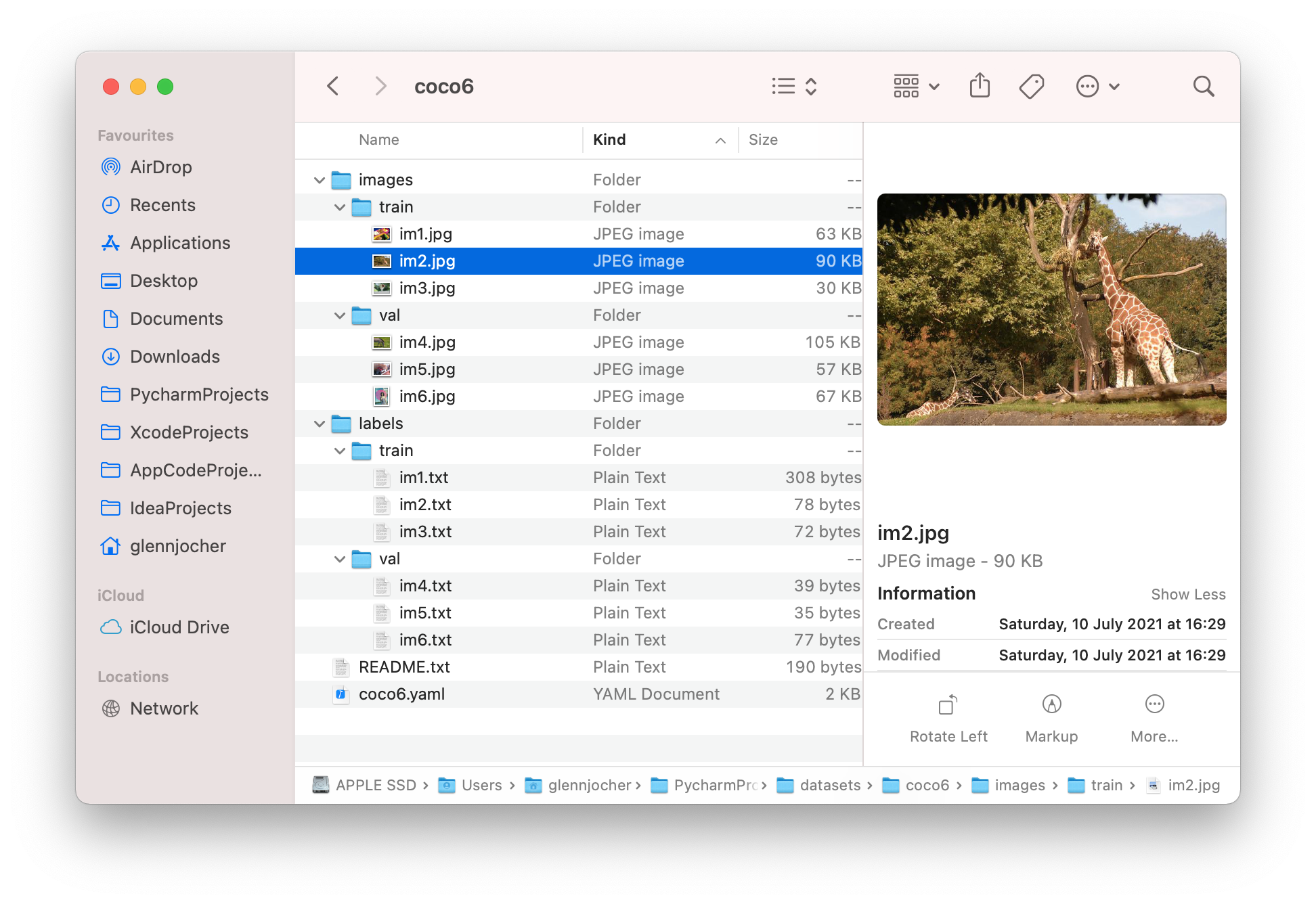
The dataset yaml is the same standard YOLOv5 yaml format. See the YOLOv5 Train Custom Data tutorial for full details.
# Train/val/test sets as 1) dir: path/to/imgs, 2) file: path/to/imgs.txt, or 3) list: [path/to/imgs1, path/to/imgs2, ..]
path:  # dataset root dir (leave empty for HUB)
train: images/train  # train images (relative to 'path') 8 images
val: images/val  # val images (relative to 'path') 8 images
test:  # test images (optional)

# Classes
nc: 80  # number of classes
names: [ 'person', 'bicycle', 'car', ...]
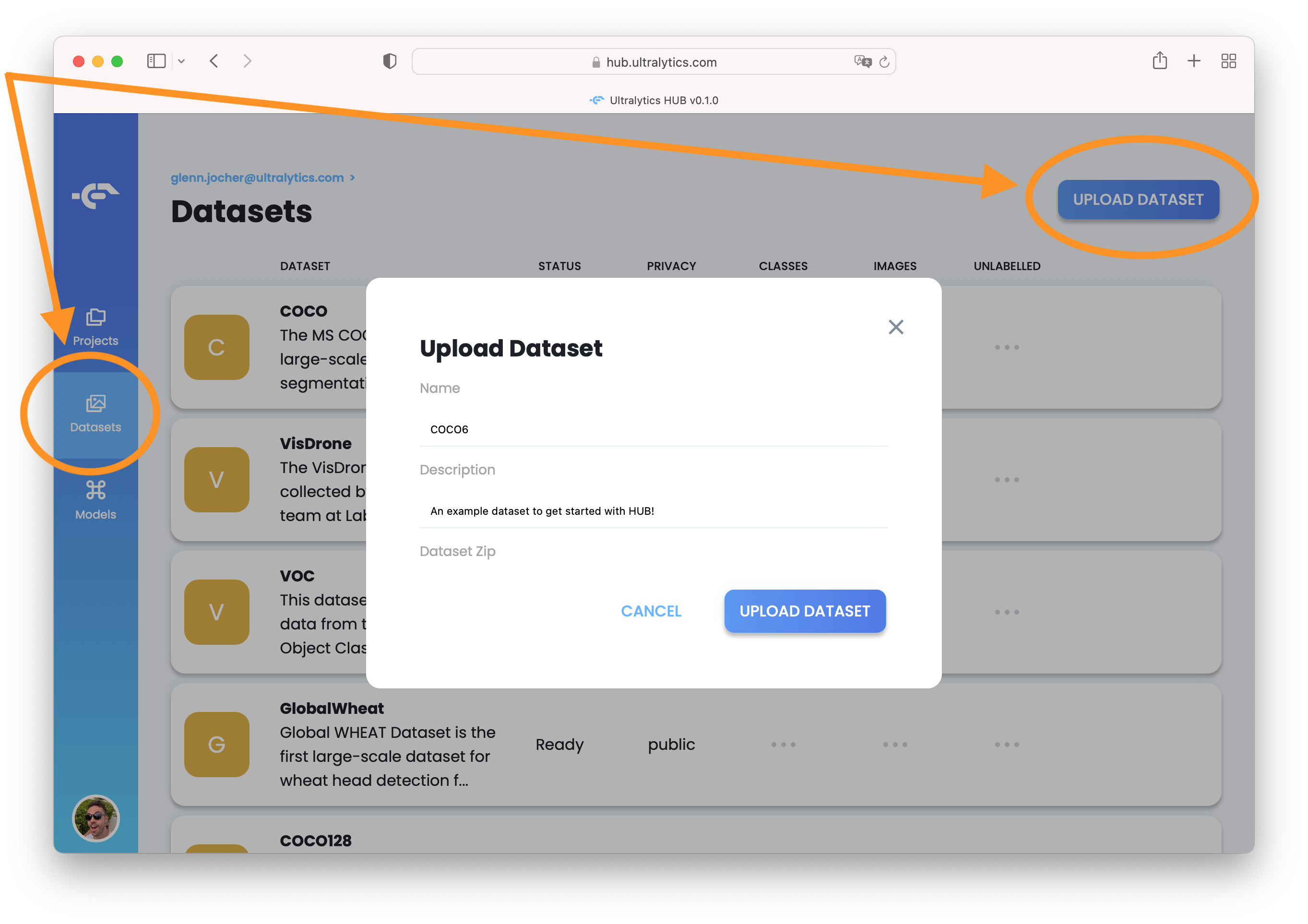
After zipping your dataset, sign in to HUB at https://hub.ultralytics.com and click on the Datasets tab. Click 'Upload Dataset' to upload, scan and visualize your new dataset before training new YOLOv5 models on it!
2. Train a Model
Connect to the Ultralytics HUB notebook and signin using your Ultralytics API key to begin training your model.

❓ Issues
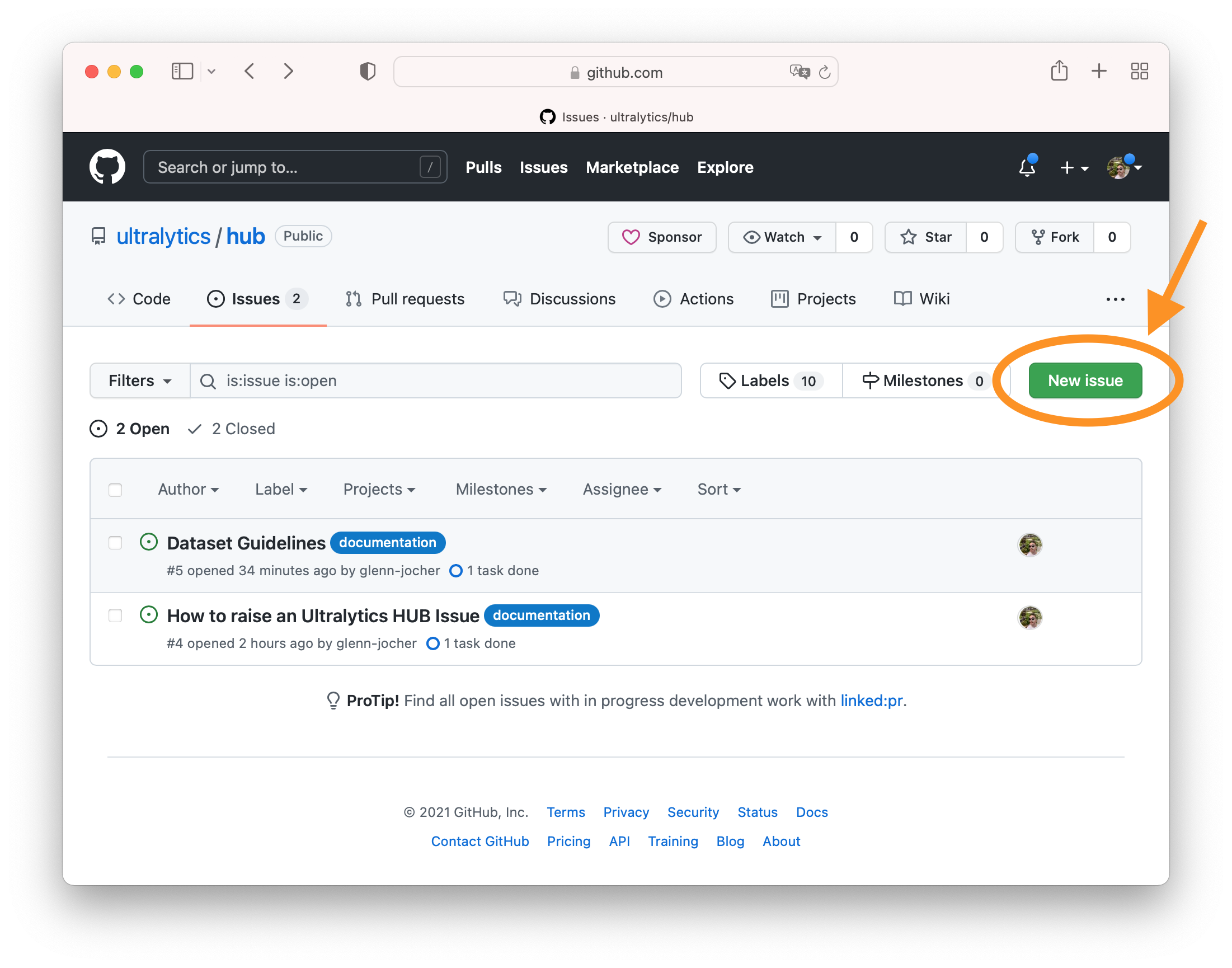
If you are a new Ultralytics HUB user and have questions or comments, you are in the right place! Please click the New Issue button in the Issues tab in this ultralytics/hub repo and let us know what we can do to make your life better 😃!
Release history Release notifications | RSS feed


Download files
Download the file for your platform. If you're not sure which to choose, learn more about installing packages.
Source Distribution
Built Distribution
Filter files by name, interpreter, ABI, and platform.
If you're not sure about the file name format, learn more about wheel file names.
Copy a direct link to the current filters
File details
Details for the file ultralytics-0.0.23.tar.gz.
File metadata
- Download URL: ultralytics-0.0.23.tar.gz
- Upload date:
- Size: 15.3 kB
- Tags: Source
- Uploaded using Trusted Publishing? No
- Uploaded via: twine/4.0.0 CPython/3.9.0
File hashes
| Algorithm | Hash digest | |
|---|---|---|
| SHA256 |
0df0806b3223101a6cbe7a5585e8c4a189c943808f2092fc3a30e28f5e15f5f9
|
|
| MD5 |
08a7889403937ff7732540082933a7c5
|
|
| BLAKE2b-256 |
54a01df23cfda9b286951814266afac94711a9bbf0a58aacdce9591177af9bbd
|
File details
Details for the file ultralytics-0.0.23-py3-none-any.whl.
File metadata
- Download URL: ultralytics-0.0.23-py3-none-any.whl
- Upload date:
- Size: 14.5 kB
- Tags: Python 3
- Uploaded using Trusted Publishing? No
- Uploaded via: twine/4.0.0 CPython/3.9.0
File hashes
| Algorithm | Hash digest | |
|---|---|---|
| SHA256 |
33f1ccb0913970a1cb518195242c0896422af94ca40ccd35a2c5ac43b5e970ce
|
|
| MD5 |
7b70c3f4ae2067c6a6fb5d4635185e77
|
|
| BLAKE2b-256 |
aa183dea72ea417359360de72557ef102ddd1bfebf95b02a186fde561de5aab7
|






