
Ultralytics YOLOv8

Project description







Ultralytics YOLOv8, developed by Ultralytics, is a cutting-edge, state-of-the-art (SOTA) model that builds upon the success of previous YOLO versions and introduces new features and improvements to further boost performance and flexibility. YOLOv8 is designed to be fast, accurate, and easy to use, making it an excellent choice for a wide range of object detection, image segmentation and image classification tasks.
To request an Enterprise License please complete the form at Ultralytics Licensing.
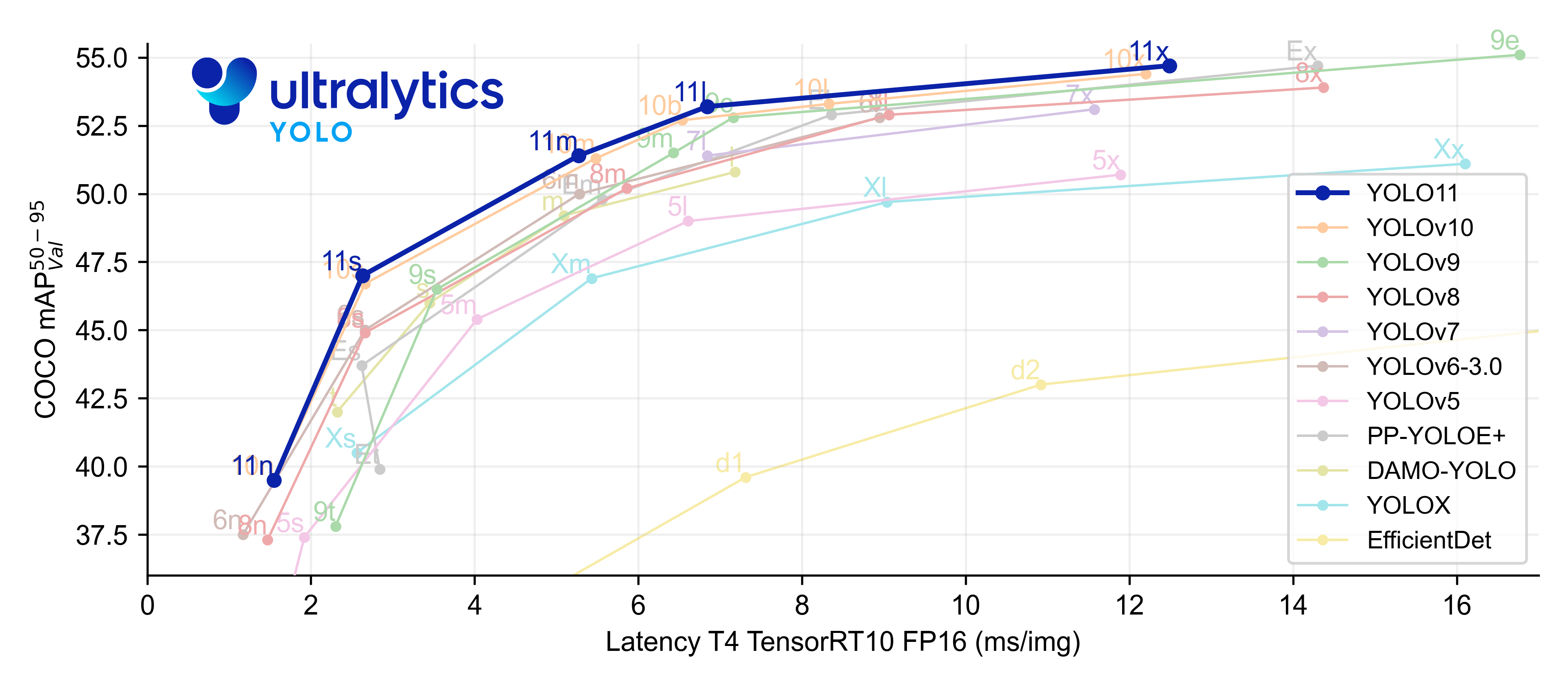


Ultralytics Live Session
Ultralytics Live Session 3 ✨ is here! Join us on January 24th at 18 CET as we dive into the latest advancements in YOLOv8, and demonstrate how to use this cutting-edge, SOTA model to improve your object detection, instance segmentation, and image classification projects. See firsthand how YOLOv8's speed, accuracy, and ease of use make it a top choice for professionals and researchers alike.
In addition to learning about the exciting new features and improvements of Ultralytics YOLOv8, you will also have the opportunity to ask questions and interact with our team during the live Q&A session. We encourage you to come prepared with any questions you may have.
To join the webinar, visit our YouTube Channel and turn on your notifications!

Documentation
See below for a quickstart installation and usage example, and see the YOLOv8 Docs for full documentation on training, validation, prediction and deployment.
Install
Pip install the ultralytics package including all requirements.txt in a 3.10>=Python>=3.7 environment, including PyTorch>=1.7.
pip install ultralytics
Usage
CLI
YOLOv8 may be used directly in the Command Line Interface (CLI) with a yolo command:
yolo predict model=yolov8n.pt source="https://ultralytics.com/images/bus.jpg"
yolo can be used for a variety of tasks and modes and accepts additional arguments, i.e. imgsz=640. See the YOLOv8
CLI Docs for examples.
Python
YOLOv8 may also be used directly in a Python environment, and accepts the same arguments as in the CLI example above:
from ultralytics import YOLO

# Load a model
model = YOLO("yolov8n.yaml")  # build a new model from scratch
model = YOLO("yolov8n.pt")  # load a pretrained model (recommended for training)

# Use the model
results = model.train(data="coco128.yaml", epochs=3)  # train the model
results = model.val()  # evaluate model performance on the validation set
results = model("https://ultralytics.com/images/bus.jpg")  # predict on an image
success = model.export(format="onnx")  # export the model to ONNX format
Models download automatically from the latest Ultralytics release. See YOLOv8 Python Docs for more examples.
Known Issues / TODOs
We are still working on several parts of YOLOv8! We aim to have these completed soon to bring the YOLOv8 feature set up to par with YOLOv5, including export and inference to all the same formats. We are also writing a YOLOv8 paper which we will submit to arxiv.org once complete.
- TensorFlow exports
- DDP resume
- arxiv.org paper
Models
All YOLOv8 pretrained models are available here. Detection and Segmentation models are pretrained on the COCO dataset, while Classification models are pretrained on the ImageNet dataset.
Models download automatically from the latest Ultralytics release on first use.
Detection
See Detection Docs for usage examples with these models.
| Model | size (pixels) |
mAPval 50-95 |
Speed CPU ONNX (ms) |
Speed A100 TensorRT (ms) |
params (M) |
FLOPs (B) |
|---|---|---|---|---|---|---|
| YOLOv8n | 640 | 37.3 | 80.4 | 0.99 | 3.2 | 8.7 |
| YOLOv8s | 640 | 44.9 | 128.4 | 1.20 | 11.2 | 28.6 |
| YOLOv8m | 640 | 50.2 | 234.7 | 1.83 | 25.9 | 78.9 |
| YOLOv8l | 640 | 52.9 | 375.2 | 2.39 | 43.7 | 165.2 |
| YOLOv8x | 640 | 53.9 | 479.1 | 3.53 | 68.2 | 257.8 |
- mAPval values are for single-model single-scale on COCO val2017 dataset.
Reproduce byyolo val detect data=coco.yaml device=0 - Speed averaged over COCO val images using an Amazon EC2 P4d
instance.
Reproduce byyolo val detect data=coco128.yaml batch=1 device=0/cpu
Segmentation
See Segmentation Docs for usage examples with these models.
| Model | size (pixels) |
mAPbox 50-95 |
mAPmask 50-95 |
Speed CPU ONNX (ms) |
Speed A100 TensorRT (ms) |
params (M) |
FLOPs (B) |
|---|---|---|---|---|---|---|---|
| YOLOv8n | 640 | 36.7 | 30.5 | 96.1 | 1.21 | 3.4 | 12.6 |
| YOLOv8s | 640 | 44.6 | 36.8 | 155.7 | 1.47 | 11.8 | 42.6 |
| YOLOv8m | 640 | 49.9 | 40.8 | 317.0 | 2.18 | 27.3 | 110.2 |
| YOLOv8l | 640 | 52.3 | 42.6 | 572.4 | 2.79 | 46.0 | 220.5 |
| YOLOv8x | 640 | 53.4 | 43.4 | 712.1 | 4.02 | 71.8 | 344.1 |
- mAPval values are for single-model single-scale on COCO val2017 dataset.
Reproduce byyolo val segment data=coco.yaml device=0 - Speed averaged over COCO val images using an Amazon EC2 P4d
instance.
Reproduce byyolo val segment data=coco128-seg.yaml batch=1 device=0/cpu
Classification
See Classification Docs for usage examples with these models.
| Model | size (pixels) |
acc top1 |
acc top5 |
Speed CPU ONNX (ms) |
Speed A100 TensorRT (ms) |
params (M) |
FLOPs (B) at 640 |
|---|---|---|---|---|---|---|---|
| YOLOv8n | 224 | 66.6 | 87.0 | 12.9 | 0.31 | 2.7 | 4.3 |
| YOLOv8s | 224 | 72.3 | 91.1 | 23.4 | 0.35 | 6.4 | 13.5 |
| YOLOv8m | 224 | 76.4 | 93.2 | 85.4 | 0.62 | 17.0 | 42.7 |
| YOLOv8l | 224 | 78.0 | 94.1 | 163.0 | 0.87 | 37.5 | 99.7 |
| YOLOv8x | 224 | 78.4 | 94.3 | 232.0 | 1.01 | 57.4 | 154.8 |
- acc values are model accuracies on the ImageNet dataset validation set.
Reproduce byyolo val classify data=path/to/ImageNet device=0 - Speed averaged over ImageNet val images using an Amazon EC2 P4d
instance.
Reproduce byyolo val classify data=path/to/ImageNet batch=1 device=0/cpu
Integrations
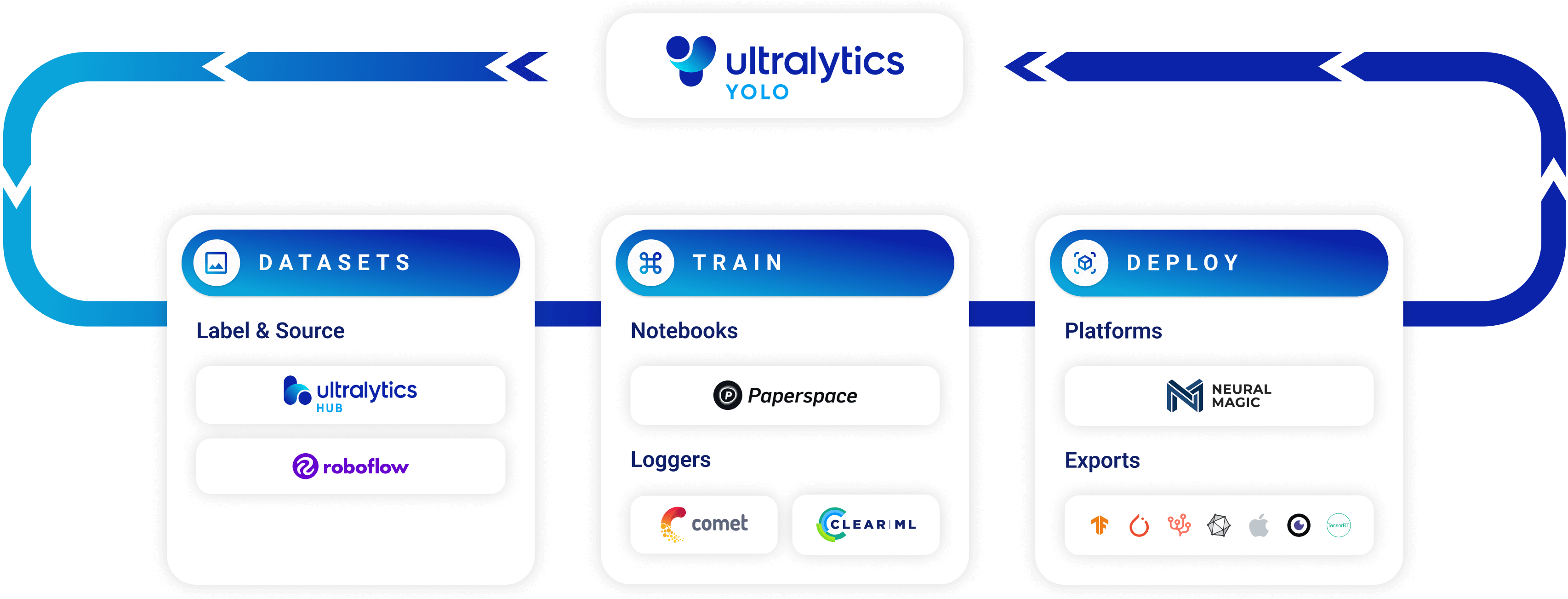


| Roboflow | ClearML ⭐ NEW | Comet ⭐ NEW | Neural Magic ⭐ NEW |
|---|---|---|---|
| Label and export your custom datasets directly to YOLOv8 for training with Roboflow | Automatically track, visualize and even remotely train YOLOv8 using ClearML (open-source!) | Free forever, Comet lets you save YOLOv8 models, resume training, and interactively visualize and debug predictions | Run YOLOv8 inference up to 6x faster with Neural Magic DeepSparse |
Ultralytics HUB
Ultralytics HUB is our ⭐ NEW no-code solution to visualize datasets, train YOLOv8 🚀 models, and deploy to the real world in a seamless experience. Get started for Free now! Also run YOLOv8 models on your iOS or Android device by downloading the Ultralytics App!

Contribute
We love your input! YOLOv5 and YOLOv8 would not be possible without help from our community. Please see our Contributing Guide to get started, and fill out our Survey to send us feedback on your experience. Thank you 🙏 to all our contributors!

License
YOLOv8 is available under two different licenses:
- GPL-3.0 License: See LICENSE file for details.
- Enterprise License: Provides greater flexibility for commercial product development without the open-source requirements of GPL-3.0. Typical use cases are embedding Ultralytics software and AI models in commercial products and applications. Request an Enterprise License at Ultralytics Licensing.
Contact
For YOLOv8 bugs and feature requests please visit GitHub Issues. For professional support please Contact Us.
Release history Release notifications | RSS feed


Download files
Download the file for your platform. If you're not sure which to choose, learn more about installing packages.
Source Distribution
Built Distribution
Filter files by name, interpreter, ABI, and platform.
If you're not sure about the file name format, learn more about wheel file names.
Copy a direct link to the current filters
File details
Details for the file ultralytics-8.0.13.tar.gz.
File metadata
- Download URL: ultralytics-8.0.13.tar.gz
- Upload date:
- Size: 214.2 kB
- Tags: Source
- Uploaded using Trusted Publishing? No
- Uploaded via: twine/4.0.2 CPython/3.10.6
File hashes
| Algorithm | Hash digest | |
|---|---|---|
| SHA256 |
0ff9764a67f0070957ce2a3e28d027fba566906e6aa582b1cbf3f9afd912ef29
|
|
| MD5 |
433f5d78050f94bc99de4a60bd814ac5
|
|
| BLAKE2b-256 |
0149364d6c405d7d8e9d8cdeb1308626c8027149dc3916aa537209bbbce799ed
|
File details
Details for the file ultralytics-8.0.13-py3-none-any.whl.
File metadata
- Download URL: ultralytics-8.0.13-py3-none-any.whl
- Upload date:
- Size: 257.0 kB
- Tags: Python 3
- Uploaded using Trusted Publishing? No
- Uploaded via: twine/4.0.2 CPython/3.10.6
File hashes
| Algorithm | Hash digest | |
|---|---|---|
| SHA256 |
ccceed1584fe8fa35a1c4a8d3e089d223726f55e7aa40488d60a53cf77418959
|
|
| MD5 |
aaa9e4048191dbd0218331181ab5bee5
|
|
| BLAKE2b-256 |
aa5b4e1025a985c0be7896ca154d65abe881d5111ba0964a3750efa750913608
|






