
A simple package for preprocessing ultrasound imaging data for machine learning

Project description
ultraml: a simple package for ultrasound ML data preprocessing
Example Usage
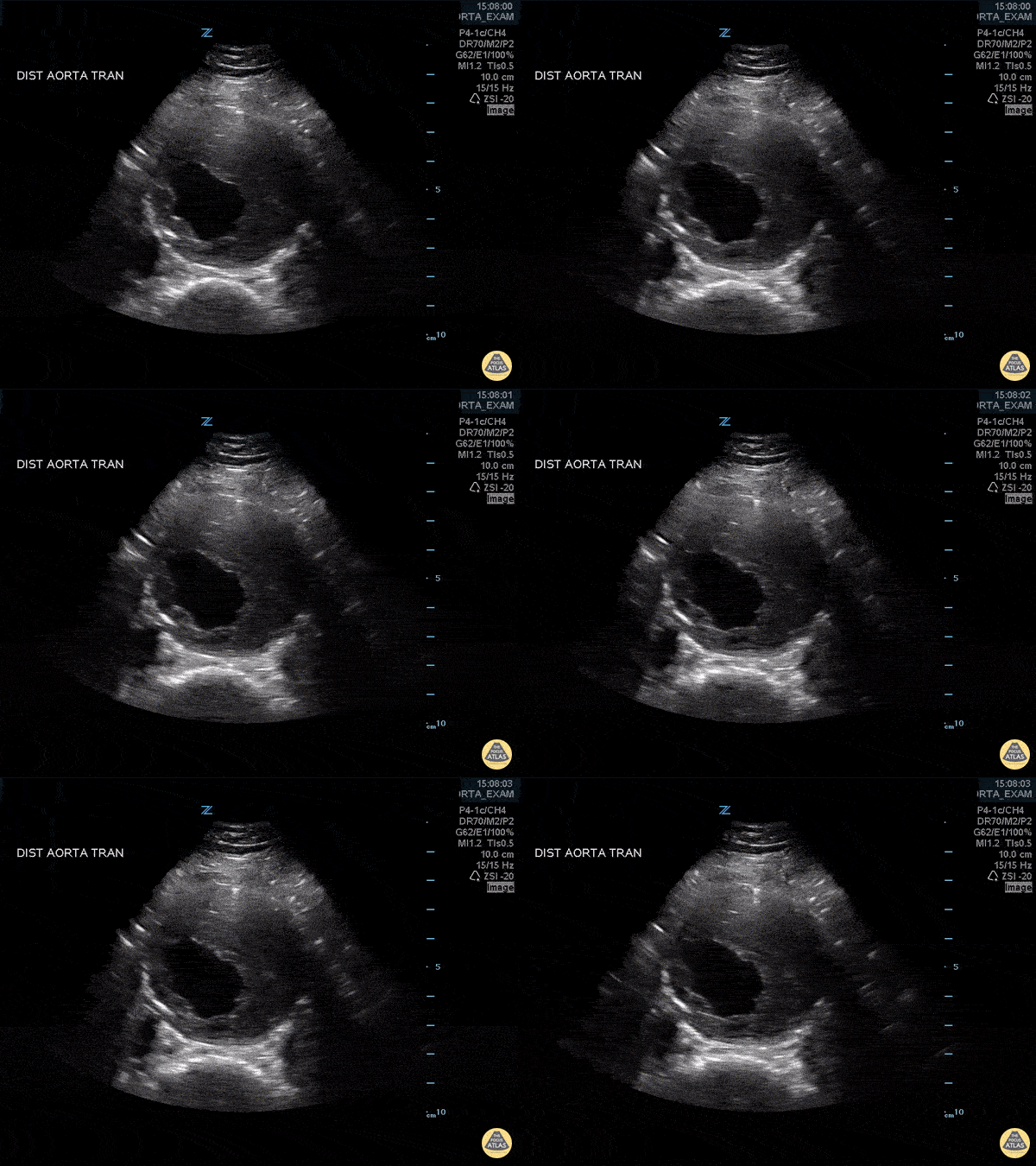
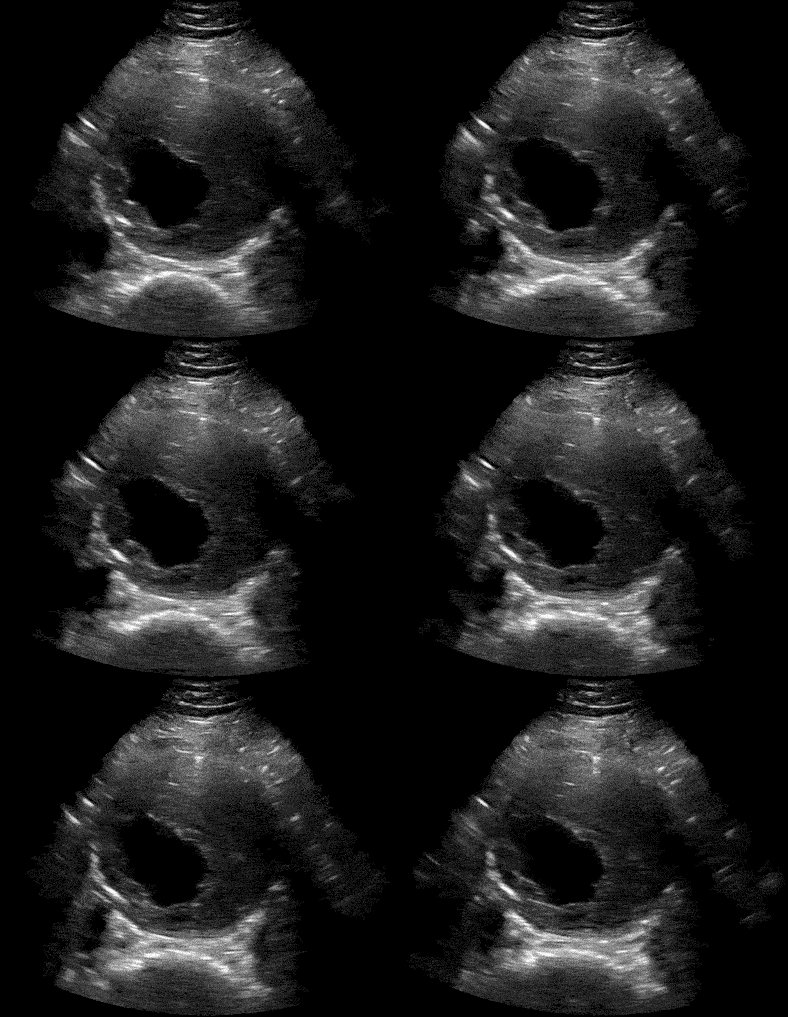
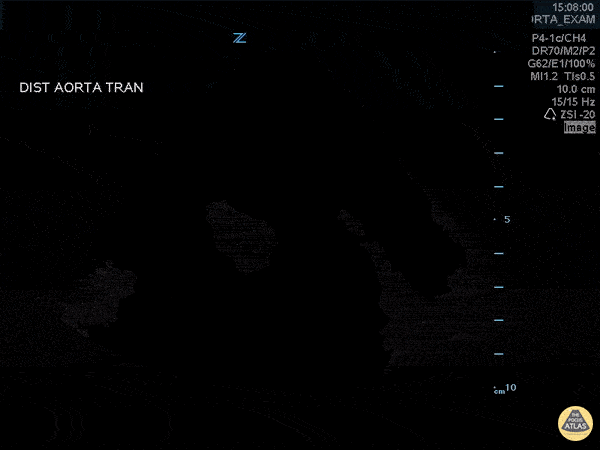
| Before | After | Extracted Background |
|---|---|---|
 |
 |
 |
Installation
- Pip
pip install ultraml
- Local Clone
git clone https://github.com/stan-hua/ultraml.git
cd ultraml
pip install -e .
Example Usages
1. (File-Level) Pre-process ultrasound video to individual image frames
from ultraml import convert_video_to_frames
video_path = "path/to/video.mp4"
video_save_dir = "path/to/save/frames"
background_save_path = "path/to/save/frames/background.png"
save_paths, background_save_path = convert_video_to_frames(
    path=video_path,
    save_dir=video_save_dir,
    prefix_fname="frame_",
    background_save_path=background_save_path,
    overwrite=True
)
print(f"{len(save_paths)} Video frames saved at: \n\t{'\n\t'.join(save_paths)}")
print(f"Background Saved = {background_save_path is not None}")
2. (File-Level) Pre-process ultrasound beamform to individual image frames
# If handling DICOMs, please install pydicom with `pip install pydicom`
from ultraml import convert_dicom_to_frames
dicom_path = "path/to/dicom.dcm"
dicom_save_dir = "path/to/save/dicom_frames"
background_save_path = "path/to/save/frames/background.png"
save_paths, background_save_path = convert_dicom_to_frames(
    path=dicom_path,
    save_dir=dicom_save_dir,
    prefix_fname="dicom_frame_",
    grayscale=True,
    uniform_num_samples=10,
    background_save_path=background_save_path,
    overwrite=True
)
print(f"{len(save_paths)} DICOM frames saved at: \n\t{'\n\t'.join(save_paths)}")
print(f"Background Saved = {background_save_path is not None}")
3. (Array-Level) Extract beamform from a video (list of images)
from ultraml import extract_ultrasound_video_foreground, convert_img_to_uint8
video_frames_arr = ...        # list of numpy image arrays
ultrasound_foreground, static_mask = extract_ultrasound_video_foreground(
    img_sequence=video_frames_arr,
    apply_filter=True,
    crop=True
)

# Function returns: (i) the video frames with extracted foreground and
#                   (ii) a mask for the static parts of the image
# To get the background, mask out the static parts of any image frame
first_img = video_frames_arr[0]
background_img = convert_img_to_uint8(first_img)
background_img[~static_mask] = 0
4. (Array-Level) Extract ultrasound from a single image
from ultraml import extract_ultrasound_image_foreground
img_arr = ...               # single numpy image array
ultrasound_foreground, static_mask = extract_ultrasound_image_foreground(
    img=img_arr,
    apply_filter=True,
    crop=True
)

# Function returns: (i) the image frame with extracted foreground and
#                   (ii) a mask for the estimated background of the image
# To get the background, mask out the static parts of any image frame
background_img = convert_img_to_uint8(img_arr)
background_img[~static_mask] = 0
Release history Release notifications | RSS feed


Download files
Download the file for your platform. If you're not sure which to choose, learn more about installing packages.
Source Distribution
ultraml-0.1.2.tar.gz
(12.9 kB
view details)
Built Distribution
Filter files by name, interpreter, ABI, and platform.
If you're not sure about the file name format, learn more about wheel file names.
Copy a direct link to the current filters
ultraml-0.1.2-py3-none-any.whl
(12.5 kB
view details)
File details
Details for the file ultraml-0.1.2.tar.gz.
File metadata
- Download URL: ultraml-0.1.2.tar.gz
- Upload date:
- Size: 12.9 kB
- Tags: Source
- Uploaded using Trusted Publishing? No
- Uploaded via: twine/6.0.1 CPython/3.9.19
File hashes
| Algorithm | Hash digest | |
|---|---|---|
| SHA256 |
3f66d55fa186b48a1093ef4c9c49775dbe73936b30c1f7f36d6d05871b8b47e5
|
|
| MD5 |
1ab520f4beecc48f3863fb5c4eac118a
|
|
| BLAKE2b-256 |
d37bf6ecde60eacf96acd7e181e0d787c0deaf63e7d60f321b26d56de06a5a8a
|
File details
Details for the file ultraml-0.1.2-py3-none-any.whl.
File metadata
- Download URL: ultraml-0.1.2-py3-none-any.whl
- Upload date:
- Size: 12.5 kB
- Tags: Python 3
- Uploaded using Trusted Publishing? No
- Uploaded via: twine/6.0.1 CPython/3.9.19
File hashes
| Algorithm | Hash digest | |
|---|---|---|
| SHA256 |
2eb9727908d984049c2774b95387a339953633f39ece20439b79857554586a8d
|
|
| MD5 |
8c75d8dfbe0a7ebcb771c4462872ec6d
|
|
| BLAKE2b-256 |
8ebcc298749aec7d867185ad25309cecf83c56bdb9561b9f179bd3c0cef7a188
|






