
Stateless, deterministic notebooks with uv and Markdown

Project description
uvnote
[!NOTE] uvnote is pre v1, so things are subject to change
uvnote is a "Stateless, deterministic notebooks with uv and Markdown."
In other words, its a alternative for Jupyter notebooks that is more lightweight, more reproducible, and more portable.
uvnote is kinda like a combination of a Markdown file and a Jupyter notebook and a static site generator.
Concept
The premise is simple:
- you write normal markdown files with python code blocks
- each code block is expanded to a uv/PEP 723 script
- the output of each script is capture and rendered in the markdown file.
- all data/scripts are hashed and cached (in
.uvnote/cache) so everything can be inspected and intelligently re-run when needed. - no magic runtimes (relies on uv)
- no hidden state (cells are not stateful, they are just scripts)
- no special file formats (just plain markdown)
Cool features
okay, so the core concept is simple (embed uv scripts in markdown), but there are some cool features that make uvnote more powerful than just that!
- interactive auto fading drawing tools to help present the note to others in an engaging way
- automatically generate a table of contents/links artifacts for easy navigation
- light/dark mode
- simplify syntax for dependencies (e.g.
deps=numpy,pandasin code block header will be expanded to the PEP 723 metadata) - and again NO MAGIC, so if you want to change css or add custom HTML you can easily do that.
How to use
Currently, the recommended way to use uvnote is to directly run the script from GitHub using uvx, this will download and run the latest version of uvnote without needing to install anything until we have a proper release.
uvx https://github.com/drbh/uvnote.git
outputs
Usage: uvnote [OPTIONS] COMMAND [ARGS]...

  uvnote: Stateless, deterministic notebooks with uv and
  Markdown.

Options:
  --version  Show the version and exit.
  --help     Show this message and exit.

Commands:
  build  Build static HTML from markdown file.
  clean  Clear cache and site files.
  run    Run a single cell from markdown file.
  serve  Watch markdown file, rebuild on changes, and...
Preview
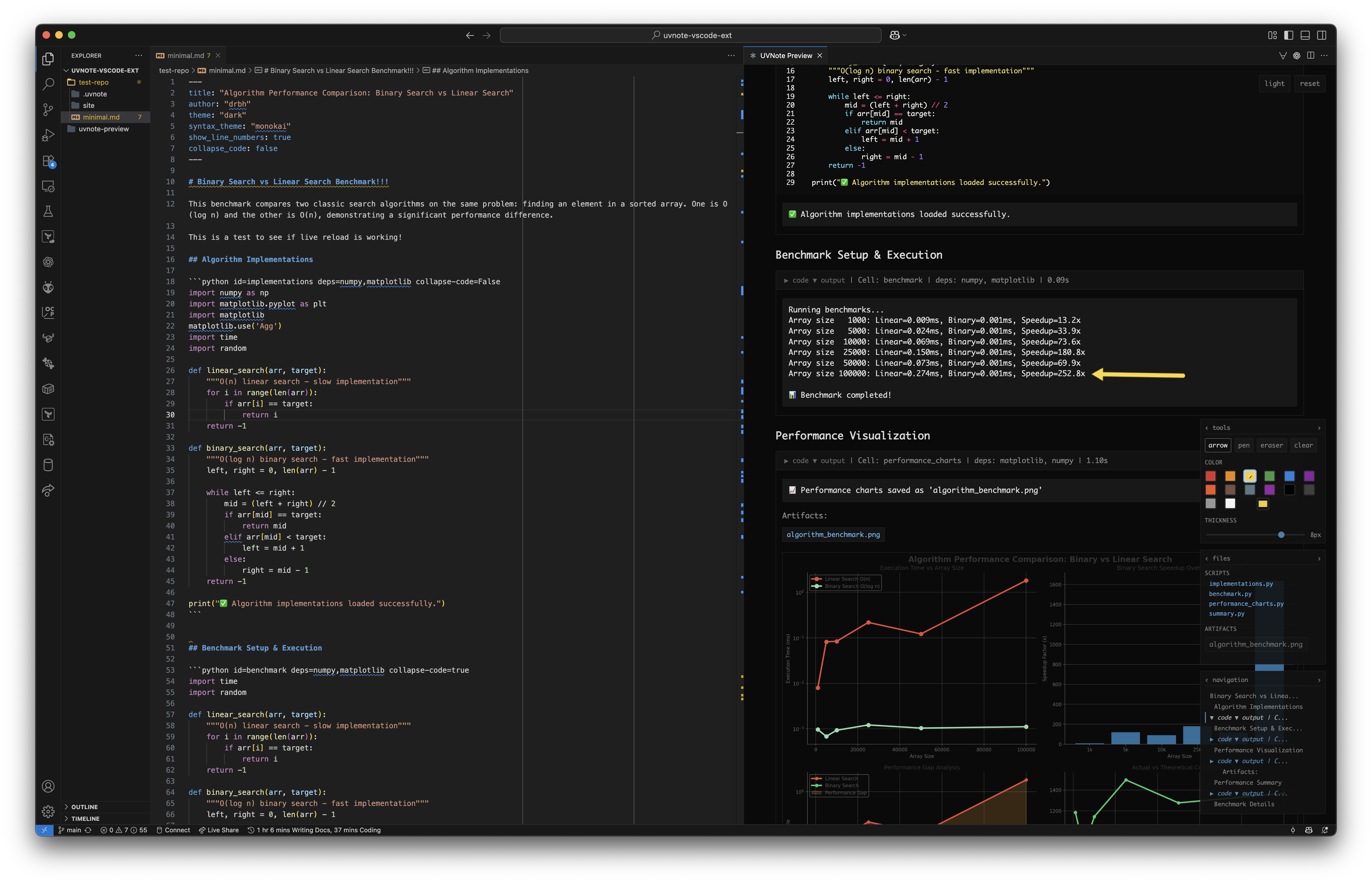
If you're a vscode user, you can use the uvnote-preview extension to preview your uvnote files directly in VSCode.
https://github.com/drbh/uvnote-preview
https://github.com/user-attachments/assets/59a470e2-c3f6-46b7-b3ad-b4a0085b8dda
Release history Release notifications | RSS feed


Download files
Download the file for your platform. If you're not sure which to choose, learn more about installing packages.
Source Distribution
Built Distribution
Filter files by name, interpreter, ABI, and platform.
If you're not sure about the file name format, learn more about wheel file names.
Copy a direct link to the current filters
File details
Details for the file uvnote-0.1.0.tar.gz.
File metadata
- Download URL: uvnote-0.1.0.tar.gz
- Upload date:
- Size: 56.6 kB
- Tags: Source
- Uploaded using Trusted Publishing? No
- Uploaded via: twine/6.2.0 CPython/3.11.13
File hashes
| Algorithm | Hash digest | |
|---|---|---|
| SHA256 |
cd46e5d38ee9e4634c366d9c9d13de7a0e27b1a56c4bfd1b8392dc2255485e88
|
|
| MD5 |
5f4f0f1984a9cbcfb7b758e1289acbde
|
|
| BLAKE2b-256 |
8fb35e5aaa540c03d20e007282067440643e7f10ab9c9608ee785e1d3164cee7
|
File details
Details for the file uvnote-0.1.0-py3-none-any.whl.
File metadata
- Download URL: uvnote-0.1.0-py3-none-any.whl
- Upload date:
- Size: 41.1 kB
- Tags: Python 3
- Uploaded using Trusted Publishing? No
- Uploaded via: twine/6.2.0 CPython/3.11.13
File hashes
| Algorithm | Hash digest | |
|---|---|---|
| SHA256 |
6ae2945392899eca34d828561ca2f56a5482885c81b4ccd08dcdb8c340c45076
|
|
| MD5 |
37497e0727d2de47e867eb1d985d8302
|
|
| BLAKE2b-256 |
3985bca77b17881768dc372a6c1050f0d8afe2b92d56f126a49a90173c95ce6c
|






