
This release is a pre-release and may not be stable for production use.

An autonomous agent framework built on top of local and cloud LLMs. VAF runs as a desktop application, a headless server, or a terminal interface on Windows, macOS, and Linux.
Installation · Build on VAF · Documentation · Contributing


Dual-licensed: free under the GNU AGPL-3.0, or a commercial license for proprietary/SaaS use without copyleft (legal@veyllo.io).
Requires: Git to clone, and a container runtime. VAF keeps users, auth, setup and memory in a PostgreSQL/pgvector container, so one is required to finish setup and sign in. All three installers set the engine up for you: Windows installs the free Rancher Desktop, macOS auto-installs the free Colima (or uses Docker Desktop if present), and Linux auto-installs your distro's Docker (systemd + docker group). The installer also provisions Python and Node itself.
Start here
Pick your path:
| You want to… | Go to |
|---|---|
| Run VAF as a desktop app, server, or terminal | Installation below |
| Build on VAF as a library (embed the agent in your app) | docs/EMBEDDING.md · docs/ARCHITECTURE.md |
| Write a tool (extend the agent, ship it as a pip package) | vaf/tools/README.md · docs/EMBEDDING.md |
| Contribute to the engine (the core agent loop) | vaf/core/README.md · docs/ARCHITECTURE.md |
Use it as a library
pip install --pre vaf
import os

from vaf import Agent

agent = Agent(config={"provider": "openai", "api_key_openai": os.environ["OPENAI_API_KEY"]})
print(agent.run("In one short sentence, what is Python?"))
The same code runs on a fully local GGUF model (provider="local" - no key,
nothing leaves the machine) or any supported API provider (veyllo, openai,
anthropic, google, deepseek, openrouter). The base install is slim;
heavy features are opt-in extras like vaf[memory] and vaf[server].
Developer guide: docs/EMBEDDING.md ·
runnable examples: examples/
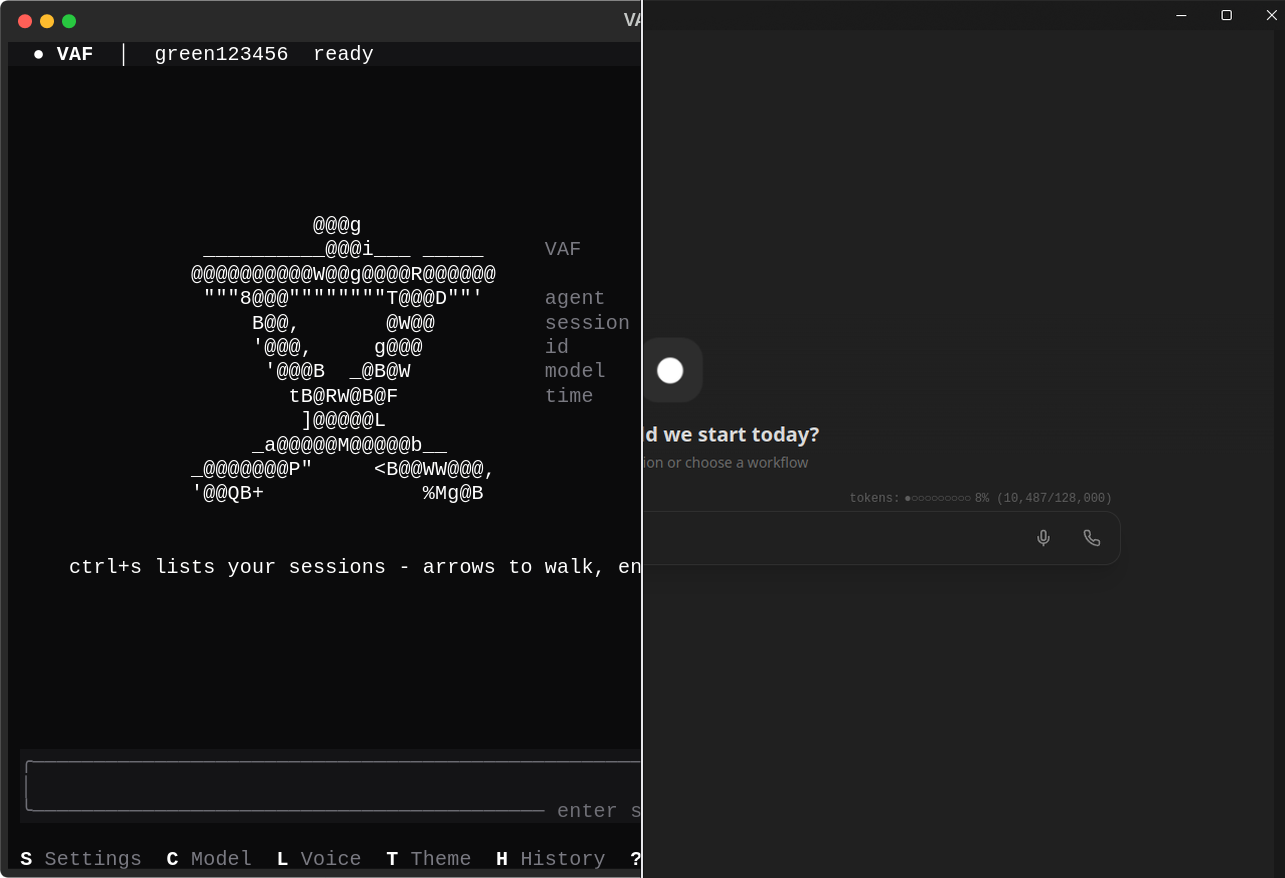
One agent, one session store, one config - in your terminal or in your browser.
Installation
Windows:
git clone https://github.com/Veyllo-Labs/VAF.git
cd VAF
.\install.bat
macOS / Linux:
git clone https://github.com/Veyllo-Labs/VAF.git && cd VAF
chmod +x install.sh && ./install.sh
The installer sets up a Python venv, installs all dependencies, prepares the web UI (built on first launch), sets up a container engine for you (Rancher Desktop on Windows, Colima on macOS, your distro's Docker on Linux, or uses an existing one if present), and adds the vaf command to your shell.
New to this, or never used
git/a terminal? Follow the step-by-step Installation Guide. It covers installing git, where to put the folder, running the installer without admin, and troubleshooting.
On Linux, the installer asks once which installation mode to use (macOS and Windows always install Desktop mode):
[1] Desktop  - personal use, local only, system tray (default)
[2] Server   - always-on service, LAN accessible via HTTPS, starts at boot
Choose [2] Server for home servers, NAS devices, or any headless machine that should be reachable from other devices. See docs/setup/SERVER_MODE.md for details.
install.sh (Linux and macOS) also asks for the profile: Full (local), the default, runs the models on this machine; Lean (API) downloads no chat, speech-to-text or text-to-speech model and uses what you set in Settings after the first login. See docs/setup/INSTALL_PROFILES.md.
On a rented Linux server (VPS) without a GPU, answer both questions on the command line:
./install.sh --server --profile api
After the first login, set the chat provider under Settings -> AI & Model. On a rented server (VPS) covers the rest: a VPN instead of an open port, backups off the machine, and a health monitor.
Before any other device reaches VAF, read Security: VAF belongs behind your local network or a VPN, never on the public internet.
Quickstart
Confirm the install works with a one-shot prompt:
vaf prompt "Hello"
Then launch the desktop app (system tray + web UI at http://localhost:3000) with vaf tray, or start an interactive terminal chat with vaf run. See Modes for all the ways to run VAF.
Updating
VAF updates in place to the latest published release:
vaf update           # Stop, fetch the latest release, reinstall, migrate, restart
vaf update check     # Check whether a newer version is available
vaf update only proceeds from a clean checkout, records a rollback point, and reverts automatically if any step fails. A one-line "update available" hint appears at startup (disable via update_check_on_start in config.json). Maintainers cutting releases: see docs/setup/RELEASING.md.
Modes
VAF runs in three modes depending on your use case.
Desktop (recommended for personal use)
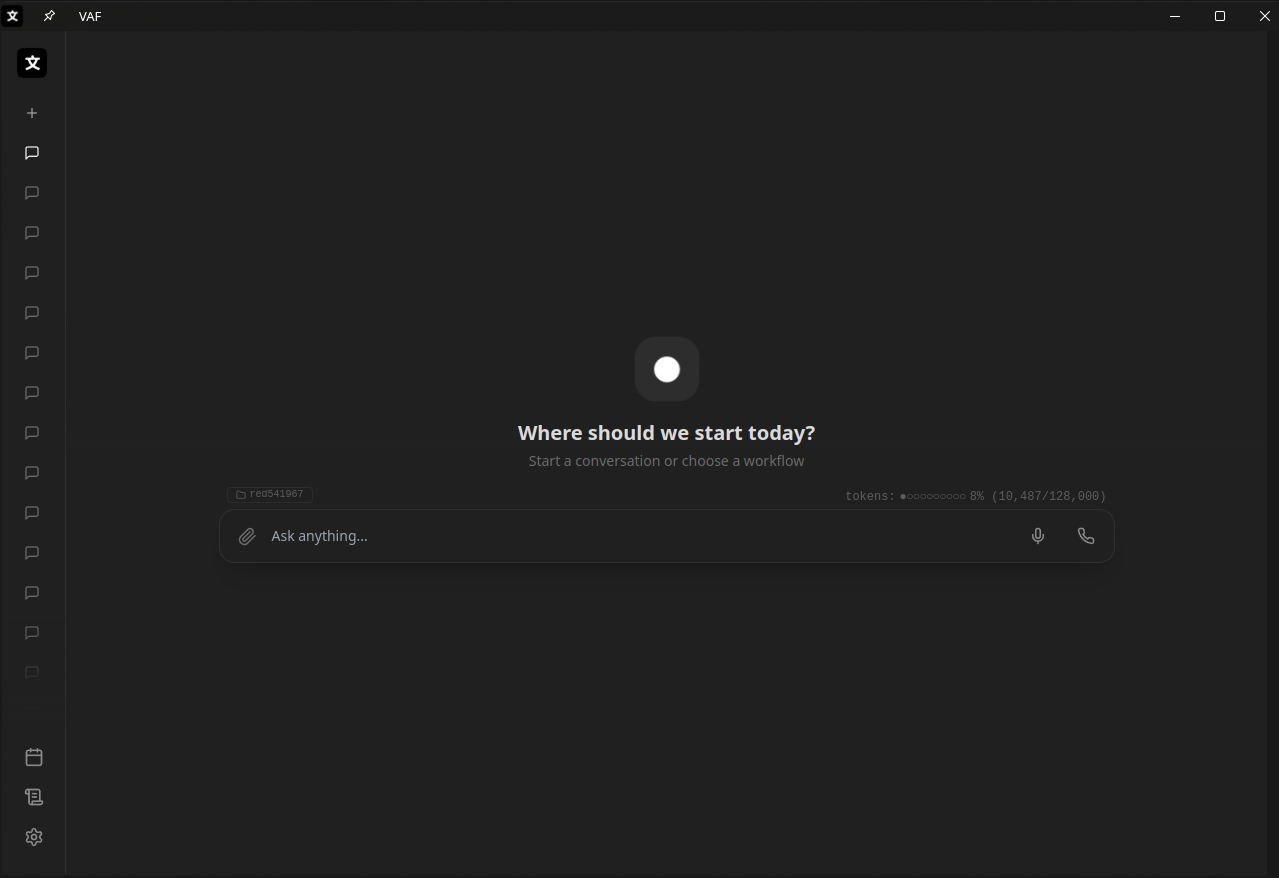
The desktop app: system-tray icon + agent window, web UI at http://localhost:3000. Easiest start: double-click the VAF Agent shortcut the installer created, or run:
vaf tray # Start the desktop app (tray + web UI)
In a terminal, vaf tray runs the app in the background and shows the live
dashboard (vaf top) in that terminal: state, utilization, services and the
service log. Ctrl+C there stops VAF; closing the window only ends the view.
vaf tray --no-top keeps the plain foreground output.
Or manage it as a background service:
vaf start      # Start in background (opens the dashboard in a terminal)
vaf stop       # Stop cleanly
vaf restart    # Restart
vaf status     # Show status
vaf top        # Live dashboard (attach any time, Ctrl+C leaves VAF running)
LAN access (other devices on your network):
vaf server on      # Bind to 0.0.0.0 with HTTPS
vaf server off     # Back to localhost only
vaf server status  # Show active URLs
Server (always-on, starts at boot)
Installed via the [2] Server option. VAF runs as a systemd user service. Use the same commands:
vaf start      # systemctl --user start vaf
vaf stop       # systemctl --user stop vaf
vaf restart    # systemctl --user restart vaf
vaf status     # systemctl --user status vaf
LAN access (HTTPS, usually on port 8443 - plain 443 when the service can bind it) is always enabled and locked in server mode. See docs/setup/SERVER_MODE.md.
Terminal (CLI)
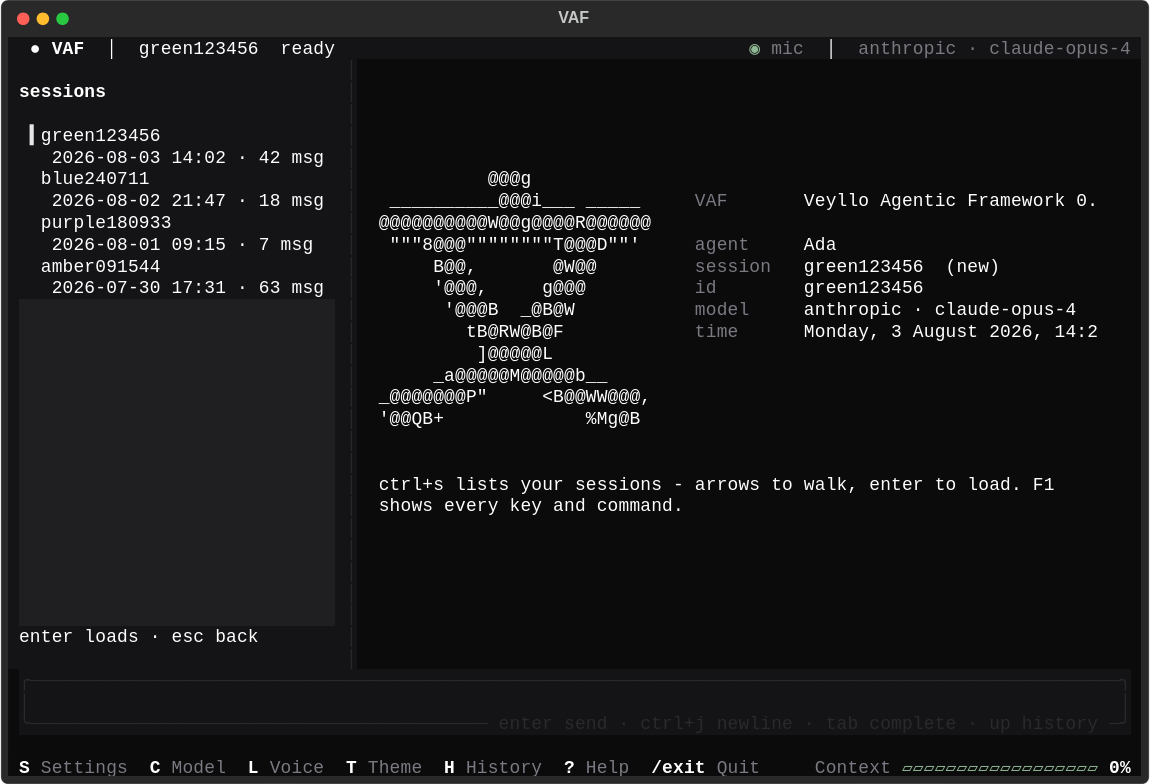
Interactive chat in the terminal with themes, session management, and streaming output.
vaf run                        # Start interactive chat
vaf run --session <id>         # Resume a saved session
vaf run --classic              # Minimal interface (SSH / low-bandwidth)
vaf run --no-web               # Skip starting the web UI
One-shot (non-interactive):
vaf prompt "Explain async/await in Python"
vaf prompt "List modified files" --output-format json
Web UI only
If you want the web interface without the tray icon, vaf start runs VAF in the background.
vaf run --web hosts the web UI from a terminal chat instead:
vaf run --web
It ends with the terminal session, answers only your own web chats (no messengers, no mail, no other accounts, no timers or background-command reports: that is the service's job), and uses an already running VAF instead of starting a second server.
Models
VAF works with local GGUF models and cloud APIs. On first start it downloads the default model and the llama-server backend automatically, unless it was installed with the Lean profile (--profile api), which downloads neither and needs a cloud API.
Local (privacy-first):
- Any GGUF model (Llama 3, Mistral, Qwen, DeepSeek, etc.)
- GPU acceleration: CUDA on Windows, Vulkan on Linux, Metal on macOS
- Minimum context: 32 768 tokens (enforced; required for tool use)
Cloud APIs:
- Veyllo
- OpenAI
- Anthropic
- DeepSeek
- OpenRouter (100+ models)
Switch provider or model at runtime: press C in the chat, or use /model <name>.
Features
Agent & Tools
- 100+ built-in tools: web search, file system, bash, Python execution, calendar, email, GitHub, and more
- Sub-agents for long-running tasks: Coder, Researcher, Librarian
- Docker sandboxing for untrusted code execution
- Scheduled automations (daily news, reminders, reports)
Memory
- Persistent long-term memory with semantic search (pgvector + Redis)
- Auto-compression when context fills up; full history archived and restorable
- Memory graph visualization in the web UI
Sessions & History
- Named sessions, saved and searchable
- Git-based snapshot/undo for code changes
- Export sessions to Markdown
Integrations
- Telegram, Discord, WhatsApp (bridge mode)
- Google Calendar, Gmail, Google Drive
- GitHub
Agent-to-Agent (A2A)
- Group rooms with other agents: invite Claude Code, Codex, OpenCode, or another VAF agent with a single-use ticket; the generated briefing teaches them the protocol
- Two shapes:
round(equals, no orders) andchain(you lead, workers report) - A live task board folded from the conversation itself, votes with deadlines and abstention, a shared folder per room, and cross-machine rooms over WebSocket with a pinned CA
- Your agent treats a room like any chat: it looks up what it knows before answering and keeps the lasting facts, each stamped with the room it came from
- The wire protocol is a documented, implementable contract with a conformance checklist - not an internal format
Developer
- Plugin system: drop a
BaseToolsubclass intovaf/tools/, auto-discovered at startup - Custom workflows: place a
WORKFLOWdict in~/.vaf/workflows/*.py, auto-loaded - MCP (Model Context Protocol) client support
- A2A as a library:
from vaf import Room, RemoteRoom, room_invitation- run rooms in your own harness or write a non-VAF peer against docs/agents/A2A_PROTOCOL.md
CLI Reference
vaf setup            # Create the admin account for this machine (first run)

vaf start            # Start background service (or: systemctl in server mode)
vaf stop             # Stop background service
vaf restart          # Restart background service
vaf status           # Show service status

vaf top              # Live dashboard: state, utilization, services, log
vaf top --once       # One snapshot, for scripts and checks

vaf run              # Interactive chat (TUI)
vaf prompt "..."     # One-shot prompt
vaf tray             # Desktop app; in a terminal it shows the dashboard
vaf server on|off|status
vaf server provision # Re-run server-mode setup (certs, firewall, checks)
vaf profile [local|api] # Local models or API providers only; no argument shows the current one
vaf engine [llama|vllm]  # The local engine: llama.cpp (GGUF) or a VAF-managed vLLM; no argument shows what runs here
vaf providers [--json] # Which provider and model does each job (chat, images, sub-agents, thinking, voice, ...)

vaf update           # Update to the latest release
vaf update check     # Check if a newer release is available

vaf session list|load|delete|export|search
vaf snapshot create|list|restore|undo
vaf automation list|create|run|enable|disable|delete
vaf a2a create|invite|join|say|report|vote|wait   # Agent rooms (A2A), also for non-VAF agents
vaf env list|create|exec|shell|ps|logs|kill|preview|stop|delete|prune   # Sandbox environments
vaf ssh key|hosts|forget        # The SSH key and servers your agent uses
vaf ftp servers|forget          # The FTP servers your agent confirmed
vaf users list|reset-password   # The accounts; a new admin password with the recovery key
vaf users sessions|sign-out|token  # Signed-in devices, sign out everywhere, a token for a script

vaf secure status       # Where every at-rest key lives, and what is still open
vaf secure recover      # Restore the keys after a reinstall (recovery key)
vaf backup create|verify|list|restore   # One encrypted file of VAF's data (not OS-keyring sign-ins)
vaf backup schedule|prune               # Daily or weekly backups, and what is kept
vaf health              # ok, degraded or down, for a monitor (exit 0, 1, 2)
vaf secure rotate-db    # Replace the shipped default Postgres password
vaf memory cross-chat --query "..."   # What other chats a turn would be hinted
vaf memory rekey --old-key-file <config-backup.json>

vaf scaffold new <template> <name>   # Project templates
vaf generate api|function|class|test|component
vaf automate test|build|lint|format|check
vaf debug explain|trace|fix
vaf git commit --auto

vaf models list|set
vaf theme <name>
vaf install-gpu      # Re-detect and install GPU backend
vaf info             # System info
vaf --version
Configuration
All user data lives in ~/.vaf/:
~/.vaf/
├── config.json        # Settings (provider, model, n_ctx, ...)
├── sessions/          # Saved conversations
├── context_archive/   # Compressed conversation history
├── snapshots/         # Code undo history
├── automations/       # Scheduled tasks
└── workflows/         # Custom workflow plugins (*.py)
Key config options (config.json):
| Key | Default | Description |
|---|---|---|
provider |
local |
local, veyllo, openai, anthropic, google, deepseek, openrouter |
n_ctx |
32768 |
Context window (minimum 32 768 for tool use) |
gpu_layers |
99 |
Layers to offload to GPU (0 = CPU only) |
web_ui_enabled |
true |
Start web UI alongside the agent |
persist_server |
false |
Keep llama-server running after VAF exits |
What VAF sends, and where
VAF collects no usage data and reports nothing to Veyllo. There is no analytics
SDK, no crash reporter, and no identifier tied to you or your installation. Your
conversations, memory, credentials and files stay in ~/.vaf/ and in your own database
container.
By default VAF makes exactly one outbound request of its own: a version check against
the public GitHub releases API at startup, so it can print a one-line "update available"
hint. It sends no data about you or your usage - GitHub sees the request the way it sees
any anonymous API call. Turn it off with update_check_on_start: false. The same check
runs when you press "Check for updates" yourself (vaf update check, or Settings ->
Advanced -> Update and Repair); nothing else, and nothing on a timer, asks GitHub.
Everything else that leaves your machine is something you configured, and it goes to that provider, not to us:
| If you configure... | Then this goes there |
|---|---|
provider: local |
nothing - the model runs on your machine |
A cloud provider (openai, anthropic, google, deepseek, openrouter, veyllo) |
your prompts and tool results, to that provider |
| Web search, mail, calendar, messaging integrations | the requests those features make, to those services |
So "no telemetry" means what it says: we receive nothing. It does not mean an agent you point at a cloud model works without talking to that cloud.
Extending VAF
Custom tool - create vaf/tools/my_tool.py:
from vaf.tools.base import BaseTool

class MyTool(BaseTool):
    name = "my_tool"
    description = "One-line description the agent uses to decide when to call this."
    parameters = {
        "type": "object",
        "properties": {
            "query": {"type": "string"}
        },
        "required": ["query"]
    }

    def run(self, **kwargs) -> str:
        return f"result for {kwargs['query']}"
Custom workflow - create ~/.vaf/workflows/my_workflow.py:
WORKFLOW = {
    "name": "My Workflow",
    "triggers": ["my keyword"],
    "variables": {"topic": "What to process"},
    "steps": [
        {"tool": "web_search", "input": "{topic}", "output": "results"},
        {"tool": "coding_agent", "input": "Based on {results}, write code for {topic}", "output": "code"},
    ],
}
Both are auto-discovered at startup, no registration needed.
Platform Notes
| Windows | macOS | Linux | |
|---|---|---|---|
| Desktop mode | Tray icon | Menu bar icon | Headless (no icon) |
| GPU backend | CUDA | Metal | Vulkan |
| Web UI | localhost:3000 |
localhost:3000 |
localhost:3000 |
| Install | install.bat |
install.sh |
install.sh |
Linux headless mode requires no display server. See docs/setup/LINUX_SETUP.md for details.
Security
Keep VAF off the public internet
VAF is an agent. It holds your API keys and account credentials, reads your mail and messages, keeps your files and memory, and can run commands and send messages in your name. Its login page is the only thing between all of that and whoever can reach it, and a login page on the public internet is found by scanners within hours and attacked without pause. One reused password, one phished code or one future bug is then enough. Putting an agent's login page on the internet is close to negligent, so VAF is built not to be reachable from there: it answers only this machine, your local network and the VPN networks you admit, and refuses every public address before it shows any page.
To use VAF away from home or the office, connect through a VPN: WireGuard, the VPN built into many routers, or a mesh VPN such as Tailscale or NetBird. Do not forward VAF's port on your router, do not publish it through a tunnel service (Cloudflare Tunnel, Tailscale Funnel, ngrok and the like), and on a rented server keep the port closed in the provider's firewall. See Server mode.
Where the protections are described
| Topic | Doc |
|---|---|
| Network access, login, 2FA, sessions, tokens for programs, certificates | docs/setup/NETWORK_FEATURES.md |
| Accounts kept apart on one machine | docs/security/USER_ISOLATION.md |
| Sandboxing of commands and code | docs/security/SANDBOXING.md |
| Encryption at rest | docs/security/ENCRYPTION_AT_REST.md |
| Security log and dashboard | docs/security/SECURITY_DASHBOARD.md |
| Backups and restore | docs/setup/BACKUP_RESTORE.md |
Documentation
| Topic | Doc |
|---|---|
| Build on VAF (embed as a library) | docs/EMBEDDING.md |
| Runnable examples (quickstart, events, custom tool) | examples/ |
| FAQ for developers | docs/FAQ.md |
| Architecture (framework vs. harness) | docs/ARCHITECTURE.md |
| Configuration reference (all config keys) | docs/setup/CONFIG_SCHEMA.md |
| Engine reference (CoreAgent contracts) | docs/CORE_AGENT.md |
| Observability (events, NDJSON scripting) | docs/OBSERVABILITY.md |
| Debugging & logging | docs/DEBUGGING.md |
| Write a tool (BaseTool, pip packaging) | vaf/tools/README.md |
| Server mode (LAN, autostart) | docs/setup/SERVER_MODE.md |
| Linux setup & GPU | docs/setup/LINUX_SETUP.md |
| LLM backend (local vs API) | docs/llm/PROVIDER_MODES.md |
| A2A rooms (wire protocol, roles, conformance) | docs/agents/A2A_PROTOCOL.md |
| Voice agent (live call) | docs/agents/VOICE_AGENT.md |
| Memory system | docs/memory/MEMORY_SYSTEM.md |
| Web UI & API reference | docs/web-ui/WEB_UI.md |
| Context management | docs/memory/CONTEXT_MANAGEMENT.md |
| Automations | docs/platform/AUTOMATIONS.md |
| Docker services | docs/setup/DOCKER_SERVICES.md |
| Telegram / Discord / WhatsApp | docs/integrations/TELEGRAM_INTEGRATION.md |
| Workflows | vaf/workflows/README.md |
License
VAF is dual-licensed:
- Open source - GNU AGPL-3.0-or-later: free to use, modify, and distribute. If you distribute VAF or run a modified version as a network service (SaaS), you must make your source available under the AGPL. Unmodified internal use (even commercial) triggers no disclosure. Building Plugins, Tools, and Workflows on top of VAF is explicitly permitted (Section 7 additional permission).
- Commercial license: for embedding VAF in a closed-source product or running a proprietary SaaS without AGPL copyleft. See COMMERCIAL.md.
See LICENSING.md for the full dual-licensing explanation (English & German) and how to choose.
Legal notice: under Section 7(b) of the AGPL, VAF carries a short legal notice stating its origin and the obligations the AGPL imposes. Forks must keep this notice in their source code; it never has to be displayed to end users.
This notice adds no restrictions of its own - it restates the AGPL, and the AGPL still applies in full: if you run a modified version of VAF as a network service, you owe that service's users your complete source code (Section 13).
The commercial license is exactly what removes this obligation. See the "Preservation of Legal Notices" section in LICENSING.md.
Trademarks & brand: "VAF", "Veyllo", the VAF logo, and the agent avatar (the living-dot visual identity and its animated states) are trademarks and brand assets of Veyllo GmbH and are not covered by the code license. See the "Trademarks and Brand Assets" section in LICENSING.md.
For commercial and OEM licensing, contact legal@veyllo.io · https://veyllo.io.
1 maintainer

Metadata
1 maintainer
Release files for vaf 0.1.0a35
For a detailed explanation of source distributions (sdists) and built distributions (wheels), please see the package formats documentation.
Source distribution (sdist)
| File | Size | Uploaded | Provenance | Actions |
|---|---|---|---|---|
| vaf-0.1.0a35.tar.gz | 9.2 MB | With provenance | Details for vaf-0.1.0a35.tar.gz |
Built distribution (wheel)
| File | Interpreter | ABI | Platform | Actions Reset |
|---|---|---|---|---|
| vaf-0.1.0a35-py3-none-any.whl | Python 3 | none | any | Details for vaf-0.1.0a35-py3-none-any.whl |
Total release size: 16.2 MB
Release files / vaf-0.1.0a35.tar.gz
| Download URL | vaf-0.1.0a35.tar.gz |
|---|---|
| Size | 9.2 MB |
| Tags | Source |
|
SHA-256 checksum How to use checksums |
298e695a483f4c6713b00beb4cfa96311ff0c8cf54c4d8f5eea2590303aeddb4
|
|
BLAKE2b-256 checksum How to use checksums |
e9caaa7c5a2c5a1c8e9ed59480f630594d12d02831b32d11e9d26ad1587b1363
|
| Upload date | |
|
Uploaded using Trusted Publishing? What is trusted publishing? |
Yes |
| Uploaded via |
twine/7.0.0 CPython/3.13.16
|
Provenance
Provenance describes where a file came from. On PyPI, provenance is shared via attestations, which provide a verifiable record of the build or publishing details. View details, limitations and caveats.


PyPI Publish Attestation
PyPI verified that this artifact, at this checksum, originated from the publisher listed below.
Signed by GitHub Actions, verified by PyPI on Nov 5, 2026.
Transparency logRelease files / vaf-0.1.0a35-py3-none-any.whl
| Download URL | vaf-0.1.0a35-py3-none-any.whl |
|---|---|
| Size | 6.9 MB |
| Tags | Python 3 |
|
SHA-256 checksum How to use checksums |
a5b0cd36eac5036a603deb03e909fe950c555ff24815ee8d76d47b570b19cfdb
|
|
BLAKE2b-256 checksum How to use checksums |
3bf92b01d2fc266ee051fca1dc077b6501c861794e2c1ea1a82928985c352718
|
| Upload date | |
|
Uploaded using Trusted Publishing? What is trusted publishing? |
Yes |
| Uploaded via |
twine/7.0.0 CPython/3.13.16
|
Provenance
Provenance describes where a file came from. On PyPI, provenance is shared via attestations, which provide a verifiable record of the build or publishing details. View details, limitations and caveats.
PyPI Publish Attestation
PyPI verified that this artifact, at this checksum, originated from the publisher listed below.
Signed by GitHub Actions, verified by PyPI on Nov 5, 2026.
Transparency logSecurity for vaf 0.1.0a35
Provenance
Provenance describes where a file came from. On PyPI, provenance is shared via attestations, which provide a verifiable record of the build or publishing details. View details, limitations and caveats.
Full provenance
Both files in this release have been uploaded with provenance metadata.
Attestation for vaf-0.1.0a35.tar.gz
PyPI Publish Attestation
PyPI verified that this artifact, at this checksum, originated from the publisher listed below.
Signed by GitHub Actions, verified by PyPI on Nov 5, 2026.
Transparency logA note on package security
PyPI is a repository for distributing packages, not a service for auditing them. While third-party security researchers and our staff do their best to detect and remove malicious packages, PyPI cannot guarantee the quality, security or suitability of any given package.
To learn more about protecting yourself from malicious actors, visit our package security documentation.














