
Valmix
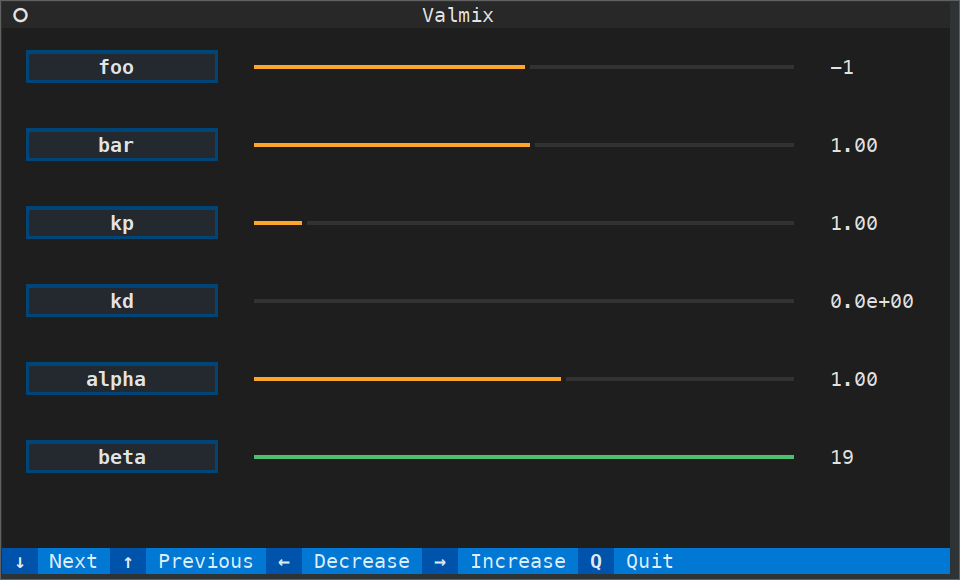


Valmix ("value mixer") gives a systematic way to tune Python program parameters from your terminal (similar to alsamixer for Linux users familiar with it). Wrap your parameters in multiprocessing values, pass them to both your program and valmix.run(), and a terminal user interface will appear 🪔 allowing you to modify parameters in real time while your program is running.
Code is shorter than words in Usage below :wink:
Installation
From conda-forge
conda install -c conda-forge valmix
From PyPI
pip install valmix
Usage
Suppose you have a Python program with parameters you want to tune:
def main(kp: float, kd: float):
    pass  # your code here
Valmix gives a systematic way to tune these parameters from the command line. First, wrap your parameters in multiprocessing.Values:
import multiprocessing as mp

kp = mp.Value("f", 10.0)
kd = mp.Value("f", 1.0)
Next, update your program to read from the multiprocessing values. For example:
import numpy as np
import time

def main(kp: mp.Value, kd: mp.Value):
    with open("/tmp/output", "w") as output:
        for _ in range(100):
            u = np.clip(kp.value * 1.0 + kd.value * 0.1, 5.0, 20.0)
            output.write(f"{u}\n")
            output.flush()
            time.sleep(1.0)
Finally, run your program and Valmix together, specifying the tuning range for each value:
main_process = mp.Process(target=main, args=(kp, kd))
main_process.start()

valmix.run(
    {
        "kp": (kp, np.arange(0.0, 20.0, 0.5)),
        "kd": (kd, np.arange(0.0, 10.0, 0.5)),
    }
)
This will fire up a terminal user interface (TUI) where you can tune kp and kd while the program runs in the background:
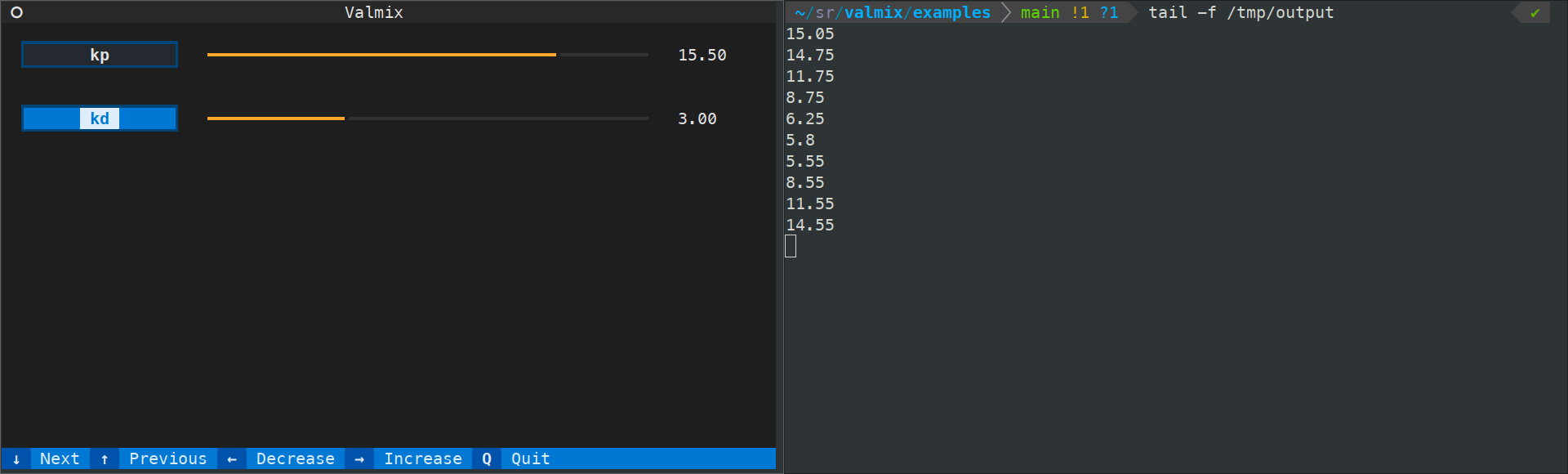
Useful for instance to tune robot behaviors in real-time 😉
See also
Related software:
- Textual: terminal user interface (TUI) framework for Python, used to build this tool.
1 maintainer

Metadata
1 maintainer
Release files for valmix 1.0.0
For a detailed explanation of source distributions (sdists) and built distributions (wheels), please see the package formats documentation.
Source distribution (sdist)
| File | Size | Uploaded | |
|---|---|---|---|
| valmix-1.0.0.tar.gz | 52.1 kB | Details |
Built distribution (wheel)
| File | Interpreter | ABI | Platform | Reset |
|---|---|---|---|---|
| valmix-1.0.0-py3-none-any.whl | Python 3 | none | any | Details |
Total release size: 62.9 kB
Release files / valmix-1.0.0.tar.gz
| Download URL | valmix-1.0.0.tar.gz |
|---|---|
| Size | 52.1 kB |
| Tags | Source |
|
SHA-256 checksum How to use checksums |
48f992e92b61b4adab1460397ff45cb8e6770578683741e0d14cc61f881213e1
|
|
BLAKE2b-256 checksum How to use checksums |
771540cc4a676ac44dec126f23252d9426048d79d6757f6c004768bd51d4ffa6
|
| Upload date | |
|
Uploaded using Trusted Publishing? What is trusted publishing? |
No |
| Uploaded via |
python-requests/2.32.4
|
Release files / valmix-1.0.0-py3-none-any.whl
| Download URL | valmix-1.0.0-py3-none-any.whl |
|---|---|
| Size | 10.8 kB |
| Tags | Python 3 |
|
SHA-256 checksum How to use checksums |
d92a1c316ac90d465b2462d3604c2dafb4fd1edc4483fce910c8a0b724aabcc6
|
|
BLAKE2b-256 checksum How to use checksums |
c4b15469925c9042c104c32bc919f916cad97f59683cf1a25a3eaed768c41d6a
|
| Upload date | |
|
Uploaded using Trusted Publishing? What is trusted publishing? |
No |
| Uploaded via |
python-requests/2.32.4
|














