


VASP pre- and post-processing from one command line.
If you run VASP, you know how this goes. The calculation finishes, and then you go looking for the plotting script you wrote six months ago and can't quite remember how to call. Valyte started as a way to stop doing that.
Point it at a finished run and it reads what VASP left behind (vasprun.xml,
PROCAR, OSZICAR, OUTCAR, POSCAR) and hands you a figure or a data file.
One command per job. The defaults try to give you something you could drop into
a paper as-is, and when they don't suit you, almost all of them can be changed.
Installation
pip install valyte
To upgrade:
pip install --upgrade valyte
Or from source, if you'd like to poke at the code:
git clone https://github.com/nikyadav002/Valyte-Project
cd Valyte-Project
pip install -e .
Requirements
Python 3.9 or newer. Everything else (numpy, matplotlib, pymatgen,
scipy, seekpath) comes along with the install, so there's nothing else to
set up.
The one exception is valyte potcar, which needs pymatgen to know where your
pseudopotentials live. The pymatgen POTCAR setup notes
cover that, and it's a one-time thing.
Quick start
Change into a directory with your VASP output and try any of these:
valyte dos                      # density of states
valyte band                     # band structure
valyte converge                 # relaxation convergence table
valyte bz                       # k-path in the Brillouin zone (needs only a POSCAR)
If you'd rather see the whole thing end to end, the Getting Started guide walks through a calculation from setup to finished figure.
Gallery
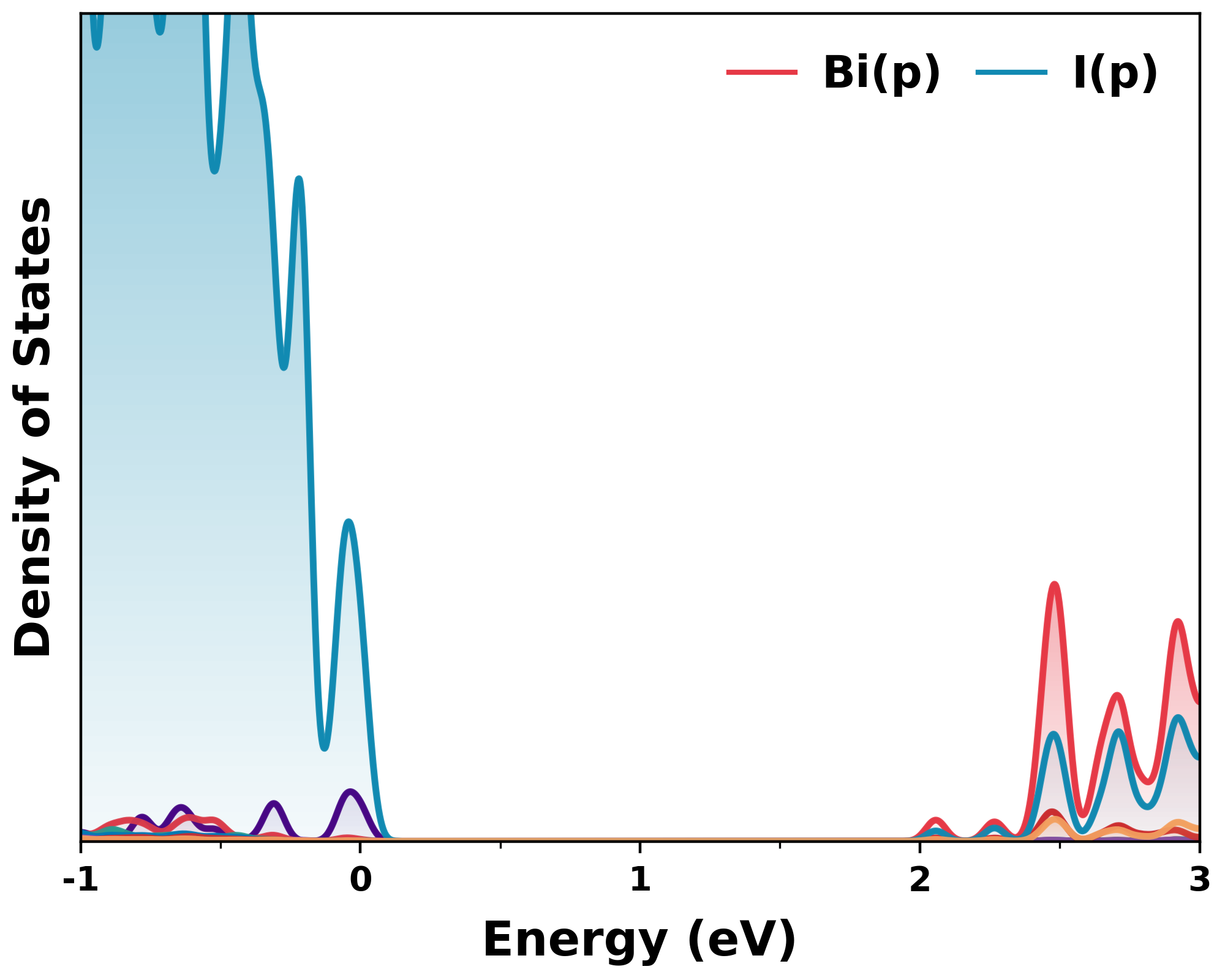
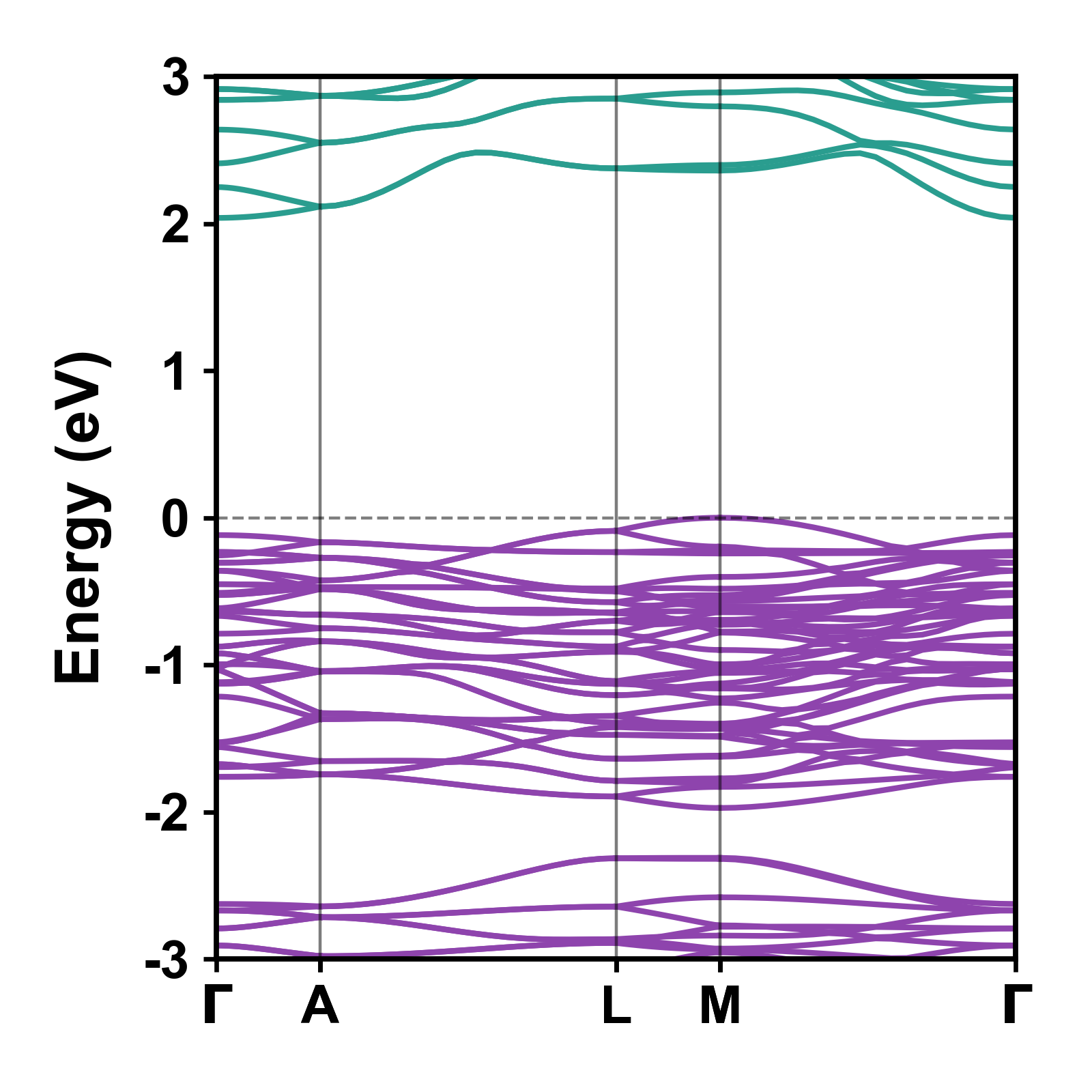
Left: Orbital-resolved density of states with gradient fills. Right: Color-coded band structure with VBM at 0 eV.
Commands
Setting up a calculation
| Command | What it does |
|---|---|
valyte supercell nx ny nz |
Build a supercell from a POSCAR |
valyte kpt |
Write a KPOINTS grid (Monkhorst-Pack or Gamma). Runs interactively if you pass no flags |
valyte band kpt-gen |
Write a line-mode KPOINTS along a high-symmetry path, Bradley-Cracknell by default |
valyte bz |
Draw the first Brillouin zone with that k-path on it, to check the path before the band run |
valyte potcar |
Concatenate a POTCAR for the species in a POSCAR |
Analysing the output
| Command | What it does |
|---|---|
valyte dos |
Total and projected DOS, orbital resolved, with gradient fills |
valyte dos --palette muted |
Another colour-blind-friendly palette (wong is the default, also bright, muted) |
valyte dos --panels |
The same DOS split into stacked panels, one per element (--panel-by orbital for orbitals instead) |
valyte band |
Band structure with the VBM placed at 0 eV |
valyte band --tricolor s p d |
Orbital-projected bands colored by three specs. Accepts s, Fe, Fe:d, O(p) |
valyte band --spin-resolved |
Spin-up and spin-down channels in separate colors |
valyte band --spin-texture sz |
Non-collinear spin texture, bands colored by sx, sy or sz |
valyte combined |
Band structure and DOS side by side on a shared energy axis |
valyte effmass |
Carrier effective masses at the VBM and CBM by parabolic fitting |
valyte ipr |
Inverse participation ratio from a PROCAR, for judging localization |
valyte bandgap |
Print the band gap and nothing else |
valyte converge |
Per-step energy, force and pressure table for a structural relaxation |
A couple of these need the right flags set in VASP: --tricolor and
--spin-texture read projections out of vasprun.xml, so the run needs
LORBIT >= 11, and spin texture needs a non-collinear calculation on top of
that. If a plot comes out empty, that's usually why.
Shared options
The commands that draw figures (dos, band, combined, effmass, bz) all
take the same output flags, so once you know them they work everywhere:
| Flag | Effect |
|---|---|
--save-data |
Also write the plotted numbers to a .dat file |
--format {png,pdf,svg} |
Figure format |
--dpi |
Resolution for raster output (default 400) |
--no-bold |
Lighter type and thinner lines, closer to a journal house style |
--style {default,xkcd,legacy,lines,dark,neon,grid} |
Overall look: hand-drawn xkcd, classic legacy, lines without DOS fills, dark and neon for dark slides, grid with light grid lines |
A few small exceptions: valyte effmass only draws its fit if you ask for it
with --plot, valyte bz has no numbers to save so it has no --save-data,
valyte converge takes --save-data even though it prints a table rather
than a figure, and valyte ipr always writes ipr_procar.dat (pass -o to
name it something else).
Every command has --help if you just want to see what's there, and the
CLI reference
has all of it on one page.
Documentation
| Page | What you'll find |
|---|---|
| Getting Started | Installation, prerequisites, and your first plot |
| Band Structure | Standard, tricolor, spin-resolved, and spin-texture modes |
| Brillouin Zone | The first Brillouin zone with the high-symmetry k-path |
| Density of States | Total and projected DOS with orbital resolution |
| Effective Mass | Carrier effective masses from parabolic fitting |
| Convergence | Relaxation convergence: energy, force, and pressure |
| IPR | Wavefunction localization analysis |
| Pre-processing | Supercells, k-points, and POTCAR generation |
| CLI Reference | Every command and flag in one searchable page |
| FAQ | Common issues and troubleshooting |
Contributing
Bug reports, ideas and pull requests are all genuinely welcome, and you don't need to be sure it's a real bug before saying something. If Valyte fell over on your files, the VASP output that caused it is the most useful thing you can send, because it's almost always an edge case in someone's calculation that I haven't seen yet.
- Open an issue for a bug or an idea
- Open a pull request if you've already got a fix
CONTRIBUTING.md covers the development setup and how the code is laid out, if you want to dig in.
Acknowledgements
Valyte stands on pymatgen, seekpath, numpy, scipy and matplotlib, and wouldn't be much without them. Thanks to everyone who maintains those, and to sumo and the other open-source VASP tools that worked this out before I did.
License
Released under the MIT License.
Built by Nikhil Singh
1 maintainer

Metadata
1 maintainer
Release files for valyte 0.30.0
For a detailed explanation of source distributions (sdists) and built distributions (wheels), please see the package formats documentation.
Source distribution (sdist)
| File | Size | Uploaded | Provenance | |
|---|---|---|---|---|
| valyte-0.30.0.tar.gz | 699.1 kB | Without provenance | Details |
Built distribution (wheel)
| File | Interpreter | ABI | Platform | Reset |
|---|---|---|---|---|
| valyte-0.30.0-py3-none-any.whl | Python 3 | none | any | Details |
Total release size: 1.4 MB
Release files / valyte-0.30.0.tar.gz
| Download URL | valyte-0.30.0.tar.gz |
|---|---|
| Size | 699.1 kB |
| Tags | Source |
|
SHA-256 checksum How to use checksums |
cd931ad5928103dd521700a94ecd7693a3103b8468267e339760a66bfb390919
|
|
BLAKE2b-256 checksum How to use checksums |
ca966b46e62a355ee05bcc9ba1f164352a62c0838c9259efa4a445f080b34f61
|
| Upload date | |
|
Uploaded using Trusted Publishing? What is trusted publishing? |
No |
| Uploaded via |
twine/6.2.0 CPython/3.12.8
|
Release files / valyte-0.30.0-py3-none-any.whl
| Download URL | valyte-0.30.0-py3-none-any.whl |
|---|---|
| Size | 699.0 kB |
| Tags | Python 3 |
|
SHA-256 checksum How to use checksums |
7288b22e323cda407e094ce21c447e87fb3435e1adec872d29f3ac69cc4c2709
|
|
BLAKE2b-256 checksum How to use checksums |
923baf0f85d95f9e6ba925239ea9614598e5f087261b9a8e17b086d4312e2bf7
|
| Upload date | |
|
Uploaded using Trusted Publishing? What is trusted publishing? |
No |
| Uploaded via |
twine/6.2.0 CPython/3.12.8
|
Security for valyte 0.30.0
Provenance
Provenance describes where a file came from. On PyPI, provenance is shared via attestations, which provide a verifiable record of the build or publishing details. View details, limitations and caveats.
No provenance found
None of the files in this release were uploaded with provenance metadata.
A note on package security
PyPI is a repository for distributing packages, not a service for auditing them. While third-party security researchers and our staff do their best to detect and remove malicious packages, PyPI cannot guarantee the quality, security or suitability of any given package.














