
VAME App

A web application for the Variational Animal Motion Encoding (VAME) project — an open-source machine learning tool for behavioral segmentation and analyses.
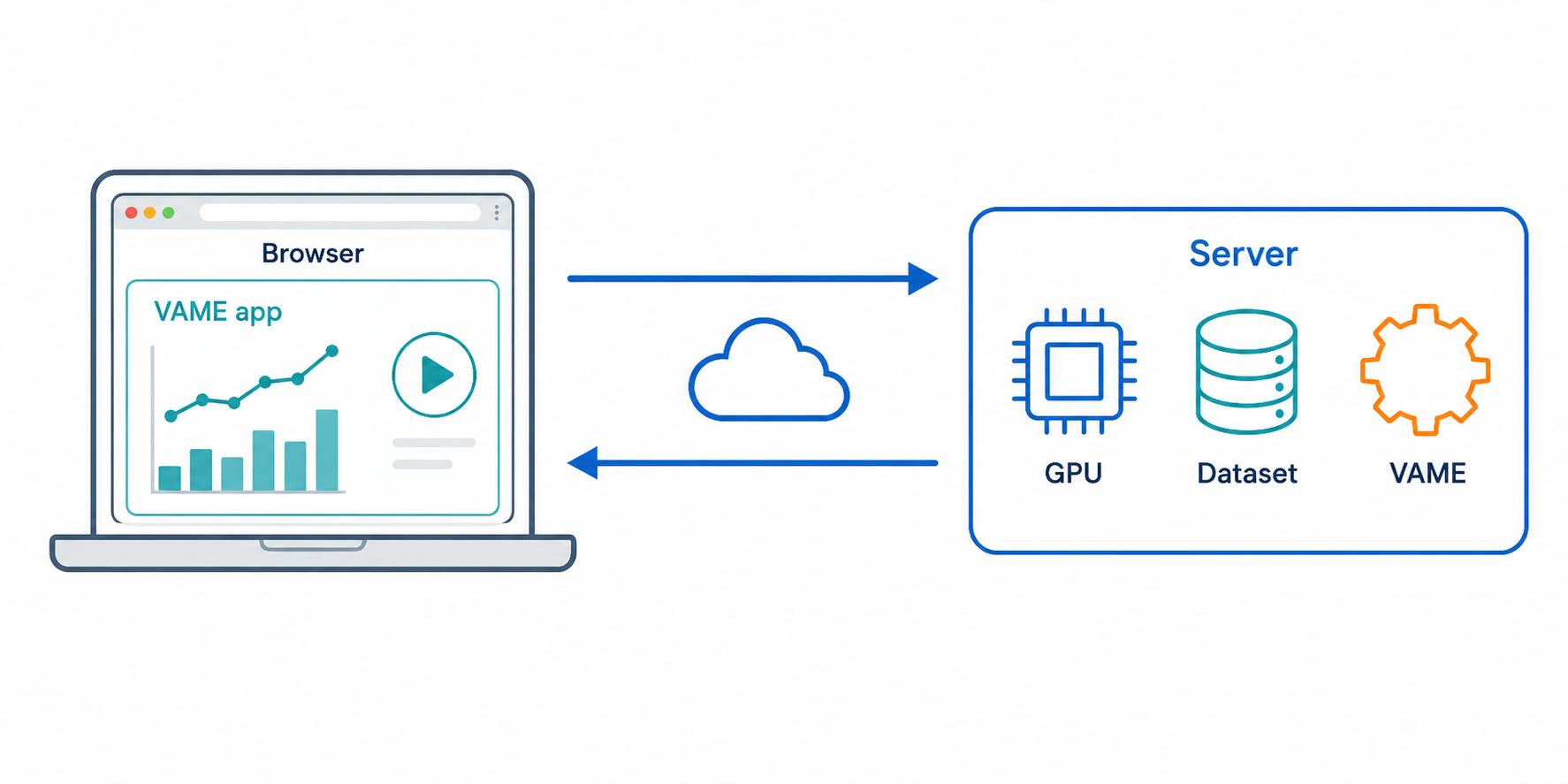
VAME App runs a Python (Flask) backend which calls the VAME library and serves a React frontend, which you use in your browser.
Requirements
- Python ≥ 3.12
- ffmpeg (needed for some video/image functions)
- A modern browser (Chrome, Edge, Firefox, or Safari)
Install
pip install vame-app
If PyTorch fails to install for your platform, install it first following the official instructions, then re-run
pip install vame-app.
Run
vame-app
This starts the local server and opens the app in your browser.
CLI options
vame-app [--host HOST] [--port PORT] [--data-root DIR] [--no-browser] [--dev]
| Flag | Default | Purpose |
|---|---|---|
--host |
127.0.0.1 |
Interface to bind. Use 0.0.0.0 to expose on the LAN. |
--port |
8641 |
Port to listen on. Use 0 to auto-pick a free port. |
--data-root |
home directory | Root the in-app file browser may traverse. Restrict this on shared servers. |
--no-browser |
off | Don't auto-open the browser. |
--dev |
off | Use the Flask dev server instead of waitress. |
Projects are stored under ~/vame-app/projects. --data-root (env
VAME_DATA_ROOT) only controls the file browser root, not project storage.
Development
Contributing or running from source? See README-DEV.md.
2 maintainers


Metadata
2 maintainers
Release files for vame-app 0.4.4
For a detailed explanation of source distributions (sdists) and built distributions (wheels), please see the package formats documentation.
Built distribution (wheel)
| File | Interpreter | ABI | Platform | Reset |
|---|---|---|---|---|
| vame_app-0.4.4-py3-none-any.whl | Python 3 | none | any | Details |
Release files / vame_app-0.4.4-py3-none-any.whl
| Download URL | vame_app-0.4.4-py3-none-any.whl |
|---|---|
| Size | 2.5 MB |
| Tags | Python 3 |
|
SHA-256 checksum How to use checksums |
8db5550aa482530fec1f0f116f14822394a569371c43a1974bc9369753f7fa5e
|
|
BLAKE2b-256 checksum How to use checksums |
f036e6cb6d73650562d3d716ded7a809d2d7d0a6394d530ce610d9701bb1e470
|
| Upload date | |
|
Uploaded using Trusted Publishing? What is trusted publishing? |
Yes |
| Uploaded via |
twine/7.0.0 CPython/3.13.14
|
Provenance
Provenance describes where a file came from. On PyPI, provenance is shared via attestations, which provide a verifiable record of the build or publishing details. View details, limitations and caveats.


PyPI Publish Attestation
PyPI verified that this artifact, at this checksum, originated from the publisher listed below.
Signed by GitHub Actions, verified by PyPI on Aug 20, 2026.
Transparency log













