
Searching through video data by asking the right questions

Project description
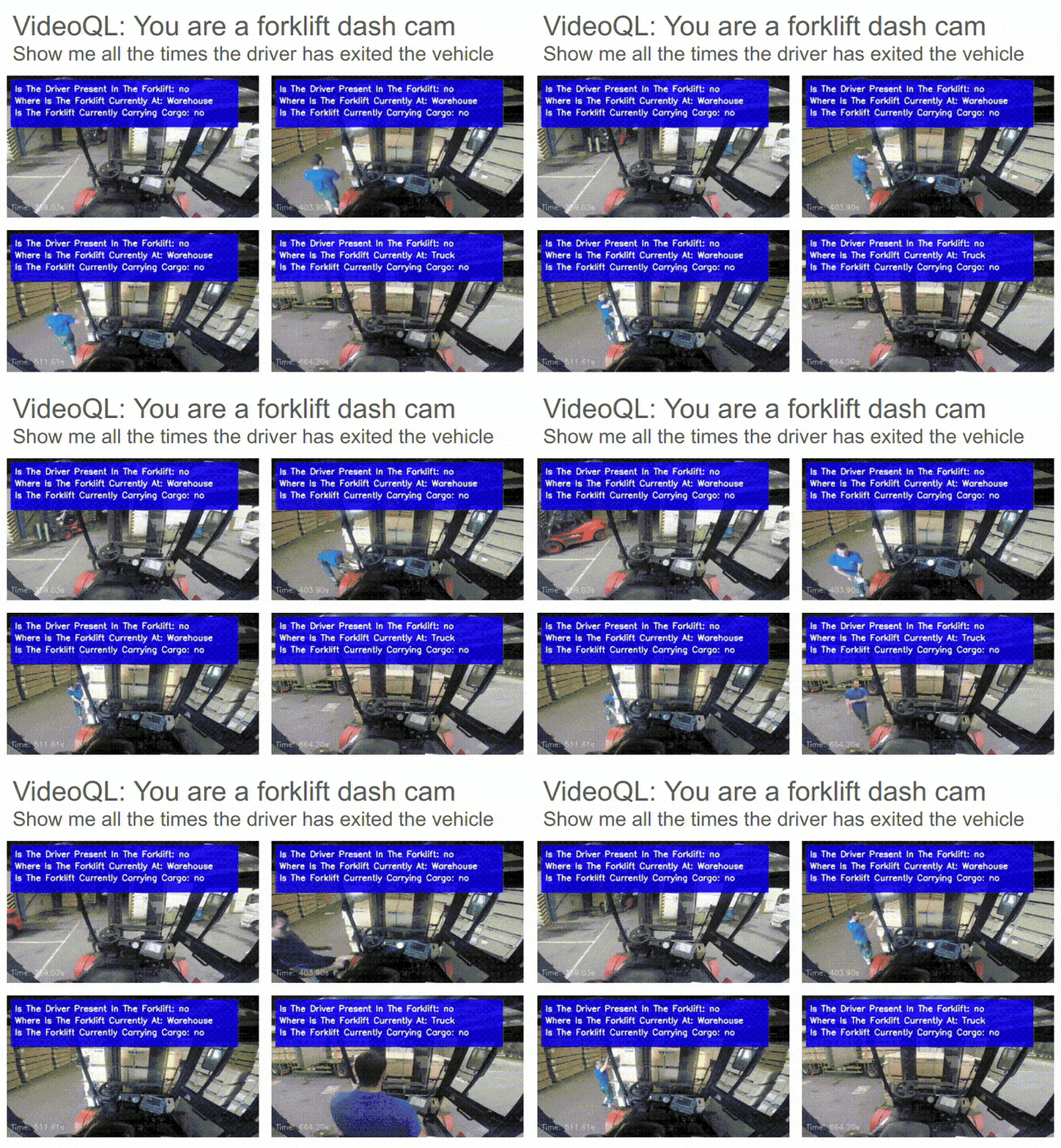
VideoQL





Searching through video data by asking the right questions.
Install it from PyPI
pip install video_ql
Usage
video_ql provides both a Python API and a CLI interface for video analysis and querying.
Python API
from video_ql import VideoQL
from video_ql.models import Query, QueryCondition, OrCondition, QueryConfig

# Define your queries
queries = [
    Query(
        query="Is the driver present in the forklift?",
        options=["yes", "no"]
    ),
    Query(
        query="Where is the forklift currently at?",
        options=["Truck", "Warehouse", "Charging"]
    ),
    Query(
        query="Is the forklift currently carrying cargo?",
        options=["yes", "no"]
    )
]

# Initialize VideoQL
video_ql = VideoQL(
    video_path="path/to/your/video.mp4",
    queries=queries,
    context="You are viewing the POV from inside a forklift"
)

# Analyze entire video
results = video_ql.analyze_video(display=True)

# Query specific conditions using our Pydantic models
query_config = QueryConfig(
    queries=[
        QueryCondition(
            query="Is the driver present in the forklift?",
            options=["yes"]
        )
    ]
)

# Query the video
matching_frames = video_ql.query_video(query_config)
Command Line Interface
- Create a config file (
config.yaml):
queries:
  - query: "Is the driver present in the forklift?"
    options: ["yes", "no"]
  - query: "Where is the forklift currently at?"
    options: ["Truck", "Warehouse", "Charging"]
  - query: "Is the forklift currently carrying cargo?"
    options: ["yes", "no"]
context: "You are viewing the POV from inside a forklift"
fps: 1.0
tile_frames: [3, 3]
frame_stride: 9
max_resolution: [640, 360]
- Create a query file (
query.yaml):
queries:
  - OR:
    - query: "Is the driver present in the forklift?"
      options: ["yes"]
- Run the CLI:
video_ql --video path/to/video.mp4 \
         --config config.yaml \
         --query query.yaml \
         --output results/query_results \
         --display
You may also process a single frame using the following
python3 -m video_ql.single_frame \
         --image path/to/image.png \
         --config config.yaml \
         --output results/query_results.json \
         --display
Development
Read the CONTRIBUTING.md file.


Download files
Download the file for your platform. If you're not sure which to choose, learn more about installing packages.
Source Distribution
video_ql-1.1.0.tar.gz
(4.6 MB
view details)
Built Distribution
Filter files by name, interpreter, ABI, and platform.
If you're not sure about the file name format, learn more about wheel file names.
Copy a direct link to the current filters
video_ql-1.1.0-py3-none-any.whl
(27.5 kB
view details)
File details
Details for the file video_ql-1.1.0.tar.gz.
File metadata
- Download URL: video_ql-1.1.0.tar.gz
- Upload date:
- Size: 4.6 MB
- Tags: Source
- Uploaded using Trusted Publishing? No
- Uploaded via: twine/6.1.0 CPython/3.13.3
File hashes
| Algorithm | Hash digest | |
|---|---|---|
| SHA256 |
0798d3a1000ba1a466deafa1fe59f407b1826b145da5548645330ead3f64a683
|
|
| MD5 |
40184ca3a6ecc5e89255b9afdb6418a7
|
|
| BLAKE2b-256 |
2e10b120c41b9cf2b8c1edc21df80dfce1c2cefa0a7687896c0f6d42b9eaf204
|
File details
Details for the file video_ql-1.1.0-py3-none-any.whl.
File metadata
- Download URL: video_ql-1.1.0-py3-none-any.whl
- Upload date:
- Size: 27.5 kB
- Tags: Python 3
- Uploaded using Trusted Publishing? No
- Uploaded via: twine/6.1.0 CPython/3.13.3
File hashes
| Algorithm | Hash digest | |
|---|---|---|
| SHA256 |
d98b2351378f0ae413b2eb40678f21d73695a27e64600059820f2cbaffc1e6b9
|
|
| MD5 |
7493c41d67c7060d3a34a0fffe65d62a
|
|
| BLAKE2b-256 |
82695acaca728199bee0419bd05f908835471cc4e9abb035a2999d0980e1deb3
|






