
Virtual Computation Cube


Project description
VirtuGhan
Name is combination of virtual cube , where cube translated to nepali word “घन”
Background
We started initially by looking at how Google Earth Engine (GEE) computes results on-the-fly at different zoom levels on large-scale Earth observation datasets. We were fascinated by the approach and felt an urge to replicate something similar on our own in an open-source manner. We knew Google uses their own kind of tiling, so we started from there.
Initially, we faced a challenge – how could we generate tiles and compute at the same time without pre-computing the whole dataset? Pre-computation would lead to larger processed data sizes, which we didn’t want. And so, the exploration began and the concept of on the fly tiling computation introduced
At university, we were introduced to the concept of data cubes and the advantages of having a time dimension and semantic layers in the data. It seemed fascinating, despite the challenge of maintaining terabytes of satellite imagery. We thought – maybe we could achieve something similar by developing an approach where one doesn’t need to replicate data but can still build a data cube with semantic layers and computation. This raised another challenge – how to make it work? And hence come the virtual data cube
We started converting Sentinel-2 images to Cloud Optimized GeoTIFFs (COGs) and experimented with the time dimension using Python’s xarray to compute the data. We found that AWS’s effort to store Sentinel images as COGs made it easier for us to build virtual data cubes across the world without storing any data. This felt like an achievement and proof that modern data cubes should focus on improving computation rather than worrying about how to manage terabytes of data.
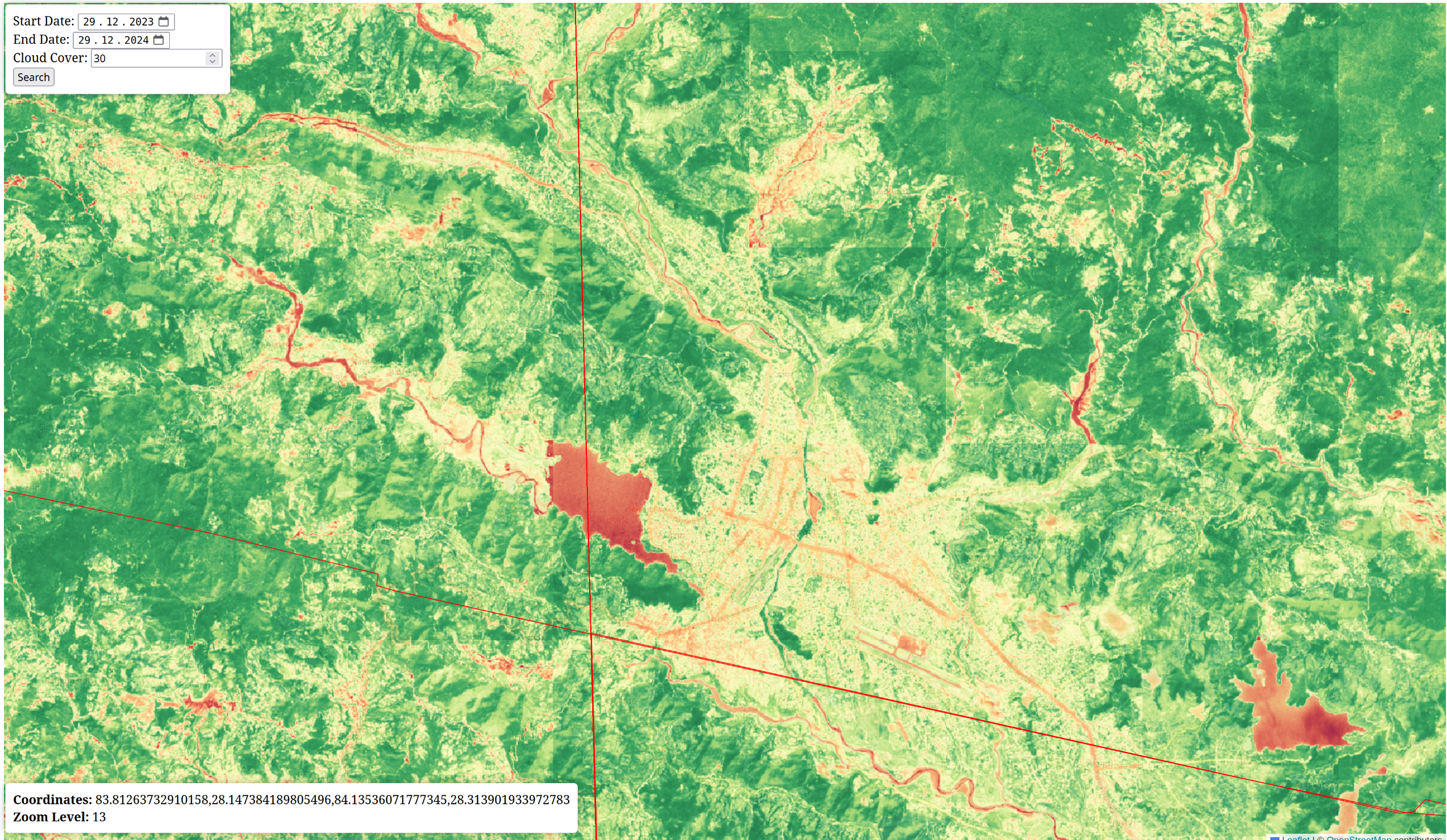
We wanted to build something to show that this approach actually works and is scalable. We deliberately chose to use only our laptops to run the prototype and process a year’s worth of data without expensive servers.
Purpose
1. Efficient On-the-Fly Tile Computation
This research explores how to perform real-time calculations on satellite images at different zoom levels, similar to Google Earth Engine, but using open-source tools. By using Cloud Optimized GeoTIFFs (COGs) with Sentinel-2 imagery, large images can be analyzed without needing to pre-process or store them. The study highlights how this method can scale well and work efficiently, even with limited hardware. Our main focus is on how to scale the computation on different zoom-levels without introducing server overhead
2. Virtual Computation Cubes: Focusing on Computation Instead of Storage
We believe that instead of focusing on storing large images, data cube systems should prioritize efficient computation. COGs make it possible to analyze images directly without storing the entire dataset. This introduces the idea of virtual computation cubes, where images are stacked and processed over time, allowing for analysis across different layers ( including semantic layers ) without needing to download or save everything. So original data is never replicated. In this setup, a data provider can store and convert images to COGs, while users or service providers focus on calculations. This approach reduces the need for terra-bytes of storage and makes it easier to process large datasets quickly.
3. Cloud Optimized GeoTIFF and STAC API for Large Earth Observation Data
This research introduces methods on how to use COGs, the SpatioTemporal Asset Catalog (STAC) API, and NumPy arrays to improve the way large Earth observation datasets are accessed and processed. The method allows users to focus on specific areas of interest, process data across different bands and layers over time, and maintain optimal resolution while ensuring fast performance. By using the STAC API, it becomes easier to search for and only process the necessary data without needing to download entire images ( not even the single scene , only accessing the parts ) The study shows how COGs can improve the handling of large datasets, not only making the access faster but also making computation efficient, and scalable across different zoom levels .
Learn about COG and how to generate one for this project Here
Installation and Setup
Prerequisites
- Python 3.10 or higher
- poetry
Install Poetry
If you don't have poetry installed, you can install it using the following command:
pip install poetry
Install
poetry install
Run
poetry run uvicorn main:app --reload
Resources and Credits
- https://registry.opendata.aws/sentinel-2-l2a-cogs/ COGS Stac API for sentinel-2
Copyright © 2024 – Concept by Kshitij and Upen
Release history Release notifications | RSS feed


Download files
Download the file for your platform. If you're not sure which to choose, learn more about installing packages.
Source Distribution
Built Distribution
Filter files by name, interpreter, ABI, and platform.
If you're not sure about the file name format, learn more about wheel file names.
Copy a direct link to the current filters
File details
Details for the file virtughan-0.1.3.tar.gz.
File metadata
- Download URL: virtughan-0.1.3.tar.gz
- Upload date:
- Size: 20.1 kB
- Tags: Source
- Uploaded using Trusted Publishing? No
- Uploaded via: poetry/2.0.0 CPython/3.11.11 Linux/6.5.0-1025-azure
File hashes
| Algorithm | Hash digest | |
|---|---|---|
| SHA256 |
080b9f6b0e0bb9081301d45d489b217c67510a98b7c474069c93b8badac891da
|
|
| MD5 |
cf61b8d5292048ff7e39b9da5108f3e0
|
|
| BLAKE2b-256 |
6b1821536ac5a3eeced92430aade4f45b979e9faa212f4bdff763e02cf93b28f
|
File details
Details for the file virtughan-0.1.3-py3-none-any.whl.
File metadata
- Download URL: virtughan-0.1.3-py3-none-any.whl
- Upload date:
- Size: 21.5 kB
- Tags: Python 3
- Uploaded using Trusted Publishing? No
- Uploaded via: poetry/2.0.0 CPython/3.11.11 Linux/6.5.0-1025-azure
File hashes
| Algorithm | Hash digest | |
|---|---|---|
| SHA256 |
0558c92c25b5ce1be9014745ad20784db7b8b32d003bf2ec61617b5ca36a24bb
|
|
| MD5 |
344c9f3b307b99269a38c6bb33f4a002
|
|
| BLAKE2b-256 |
fb6a487fdb9ac1ebe3fdcd20dfb1fefac07e7e4015b5b85ed4a33763dfcebd95
|






