
VLab4Mic: A Virtual Laboratory for Microscopy
A friendly toolkit to help researchers simulate fluorescence microscopy images, no coding required.










VLab4Mic lets you explore, test, and validate imaging experiments before stepping into the microscope room.
Whether you are new to Python or an experienced bioimage researcher, VLab4Mic provides a safe sandbox to:
- Build virtual samples from PDB/CIF structures
- Apply direct or indirect fluorescent labeling
- Introduce Structural integrity, crowding, and structural variation
- Simulate image acquisition across modalities
- Run parameter sweeps to explore experimental conditions
- Compare noiseless vs. realistic acquisitions
This README is written to be friendly for beginners while maintaining the technical depth experienced users expect.

Who Is This Tool For?
- New microscopy users: to gain intuitive understanding without coding
- Researchers designing experiments: testing probes, PSFs, exposure times
- Microscopy experts: benchmarking reconstruction methods or PSFs
🚀 Quick Start Options
| Option | Skills Needed | Best For |
|---|---|---|
| 1. Google Colab | None | Beginners, teaching, quick experiments |
| 2. LabConstrictor Desktop App | None | One-click install, no Python required |
| 3. Local Jupyter Notebooks | Basic installation | Smooth widget-based use |
| 4. Python Scripts | Comfortable with code | Full flexibility & automation |
🟢 Option 1 — Google Colab (No Installation Needed)
The easiest way to start.
✔ No installation
✔ No configuration
✔ Works in browser
✔ Always up to date
👉 Click to open the main notebook:
| Category | Description | Notebook | Colab |
|---|---|---|---|
| Main Interface | Create virtual samples & simulate imaging | Notebook | Open in Colab |
| Parameter Sweeps | Configure & run simulation sweeps | Notebook | Open in Colab |
Video Tutorials
| Tutorial | Video |
|---|---|
| Tutorial 1 | 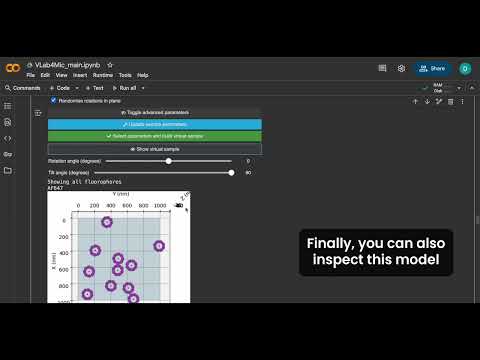 |
| Tutorial 2 | 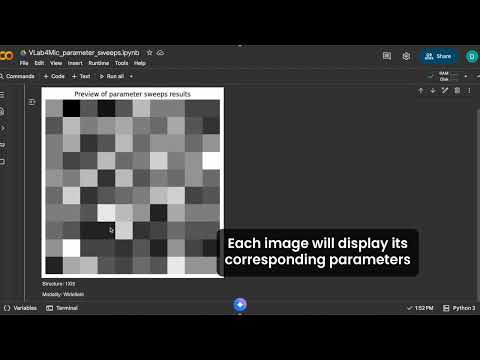 |
| Tutorial 3 | 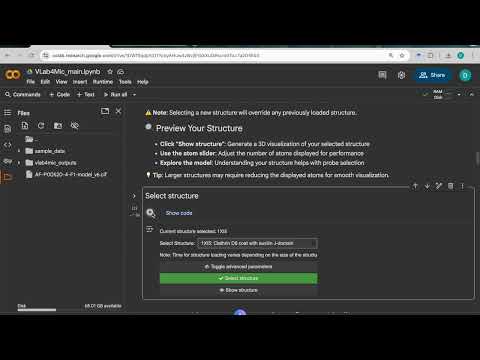 |
If the Colab link fails:
- Click the Jupyter badge (opens the raw notebook)
- Download the
.ipynbfile - Open Google Colab → File → Upload notebook
� Option 2 — LabConstrictor Desktop App (No Python Required)
The easiest way to run VLab4Mic locally — no Python, no conda, no terminal.
✔ One-click installer (Windows & macOS)
✔ No Python or environment setup
✔ Notebooks bundled and ready to run
✔ Automatic version checks
👉 Download and install:
Follow the installation instructions at:
https://github.com/HenriquesLab/LabConstrictor-VLab4Mic/blob/main/.tools/docs/download_executable.md
Powered by LabConstrictor — a CI/CD-based pipeline that packages Jupyter notebooks into installable desktop applications (Hidalgo-Cenalmor et al., 2026).
🔵 Option 3 — Local Installation (Beginner-Friendly)
1️⃣ Create a virtual environment
We recommend using Python's built-in venv. Conda or a similar environment
manager can also be used if you prefer.
Using venv:
Run the following command to create a local .venv environment:
python3 -m venv .venv
Then activate it:
source .venv/bin/activate
2️⃣ Install VLab4Mic and its associated library to use the codeless jupyter notebooks
pip install vlab4mic "vlab4micjupyter[local]"
VLab4Mic downloads required PDB/CIF structure files on first use and stores them
in your user folder at ~/.vlab4mic/structures. To use a different location,
set VLAB4MIC_STRUCTURE_DIR before running VLab4Mic.
3️⃣ Launch Jupyter Lab
jupyter lab
4️⃣ Download and open notebooks
From:
https://github.com/HenriquesLab/VLab4Mic/tree/main/notebooks
🔴 Option 4 — Use VLab4Mic as a Python Library (Advanced)
Example script:
from vlab4mic.experiments import image_vsample
import matplotlib.pyplot as plt

modalities = ["Widefield", "Confocal", "STED"]

images, noiseless, experiment = image_vsample(
    structure="7R5K",
    probe_template="Antibody",
    probe_target_type="Sequence",
    probe_target_value="ELAVGSL",
    multimodal=modalities,
    number_of_particles=10,
    run_simulation=True,
)

fig, axs = plt.subplots(1, len(modalities))
for i, mod in enumerate(modalities):
    axs[i].imshow(images[mod][0], cmap="magma")
    axs[i].set_title(mod)
plt.show()
For more examples see /examples.
Documentation & Manual
- Website: https://vlab4mic.henriqueslab.org/
- Full Manual: https://github.com/HenriquesLab/VLab4Mic/blob/main/manual.md
- Wiki Tutorials: https://github.com/HenriquesLab/VLab4Mic/wiki
Core Features
✔ Structural modelling
✔ Virtual sample creation
✔ Imaging simulations
✔ Parameter sweeps
✔ Widget-based GUI
✔ Flexible Python API
Troubleshooting
Jupyter won't open → Environment not activated.
ImportError → Install VLab4Mic inside the active environment.
Colab won't load → Upload notebook manually.
If issues persist, open an issue!
Contributing
Contributions welcome!
See: https://github.com/HenriquesLab/VLab4Mic/blob/main/CONTRIBUTING.md
Support
- Discussions: https://github.com/HenriquesLab/VLab4Mic/discussions
- Issues: https://github.com/HenriquesLab/VLab4Mic/issues
Citation
If you use VLab4Mic in your research, please cite:
@article{martinez_2026_vlab4mic,
  title={VLab4Mic: prediction of structural resolvability in super-resolution microscopy},
  author={Mart{\'i}nez, Dami{\'a}n and Saraiva, Bruno M. and Shakespeare, Tayla and
          Bates, Mark and Owen, Dylan M. and Leterrier, Christophe and
          Del Rosario, Mario and Henriques, Ricardo},
  year={2026},
  journal={bioRxiv},
  doi={10.64898/2026.06.02.729521},
  url={https://www.biorxiv.org/content/10.64898/2026.06.02.729521v1}
}
2 maintainers


Metadata
2 maintainers
Release files for vlab4mic 0.1.1
For a detailed explanation of source distributions (sdists) and built distributions (wheels), please see the package formats documentation.
Source distribution (sdist)
| File | Size | Uploaded | |
|---|---|---|---|
| vlab4mic-0.1.1.tar.gz | 124.5 kB | Details |
Built distribution (wheel)
| File | Interpreter | ABI | Platform | Reset |
|---|---|---|---|---|
| vlab4mic-0.1.1-py3-none-any.whl | Python 3 | none | any | Details |
Total release size: 260.3 kB
Release files / vlab4mic-0.1.1.tar.gz
| Download URL | vlab4mic-0.1.1.tar.gz |
|---|---|
| Size | 124.5 kB |
| Tags | Source |
|
SHA-256 checksum How to use checksums |
e40771a5b235d2c2fff96d81dae0b67fe292b144d5e00466ea363880a113bba7
|
|
BLAKE2b-256 checksum How to use checksums |
44cf69c6780217f3a8e374a6dd898c02facd43e8d88c950fcfc6950876c8c9a5
|
| Upload date | |
|
Uploaded using Trusted Publishing? What is trusted publishing? |
No |
| Uploaded via |
twine/6.1.0 CPython/3.13.12
|
Release files / vlab4mic-0.1.1-py3-none-any.whl
| Download URL | vlab4mic-0.1.1-py3-none-any.whl |
|---|---|
| Size | 135.8 kB |
| Tags | Python 3 |
|
SHA-256 checksum How to use checksums |
b5f9e44f0b9708979c788ee0ea269e92684c38f20b307f77d910380123baae69
|
|
BLAKE2b-256 checksum How to use checksums |
4383ddc94e8d823a146bdbc82ec1f888a729211b5607ba0c00687be13ac2807c
|
| Upload date | |
|
Uploaded using Trusted Publishing? What is trusted publishing? |
No |
| Uploaded via |
twine/6.1.0 CPython/3.13.12
|














