
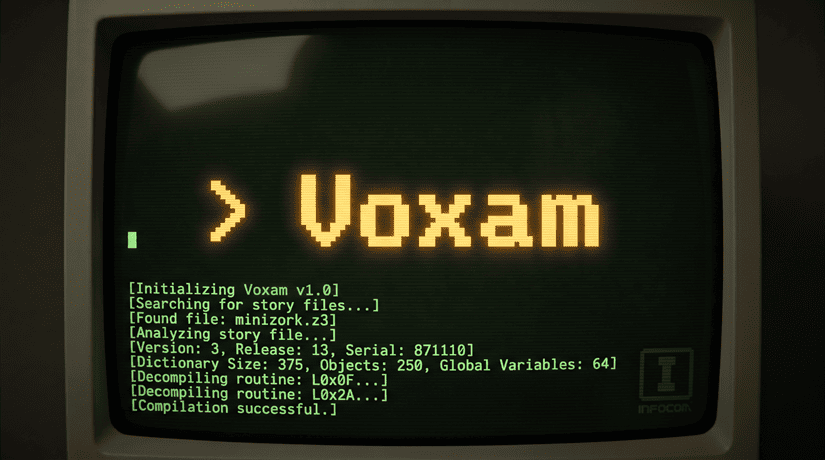
A Specification-Accurate Z-Machine Implementation
Early and Late Infocom + Modern Inform





An interpreter for the Z-Machine, written in Python, with Glulx to follow.
The Z-Machine is the virtual machine Infocom designed in 1979 to run its text adventures, and which the interactive fiction community has used ever since. Voxam reads a compiled story file and executes it, with two guiding commitments: fidelity to the Z-Machine Standard -- every rule the interpreter enforces cites the section it came from -- and reproducibility, so that a recorded play session replays identically, forever.
Voxam is developed against the real Infocom catalog. The Zork trilogy, Cutthroats, Deadline, and Seastalker have all been played to winning conclusions under Voxam, several of them across multiple releases, each verified end-to-end by the acceptance harness described below.

Status
Version 0.x: early, honest, and playable.
Works today: story file versions 1 through 3, which cover Infocom's 1980--1985 catalog and many modern retro-style games. That includes the full parser and object machinery, a seeded random number generator for reproducible sessions, status line semantics, and an acceptance-script harness for recording and replaying whole playthroughs.
Under construction: version 4 support is being built "frontier-driven" -- games are run until they name the next missing piece. Version 4 stories boot and identify the interpreter; the screen model (split windows, text styles) is in progress.
Not yet: SAVE and RESTORE, sound, timed input, versions 5 and up, and Glulx. For recorded sessions, seeds substitute for saves: a script replays a whole game in moments.
Installation
Voxam requires Python 3.12 or later.
pip install voxam
or, as an isolated tool:
pipx install voxam # or: uv tool install voxam
Voxam ships no story files. Bring your own: the IF Archive hosts thousands of freely available games, and story files you own from commercial collections work as-is.
Playing stories
Point Voxam at a story file and play at the terminal:
voxam path/to/story.z3
Add --seed to make the dice reproducible: the same seed and the
same commands produce the same session, every time.
voxam --seed 1137 path/to/story.z3
Acceptance scripts
A play session can be saved as an acceptance script and replayed:
voxam --accept some-session.accept
An acceptance script is a plain text file of typed commands plus a few directives:
! SEED=99
! GAME=path/to/story.z1

# Comments annotate the session; blank lines are ignored.

x me. x mailbox            # inline comments start at whitespace + #
> open mailbox             # the > prefix is optional transcript style
The rules, line by line:
! KEY=VALUEis a directive:GAMEnames the story file to run, andSEEDfixes the dice (a--seedargument overrides it). A relativeGAMEpath counts from the script's own directory, and forward slashes work on every platform.#at the start of a line is a comment.- An inline comment begins at whitespace followed by
#. - A leading
>is optional and stripped; it also escapes the rare command that genuinely begins with#or!. A>alone types an empty line. - A line starting with three backticks is a fence: everything until the next fence is skipped entirely, directives included. Text after the backticks labels the fence, and an unclosed fence skips the rest of the file -- handy while working out a section that a seed change will invalidate, or to replay only the start of a longer script.
- Anything else is typed into the game exactly as written.
- When the commands run out, the session ends as if the player had reached end of input.
While recording a longer session, --replay types the script and
then leaves you at the prompt instead of ending, so a
work-in-progress script catches you up to where you left off:
voxam --replay some-session.accept
Refusal warnings
During a replay, Voxam listens for the parser's refusal dialect -- responses like "You can't see any statuette here!" or "You should close it first" that mean a recorded command did not do what it said. Each one is reported with the script line that drew it:
voxam: line 31: 'lock door' looks refused: You should close it first.
Refusals scroll past a human reader without registering, and the missing side effect may not surface until dozens of turns later. The warning points at the moment it happened, which turns the most common recording bug from an archaeology expedition into a one-line fix.
Development
Working on Voxam itself needs uv for dependency and environment management:
git clone https://github.com/jeffnyman/voxam.git
cd voxam
uv sync --all-groups
All commands below assume that environment.
| Task | Command |
|---|---|
| Run the test suite | uv run pytest |
| Run tests without coverage | uv run pytest --no-cov |
| Lint | uv run ruff check . |
| Lint and autofix | uv run ruff check --fix . |
| Format | uv run ruff format . |
| Check formatting only | uv run ruff format --check . |
| Type check | uv run mypy |
| Build distributions | uv build |
Project conventions
- Layout. Source lives under
src/voxam, tests undertests/. Thesrclayout ensures tests exercise the installed package rather than the working directory. - Typing.
mypyruns in strict mode over bothsrcandtests, and the package ships apy.typedmarker so downstream consumers get its types. - Coverage. The suite is gated at 100% branch coverage. This is deliberate
for a project of this size; adjust
fail_underinpyproject.tomlif it stops being useful. - Spec citations. The
§references in code, docstrings, and output follow the HTML rendering of the Z-Machine Standard 1.1 vendored atentharion/z-machine-standard/. Other renderings of the same Standard, including the PDF beside it, number some paragraphs differently. - Line endings. LF everywhere except Windows script files, enforced by both
.gitattributesand.editorconfig. - Recordings. Complete playthroughs live under
acceptance/in the repository (they are not part of the installed package). They reference games under the optionalentharionsubmodule, so they replay locally rather than in CI -- and they double as the project's archaeology notebook, annotating where the games' published walkthroughs go wrong.
Pre-commit hooks
Install the hooks once, after which lint, format, and type checks run on every commit, and commit messages are validated:
uv run pre-commit install
Every hook is a repo: local entry that runs its tool out of the project
environment via uv run, so pre-commit never clones hook repositories or
builds cached environments under ~/.cache/pre-commit. Tool versions have a
single source of truth: uv.lock.
To run every hook against the whole tree:
uv run pre-commit run --all-files
Commit messages
Commit messages follow Conventional Commits,
enforced at commit time by commitizen
through the commit-msg hook installed above:
feat: add object table parsing
fix(memory): reject story files shorter than the header
docs: explain the save file format
To check a message by hand, or to compose one interactively:
uv run cz check -m "feat: add object table parsing"
uv run cz commit
Because the history is machine-readable, commitizen derives the next version, tags it, and updates the changelog:
uv run cz bump
Reference Material (optional)
An entharion submodule holds the specifications and story files this
project is developed against. These are not required as part of building
and deploying Voxam, but they help during development. Voxam does not
depend on anything under entharion/. It is not needed to install the
project and CI does not fetch it. Git leaves submodules empty unless
asked, so a plain clone simply skips it.
If you want this reference material and if this is your first time checking out the repo, run this command:
git submodule update --init --recursive
That will fetch the primary repository as well as its submodules:
The latter is my own recomposed version of the Z-Machine Standard document, made a little easier for me to read and consume. You can see this deployed here:
To discard it again, freeing the disk space without affecting the project:
git submodule deinit --all
Dependabot tracks the pinned commit and opens a PR when upstream moves. To move the pin by hand instead:
git submodule update --remote entharion
git add entharion
git commit -m "chore(deps): update entharion submodule"
👨💻 Author
Made with 🤍 by Jeff Nyman



☦️ Doxazein (δοξάζειν)
חֶסֶד וֶאֱמֶת אַל־יַעַזְבֻךָ קָשְׁרֵם עַל־גַּרְגְּרֹתֶיךָ כָּתְבֵם עַל־לוּחַ לִבֶּךָ
"Let not mercy and truth forsake thee:
bind them about thy neck;
write them upon the table of thine heart."
Proverbs 3:3
🕹️ Acknowledgements
This project stands on the shoulders of the team at Infocom, the MIT-born company that invented the Z-Machine to let Zork, and everything that followed, run unmodified across nearly every computer of its era. Particular thanks go to Marc Blank and Joel Berez, who designed the Z-Machine's virtual architecture, and to Tim Anderson, Bruce Daniels, and Dave Lebling, whose work on Zork at MIT gave the format a reason to exist. Thanks also to Graham Nelson, whose Inform language and Z-Machine Standards Document kept the format alive and well-documented long after Infocom itself was gone, making implementations like this one possible.
⚖️ License
The code used in this project is licensed under the MIT license.
Note: This license applies only to the code in this repository. The original Z-Machine concept, design, and any original assets belong to their respective copyright holders.
✨ Long live the classics.
1 maintainer

Download files
Download the file for your platform. If you're not sure which to choose, learn more about installing packages.
Source Distribution
Built Distribution
Filter files by name, interpreter, ABI, and platform.
If you're not sure about the file name format, learn more about wheel file names.
Copy a direct link to the current filters
File details
Details for the file voxam-0.1.0.tar.gz.
File metadata
- Download URL: voxam-0.1.0.tar.gz
- Upload date:
- Size: 50.9 kB
- Tags: Source
- Uploaded using Trusted Publishing? Yes
- Uploaded via:
twine/7.0.0 CPython/3.13.14
File hashes
| Algorithm | Hash digest | |
|---|---|---|
| SHA256 |
cfdac6adb04fcdc1e0c4238f13c4e7b7f9f2d7a749218cd587bc610982920197
|
|
| MD5 |
742e8608ff3baefca34c57f56c41206b
|
|
| BLAKE2b-256 |
be5e014b2b9b96cec844c01dcfb2f87e992074df206dfda9dbb86468173bbea5
|
Provenance
The following attestation bundles were made for voxam-0.1.0.tar.gz:
Publisher:
release.yml on jeffnyman/voxam
-
Statement:
-
Statement type:
https://in-toto.io/Statement/v1 -
Predicate type:
https://docs.pypi.org/attestations/publish/v1 -
Subject name:
voxam-0.1.0.tar.gz -
Subject digest:
cfdac6adb04fcdc1e0c4238f13c4e7b7f9f2d7a749218cd587bc610982920197 - Sigstore transparency entry: 2421028643
- Sigstore integration time:
-
Permalink:
jeffnyman/voxam@08ba09df9baba07958eb4a967dd26be6e2ee0d2e -
Branch / Tag:
refs/tags/v0.1.0 - Owner: https://github.com/jeffnyman
-
Access:
public
-
Token Issuer:
https://token.actions.githubusercontent.com -
Runner Environment:
github-hosted -
Publication workflow:
release.yml@08ba09df9baba07958eb4a967dd26be6e2ee0d2e -
Trigger Event:
push
-
Statement type:
File details
Details for the file voxam-0.1.0-py3-none-any.whl.
File metadata
- Download URL: voxam-0.1.0-py3-none-any.whl
- Upload date:
- Size: 58.8 kB
- Tags: Python 3
- Uploaded using Trusted Publishing? Yes
- Uploaded via:
twine/7.0.0 CPython/3.13.14
File hashes
| Algorithm | Hash digest | |
|---|---|---|
| SHA256 |
a8023d82e12244553afeade6e3f405630d7960ebd432a6950c4241db7d8769ba
|
|
| MD5 |
2aa4a578758dd6cf71bf105ba105e98f
|
|
| BLAKE2b-256 |
a17a10d9cf339b6649f2c9f4de1387a53499e13a73625a39142b9d81178cc76c
|
Provenance
The following attestation bundles were made for voxam-0.1.0-py3-none-any.whl:
Publisher:
release.yml on jeffnyman/voxam
-
Statement:
-
Statement type:
https://in-toto.io/Statement/v1 -
Predicate type:
https://docs.pypi.org/attestations/publish/v1 -
Subject name:
voxam-0.1.0-py3-none-any.whl -
Subject digest:
a8023d82e12244553afeade6e3f405630d7960ebd432a6950c4241db7d8769ba - Sigstore transparency entry: 2421029026
- Sigstore integration time:
-
Permalink:
jeffnyman/voxam@08ba09df9baba07958eb4a967dd26be6e2ee0d2e -
Branch / Tag:
refs/tags/v0.1.0 - Owner: https://github.com/jeffnyman
-
Access:
public
-
Token Issuer:
https://token.actions.githubusercontent.com -
Runner Environment:
github-hosted -
Publication workflow:
release.yml@08ba09df9baba07958eb4a967dd26be6e2ee0d2e -
Trigger Event:
push
-
Statement type:







