
Wavelet Learned Lossy Compression

Project description
datasets:
- danjacobellis/LSDIR_540
Wavelet Learned Lossy Compression (WaLLoC)
WaLLoC sandwiches a convolutional autoencoder between time-frequency analysis and synthesis transforms using CDF 9/7 wavelet filters. The time-frequency transform increases the number of signal channels, but reduces the temporal or spatial resolution, resulting in lower GPU memory consumption and higher throughput. WaLLoC's training procedure is highly simplified compared to other $\beta$-VAEs, VQ-VAEs, and neural codecs, but still offers significant dimensionality reduction and compression. This makes it suitable for dataset storage and compressed-domain learning. It currently supports 2D signals (e.g. grayscale, RGB, or hyperspectral images). Support for 1D and 3D signals is in progress.
Installation
- Follow the installation instructions for torch
- Install WaLLoC and other dependencies via pip
pip install walloc PyWavelets pytorch-wavelets
Pre-trained checkpoints
Pre-trained checkpoints are available on Hugging Face.
Training
Access to training code is provided by request via email.
Usage example
import os
import torch
import matplotlib.pyplot as plt
import numpy as np
from PIL import Image
from IPython.display import display
from torchvision.transforms import ToPILImage, PILToTensor
from walloc import walloc
from walloc.walloc import latent_to_pil, pil_to_latent
class Args: pass
Load the model from a pre-trained checkpoint
wget https://hf.co/danjacobellis/walloc/resolve/main/v0.6.3_ext.pth
device = "cpu"
checkpoint = torch.load("v0.6.3_ext.pth",map_location="cpu")
args = checkpoint['args']
codec = walloc.Walloc(
    channels = args.channels,
    J = args.J,
    N = args.N,
    latent_dim = args.latent_dim,
    latent_bits = 5
)
codec.load_state_dict(checkpoint['model_state_dict'])
codec = codec.to(device)
Load an example image
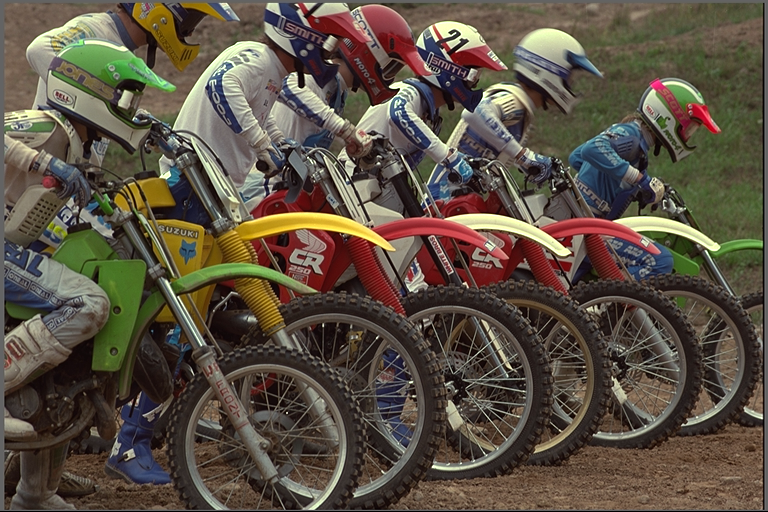
wget "https://r0k.us/graphics/kodak/kodak/kodim05.png"
img = Image.open("kodim05.png")
img
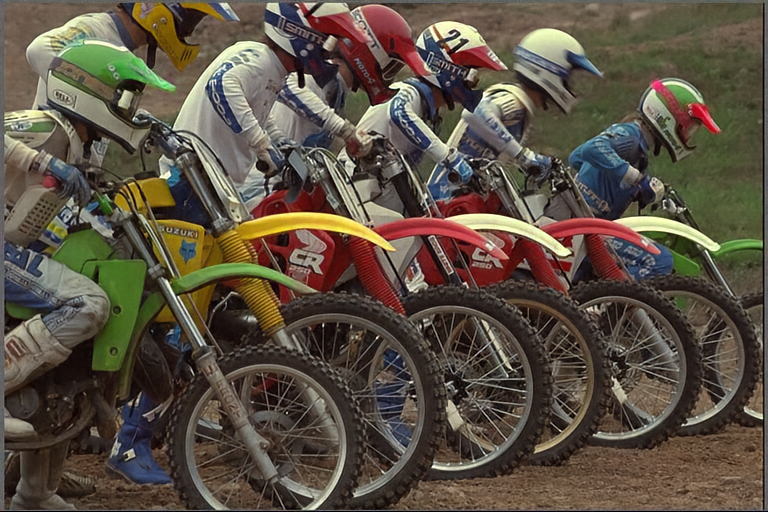
Full encoding and decoding pipeline with .forward()
-
If
codec.eval()is called, the latent is rounded to nearest integer. -
If
codec.train()is called, uniform noise is added instead of rounding.
with torch.no_grad():
    codec.eval()
    x = PILToTensor()(img).to(torch.float)
    x = (x/255 - 0.5).unsqueeze(0).to(device)
    x_hat, _, _ = codec(x)
ToPILImage()(x_hat[0]+0.5)
Accessing latents
with torch.no_grad():
    codec.eval()
    X = codec.wavelet_analysis(x,J=codec.J)
    Y = codec.encoder(X)
    X_hat = codec.decoder(Y)
    x_hat = codec.wavelet_synthesis(X_hat,J=codec.J)

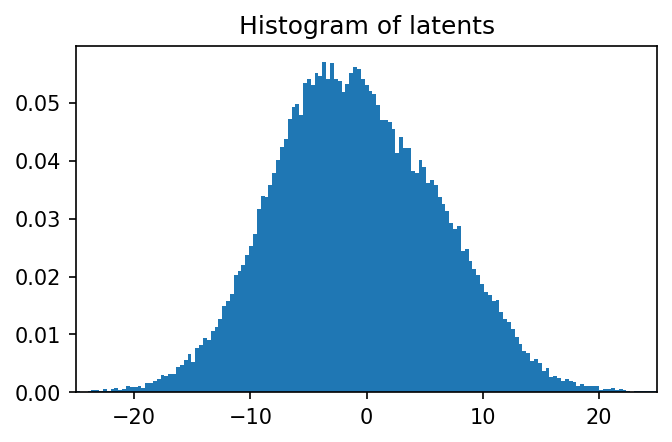
print(f"dimensionality reduction: {x.numel()/Y.numel()}×")
dimensionality reduction: 12.0×
Y.unique()
tensor([-15., -14., -13., -12., -11., -10.,  -9.,  -8.,  -7.,  -6.,  -5.,  -4.,
         -3.,  -2.,  -1.,  -0.,   1.,   2.,   3.,   4.,   5.,   6.,   7.,   8.,
          9.,  10.,  11.,  12.,  13.,  14.,  15.])
plt.figure(figsize=(5,3),dpi=150)
plt.hist(
    Y.flatten().numpy(),
    range=(-17.5,17.5),
    bins=35,
    density=True,
    width=0.8);
plt.title("Histogram of latents")
plt.xticks(range(-15,16,5));

Lossless compression of latents
Single channel PNG (L)
Y_pil = latent_to_pil(Y,5,1)
display(Y_pil[0])
Y_pil[0].save('latent.png')
png = [Image.open("latent.png")]
Y_rec = pil_to_latent(png,16,5,1)
assert(Y_rec.equal(Y))
print("compression_ratio: ", x.numel()/os.path.getsize("latent.png"))

compression_ratio: 20.307596963280485
Three channel WebP (RGB)
Y_pil = latent_to_pil(Y[:,:12],5,3)
display(Y_pil[0])
Y_pil[0].save('latent.webp',lossless=True)
webp = [Image.open("latent.webp")]
Y_rec = pil_to_latent(webp,16,5,3)
assert(Y_rec.equal(Y[:,:12]))
print("compression_ratio: ", (12/16)*x.numel()/os.path.getsize("latent.webp"))
compression_ratio: 21.436712541190154
Four channel TIF (CMYK)
Y_pil = latent_to_pil(Y,5,4)
display(Y_pil[0])
Y_pil[0].save('latent.tif',compression="tiff_adobe_deflate")
tif = [Image.open("latent.tif")]
Y_rec = pil_to_latent(tif,16,5,4)
assert(Y_rec.equal(Y))
print("compression_ratio: ", x.numel()/os.path.getsize("latent.png"))

compression_ratio: 20.307596963280485
!jupyter nbconvert --to markdown README.ipynb
!sed -i 's|!\[png](README_files/\(README_[0-9]*_[0-9]*\.png\))||g' README.md
Release history Release notifications | RSS feed


Download files
Download the file for your platform. If you're not sure which to choose, learn more about installing packages.
Source Distribution
Built Distribution
Filter files by name, interpreter, ABI, and platform.
If you're not sure about the file name format, learn more about wheel file names.
Copy a direct link to the current filters
File details
Details for the file walloc-1.0.1.tar.gz.
File metadata
- Download URL: walloc-1.0.1.tar.gz
- Upload date:
- Size: 6.1 kB
- Tags: Source
- Uploaded using Trusted Publishing? No
- Uploaded via: twine/5.1.0 CPython/3.10.12
File hashes
| Algorithm | Hash digest | |
|---|---|---|
| SHA256 |
55bd40d5b34c2f67291365ebad605956dbf72abc3477a1d69c301c8a1dab5a2a
|
|
| MD5 |
253a0ec031b98d553b39815b0145b5f2
|
|
| BLAKE2b-256 |
abce9d11d4d6b87151ec63a01ac3d51c837b2fb3c6302610a19ee3cf7257ebcc
|
File details
Details for the file walloc-1.0.1-py3-none-any.whl.
File metadata
- Download URL: walloc-1.0.1-py3-none-any.whl
- Upload date:
- Size: 6.1 kB
- Tags: Python 3
- Uploaded using Trusted Publishing? No
- Uploaded via: twine/5.1.0 CPython/3.10.12
File hashes
| Algorithm | Hash digest | |
|---|---|---|
| SHA256 |
74f8563c5e324f8dc09802e56fe2d1c7fbe52b79e1d75eecd811f7cea7a09195
|
|
| MD5 |
9d1e40c5b4992bcf1a559e6c20be7858
|
|
| BLAKE2b-256 |
24d11499c34d9fc74f81e2fa143fa36b051926a1b0f469cef4fe84b19a00ff90
|






