
Menambahkan warna di Terminal

Project description
Warna untuk Python
Instalasi
pip3 install warna
Contoh Cara Pakai
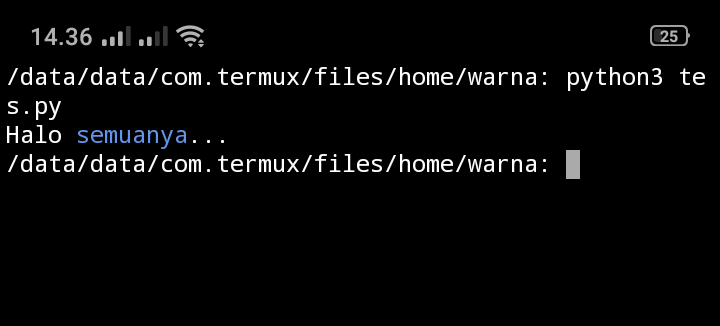
from warna import (blue, reset)

print(f'Halo {blue}semuanya{reset}...')
Jadinya
Warna yang Tersedia
- black
- red
- green
- yellow
- blue
- magenta
- cyan
- white


Download files
Download the file for your platform. If you're not sure which to choose, learn more about installing packages.
Source Distribution
warna-1.0.2.tar.gz
(1.4 kB
view details)
File details
Details for the file warna-1.0.2.tar.gz.
File metadata
- Download URL: warna-1.0.2.tar.gz
- Upload date:
- Size: 1.4 kB
- Tags: Source
- Uploaded using Trusted Publishing? No
- Uploaded via: twine/3.4.1 importlib_metadata/4.0.1 pkginfo/1.7.0 requests/2.25.1 requests-toolbelt/0.9.1 tqdm/4.60.0 CPython/3.6.9
File hashes
| Algorithm | Hash digest | |
|---|---|---|
| SHA256 |
990e016ff0b48e79f070db3829aaad14f579fcc76c68a62001c2ed68b671bb6d
|
|
| MD5 |
6e979c04d14f987b4bd63a3133160063
|
|
| BLAKE2b-256 |
70a7030390503bde95549773e7eba239b03333de817fb8602dde6ca80f355c8c
|






