
Web interface for Python's built-in PDB debugger

Project description


Web-PDB is a web-interface for Python’s built-in PDB debugger. It allows to debug Python scripts remotely in a web-browser.
Important Notice
Currently this project is in a minimum maintenance mode. It means that I will try to maintain compatibility with new Python versions and address critical issues, if any arise. But at the moment I have no time or resources to develop new features or properly review external contributions. That is why only pull requests with bug fixes will be prioritized. Other issues or pull requests may or may not be reviewed or accepted.
Features
Responsive design based on Bootstrap with light and dark modes.
Python syntax highlighting with Prism (the default and “Okaida” themes).
Supports all PDB features.
Standard input and output can be redirected to the web-console to interact with Python scripts remotely.
Current file box tracks current position in the file being executed. Red line numbers indicate breakpoints, if any.
Globals and Locals boxes show local and global variables in the current scope. Special variables that start and end with double underscores __ are excluded (you can always view them using PDB commands).
Command history that stores up to 10 last unique PDB commands (accessed by arrow UP/DOWN keys).
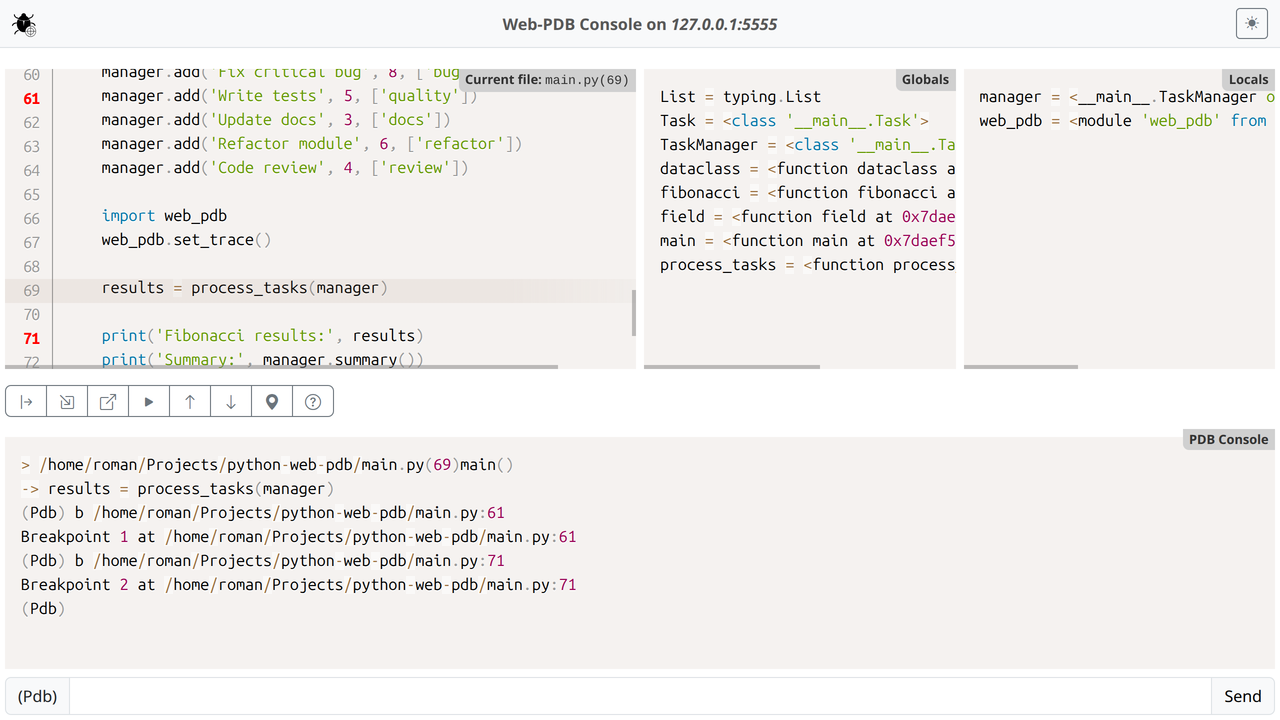
Web-PDB UI light mode
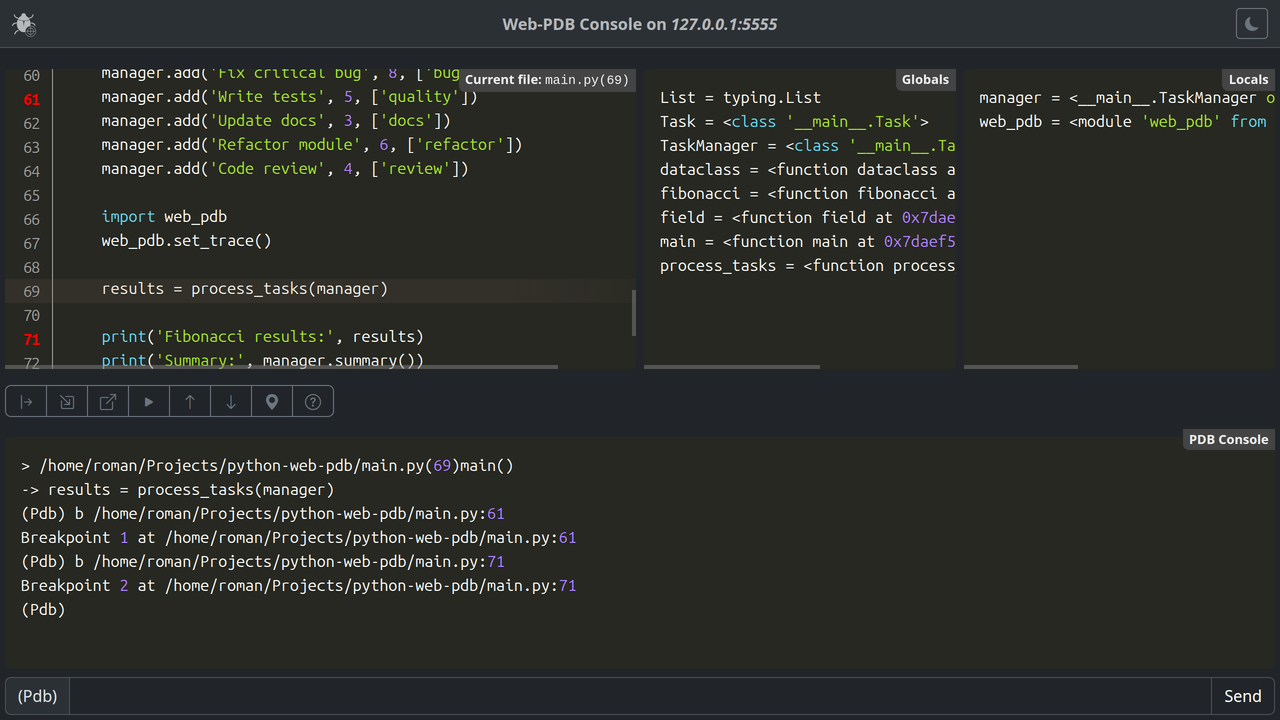
Web-PDB UI dark mode
Usage
Install Web-PDB into your working Python environment:
pip install web-pdb
Insert the following line into your Python program at the point where you want to start debugging:
import web_pdb; web_pdb.set_trace()The set_trace() call will suspend your program and open a web-UI at the default port 5555 (port value can be changed). Enter in your browser’s address bar: http://<your Python machine hostname or IP>:5555, for example http://monty-python:5555, and you should see the web-UI like the one on the preceding screenshot. Now you can use all PDB commands and features. Additional Current file, Globals and Locals information boxes help you better track your program runtime state.
Note: it is strongly recommended to work with the Web-PDB web-UI only in one browser session. With more than one browser window accessing the web-UI it may display incorrect data in one or more browser sessions.
Subsequent set_trace() calls can be used as hardcoded breakpoints.
Web-PDB is compatible with the new breakpoint() function added in Python 3.7. Set environment variable PYTHONBREAKPOINT="web_pdb.set_trace" to launch Web-PDB with breakpoint().
Additionally, Web-PDB provides catch_post_mortem context manager that can catch unhandled exceptions raised within its scope and automatically start PDB post-mortem debugging session. For example:
import web_pdb

with web_pdb.catch_post_mortem():
    # Some error-prone code
    assert foo == bar, 'Oops!'
For more detailed info about the Web-PDB API read docstrings in the ./web_pdb/__init__.py file.
The inspect Command
Web-PDB provides inspect or i command that is not present in the original PDB. This command outputs the list of object’s members along with their values. Syntax: inspect <object_name> or i <object_name>.
Special members with names enclosed in double underscores (__) are ignored.
Considerations for Multithreading and Multiprocessing Programs
Multithreading
Web-PDB maintains one debugger instance that traces only one thread. You should not call set_trace() from different threads to avoid race conditions. Each thread needs to be debugged separately one at a time.
Multiprocessing
Each process can have its own debugger instance provided you call set_trace with a different port value for each process. This way you can debug each process in a separate browser tab/window. To simplify this you can use set_trace(port=-1) to select a random port between 32768 and 65536.
Compatibility
Python: 3.8+
Browsers: All modern browsers should work
Implementation Details
Web-PDB uses a custom asynchronous HTTP server based on asyncio library that runs in a separate thread. Take this into account when using Web-PDB in your environment.
Starting from v2.0, Web-PDB Python backend has no external dependencies, except for Python Standard Library.
License
MIT, see LICENSE.txt.
The debugger icon made by Freepik from www.flaticon.com is licensed by CC 3.0 BY.
Release history Release notifications | RSS feed


Download files
Download the file for your platform. If you're not sure which to choose, learn more about installing packages.
Source Distribution
Built Distribution
Filter files by name, interpreter, ABI, and platform.
If you're not sure about the file name format, learn more about wheel file names.
Copy a direct link to the current filters
File details
Details for the file web_pdb-2.0.0.tar.gz.
File metadata
- Download URL: web_pdb-2.0.0.tar.gz
- Upload date:
- Size: 424.7 kB
- Tags: Source
- Uploaded using Trusted Publishing? No
- Uploaded via: twine/6.1.0 CPython/3.13.12
File hashes
| Algorithm | Hash digest | |
|---|---|---|
| SHA256 |
13f6083a4b1bb05ea3639a4cc21787b3cfe1e7b02d49f8abe0780c9409d88936
|
|
| MD5 |
83b357f74d6f38be294f3984114cd6db
|
|
| BLAKE2b-256 |
af75ba6c69b846b1394962287c7c2243e4ef27ebb015c4429f139fd8cc902608
|
File details
Details for the file web_pdb-2.0.0-py3-none-any.whl.
File metadata
- Download URL: web_pdb-2.0.0-py3-none-any.whl
- Upload date:
- Size: 422.2 kB
- Tags: Python 3
- Uploaded using Trusted Publishing? No
- Uploaded via: twine/6.1.0 CPython/3.13.12
File hashes
| Algorithm | Hash digest | |
|---|---|---|
| SHA256 |
70546b9a21e994bc006c3e47ef3d9d12fc6fb9a9925b1b1c13fed3a15d74a2a0
|
|
| MD5 |
8dcc5ccce2fdde61e86acd8f19105804
|
|
| BLAKE2b-256 |
7af267cdcb44d5d808154fb22e81f3b65c4b38da8bf219343d2d6baf869d3a3a
|






