





WebCap is an extremely lightweight web screenshot tool. It doesn't require Selenium, Playwright, Puppeteer, or any other browser automation framework; all it needs is a working Chrome installation. Used by BBOT.
Installation
pipx install webcap
Web Interface (webcap server)
https://github.com/user-attachments/assets/a5dea3fb-fa01-41e7-90cd-67c6efa3d6e5
Features
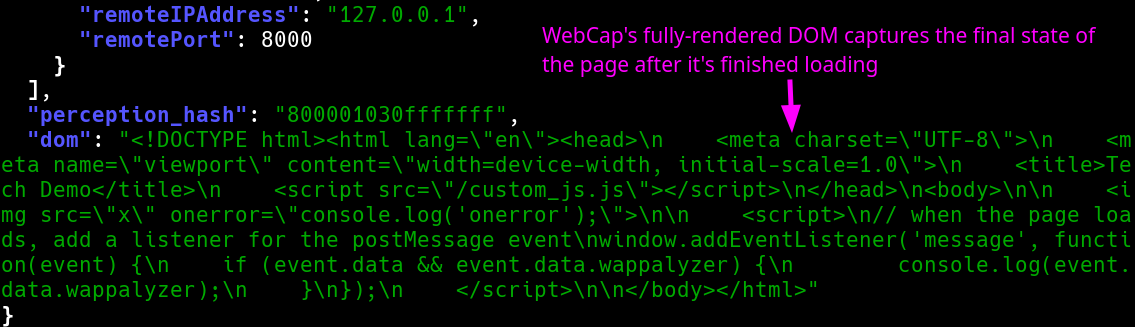
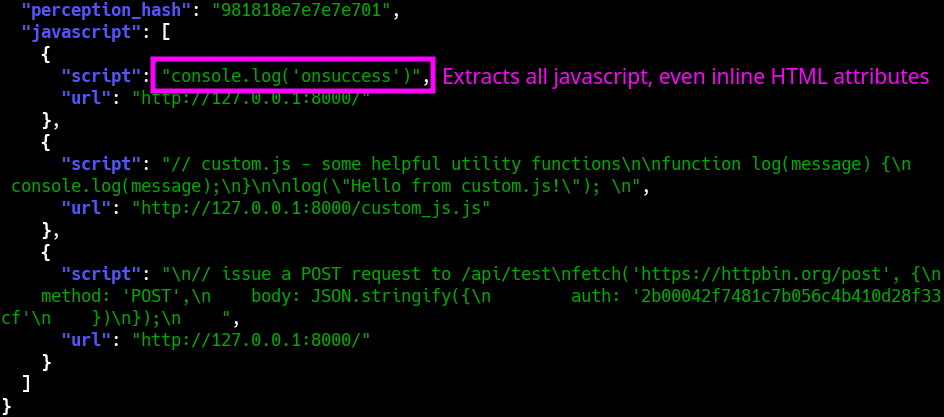
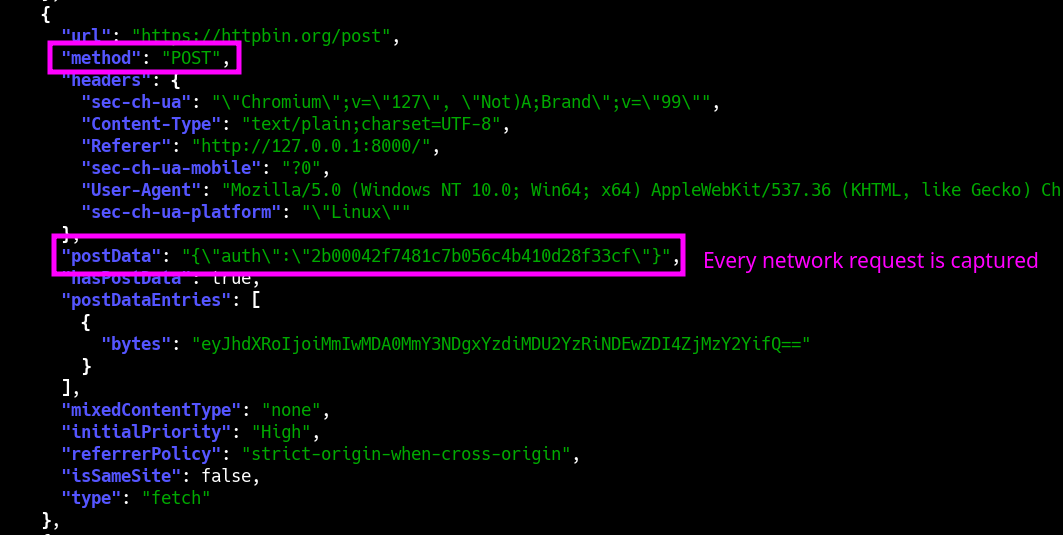
WebCap's most unique feature is its ability to capture not only the fully-rendered DOM, but also every snippet of parsed Javascript (regardless of inline or external), and the full content of every HTTP request + response (including Javascript API calls etc.). For convenience, it can output directly to JSON.
Example Commands
Scanning
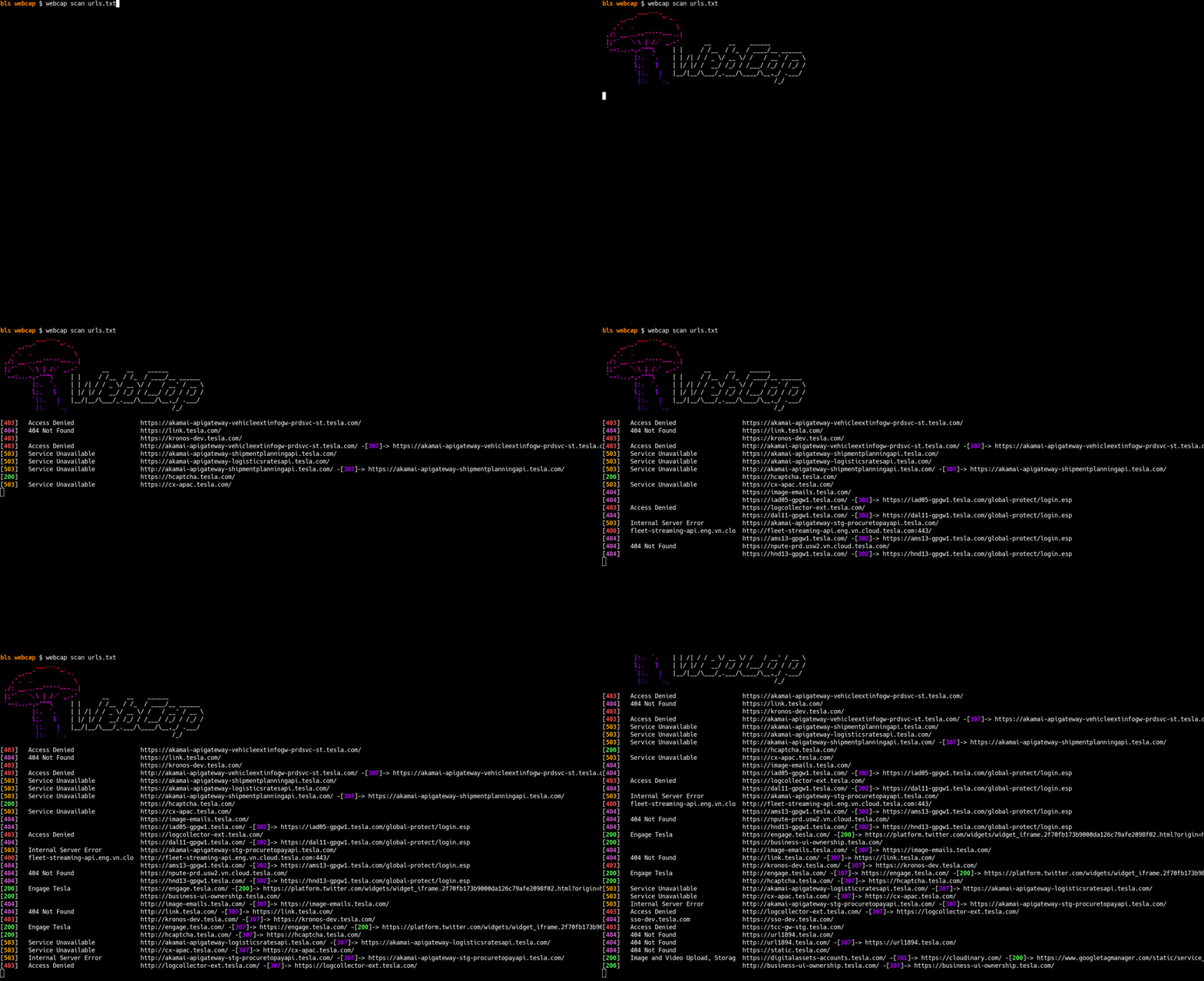
# Capture screenshots of all URLs in urls.txt
webcap scan urls.txt -o ./my_screenshots

# Output to JSON, and include the fully-rendered DOM
webcap scan urls.txt --json --dom | jq

# Capture requests and responses
webcap scan urls.txt --json --requests --responses | jq

# Capture javascript
webcap scan urls.txt --json --javascript | jq

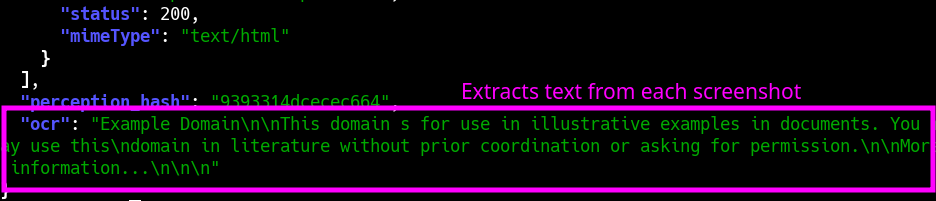
# Extract text from screenshots
webcap scan urls.txt --json --ocr | jq
Server
# Start the server
webcap server

# Browse to http://localhost:8000
Screenshots
CLI Interface (webcap scan)
Fully-rendered DOM
Javascript Capture
Requests + Responses
OCR
Full feature list
- Blazing fast screenshots
- Fullscreen capture (entire scrollable page)
- JSON output
- Full DOM extraction
- Javascript extraction (inline + external)
- Javascript extraction (environment dump)
- Full network logs (incl. request/response bodies)
- Title
- Status code
- Fuzzy (perception) hashing
- Technology detection
- OCR text extraction
- Web interface
Webcap as a Python library
import base64
from webcap import Browser

async def main():
    # create a browser instance
    browser = Browser()
    # start the browser
    await browser.start()
    # take a screenshot
    webscreenshot = await browser.screenshot("http://example.com")
    # save the screenshot to a file
    with open("screenshot.png", "wb") as f:
        f.write(webscreenshot.blob)
    # stop the browser
    await browser.stop()

if __name__ == "__main__":
    import asyncio
    asyncio.run(main())
CLI Usage (--help)
 Usage: webcap scan [OPTIONS] URLS

 Screenshot URLs

╭─ Arguments ────────────────────────────────────────────────────────────────────────────────╮
│ *    urls      TEXT  URL(s) to capture, or file(s) containing URLs [default: None]         │
│                      [required]                                                            │
╰────────────────────────────────────────────────────────────────────────────────────────────╯
╭─ Options ──────────────────────────────────────────────────────────────────────────────────╮
│ --json    -j                  Output JSON                                                  │
│ --chrome  -c      TEXT        Path to Chrome executable [default: None]                    │
│ --output  -o      OUTPUT_DIR  Output directory                                             │
│                               [default: /home/bls/Downloads/code/webcap/screenshots]       │
│ --help                        Show this message and exit.                                  │
╰────────────────────────────────────────────────────────────────────────────────────────────╯
╭─ Screenshots ──────────────────────────────────────────────────────────────────────────────╮
│ --resolution      -r      RESOLUTION  Resolution to capture [default: 1440x900]            │
│ --full-page       -f                  Capture the full page (larger resolution images)     │
│ --no-screenshots                      Only visit the sites; don't capture screenshots      │
│                                       (useful with -j/--json)                              │
╰────────────────────────────────────────────────────────────────────────────────────────────╯
╭─ Performance ──────────────────────────────────────────────────────────────────────────────╮
│ --threads  -t      INTEGER  Number of threads to use [default: 15]                         │
│ --timeout  -T      INTEGER  Timeout before giving up on a web request [default: 10]        │
│ --delay            SECONDS  Delay before capturing [default: 3.0]                          │
╰────────────────────────────────────────────────────────────────────────────────────────────╯
╭─ HTTP ─────────────────────────────────────────────────────────────────────────────────────╮
│ --user-agent  -U      TEXT  User agent to use                                              │
│                             [default: Mozilla/5.0 (Windows NT 10.0; Win64; x64)            │
│                             AppleWebKit/537.36 (KHTML, like Gecko) Chrome/131.0.0.0        │
│                             Safari/537.36]                                                 │
│ --headers     -H      TEXT  Additional headers to send in format: 'Header-Name:            │
│                             Header-Value' (multiple supported)                             │
│ --proxy       -p      TEXT  HTTP proxy to use [default: None]                              │
╰────────────────────────────────────────────────────────────────────────────────────────────╯
╭─ JSON (Only apply when -j/--json is used) ─────────────────────────────────────────────────╮
│ --base64        -b                     Output each screenshot as base64                    │
│ --dom           -d                     Capture the fully-rendered DOM                      │
│ --responses     -rs                    Capture the full body of each HTTP response         │
│                                        (including API calls etc.)                          │
│ --requests      -rq                    Capture the full body of each HTTP request          │
│                                        (including API calls etc.)                          │
│ --javascript    -J                     Capture every snippet of Javascript (inline +       │
│                                        external)                                           │
│ --ignore-types                   TEXT  Ignore these filetypes                              │
│                                        [default: Image, Media, Font, Stylesheet]           │
│ --ocr                --no-ocr          Extract text from screenshots [default: no-ocr]     │
╰────────────────────────────────────────────────────────────────────────────────────────────╯
1 maintainer

Metadata
1 maintainer
Release files for webcap 0.1.103
For a detailed explanation of source distributions (sdists) and built distributions (wheels), please see the package formats documentation.
Source distribution (sdist)
| File | Size | Uploaded | |
|---|---|---|---|
| webcap-0.1.103.tar.gz | 102.2 kB | Details |
Built distribution (wheel)
| File | Interpreter | ABI | Platform | Reset |
|---|---|---|---|---|
| webcap-0.1.103-py3-none-any.whl | Python 3 | none | any | Details |
Total release size: 206.0 kB
Release files / webcap-0.1.103.tar.gz
| Download URL | webcap-0.1.103.tar.gz |
|---|---|
| Size | 102.2 kB |
| Tags | Source |
|
SHA-256 checksum How to use checksums |
b4eb0f62f87504e92fbf277cb6528683a890397ff74cee6b4e56a80351843349
|
|
BLAKE2b-256 checksum How to use checksums |
56c2847fdba17cf4e7fe44430cc96a78afbfc56343b64fcddc48d61ea06f4dec
|
| Upload date | |
|
Uploaded using Trusted Publishing? What is trusted publishing? |
No |
| Uploaded via |
twine/6.1.0 CPython/3.12.8
|
Release files / webcap-0.1.103-py3-none-any.whl
| Download URL | webcap-0.1.103-py3-none-any.whl |
|---|---|
| Size | 103.8 kB |
| Tags | Python 3 |
|
SHA-256 checksum How to use checksums |
55f8c6ce429b00ccb449d0704dd75745426897b03798e41043a3fe788c844780
|
|
BLAKE2b-256 checksum How to use checksums |
be5afec8aa430ad48499113fca53dedeaa7ba043827086323d9d40daf5b7c132
|
| Upload date | |
|
Uploaded using Trusted Publishing? What is trusted publishing? |
No |
| Uploaded via |
twine/6.1.0 CPython/3.12.8
|














