
An ultra-lightweight web screenshot tool written in Python

Project description





WebCap is an extremely lightweight web screenshot tool. It doesn't require Selenium, Playwright, Puppeteer, or any other browser automation framework; all it needs is a working Chrome installation. Used by BBOT.
Installation
pipx install webcap
Web Interface (webcap server)
https://github.com/user-attachments/assets/a5dea3fb-fa01-41e7-90cd-67c6efa3d6e5
Features
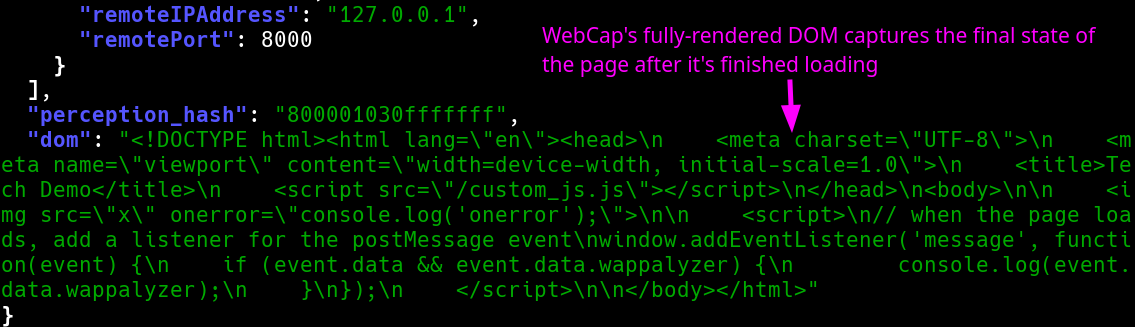
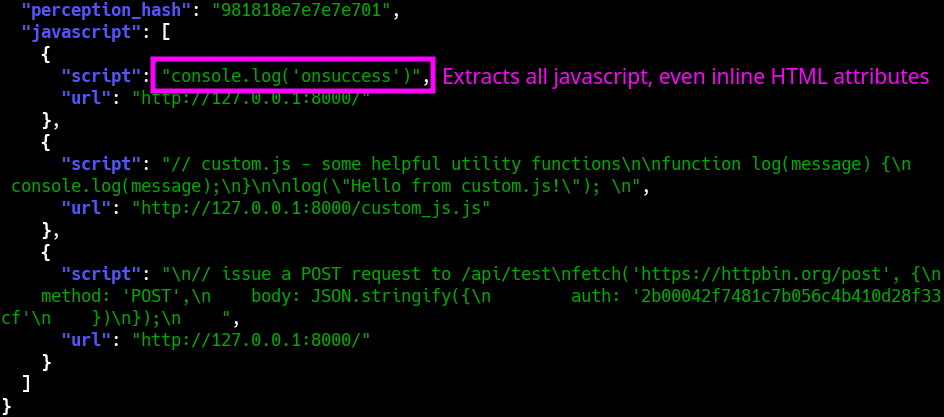
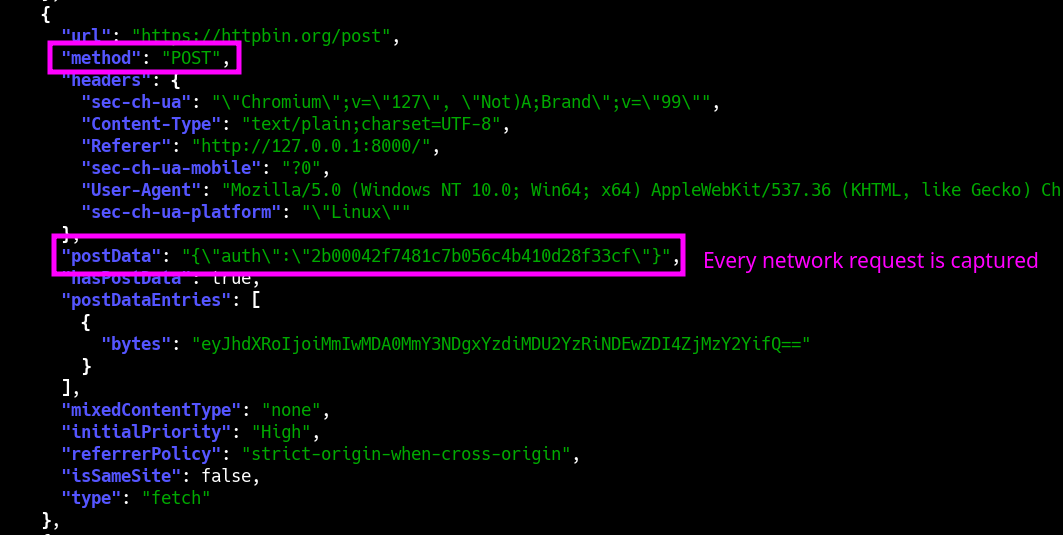
WebCap's most unique feature is its ability to capture not only the fully-rendered DOM, but also every snippet of parsed Javascript (regardless of inline or external), and the full content of every HTTP request + response (including Javascript API calls etc.). For convenience, it can output directly to JSON.
Example Commands
Scanning
# Capture screenshots of all URLs in urls.txt
webcap scan urls.txt -o ./my_screenshots

# Output to JSON, and include the fully-rendered DOM
webcap scan urls.txt --json --dom | jq

# Capture requests and responses
webcap scan urls.txt --json --requests --responses | jq

# Capture javascript
webcap scan urls.txt --json --javascript | jq

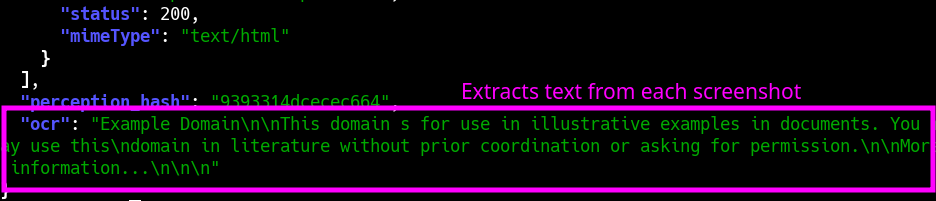
# Extract text from screenshots
webcap scan urls.txt --json --ocr | jq
Server
# Start the server
webcap server

# Browse to http://localhost:8000
Screenshots
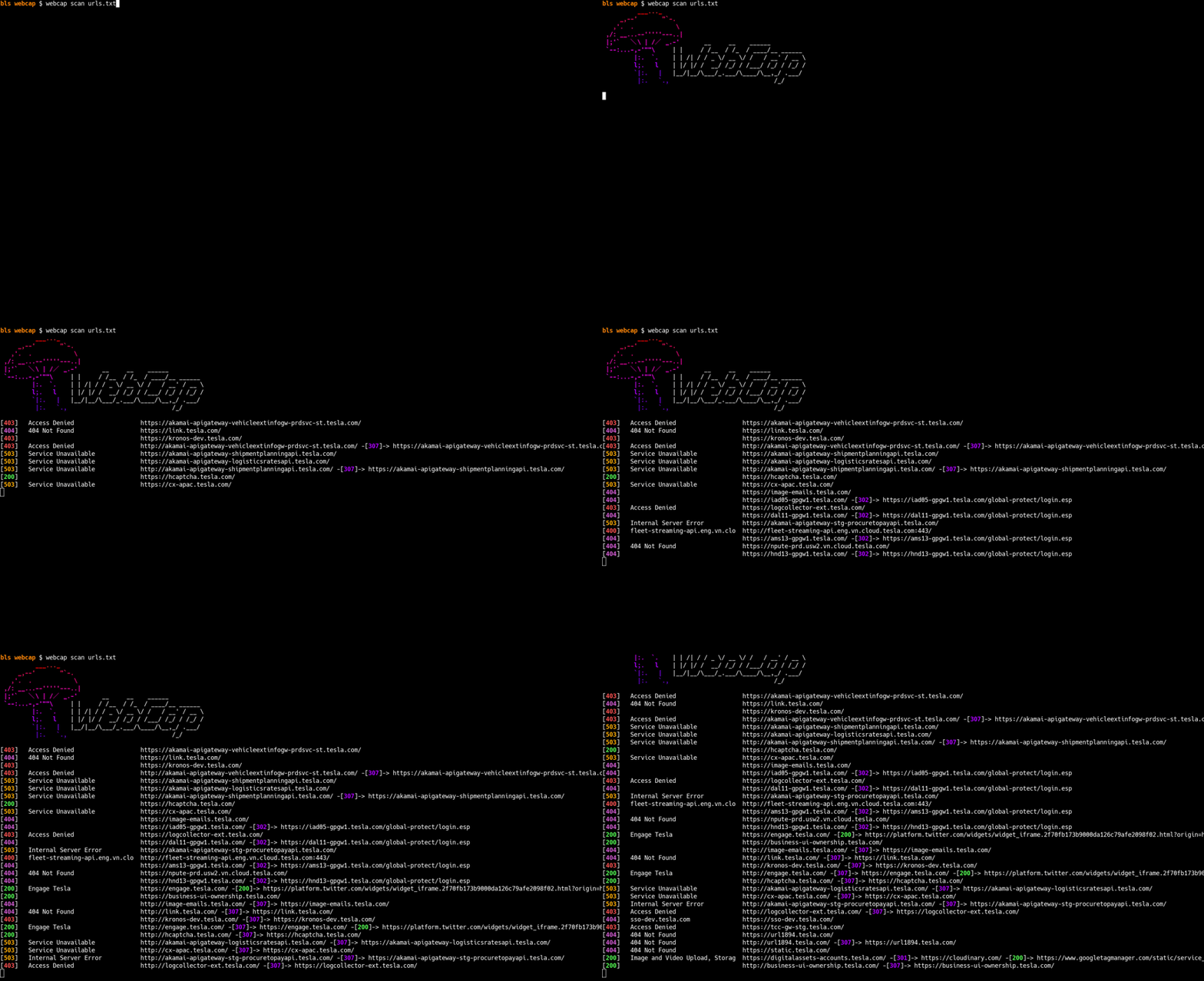
CLI Interface (webcap scan)
Fully-rendered DOM
Javascript Capture
Requests + Responses
OCR
Full feature list
- Blazing fast screenshots
- Fullscreen capture (entire scrollable page)
- JSON output
- Full DOM extraction
- Javascript extraction (inline + external)
- Javascript extraction (environment dump)
- Full network logs (incl. request/response bodies)
- Title
- Status code
- Fuzzy (perception) hashing
- Technology detection
- OCR text extraction
- Web interface
Webcap as a Python library
import base64
from webcap import Browser

async def main():
    # create a browser instance
    browser = Browser()
    # start the browser
    await browser.start()
    # take a screenshot
    webscreenshot = await browser.screenshot("http://example.com")
    # save the screenshot to a file
    with open("screenshot.png", "wb") as f:
        f.write(webscreenshot.blob)
    # stop the browser
    await browser.stop()

if __name__ == "__main__":
    import asyncio
    asyncio.run(main())
CLI Usage (--help)
 Usage: webcap scan [OPTIONS] URLS

 Screenshot URLs

╭─ Arguments ────────────────────────────────────────────────────────────────────────────────╮
│ *    urls      TEXT  URL(s) to capture, or file(s) containing URLs [default: None]         │
│                      [required]                                                            │
╰────────────────────────────────────────────────────────────────────────────────────────────╯
╭─ Options ──────────────────────────────────────────────────────────────────────────────────╮
│ --json    -j                  Output JSON                                                  │
│ --chrome  -c      TEXT        Path to Chrome executable [default: None]                    │
│ --output  -o      OUTPUT_DIR  Output directory                                             │
│                               [default: /home/bls/Downloads/code/webcap/screenshots]       │
│ --help                        Show this message and exit.                                  │
╰────────────────────────────────────────────────────────────────────────────────────────────╯
╭─ Screenshots ──────────────────────────────────────────────────────────────────────────────╮
│ --resolution      -r      RESOLUTION  Resolution to capture [default: 1440x900]            │
│ --full-page       -f                  Capture the full page (larger resolution images)     │
│ --no-screenshots                      Only visit the sites; don't capture screenshots      │
│                                       (useful with -j/--json)                              │
╰────────────────────────────────────────────────────────────────────────────────────────────╯
╭─ Performance ──────────────────────────────────────────────────────────────────────────────╮
│ --threads  -t      INTEGER  Number of threads to use [default: 15]                         │
│ --timeout  -T      INTEGER  Timeout before giving up on a web request [default: 10]        │
│ --delay            SECONDS  Delay before capturing [default: 3.0]                          │
╰────────────────────────────────────────────────────────────────────────────────────────────╯
╭─ HTTP ─────────────────────────────────────────────────────────────────────────────────────╮
│ --user-agent  -U      TEXT  User agent to use                                              │
│                             [default: Mozilla/5.0 (Windows NT 10.0; Win64; x64)            │
│                             AppleWebKit/537.36 (KHTML, like Gecko) Chrome/131.0.0.0        │
│                             Safari/537.36]                                                 │
│ --headers     -H      TEXT  Additional headers to send in format: 'Header-Name:            │
│                             Header-Value' (multiple supported)                             │
│ --proxy       -p      TEXT  HTTP proxy to use [default: None]                              │
╰────────────────────────────────────────────────────────────────────────────────────────────╯
╭─ JSON (Only apply when -j/--json is used) ─────────────────────────────────────────────────╮
│ --base64        -b                     Output each screenshot as base64                    │
│ --dom           -d                     Capture the fully-rendered DOM                      │
│ --responses     -rs                    Capture the full body of each HTTP response         │
│                                        (including API calls etc.)                          │
│ --requests      -rq                    Capture the full body of each HTTP request          │
│                                        (including API calls etc.)                          │
│ --javascript    -J                     Capture every snippet of Javascript (inline +       │
│                                        external)                                           │
│ --ignore-types                   TEXT  Ignore these filetypes                              │
│                                        [default: Image, Media, Font, Stylesheet]           │
│ --ocr                --no-ocr          Extract text from screenshots [default: no-ocr]     │
╰────────────────────────────────────────────────────────────────────────────────────────────╯
Release history Release notifications | RSS feed


Download files
Download the file for your platform. If you're not sure which to choose, learn more about installing packages.
Source Distribution
Built Distribution
Filter files by name, interpreter, ABI, and platform.
If you're not sure about the file name format, learn more about wheel file names.
Copy a direct link to the current filters
File details
Details for the file webcap-0.1.103.tar.gz.
File metadata
- Download URL: webcap-0.1.103.tar.gz
- Upload date:
- Size: 102.2 kB
- Tags: Source
- Uploaded using Trusted Publishing? No
- Uploaded via: twine/6.1.0 CPython/3.12.8
File hashes
| Algorithm | Hash digest | |
|---|---|---|
| SHA256 |
b4eb0f62f87504e92fbf277cb6528683a890397ff74cee6b4e56a80351843349
|
|
| MD5 |
f5c61984c808fe1ab836af4d25d6fdc0
|
|
| BLAKE2b-256 |
56c2847fdba17cf4e7fe44430cc96a78afbfc56343b64fcddc48d61ea06f4dec
|
File details
Details for the file webcap-0.1.103-py3-none-any.whl.
File metadata
- Download URL: webcap-0.1.103-py3-none-any.whl
- Upload date:
- Size: 103.8 kB
- Tags: Python 3
- Uploaded using Trusted Publishing? No
- Uploaded via: twine/6.1.0 CPython/3.12.8
File hashes
| Algorithm | Hash digest | |
|---|---|---|
| SHA256 |
55f8c6ce429b00ccb449d0704dd75745426897b03798e41043a3fe788c844780
|
|
| MD5 |
0c825e4953fe480a4a20a06902c1e244
|
|
| BLAKE2b-256 |
be5afec8aa430ad48499113fca53dedeaa7ba043827086323d9d40daf5b7c132
|






