
weightlens




Analyze ML checkpoint weights without loading them into memory. Detect corrupted weights, dead layers, exploding variance, and statistical anomalies across PyTorch, Safetensors, and DCP checkpoints.
Quick start
pip install weightlens
lens analyze model.pth
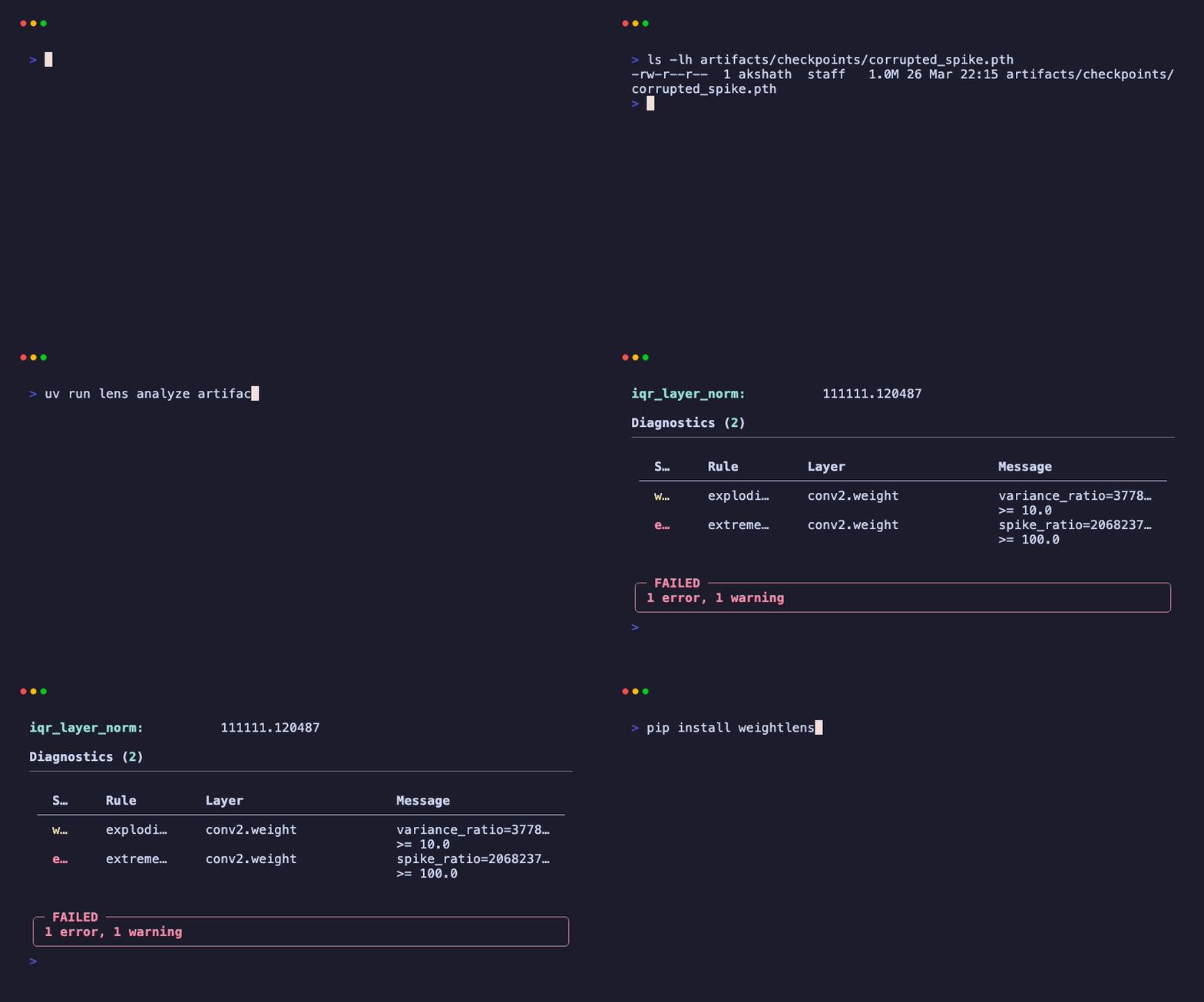
$ lens analyze artifacts/checkpoints/corrupted_spike.pth

Statistics for corrupted_spike.pth
================================================================================
file_size_bytes:    1,078,077
loadable:           true
is_empty:           false
tensor_count:       8
total_params:       268,650
corruption_flags:   none

Global Stats
================================================================================
mean:                    3.722
std:                     1929.327
p99:                     0.048
median_layer_variance:   0.000
median_layer_norm:       0.019

Diagnostics (2)
================================================================================
   Severity   Rule            Layer           Message
   warn       exploding-var   conv2.weight    variance_ratio=3.78e14 >= 10.0
   error      extreme-spike   conv2.weight    spike_ratio=20682379 >= 100.0

FAILED — 1 error, 1 warning
Why weightlens?
torch.load() deserializes the entire checkpoint into memory. You cannot inspect a single tensor without paying the full memory cost first.
Weightlens streams tensors one at a time instead. For safetensors, the file is memory-mapped directly and tensor data is never copied into a buffer. Statistics run through Welford's online algorithm in 1M-element chunks, so peak RSS stays bounded by chunk size rather than checkpoint size.
Safetensors checkpoints are byte-ranged from S3/GCS directly. Only tensor bytes are fetched and the file is never downloaded. PyTorch checkpoints download to a local cache first, then stream through the same chunked pipeline. Format detection and streaming are automatic.
Performance
Benchmarked on a MacBook M-series with NVMe SSD. All numbers measured with /usr/bin/time -l on real model checkpoints.
| Checkpoint | Format | Size | Tensors | Params | Time | Peak RSS |
|---|---|---|---|---|---|---|
| ToyNet (demo) | .pth | 1 MB | 8 | 269K | 0.5s | 237 MB |
| SqueezeNet 1.1 | .pth | 5 MB | 52 | 1.2M | 0.6s | 237 MB |
| ResNet-18 | .pth | 45 MB | 102 | 11.7M | 0.8s | 324 MB |
| VGG-19 | .pth | 548 MB | 38 | 143.7M | 1.7s | 940 MB |
| Phi-2 | .index.json (sharded) | 5.6 GB | 453 | 2.8B | 28.6s | 659 MB |
Time is I/O-bound on local NVMe. Phi-2 was a cold read across 2 safetensors shards. Peak RSS remained constant at ~659 MB regardless of file size due to memory-mapped tensor views and chunked processing. Remote first-run times include credential chain resolution. Use --num-workers to parallelize stats computation on larger models.
Features
- Detect dead layers (99.99%+ zeros), NaN floods, extreme spikes (100x above p99), exploding variance (10x above median), abnormal norms (5 IQR-scaled deviations from median)
- Stream one tensor at a time: Welford variance, incremental histogram, histogram-based p99. One pass, no buffering.
- Memory bounded by chunk size (1M elements, about 2-8 MB), not file size
- Read safetensors from S3 or GCS via byte-range requests. No full download needed.
- Identical results across .pth, .safetensors, and DCP formats
- Diagnostic thresholds are conservative to avoid false positives on typical architectures. Each rule is configurable:
--variance-threshold,--spike-threshold,--norm-threshold,--sparsity-threshold
Formats
| Format | Extension | Remote | Loading |
|---|---|---|---|
| PyTorch | .pth, .pt | Download to cache | Pickle deserialization + chunked stats |
| Safetensors | .safetensors | Byte-range | Memory-mapped views |
| Safetensors sharded | .index.json | Byte-range | Memory-mapped views per shard |
| DCP | directory | Offline | Byte-offset reads from shard files |
lens analyze model.pth
lens analyze model.safetensors
lens analyze model.safetensors.index.json
lens analyze checkpoint_dir --format dcp
Remote checkpoints use your existing AWS or GCS credentials. PyTorch CDN URLs download to a local cache first. Safetensors URLs use byte-range reads when the server supports Range headers:
pip install weightlens[remote]
lens analyze https://download.pytorch.org/models/resnet18-f37072fd.pth
lens analyze s3://bucket/model.safetensors
lens analyze s3://bucket/model.safetensors.index.json
lens analyze gs://bucket/model.safetensors
Install
Python 3.11 or later.
pip install weightlens
pip install weightlens[s3]     # AWS S3
pip install weightlens[gcs]    # Google Cloud Storage
Security
DCP metadata pickles are loaded through a blocklist-based unpickler that stubs dangerous modules. PyTorch loading uses weights_only=True with no unsafe fallback; old-format .pth files that reject mmap fall back to non-mmap load (not unsafe unpickling). Path traversal is blocked in shard filenames for DCP and safetensors. Byte-range reads verify returned length. Remote downloads are capped at 50 GB.
License
MIT
1 maintainer

Release files for weightlens 0.2.3
For a detailed explanation of source distributions (sdists) and built distributions (wheels), please see the package formats documentation.
Source distribution (sdist)
| File | Size | Uploaded | |
|---|---|---|---|
| weightlens-0.2.3.tar.gz | 78.4 kB | Details |
Built distribution (wheel)
| File | Interpreter | ABI | Platform | Reset |
|---|---|---|---|---|
| weightlens-0.2.3-py3-none-any.whl | Python 3 | none | any | Details |
Total release size: 129.6 kB
Release files / weightlens-0.2.3.tar.gz
| Download URL | weightlens-0.2.3.tar.gz |
|---|---|
| Size | 78.4 kB |
| Tags | Source |
|
SHA-256 checksum How to use checksums |
50c62620c75cbb802bf4e5ea26729ebc60840acb601186451b3d3ae5e0b4ac80
|
|
BLAKE2b-256 checksum How to use checksums |
ed3d4b7beaa09d439e8ab23920ec4c97a2becdded5dce78d6ac6d9bf156e8228
|
| Upload date | |
|
Uploaded using Trusted Publishing? What is trusted publishing? |
Yes |
| Uploaded via |
twine/6.1.0 CPython/3.13.14
|
Provenance
Provenance describes where a file came from. On PyPI, provenance is shared via attestations, which provide a verifiable record of the build or publishing details. View details, limitations and caveats.


PyPI Publish Attestation
PyPI verified that this artifact, at this checksum, originated from the publisher listed below.
Signed by GitHub Actions, verified by PyPI on Jul 25, 2026.
Transparency logRelease files / weightlens-0.2.3-py3-none-any.whl
| Download URL | weightlens-0.2.3-py3-none-any.whl |
|---|---|
| Size | 51.2 kB |
| Tags | Python 3 |
|
SHA-256 checksum How to use checksums |
97fdcaaab0eb707089d40333286f51d3191e58ae375144238f4279c32332e81a
|
|
BLAKE2b-256 checksum How to use checksums |
31caf00405584f77e7ce7eeb2ee1956b45cd0eecf3ad39e6a6b11d76cf128e08
|
| Upload date | |
|
Uploaded using Trusted Publishing? What is trusted publishing? |
Yes |
| Uploaded via |
twine/6.1.0 CPython/3.13.14
|
Provenance
Provenance describes where a file came from. On PyPI, provenance is shared via attestations, which provide a verifiable record of the build or publishing details. View details, limitations and caveats.
PyPI Publish Attestation
PyPI verified that this artifact, at this checksum, originated from the publisher listed below.
Signed by GitHub Actions, verified by PyPI on Jul 25, 2026.
Transparency log













