
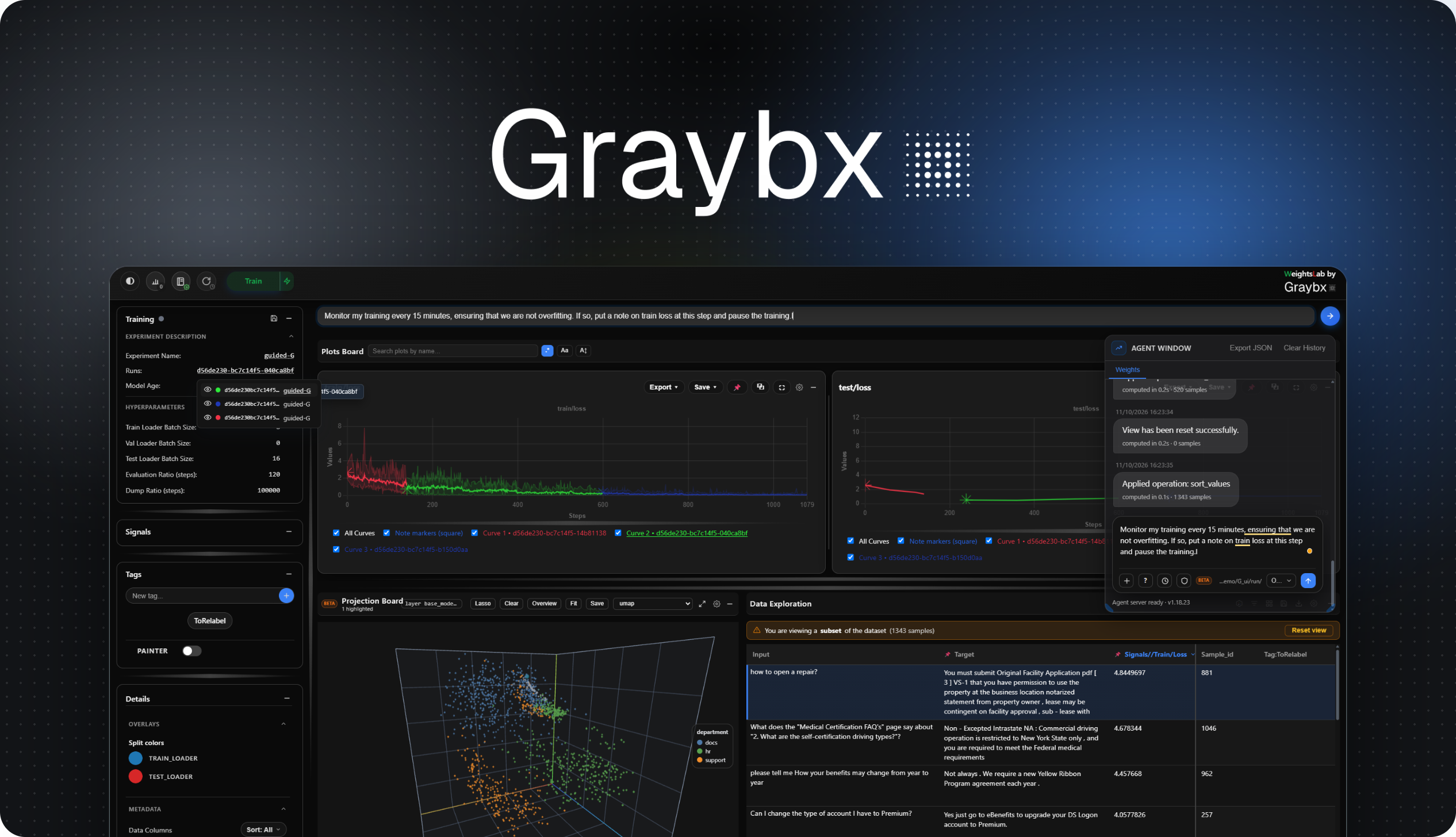
Built for ML Teams working with messy real-world data
Pause training, mine live loss signals to surface mislabels, class imbalance & outliers,
then curate your image, video, text & LiDAR data, without restarting.





Website · Docs · Demo (Images) · Demo (VLA) · Demo (LiDAR) · Demo (LLM/Coming soon)
Overview
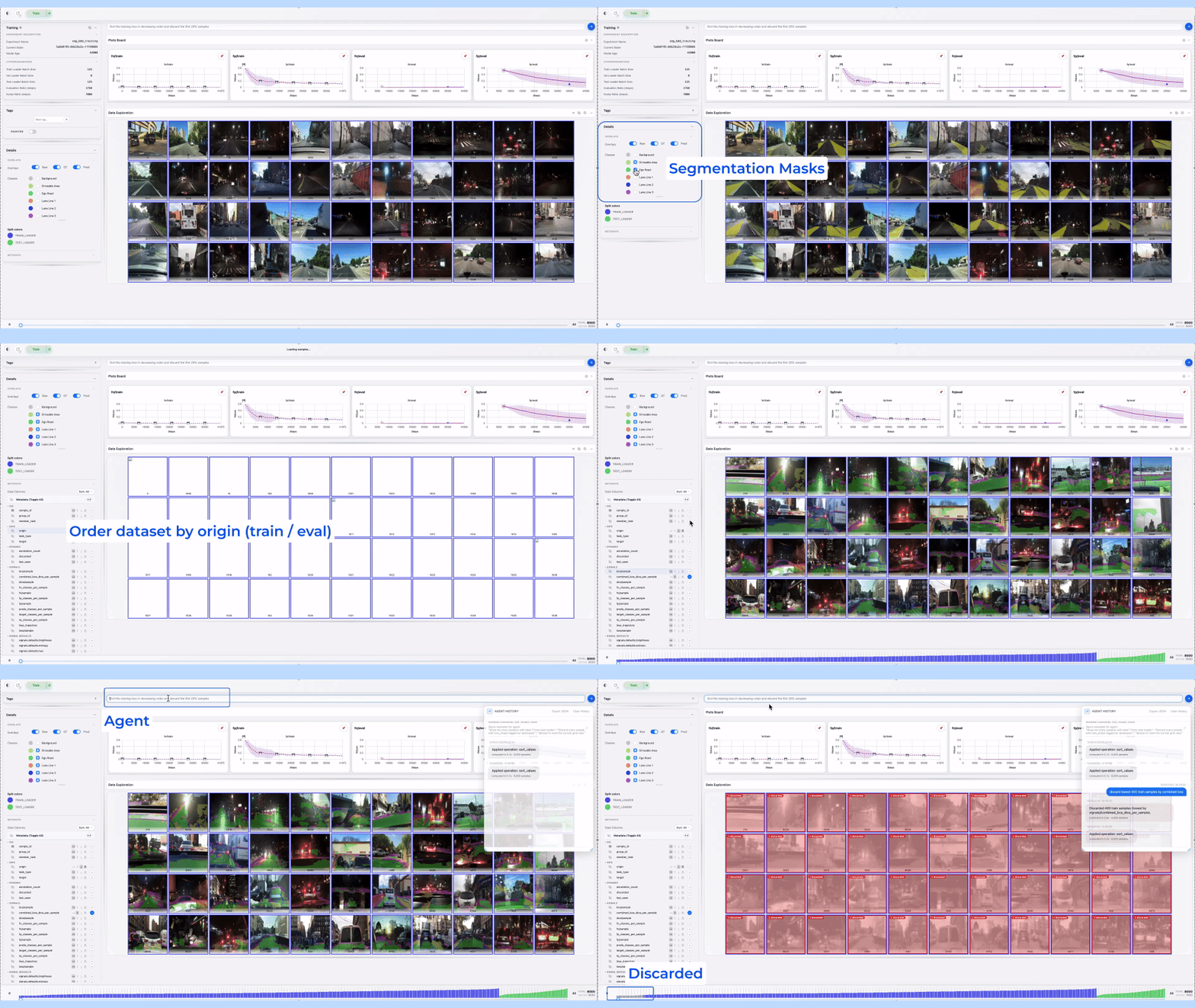
WeightsLab hooks into your existing PyTorch training loop and exposes a live UI where you can inspect per-sample signals, edit the dataset, and steer training. Without restarting.
WeightsLab in Motion
Quickstart
For a detailed installation guide and advanced configuration: Documentation.
1. Install & Launch
pip install weightslab
# or, with uv
uv add weightslab         # in a uv project (uv run weightslab start)
uv pip install weightslab --torch-backend=auto  # in any virtual environment
uvx --torch-backend=auto weightslab start       # just the CLI / Studio UI
With uv, choose the PyTorch build with --torch-backend (auto, cpu, cu126, ...), not --extra-index-url: see the uv install notes.
weightslab start ./my_experiment_directory # optional: open the UI on an experiment directory
2. Start
In the cloud directly

Or Wrap your training script locally
# wrap the objects in your training script

import weightslab as wl
...
model  = wl.watch_or_edit(model, flag='model')
optim  = wl.watch_or_edit(optim, flag='opt')
loss   = wl.watch_or_edit(loss, flag='signal', name="loss", per_sample=True, log=True)
loader = wl.watch_or_edit(dataset, flag='data', loader_name="train")
...
wl.serve(serving_grpc=True, serving_cli=False)  # also serves Weights Studio and opens it in your browser
...
How can you use it ?
1. Find bad data fast
Pause training mid-run before bad data are learnt, sort samples by loss, spot mislabels and outliers before they impact your model.2. Fix and resume without re-starting
Relabel or drop samples live, then continue training from the same checkpoint.3. Catch model regressions early on
Analyze per-sample loss trajectories to see exactly where the model is struggling.Resources & Community
Training script with Weightslab - Step-by-Step Integration
- Add the import at the top of your script:
import weightslab as wl
- Wrap your parameters, model, optimizer, signals, and dataset:
   parameters      = wl.watch_or_edit(parameters, flag='hp',     ...) # ← WeightsLab monitors your parameters and lets you update them from the UI
   model           = wl.watch_or_edit(model, flag='model', ...) # ← WeightsLab monitors your model state
   optimizer       = wl.watch_or_edit(optim.Adam(...),                         flag='opt',    ...) # ← Tracks optimizer state and lets you update the learning rate from the UI

   train_criterion = wl.watch_or_edit(nn.CrossEntropyLoss(reduction="none"),  flag='signal', name="train_loss/sample", per_sample=True, log=True)   # ← Wrap and plot your signals on the UI
   test_criterion  = wl.watch_or_edit(nn.CrossEntropyLoss(reduction="none"),  flag='signal', name="test_loss/sample",  per_sample=True, log=False)  # ← Per-sample only, plot disabled

   train_loader    = wl.watch_or_edit(train_dataset, flag='data', loader_name="train_loader", ...)  # ← Track your training dataset
   val_loader      = wl.watch_or_edit(val_dataset,   flag='data', loader_name="val_loader",   ...)  # ← Track your validation dataset
- Serve from your script, then run it:
wl.serve() # ← starts the backend and Weights Studio (the UI), and opens it in your browser
python train.py
- Inspect your training in real time in the browser tab that opens (the URL is also printed;
http://localhost:8080by default). No separate terminal is needed (ifweightslab startis already running for this backend, that UI is used instead).
Training script with Weightslab - Full Example
#!/usr/bin/env python3
"""
Basic PyTorch training script with WeightsLab integration
"""
import torch
import torch.nn as nn
import torch.optim as optim
from torch.utils.data import DataLoader, TensorDataset
import weightslab as wl


class SimpleModel(nn.Module):
    def __init__(self, input_shape=10, output_shape=1):
        super().__init__()
        self.linear = nn.Linear(input_shape, output_shape)

    def forward(self, x):
        return self.linear(x)


def create_data(n_samples=1000):
    X = torch.randn(n_samples, 10)
    y = X.sum(dim=1, keepdim=True) + 0.1 * torch.randn(n_samples, 1)
    return TensorDataset(X, y)


def main():
    parameters = wl.watch_or_edit({}, flag="hyperparameters", poll_interval=1.0) or {}

    model     = wl.watch_or_edit(SimpleModel(), flag='model')
    optimizer = wl.watch_or_edit(optim.Adam(model.parameters(), lr=0.01), flag='optimizer')
    criterion = wl.watch_or_edit(nn.CrossEntropyLoss(reduction="none"), flag="loss", signal_name="train-loss-CE", log=True)
    loader    = wl.watch_or_edit(create_data(), flag="data", loader_name="loader", batch_size=8, is_training=True)

    for epoch in range(parameters.get('n_epochs', 5)):
        total_loss = 0
        for batch_X, batch_y in loader:
            predictions = model(batch_X)
            loss = criterion(predictions, batch_y)
            optimizer.zero_grad()
            loss.backward()
            optimizer.step()
            total_loss += loss.item()

            # Write the history of these samples every x steps
            if model.get_age() % 100 == 0:
                print(f'Dump signals history and dataframe at age {model.get_age()}')
                wl.write_history(
                    # path=None,  # Use root_log_dir by default, filename generated from parameters md5 hash
                    type_of_history="all",
                    graph_name=[
                        'train/clsf_instance',
                        'val/clsf_instance'
                    ],
                    # experiment_hash=None,  Default is 'last', i.e., current experiment hash
                    sample_id=['11', '29', '28', '27', '22'],
                    instance_id=[1, 2, 3]
                )

                # Dump the sample dataframe: all signals plus the loss_shape categorical tag,
                wl.write_dataframe(
                    columns=["signals", "tag:loss_shape"],
                    format='csv'
                    # sample_id=['0', '28']
                    # instance_id=[1, 2],
                )

        avg_loss = total_loss / len(loader)
        print(f"Epoch {epoch+1}/5 - Loss: {avg_loss:.4f}")

    print("✅ Training complete!")


if __name__ == "__main__":
    main()
Migrating ?
See more details at https://grayboxtech.github.io/weightslab/latest/quickstart.html#local-integration-in-your-own-python-script-mnist.
Agent: chat with your training run (OpenCode)
WeightsLab ships two distinct agent surfaces: the backend SDK agent for data-manipulation
queries, and a local OpenCode-backed agent with a full bash/file
toolset that can restart training, edit your code, and run recurring /loop monitoring
jobs. See the Agent docs for
how the two connect, how to point either one at a local model, and the full /loop
reference.
Contributing and OnBoarding
New here (human or AI coding agent)? Start with AGENTS.md; it captures the cross-repo architecture (weightslab backend ↔ weights_studio frontend via the shared proto), the module maps, the integration pattern, where tests live, and the gotchas that aren't obvious from any single file. It's the fastest way to orient before a first change and contribution.
Community
We're building a community of ML engineers around data-centric training tooling. Interested in contributing or just want to say hi? → hello [at] graybx [dot] com
Citation
If WeightsLab is part of your development process / project / publication, please cite us ❤️:
@misc{wl2024,
  title = {WeightsLab - A monitoring platform for ML teams building real‑world AI at scale},
  year = {2024},
  note = {Software available from http://github.com/GrayboTech/weightslab},
  url={https://graybx.com},
  author = {GrayBx}
}
License
WeightsLab is free for noncommercial use. Commercial use needs a paid licence.
- Noncommercial use is free, under the PolyForm Noncommercial License 1.0.0. It covers:
- personal use for research, experiment, testing, study and hobby projects;
- use by charities, educational institutions, public research organisations and government.
- Commercial use needs a commercial licence. This includes any use by or for a company, whatever its size. The licence is sold per seat. A seat is one user, and includes support, updates and the custom features your team needs. Write to hello@graybx.com.
Versions released before this licence took effect remain available under the licence they were released with (Apache License 2.0). See LICENSE.
1 maintainer

Metadata
1 maintainer
Release files for weightslab 2.0.4
For a detailed explanation of source distributions (sdists) and built distributions (wheels), please see the package formats documentation.
Source distribution (sdist)
| File | Size | Uploaded | Provenance | Actions |
|---|---|---|---|---|
| weightslab-2.0.4.tar.gz | 20.1 MB | Without provenance | Details for weightslab-2.0.4.tar.gz |
Built distribution (wheel)
| File | Interpreter | ABI | Platform | Actions Reset |
|---|---|---|---|---|
| weightslab-2.0.4-py3-none-any.whl | Python 3 | none | any | Details for weightslab-2.0.4-py3-none-any.whl |
Total release size: 25.3 MB
Release files / weightslab-2.0.4.tar.gz
| Download URL | weightslab-2.0.4.tar.gz |
|---|---|
| Size | 20.1 MB |
| Tags | Source |
|
SHA-256 checksum How to use checksums |
5889594f79c669a41e3dbdea01e91678607d30b2ff95261b1cc3fe2fd575ef10
|
|
BLAKE2b-256 checksum How to use checksums |
73937256745fb79e75489fa394d66a561ec4bb475e8983df26f60ad93f758f3b
|
| Upload date | |
|
Uploaded using Trusted Publishing? What is trusted publishing? |
No |
| Uploaded via |
twine/7.0.0 CPython/3.11.18
|
Release files / weightslab-2.0.4-py3-none-any.whl
| Download URL | weightslab-2.0.4-py3-none-any.whl |
|---|---|
| Size | 5.2 MB |
| Tags | Python 3 |
|
SHA-256 checksum How to use checksums |
d4d9242306af783af2bc3066ab586a933ee116646ab366fa55a693a6add7a874
|
|
BLAKE2b-256 checksum How to use checksums |
37392f5ac0907406128eced579336d37a7c0771d5561e2cddf690675041635c8
|
| Upload date | |
|
Uploaded using Trusted Publishing? What is trusted publishing? |
No |
| Uploaded via |
twine/7.0.0 CPython/3.11.18
|
Security for weightslab 2.0.4
Provenance
Provenance describes where a file came from. On PyPI, provenance is shared via attestations, which provide a verifiable record of the build or publishing details. View details, limitations and caveats.
No provenance found
None of the files in this release were uploaded with provenance metadata.
A note on package security
PyPI is a repository for distributing packages, not a service for auditing them. While third-party security researchers and our staff do their best to detect and remove malicious packages, PyPI cannot guarantee the quality, security or suitability of any given package.
To learn more about protecting yourself from malicious actors, visit our package security documentation.














